Chartgenie – Create Professional Charts & Graphs Instantly

TL;DR

  • Create unlimited charts and graphs on iPhone with 17 chart types, including bar, line, pie, scatter, area, and heat maps.
  • Customize chart titles, colors, annotations, values, thresholds, and data sources.
  • Import large datasets through CSV files and export charts for emails, presentations, and reports.
  • Share charts with the Chartgenie community and reuse graphs created by other users.

Quick Overview

Alternative to:

  • Canva
  • Flourish
  • Visme

Best for:

  • Analysts
  • Content Creators
  • Designers
  • Educators
  • Marketers
  • Researchers
  • Small Businesses
  • Students
  • Teachers

Compatibility:

  • Operating Systems:
    iOS

Stop spending hours with spreadsheets to create basic graphs; transform your data into clear, impactful charts and graphs on your iPhone with –

Chartgenie – Chart and Graph Maker (iOS App)

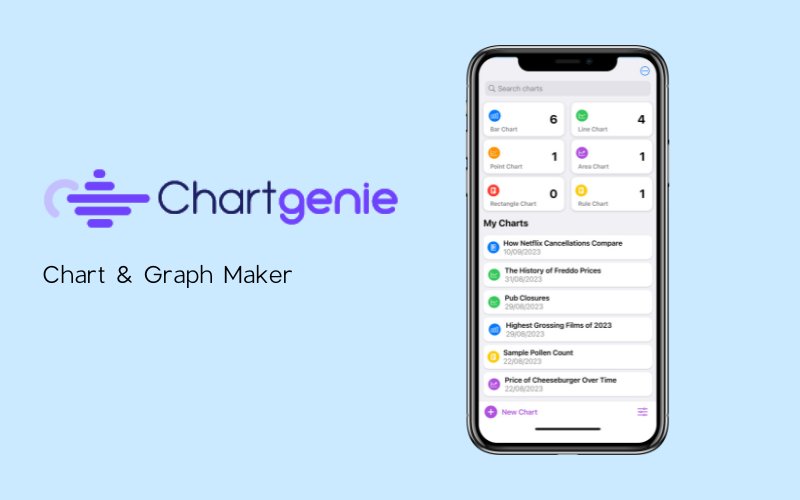
Chartgenie is an iOS App that allows you to create and share beautiful charts and graphs easily.

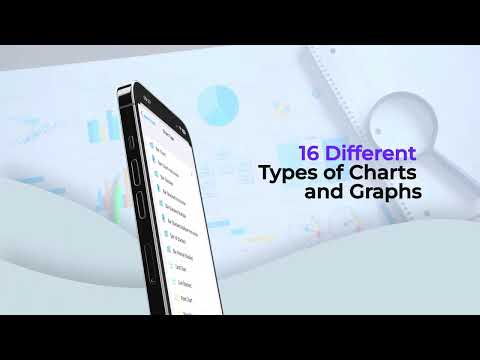
This app provides a fully featured charting platform with over 17 charts and graphs.

It also lets you share your charts with the Chartgenie community and reuse graphs others have shared.

What’s more? Chartgenie is designed with Apple’s latest technology, including Swift, SwiftUI, and Swift Charts.


What does Chartgenie include?

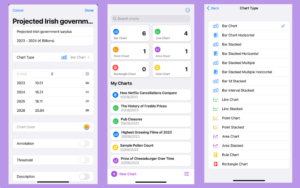
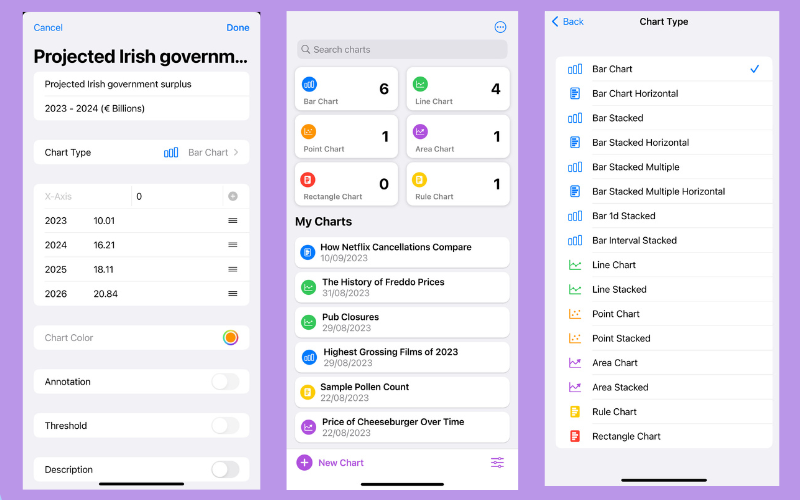
  • 17 chart types: Create bar, line, pie, area, scatter, heat map, stacked, and other chart variations.
  • Flexible customization: Adjust chart titles, subtitles, colors, annotations, values, and chart types.
  • Data insights addition: Include threshold or average lines, descriptions, and data sources.
  • Customizable individual elements: Edit individual bars and chart values for greater control.
  • Presentation-ready visual creation: Tailor charts to match your reporting and visualization needs.

Introduction To Chartgenie – Chart And Graph Maker

Youtube video

Features Of Chartgenie:

ChartGenie UI

Explore, Share & Manage Charts:

  • Scroll & Explore: Navigate charts horizontally and vertically.
  • Tap to Highlight: Hold data points to view more details.
  • Share & Reuse: Share charts and reuse community creations.
  • Easy Export: Export charts for emails, presentations, and reports.
  • CSV Import: Upload large datasets using CSV files.
  • Chart Dashboard: Search, sort, filter, and manage your charts.
  • iOS App: Create and manage charts on iPhone.
  • Community Hub: Discover, share, and reuse charts from other users.
  • Individual Values: Display and customize individual bar or graph values.

Why Choose Chartgenie?

  • Turn raw data into clear, professional charts and graphs.
  • Choose from 17 chart types for different data needs.
  • Customize colors, labels, annotations, and chart values.
  • Import large datasets directly through CSV files.
  • Highlight individual data points to make insights easier to understand.
  • Add threshold and average lines to compare performance.
  • Export charts for presentations, reports, emails, and other content.
  • Organize, search, filter, and manage charts from one dashboard.
  • Share charts with others and reuse community-created visualizations.
  • Create and manage charts conveniently from your iPhone.

Best For:

  • Analysts
  • Content Creators
  • Designers
  • Educators
  • Marketers
  • Researchers
  • Small Businesses
  • Students
  • Teachers

Choose Your Plan

Annual
Annual
Original price was: $24.99.Current price is: $9.99.
With DealClub
$8.49
$24.99
Without DealClub
$9.99
$24.99
Buy Now
Limited Time Deal

Deal Terms

  • Access via redemption of coupon code
  • 30-Day Coupon Code Validity
  • One Coupon Code for one user/account
  • Coupon Codes are not stackable
  • For New Users only
  • Free Updates
  • Free Support
  • Accessible on iOS devices

Plans & Features

Choose the perfect plan for your needs.

Plans & Features
Annual
$24.99 $9.99
Buy Now
Chart types

17

Charts

Unlimited

No export annotation
CSV data import
Email support
Access to discourse community

Annual

$24.99 $9.99
Buy Now
30-Day Refund | Annual Access
  • Chart types: 17
  • Charts: Unlimited
  • No export annotation
  • CSV data import
  • Email support
  • Access to discourse community

Frequently Asked Questions

Find answers to common questions about ChartGenie

Does Chartgenie have an iPhone app?

Yes. Chartgenie is available as an iOS app.

Can I manage multiple charts?

Yes. Search, sort, filter, and organize your charts from the dashboard.

Customer Feedback

Customer Reviews (0) Customer Q&A (0)

No Reviews Yet

Be the first to try this deal and share your experience.

You must purchase this product to leave a review.

Be The First To Ask

Get clarity before you buy—your question might help others too.

×

You Might Also Like

Genbler - Multimedia Suite | Annual Access
DENOISE Projects 3 Professional | Extended License
Etsy Mockups Generator Studio
Kids Math Worksheet Generator (Win - 2 PC) - Generate Custom Math Worksheets for Kids

Kids Math Worksheet Generator (Win - 2 PC) - Generate Custom Math Worksheets for Kids

, , , , , , ,

Choose Plan
Annual
Annual
Original price was: $24.99.Current price is: $9.99.
Buy with DealClub
$8.49 $24.99
Buy without DealClub
$9.99 $24.99

Deal Terms

  • ✓ Access via redemption of coupon code
  • ✓ 30-Day Coupon Code Validity
  • ✓ One Coupon Code for one user/account
  • ✓ Coupon Codes are not stackable
  • ✓ For New Users only
  • ✓ Free Updates
  • ✓ Free Support
  • ✓ Accessible on iOS devices
Scroll to Top