
Home > All > Operating System > Windows > ScreenDemos – AI Screen Recording Software | Lifetime Deal

ScreenDemos – AI Screen Recording Software | Lifetime Deal

Vendor: Daniel Fang
screendemos feature ai screen recording software
Rated 5.00 out of 5 based on 1 customer rating
(1 customer review)

Creating engaging video demos is often a tedious process. Setting up screen recording software, editing footage, and adding effects can take hours, making it difficult to produce high-quality content efficiently. But not if you have access to – 

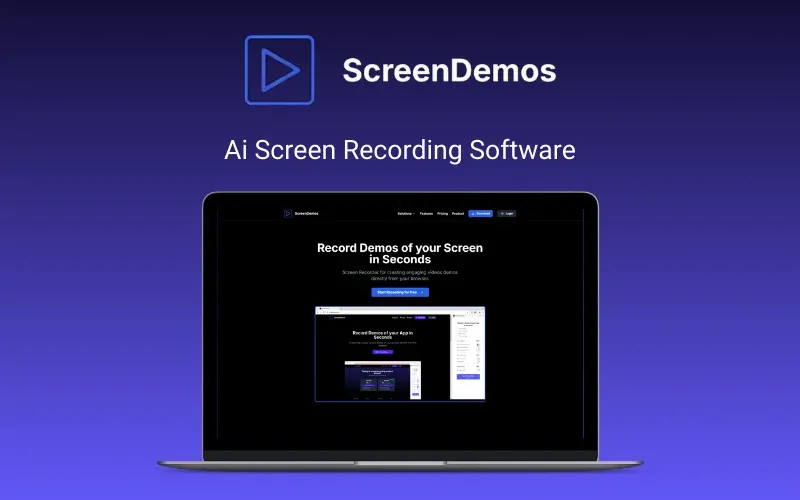
ScreenDemos – AI Screen Recording Tool

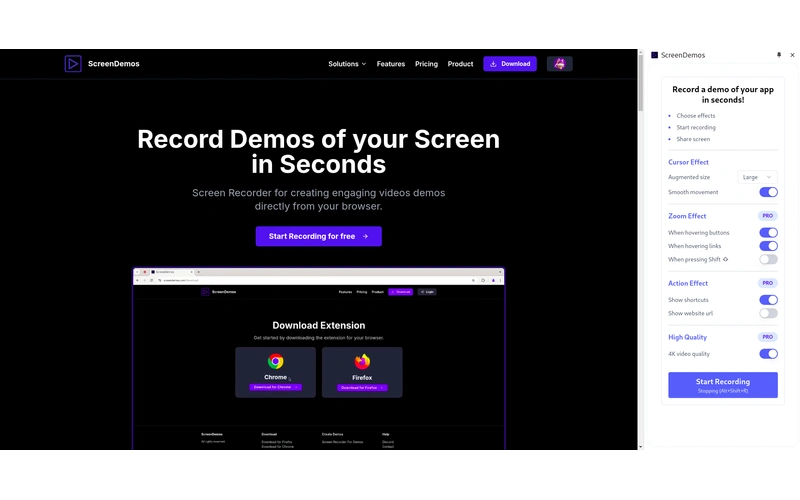
ScreenDemos is a browser-based screen recording tool that allows you to create professional-quality demos without editing. It features automatic zoom, smooth cursor animations, and more.

With automatic zoom effects and smooth cursor animations, you can create engaging screen demos without any post-editing.

With ScreenDemos, simply hit record, showcase your content, and share high-quality videos in minutes—no technical expertise required.

How Does It Work?

  1. Install the ScreenDemos Browser Extension – Get started in seconds.
  2. Open the Sidebar – Click the extension icon to access recording options.
  3. Choose Effects – Customize zoom, cursor movement, and shortcut hints.
  4. Start Recording – Capture your screen with professional-quality effects.
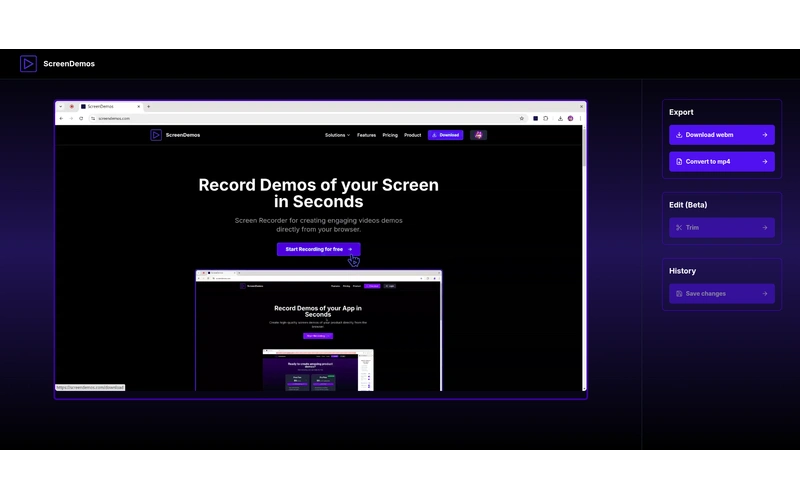
  5. Stop & Edit – Use Alt+Shift+R to stop, then preview and refine your demo.

Introduction to ScreenDemos:

Features of ScreenDemos AI Screen Recording Tool:

Effortless AI-Powered Recording

  • Record smooth, high-quality screen demos directly in your browser—no extra software needed.

Automatic Zoom Effects & Cursor Movements –

  • Enhance engagement with dynamic zoom-ins and fluid cursor animations.

Shortcut Hints for Clarity

  • Automatically display shortcut hints in your recordings for better instruction.

Professional-Quality Videos Instantly

  • Create polished, ready-to-share videos without post-production editing.

Quick & Simple Sharing

  • Save and export videos easily to use for marketing, tutorials, or social media.

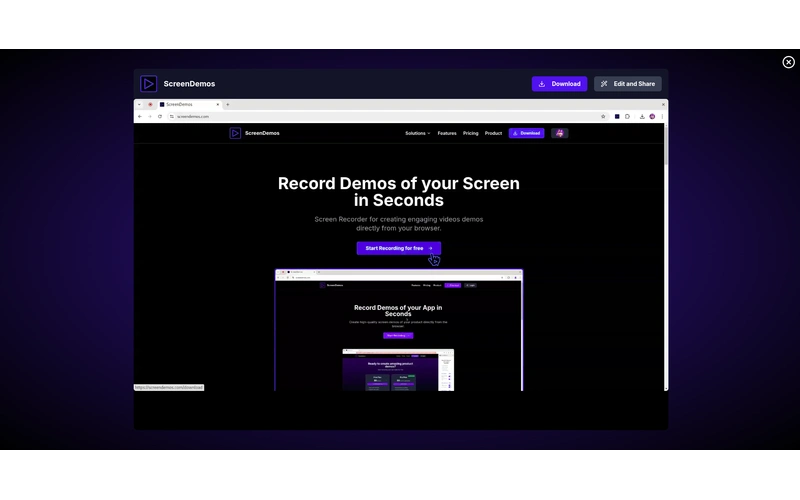
Preview Of ScreenDemos – Ai Screen Recording Tool:

ScreenDemos Customer Testimonials:

Deal Terms:

How to download/activate this product?
After completing your purchase, you will receive an instructions document. Follow the instructions in this document to redeem the coupon code and get access to this product.

What is the validity of the license key/coupon code? (Within how many days the coupon code must be redeemed?)
The coupon code must be redeemed within 30 days from the date of purchase.

Do you get Lifetime Access to this deal?
Yes, this deal gives you lifetime access to ScreenDemos – Ai Screen Recording Tool.
Lifetime means the lifetime of the product.
We try to get great products with longevity for our customers, but products do get acquired, or sometimes the products go bankrupt. Many of these products are startup companies, giving us a great deal for our customers. But in case of an unfortunate situation where the product does not last long, there is not much DealFuel can do about it.

Are Lifetime Updates available for this product?
Yes, Lifetime updates are available for this product.

Is support available for this product?
Yes, support is available for this product.
For support, contact –  [email protected].

Is this deal for new users only?
No, this deal is available for both new and existing users of ScreenDemos.

How many users can use the license key/coupon code?
1 coupon code can be used for 1 user/account.

Are the coupon codes stackable?
No, the coupon codes are not stackable.

Can this product be accessed on all devices?
Yes, ScreenDemos—AI Screen Recording Tool is accessible on all devices provided they have a good internet connection.

Reviews

  1. Rated 5 out of 5

    Kevin Williams

    Very nice tool. Convenient and easy to install. Great customer service!

Only logged in customers who have purchased this product may leave a review.

TL;DR

  • Record professional screen demos from your browser.
  • Auto zoom, smooth cursor, and shortcut hints—no editing needed.
  • Perfect for product demos, tutorials & social media.

Creating engaging video demos is often a tedious process. Setting up screen recording software, editing footage, and adding effects can take hours, making it difficult to produce high-quality content efficiently. But not if you have access to – 

ScreenDemos – AI Screen Recording Tool

ScreenDemos is a browser-based screen recording tool that allows you to create professional-quality demos without editing. It features automatic zoom, smooth cursor animations, and more.

With automatic zoom effects and smooth cursor animations, you can create engaging screen demos without any post-editing.

With ScreenDemos, simply hit record, showcase your content, and share high-quality videos in minutes—no technical expertise required.

How Does It Work?

  1. Install the ScreenDemos Browser Extension – Get started in seconds.
  2. Open the Sidebar – Click the extension icon to access recording options.
  3. Choose Effects – Customize zoom, cursor movement, and shortcut hints.
  4. Start Recording – Capture your screen with professional-quality effects.
  5. Stop & Edit – Use Alt+Shift+R to stop, then preview and refine your demo.

Introduction to ScreenDemos:

Features of ScreenDemos AI Screen Recording Tool:

Effortless AI-Powered Recording

  • Record smooth, high-quality screen demos directly in your browser—no extra software needed.

Automatic Zoom Effects & Cursor Movements –

  • Enhance engagement with dynamic zoom-ins and fluid cursor animations.

Shortcut Hints for Clarity

  • Automatically display shortcut hints in your recordings for better instruction.

Professional-Quality Videos Instantly

  • Create polished, ready-to-share videos without post-production editing.

Quick & Simple Sharing

  • Save and export videos easily to use for marketing, tutorials, or social media.

Preview Of ScreenDemos – Ai Screen Recording Tool:

ScreenDemos Customer Testimonials:

Deal Terms:

How to download/activate this product?
After completing your purchase, you will receive an instructions document. Follow the instructions in this document to redeem the coupon code and get access to this product.

What is the validity of the license key/coupon code? (Within how many days the coupon code must be redeemed?)
The coupon code must be redeemed within 30 days from the date of purchase.

Do you get Lifetime Access to this deal?
Yes, this deal gives you lifetime access to ScreenDemos – Ai Screen Recording Tool.
Lifetime means the lifetime of the product.
We try to get great products with longevity for our customers, but products do get acquired, or sometimes the products go bankrupt. Many of these products are startup companies, giving us a great deal for our customers. But in case of an unfortunate situation where the product does not last long, there is not much DealFuel can do about it.

Are Lifetime Updates available for this product?
Yes, Lifetime updates are available for this product.

Is support available for this product?
Yes, support is available for this product.
For support, contact –  [email protected].

Is this deal for new users only?
No, this deal is available for both new and existing users of ScreenDemos.

How many users can use the license key/coupon code?
1 coupon code can be used for 1 user/account.

Are the coupon codes stackable?
No, the coupon codes are not stackable.

Can this product be accessed on all devices?
Yes, ScreenDemos—AI Screen Recording Tool is accessible on all devices provided they have a good internet connection.

This Deal ran out of Fuel

Don’t Miss a Deal Again.
Get the Latest Deals In your Inbox.

30 Day Refund Policy
For support contact: [email protected] 

Want to save another 25% on this deal?

Join DealClub

Plans & Features

Base Plan
$49 $99
Buy Now

    No Q&A available yet.

    Rated 5 out of 5
    Very nice tool. Convenient and easy to install. Great customer service!

    Only logged in customers who have purchased this product may leave a review.

Scroll to Top