Refine old videos, upgrade animations, or produce content for high-res platforms, using Nero AI Video Upscaler Pro.
What is Nero AI Video Upscaler Pro?
Nero AI Video Upscaler Pro is an AI-powered video upscaler that upgrades your footage to 4K or even 8K resolution in just a few clicks.
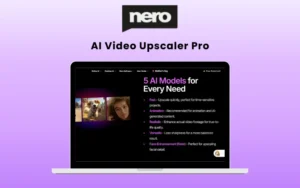
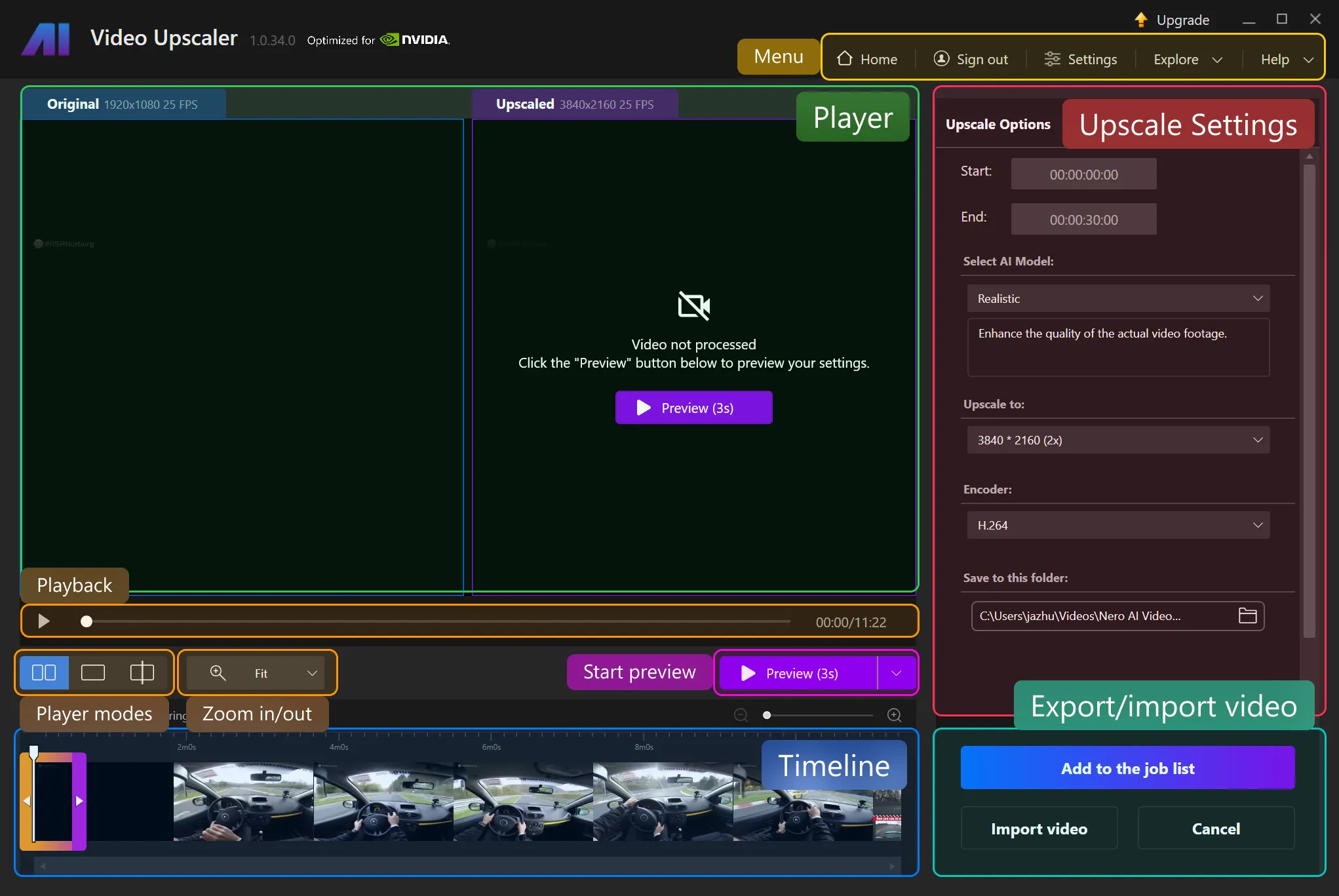
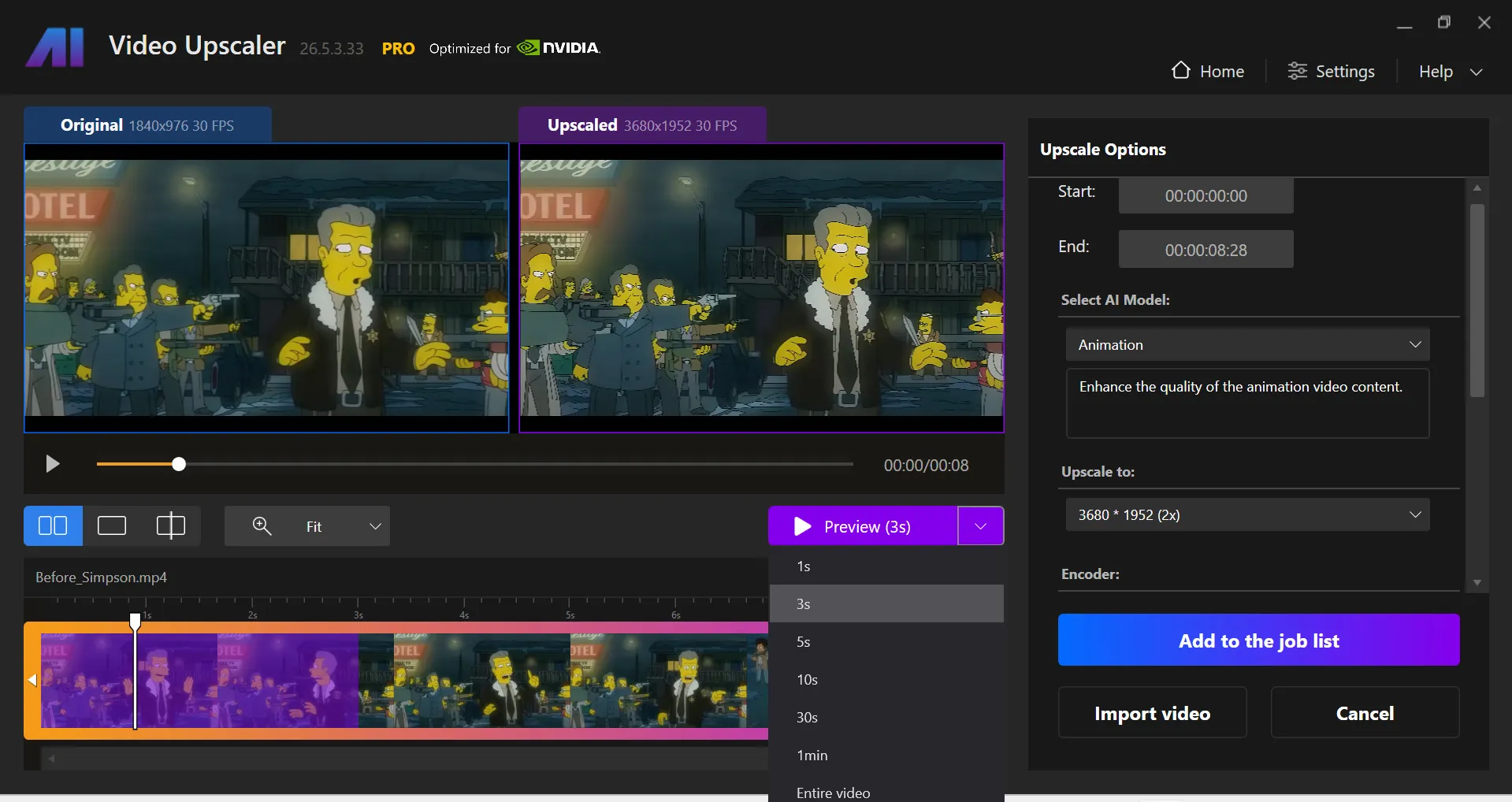
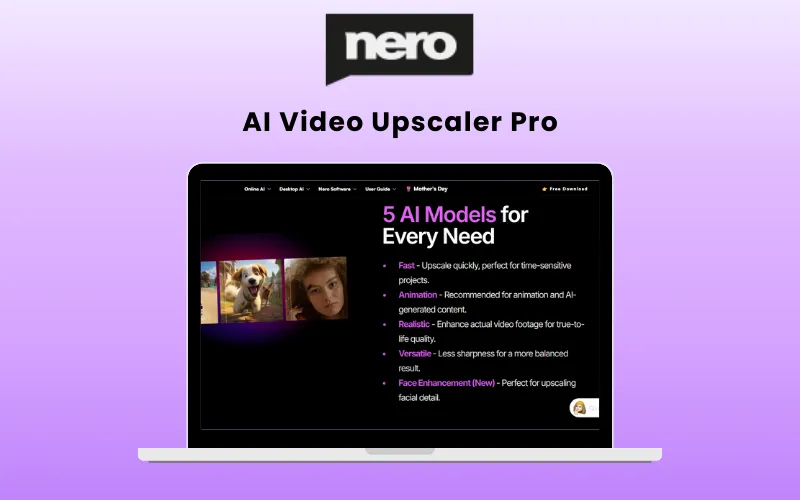
Nero AI allows you to set your upscale options with five powerful AI models, each tailored for different video types. They are:
- Fast: general purpose model, fast processing speed.
- Animation: special model for 2D cartoon or animation video enhancement.
- Realistic: special model for reality video footages.
- Versatile: It will enhance the video quality with less sharpness and keep more details.
- Restoration (New): restore the micro details in video footages.
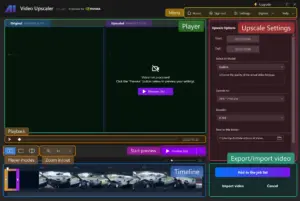
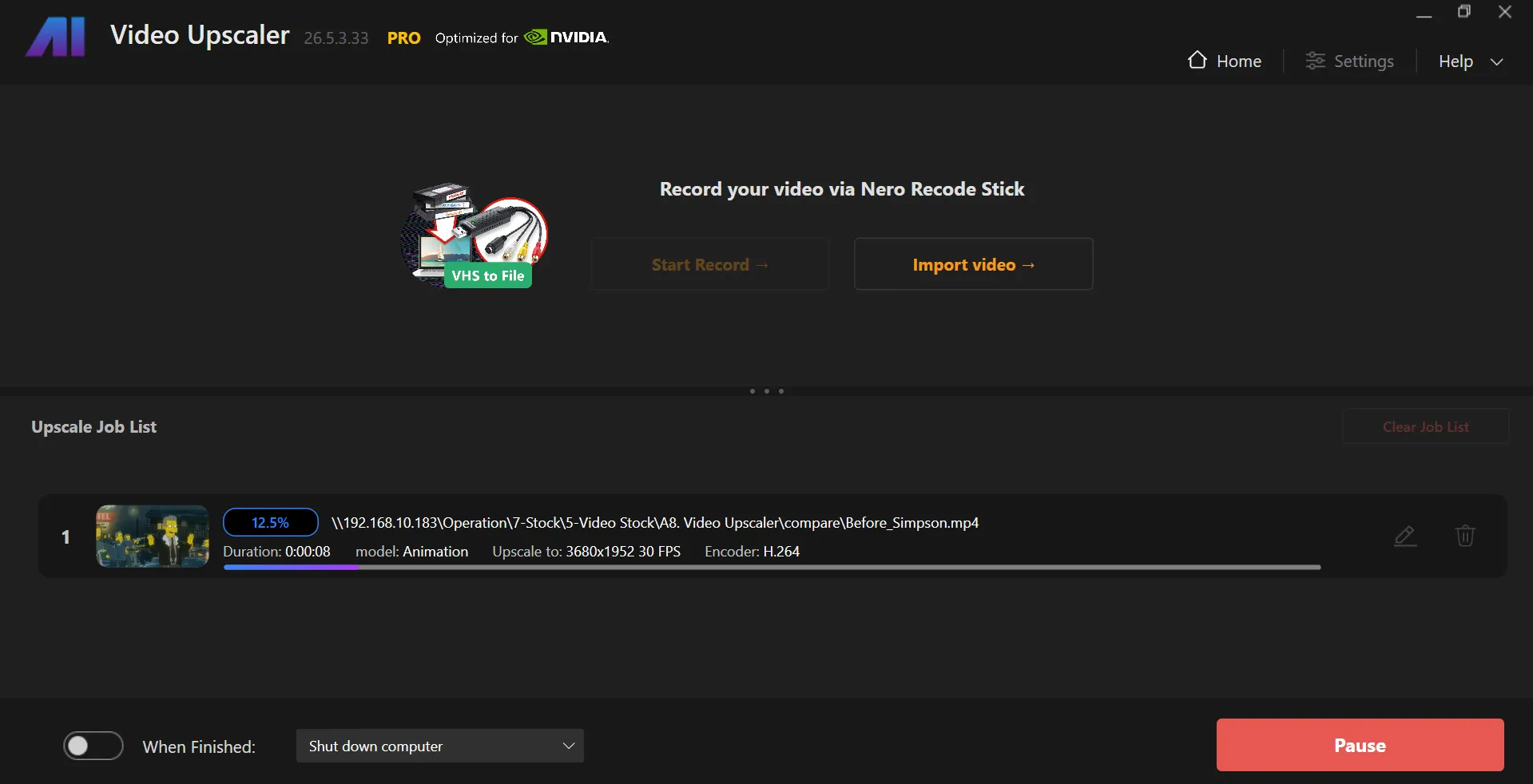
It supports MP4, AVI, MOV, and WMV video formats and allows users to export videos in various formats, folder locations, and resolutions ranging from 720*576 to 7680*4320 (11 options).
It also allows you to set the video encoder: H.264 for more compatibility, H.265 for better size efficiency
You can easily upscale old footage, anime, live-action clips, or social content, and bring clarity, sharpness, and vividness back to them.
Introduction to Nero AI Video Upscaler Pro:

Features Of Nero AI Lifetime Deal:
AI Upscaling and Restoration:
- Easily converts SD, 720p, and 1080p videos into 4K or even 8K while restoring lost details.
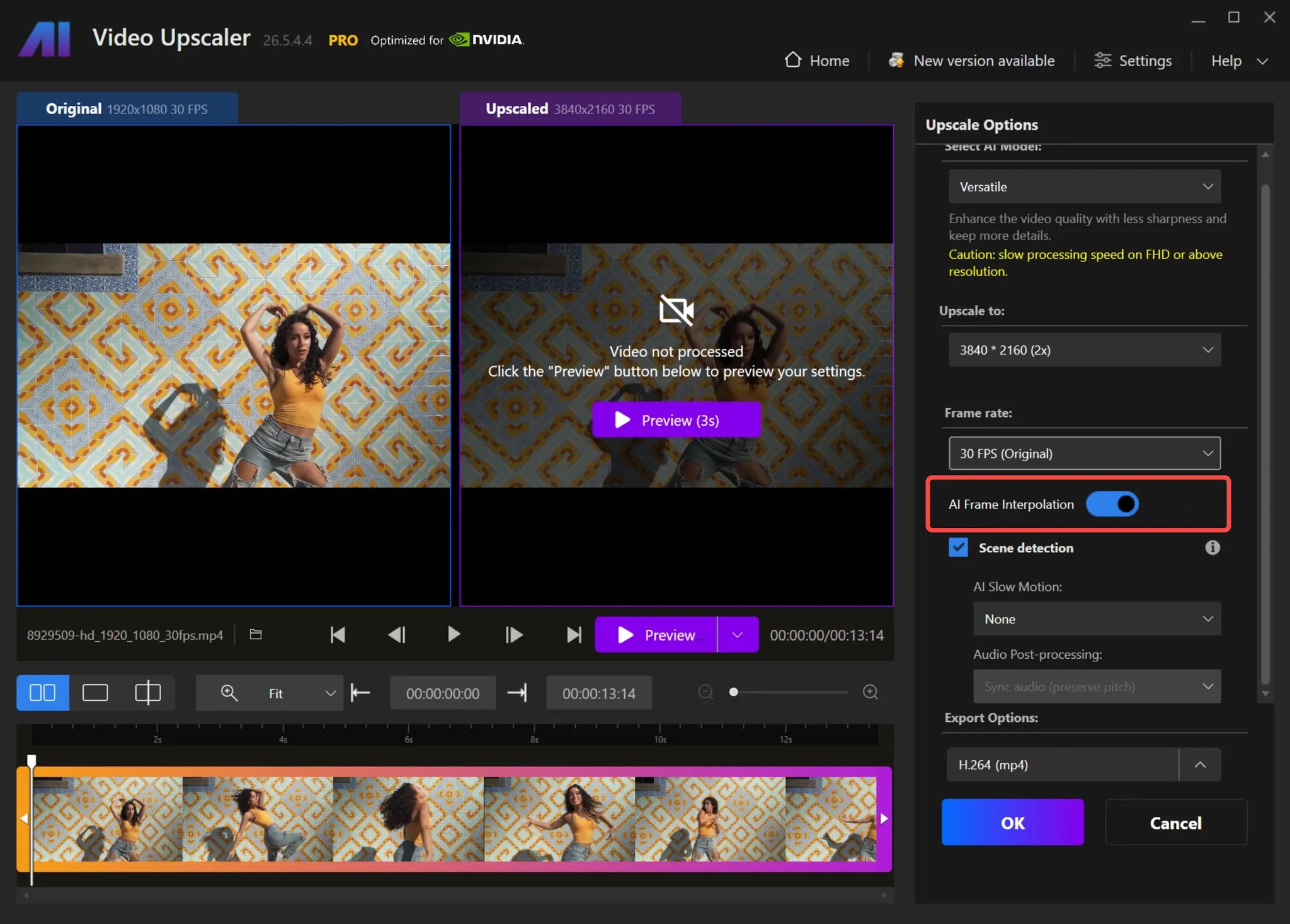
AI Frame Interpolation and Slow Motion:
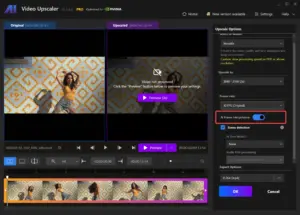
- Allows you to choose your desired frame rate from the drop-down menu, with options ranging up to 120 FPS.
- Lets you customize the audio settings by selecting either Preserve Pitch or Do Not Preserve Pitch based on your preference.
4K Upscaling:
- Effortlessly brings anime characters and cartoons to life with the help of AI.
Presets Upscaling:
- Allows you to craft your own presets or choose from factory presets to start your projects.
- Provides an option to save the current video settings as a preset, allowing you to reuse them for other videos. Just open the “Presets & Settings” menu to save the current settings as a preset.
AI Frame Interpolation:
- Analyzes video frames and fills in the gaps to increase the frame rate, making the videos look smoother and more fluid.
Face Enhancement Model:
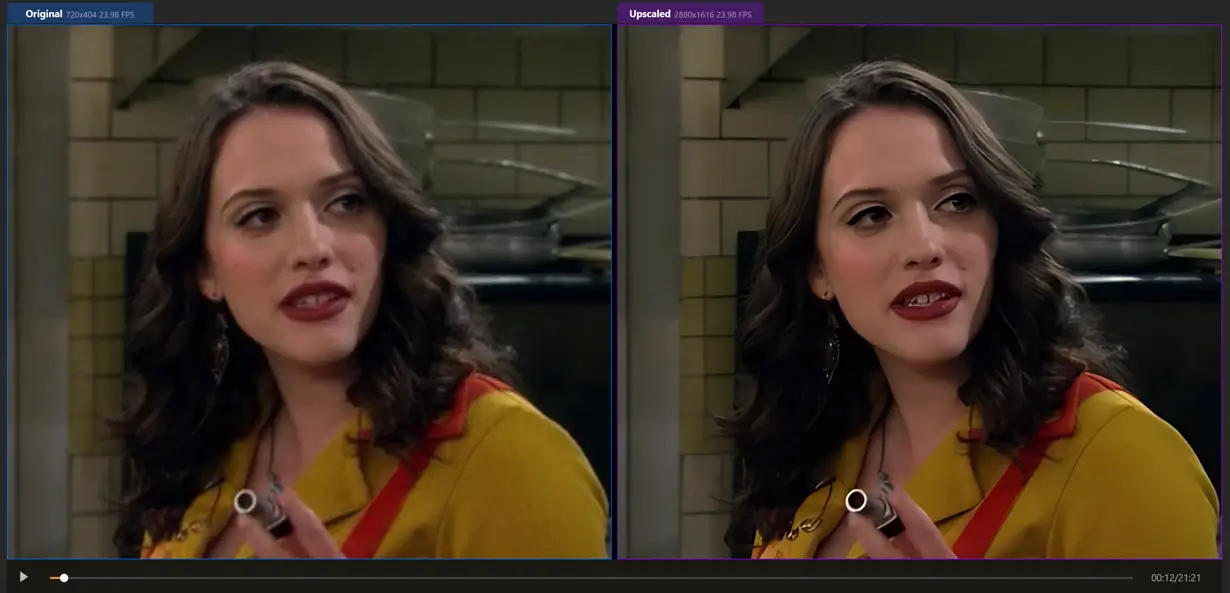
- Improves the clarity and detail of faces in the videos with a specialized upscaling algorithm.
New Color Adjustment:
- Allows for adjusting brightness, contrast, and colors to fix dull or overly dark videos.
Batch Processing:
- Uses the AI to upscale multiple videos at once, saving hours of work.
Real-Time Preview:
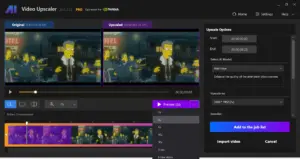
- Provides a real-time side-by-side comparison of the original video and the upscaled/enhanced version.
- Allows you to generate a preview, select the desired resolution and output settings, and press the Preview button.
- Provides options for previews ranging from 1s, 3s, 5s, 10s, 30s, 1min, to the whole video.
- Allows you to adjust the view and zoom to inspect the results.
Optimized for Speed with GPU Acceleration:
- Uses NVIDIA and AMD GPUs to speed up video processing.
Time-Saving Workflow:
- Allows for enhancing the specific parts of a video without pre-cutting.
New – Restoration Model:
- Allows you to enhance fine details and make textures look sharper than ever.
Time Estimation:
- Lets you know when your upscaling will be done, so you can plan your work accordingly.
How to Import Videos?
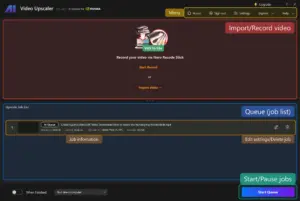
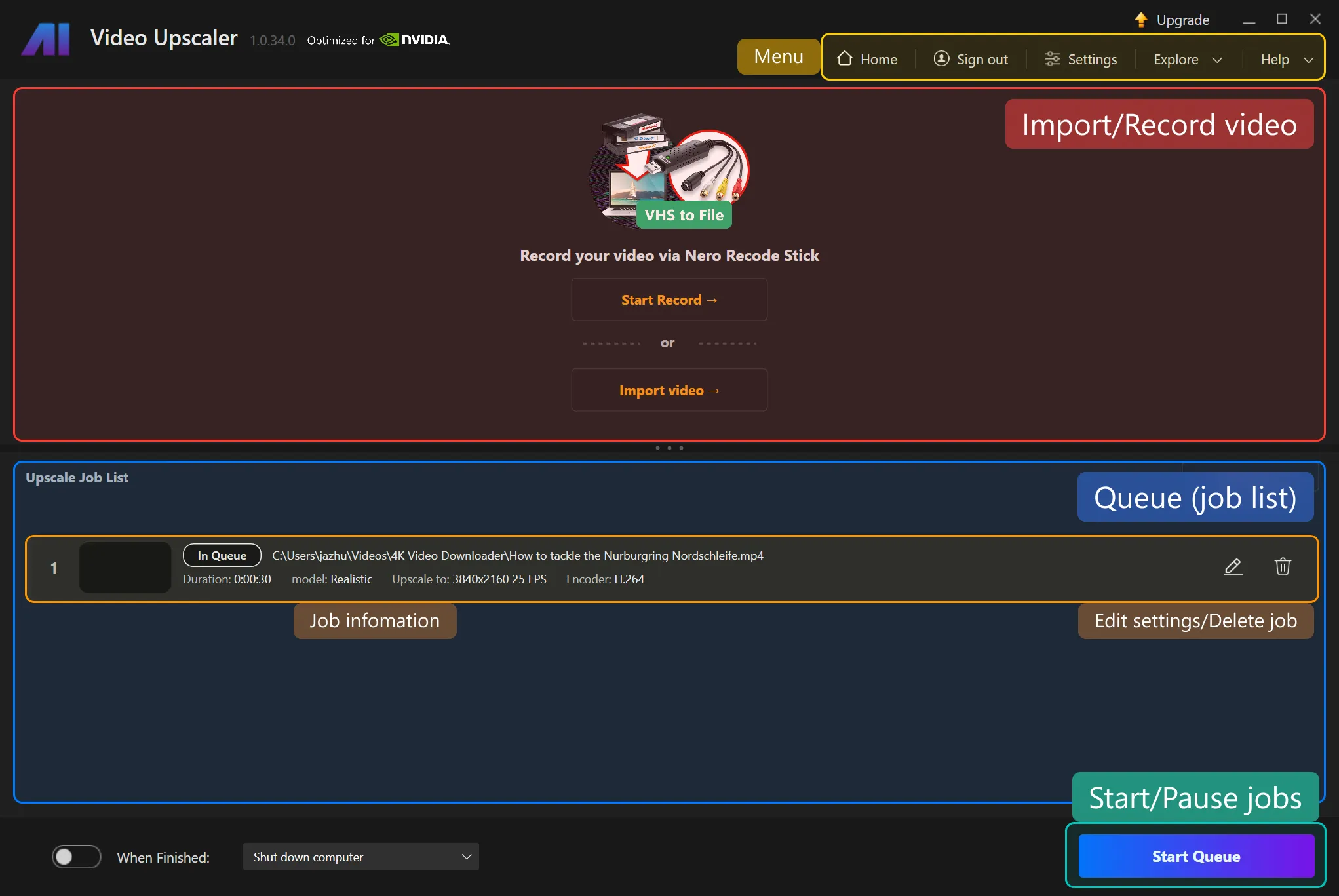
- Recording a video: By Nero Recode Stick or other video input sources like camera.
- Importing a video: By opening a video file to import to the application. Or simply drag and drop. For multiple video files, you can drag and drop the folder containing the video files or open multiple files.
Formats Supported:
- 3GP (3g2, .3gp, .3gp2, .3gpp)
- Advanced Streaming Format (.asf, .wma, .wmv)
- AVI (.avi)
- MPEG-4 (.m4a, .m4v, .mov, .mp4)
- Matroska Video (.mkv)
- DV Video
- H.264
- H.263
- MJPEG
- MPEG-4 Part-2/v1/v2/v3
- Windows Media Video (WMV)
- HEVC*
- AV1*
- VP9*
- MPEG-2*
*Requires installing additional Video Extensions from Microsoft Store.
Why Nero AI Video Upscaler Pro?
- Upscale low-resolution videos to higher resolutions and achieve sharper, more professional-looking results.
- Enhance old, blurry, or compressed footage and restore lost visual details with AI-powered processing.
- Improve video quality for YouTube, social media, presentations, and client projects without advanced editing skills.
- Convert SD and HD videos into clearer, more modern-looking content suitable for today’s displays.
- Reduce noise, artifacts, and visual imperfections for cleaner and more polished footage.
- Restore archived family videos and preserve important memories with improved clarity and detail.
- Upgrade older content for larger screens, monitors, and TVs without sacrificing viewing quality.
- Save hours of manual editing by automating video enhancement and upscaling with AI.
- Create more engaging videos that look sharper and more professional to viewers and clients.
- Process videos locally on your computer, giving you greater control over your content and workflow.
Who Is Nero AI Video Upscaler Pro For?
- Content Creators: To enhance video quality and make content look more professional across platforms.
- YouTubers: To upgrade older videos and improve viewer experience with sharper footage.
- Video Editors: To speed up restoration and upscaling workflows without extensive manual editing.
- Digital Marketers: To create higher-quality promotional videos that capture more attention.
- Filmmakers: To restore archived footage and prepare videos for modern displays and audiences.
- Social Media Managers: To improve the visual quality of content for better engagement and reach.
- Small Business Owners: To produce polished marketing videos without investing in expensive production equipment.
- Educators & Trainers: To enhance instructional videos for clearer, more professional presentations.
- Media Archivists: To preserve and restore historical or legacy video content with improved clarity.
- Families & Hobbyists: To bring old home videos back to life with sharper details and better viewing quality.
System Requirements:
- Operating System: Windows 10 (64-bit) or Windows 11 (64-bit)
- Memory (RAM): Minimum 8GB, Recommended 32GB or more
- Graphics Card (GPU): *
- Minimum: AMD Radeon 500 Series or NVIDIA GTX 900 Series (4GB VRAM) for Full HD to 4K *
- Recommended: AMD Radeon RX 6700 XT or NVIDIA RTX 3060 (12GB VRAM) for 4K to 8K
- Processor (CPU): AMD Ryzen or Intel Core (2017 or later)
- Storage: 20GB free disk space
A Sneak Peek Into Nero AI Video Upscaler Pro:
Nero AI LTD Customer Testimonials:
Deal Terms:
How to download/activate this product?
After completing your purchase, you will receive an instructions document. Follow the instructions in this document to redeem the coupon code and get access to this product.
What is the validity of the license key/coupon code? (Within how many days the coupon code must be redeemed?)
The coupon code must be redeemed within 30 days from the date of purchase.
Do you get Lifetime Access to this deal?
Yes, this deal gives you lifetime access to Nero AI Video Upscaler Pro.
Lifetime means the lifetime of the product.
We try to get great products with longevity for our customers, but products do get acquired, or sometimes the products go bankrupt. Many of these products are startup companies, giving us a great deal for our customers. But in case of an unfortunate situation where the product does not last long, there is not much DealFuel can do about it.
Are Lifetime Updates available for this product?
Yes, free Lifetime updates are available for this product.
Is support available for this product?
Yes, support is available for this product.
For support, contact – [email protected].
Is this deal for new users only?
No, this deal is available for both new and existing users of Nero AI Video Upscaler Pro.
How many users can use the license key/coupon code?
1 coupon code can be used for 1 user/account.
Are the coupon codes stackable?
No, the coupon codes are not stackable.
Can this product be accessed on all devices?
No, this product is accessible only on a Desktop, provided it has a good internet connection.


Reviews
There are no reviews yet.