Home > All > Operating System > Browser Based > TurboStyle – Web Page Editor Extension | Lifetime Access

TurboStyle – Web Page Editor Extension | Lifetime Access

Vendor: TurboStyle
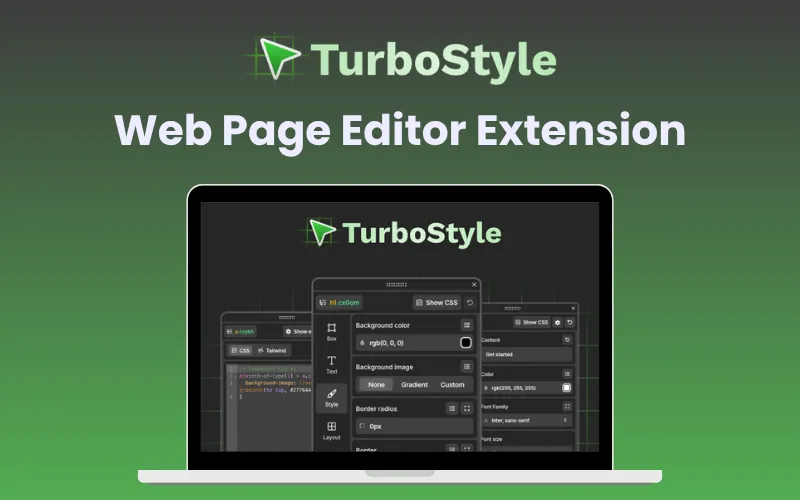
TurboStlye Feature Image

Tired of switching between code editors and browsers just to test minor design tweaks? Now you can edit and style webpages instantly, right inside Chrome with

TurboStyle – Web Page Editor Extension

TurboStyle is a web page editor extension for Chrome. It helps you visually customize any webpage directly in your browser, without any code, reloads, or installations. 

With TurboStyle, you can prototype, preview, and perfect designs instantly. 

It also helps ensure pixel-perfect responsiveness across devices, so your ideas look flawless everywhere.

Whether you’re refining a client’s website, testing new UI ideas, or teaching web design, TurboStyle makes it as simple as drag, drop, and style. 

With seamless in-browser performance, smart prototyping, and clean CSS exports, it’s the ultimate design resource any modern creator could ask for.

Features Of TurboStyle:

Effortless Visual Editing:

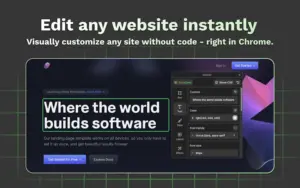
  • Edit text, swap images, and replace videos directly on any web page, without any coding skills.
  • Instantly select elements via right-click and adjust colors, spacing, typography, borders, and shadows with ease.
Effortless Visual Editing in TurboStyle web page editor extension
Effortless Visual Editing

Instant Style Presets:

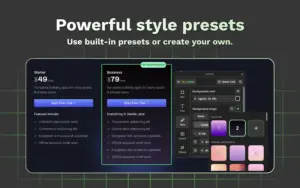
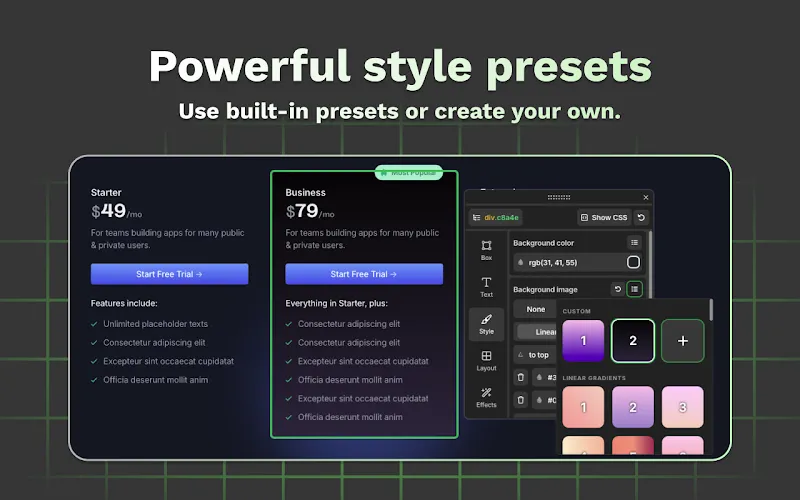
  • Choose from curated style presets for colors, backgrounds, shadows, and animations.
  • Create and save your own custom presets for quick reuse across projects.
Instant Style Presets in TurboStyle web page editor extension
Instant Style Presets

Responsive Preview Made Simple:

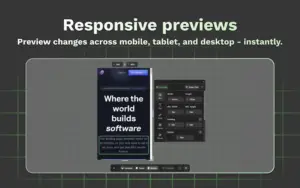
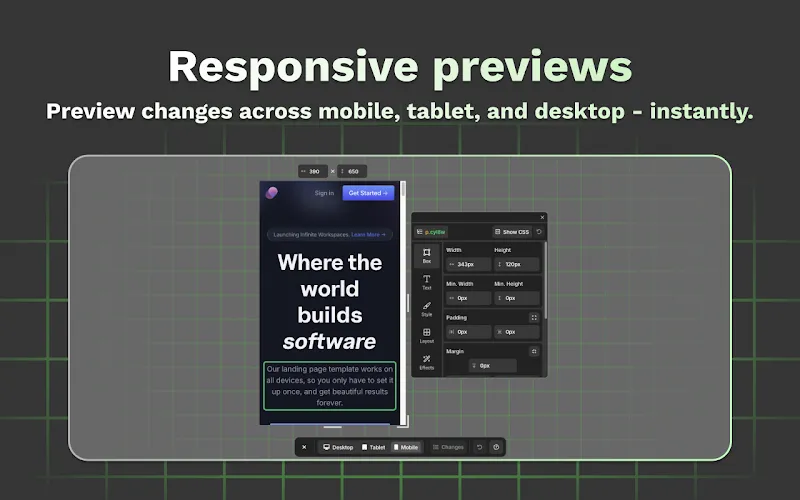
  • Preview your designs instantly across mobile, tablet, desktop, or custom screen sizes.
  • Switch between breakpoints seamlessly to ensure perfect responsiveness.
Responsive Previews Feature in TurboStyle web page editor extension
Responsive Previews

Before & After Comparison:

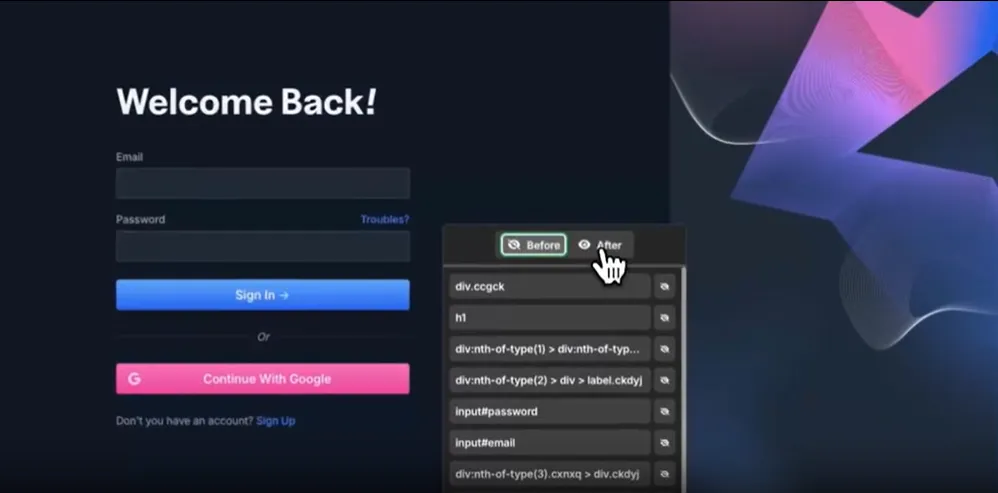
  • Compare your design changes with the original layout in one click.
  • Fine-tune every element with precision using instant visual feedback.
Before and After Previews in TurboStyle web page editor extension
Before and After Previews

Additional Features:

  • Get instant in-browser prototyping without page reloads.
  • Enjoy lightweight, fast performance built for seamless workflows.
  • Empower your design, dev, and product teams with an intuitive tool.
  • Export clean, production-ready CSS in one click.
  • Generate Tailwind CSS instantly for faster development.
  • Edit any live or local website directly in Chrome.
  • Access a floating control panel for focused, uninterrupted editing.
  • Experience smooth performance without slowing your browser.
  • Receive lifetime updates at no extra cost.
  • Use your license across up to 3 devices.

Q&A:

Is TurboStyle a Chrome extension?
Yes, TurboStyle installs directly into Chrome in seconds. Additionally, all other chromium-based browsers are supported, including Opera, Brave, Arc, and Edge, among others.

Do I need to know coding to use TurboStyle?
No. TurboStyle is fully visual – no coding required.

How many devices can I use it on?
One license covers up to 3 devices.

Deal Terms:

How to download/activate this product?
After completing your purchase, you will receive an instructions document. Follow the instructions in this document to redeem the coupon code and get access to this product.

What is the validity of the license key/coupon code? (Within how many days must the coupon code be redeemed?)
The coupon code must be redeemed within 30 days of the purchase date.

Is a Lifetime Subscription available for this product?
Yes, a lifetime subscription* is available with this deal for TurboStyle.
*LIFETIME MEANS LIFETIME OF THE PRODUCT.
We try to get great products with longevity for our customers, but products do get acquired, or sometimes the products go bankrupt. Many of these products are from startup companies, giving us a great deal for our customers. But in case of an unfortunate situation where the product does not last long, there is not much DealFuel can do about it.

Are updates available for this product?
Yes, free lifetime updates are available for this product. 

Is support available for this product?
Yes, free support is available with this product.
For support, contact – [email protected].

Is this deal exclusive to new users?
No, this deal is available for both the new and existing users of TurboStyle.

How many users can use the license key/coupon code?
One coupon code can be used for one user/account and on three devices.

Are the coupon codes stackable?
No, the coupon codes are not stackable.

Can this product be accessed on all devices?
No, TurboStyle is accessible on Desktops (Chromium Browsers) only.

Reviews

There are no reviews yet.

Only logged in customers who have purchased this product may leave a review.

TL;DR

  • Edit and preview websites in real time, right in your browser.
  • Experiment with layouts, colors, and typography instantly.
  • Generate CSS or Tailwind instantly and test responsive layouts live.
  • Perfect for creators who want visual freedom and pixel-perfect control.

Tired of switching between code editors and browsers just to test minor design tweaks? Now you can edit and style webpages instantly, right inside Chrome with

TurboStyle – Web Page Editor Extension

TurboStyle is a web page editor extension for Chrome. It helps you visually customize any webpage directly in your browser, without any code, reloads, or installations. 

With TurboStyle, you can prototype, preview, and perfect designs instantly. 

It also helps ensure pixel-perfect responsiveness across devices, so your ideas look flawless everywhere.

Whether you’re refining a client’s website, testing new UI ideas, or teaching web design, TurboStyle makes it as simple as drag, drop, and style. 

With seamless in-browser performance, smart prototyping, and clean CSS exports, it’s the ultimate design resource any modern creator could ask for.

Features Of TurboStyle:

Effortless Visual Editing:

  • Edit text, swap images, and replace videos directly on any web page, without any coding skills.
  • Instantly select elements via right-click and adjust colors, spacing, typography, borders, and shadows with ease.
Effortless Visual Editing in TurboStyle web page editor extension
Effortless Visual Editing

Instant Style Presets:

  • Choose from curated style presets for colors, backgrounds, shadows, and animations.
  • Create and save your own custom presets for quick reuse across projects.
Instant Style Presets in TurboStyle web page editor extension
Instant Style Presets

Responsive Preview Made Simple:

  • Preview your designs instantly across mobile, tablet, desktop, or custom screen sizes.
  • Switch between breakpoints seamlessly to ensure perfect responsiveness.
Responsive Previews Feature in TurboStyle web page editor extension
Responsive Previews

Before & After Comparison:

  • Compare your design changes with the original layout in one click.
  • Fine-tune every element with precision using instant visual feedback.
Before and After Previews in TurboStyle web page editor extension
Before and After Previews

Additional Features:

  • Get instant in-browser prototyping without page reloads.
  • Enjoy lightweight, fast performance built for seamless workflows.
  • Empower your design, dev, and product teams with an intuitive tool.
  • Export clean, production-ready CSS in one click.
  • Generate Tailwind CSS instantly for faster development.
  • Edit any live or local website directly in Chrome.
  • Access a floating control panel for focused, uninterrupted editing.
  • Experience smooth performance without slowing your browser.
  • Receive lifetime updates at no extra cost.
  • Use your license across up to 3 devices.

Q&A:

Is TurboStyle a Chrome extension?
Yes, TurboStyle installs directly into Chrome in seconds. Additionally, all other chromium-based browsers are supported, including Opera, Brave, Arc, and Edge, among others.

Do I need to know coding to use TurboStyle?
No. TurboStyle is fully visual – no coding required.

How many devices can I use it on?
One license covers up to 3 devices.

Deal Terms:

How to download/activate this product?
After completing your purchase, you will receive an instructions document. Follow the instructions in this document to redeem the coupon code and get access to this product.

What is the validity of the license key/coupon code? (Within how many days must the coupon code be redeemed?)
The coupon code must be redeemed within 30 days of the purchase date.

Is a Lifetime Subscription available for this product?
Yes, a lifetime subscription* is available with this deal for TurboStyle.
*LIFETIME MEANS LIFETIME OF THE PRODUCT.
We try to get great products with longevity for our customers, but products do get acquired, or sometimes the products go bankrupt. Many of these products are from startup companies, giving us a great deal for our customers. But in case of an unfortunate situation where the product does not last long, there is not much DealFuel can do about it.

Are updates available for this product?
Yes, free lifetime updates are available for this product. 

Is support available for this product?
Yes, free support is available with this product.
For support, contact – [email protected].

Is this deal exclusive to new users?
No, this deal is available for both the new and existing users of TurboStyle.

How many users can use the license key/coupon code?
One coupon code can be used for one user/account and on three devices.

Are the coupon codes stackable?
No, the coupon codes are not stackable.

Can this product be accessed on all devices?
No, TurboStyle is accessible on Desktops (Chromium Browsers) only.

$24.65$49.00
$29$49.00
Buy Now
7 Day Refund Policy
For support contact: [email protected] 

Want to save another 25% on this deal?

Join DealClub

Plans & Features

Pro Plan
$29 $49
  • Lifetime Access
  • Use on 3 Devices
  • Full Feature Set
  • All updates included
  • 7-day refund policy
Buy Now

    No Q&A available yet.

    No Reviews available.

    Only logged in customers who have purchased this product may leave a review.

Scroll to Top