Home > All > Operating System > Browser Based > PowerPresent – AI Presentation Generator | Lifetime Access

PowerPresent – AI Presentation Generator | Lifetime Access

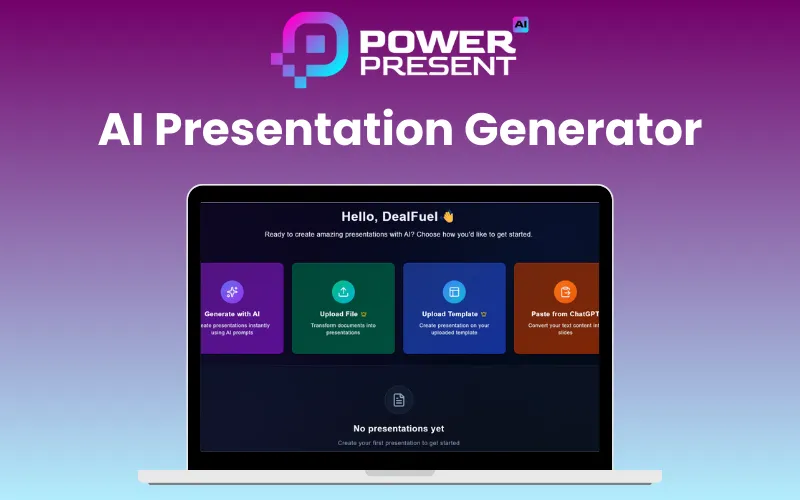
PowerPresent AI Presentation Generator Feature Image
Rated 4.75 out of 5 based on 4 customer ratings
(4 customer reviews)

When deadlines are tight and presentations need to be perfect, speed matters most. That’s why DealFuel brings you –

PowerPresent – AI Presentation Generator

PowerPresent is an AI-powered presentation generator that instantly converts your text, topics, documents, or links into professionally designed slide decks.

It combines intelligent content structuring with automatic design, layout, and visual generation to deliver presentation-ready slides in minutes.

PowerPresent helps in making every presentation visually consistent and structurally strong. It offers –

  • Professionally designed templates
  • 100+ layouts
  • Brand-safe customization
  • AI-optimized formatting

It’s web-based, cloud-powered, supports multiple languages, and allows seamless exporting in PPTX for easy sharing and presenting anywhere.

With support for pitch decks, lectures, workshops, business reports, webinars, and client presentations, PowerPresent is perfect for students, educators, startup founders, corporate teams, consultants, marketers, and content creators.

Introduction To PowerPresent AI:

How PowerPresent AI Presentation Generator Works:

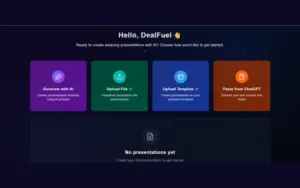
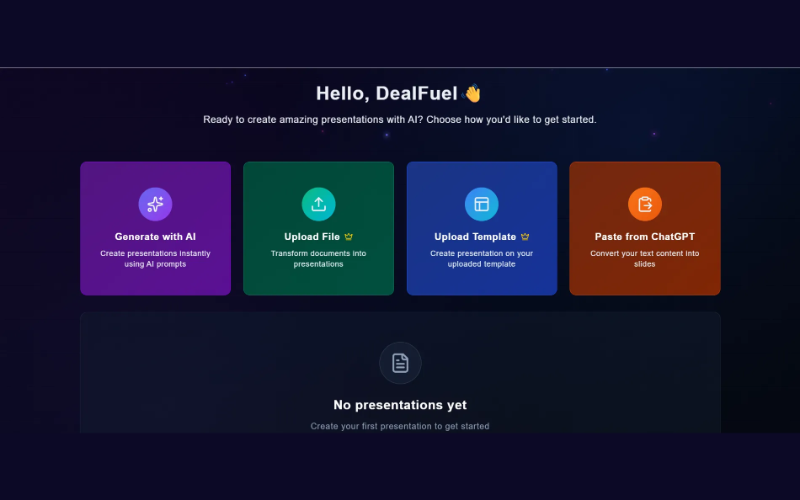
  1. GENERATE: Enter your topic, select slide count, and let AI create your presentation instantly.
  2. STRUCTURE: Edit AI-suggested slide titles to fit your story and tone.
  3. STYLE: Pick a theme, adjust fonts, and choose your visual style with AI-powered design tools.
  4. SHARE: Download as PPTX or present directly from the platform.

Features Of PowerPresent:

AI Presentation Generation:

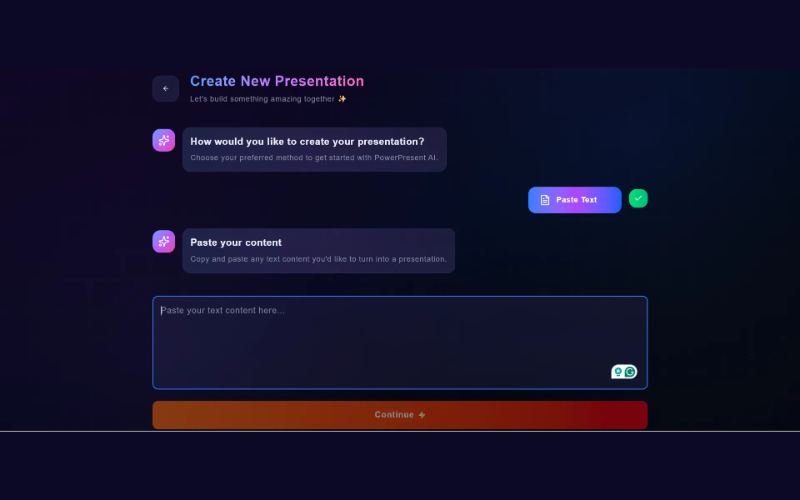
  • Turn topics, text, outlines, links, or files into fully designed presentations instantly. 
  • Slides come with structured content, smart layouts, and relevant visuals.
Multi-Input Support:

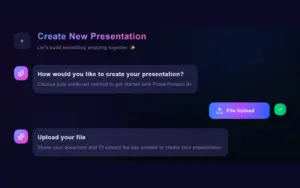
  • Create decks from text prompts, PDFs, DOCX files, website links, or existing content.

Professional Design System:

  • Access modern, designer-crafted templates with 100+ layouts, auto-adaptive themes, and AI-optimized formatting.
  • Suitable for business, education, startup, corporate, and more.

Brand-Safe Customization:

  • Upload your own PPT, Canva, or Figma templates and generate slides in your exact brand style. 
  • Get consistent fonts, colors, and layouts.

AI-Powered Content Editing:

  • Edit inside slides directly using built-in AI tools.
  • Rewrite, shorten, expand, or restyle content instantly without switching tools.

Smart Visual Enhancements:

  • AI automatically suggests high-quality images and icons that match your topic.
  • Perfect for more engaging and visually polished presentations.

Instant Outlines & Structuring:

  • Generate structured outlines from any topic.
  • Edit AI-suggested slide titles to match your narrative and presentation flow.

Additional Features:

  • Create presentations in multiple languages – English, Arabic, French, Spanish, Urdu & more.
  • Export slides as PPTX or present directly in the browser.
  • Edit, regenerate, and update presentations anytime.
  • Works for both individual users and teams.
  • Manage your entire presentation from idea to final deck in one platform.
  • Simple for beginners, powerful enough for professionals.
  • Ideal for students, teachers, founders, marketers, and corporate teams.
  • Suitable for pitch decks, lectures, trainings, reports, webinars & client presentations.
  • Create presentations up to 10x faster using AI.

Specifications:

  • Supported File Formats: PPTX, PDF, Text Input
  • Export Format: PPTX
  • AI Model: Proprietary Slide Generation Engine
  • Languages Supported: English, Arabic, Urdu, French, Spanish & more
  • Device Support: Desktop, Mobile, Tablet (Web-Based App)
  • Account Type: Individual User Login
  • Storage: Cloud-Based with Auto-Save

Preview Of PowerPresent:

Why Users Trust PowerPresent:

  • 30K+ satisfied clients worldwide
  • 15K+ presentations designed
  • 95% customer satisfaction rate
  • 97% design consistency
  • 80K+ hours saved using the platform

Testimonials:

Q&A:

How Does PowerPresent Work?
PowerPresent uses natural language processing to convert your topic or text into a complete slide decks. 

Is My Data Secure?
Absolutely. PowerPresent usea industry-grade encryption to keep your content safe. All presentations created with it are securely stored and are never used again.

Can I Customize The Templates?
PowerPresent’s Al presentation templates are fully editable. You can easily edit colors, fonts, layouts, make it match your brand or mood. 

What Export Options Are Available?
You can export your presentations as PPTX (PowerPoint) files or you can skip the downloading part and present live directly from the platform.

What Can The Al Do?
From a simple prompt, PowerPresent AI presentation generator can build an entire slide deck that includes slide content, layout, and suggested visuals. Bonus? It also learns your presentation style over time for smarter results.

Deal Terms:

How to download/activate this product?
After completing your purchase, you will receive an instructions document. Follow the instructions in this document to redeem the coupon code and get access to this product.

What is the validity of the license key/coupon code? (Within how many days must the coupon code be redeemed?)
The coupon code must be redeemed within 30 days of the purchase date.

Is a Lifetime Subscription available for this product?
Yes, a lifetime subscription* is available with this deal for PowerPresent.
*LIFETIME MEANS LIFETIME OF THE PRODUCT.
We try to get great products with longevity for our customers, but products do get acquired, or sometimes the products go bankrupt. Many of these products are from startup companies, giving us a great deal for our customers. But in case of an unfortunate situation where the product does not last long, there is not much DealFuel can do about it.

Are updates available for this product?
Yes, free lifetime updates are available for this product.

Is support available for this product?
Yes, free support is available with this product during the subscription period.
For support, contact – [email protected] .

Is this deal exclusive to new users?
No, this deal is available for both the new and existing users of PowerPresent.

How many users can use the license key/coupon code?
One coupon code can be used for one user/account.

Are the coupon codes stackable?
No, the coupon codes are not stackable.

Can this product be accessed on all devices?
Yes, PowerPresent is accessible on all devices, provided the devices have a stable internet connection. PowerPresent’s user experience is optimized for desktop for full editing capabilities.

Reviews

  1. Rated 5 out of 5

    justin vargas

    I recently used PowrPresent AI to turn a roughly 20-minute video transcript into a presentation-ready slide deck. I asked for about 30 slides and ended up with 28. The generation time was fast—under 5 minutes—and the visuals looked polished from start to finish. I could generate more if I needed to.

    What I liked most
    – Sleek visuals and flexible images: Slides look sharp and stylish, with high-quality stock images from Pexels. You can regenerate or replace images, and you can upload your own visuals if you want more control. Some Images where created by AI not many but the images that were set in each slide felt like they matched the theme of the slide.

    – Nice variety in templates: there are 6 templates to choose from, and they look professional. Across 28 slides, the templates don’t feel repetitive—the system seems to shuffle them intuitively through the presentation.

    – Easy editing on every slide: You can edit each slide’s content and images easily, so it’s quick to fine-tune wording or visuals. Replace images, Pexels, Ai generated or your own.

    – Smart content extraction from the transcript: The tool took the video transcript and pulls out main ideas and patterns, then condenses them into concise, slide-friendly statements. It identifies key concepts, creates digestible bullets, and even includes reflective questions to engage the audience. The overall flow of the video is preserved, and the language is polished for a formal, presentation-ready tone. So if you put in your PDFs or Content from your notes or chat GPT for your slides you’ll have to edit a tiny bit. But the timeline of your content will match the slides.

    – Streamlined slide-building workflow: When adding a new slide, you can choose from up to 8 formats and describe the slide with up to 1,000 characters. It promptly generates the slide, allowing users to create forgotten ideas easily. It also fills in the slide format based on your content. Example: When adding a new slide, it will ask “what should this slide be about? you have 1000 characters, but all you input is “How to parkour” a few seconds later the entire slide format is filled with corresponding content and or images.

    – Six templates to choose from for your presentation, with 8 slide formats per template.

    What could be improved
    – More formats and templates: I’d love to see a larger catalog of slide formats and templates beyond the current six. A bit more variety would help keep it feeling fresh.

    Notes on features I’ve tested (and haven’t)
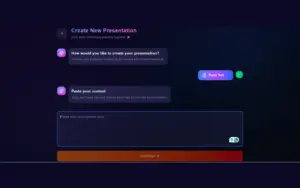
    – I’ve been using the Paste from chat GPT feature (in my case it was a 20 min transcript about 4,200 words). I haven’t explored features for uploading templates or PDFs yet. I imagine it would be about the same where small amounts of polishing would be needed.

    -Im hoping if i upload a personal template they would be saved in the system and the slide format styles are matching to that template. But i haven’t gotten that far yet.
    – When you choose to change your template, your entire slide presentation will change to that template format and style.

    -Out of the box, this is a pretty cool presentation software. I stress tested a 4200-word transcript and came out with 28 sleek slides less than 4 minutes later.

    Bottom line
    PowrPresent AI does a fantastic job of turning long-form content into a clean, editable, presentation-ready slide deck in a short amount of time. The auto-generated, slide-friendly summaries, combined with easy editing and flexible image options, make it a standout tool for turning videos into impactful presentations. I’m very happy with this purchase and would give it 5 stars.

    • The DealFuel Support Team

      Thank for this detailed review Justin!

  2. maria-8062

  3. Rated 5 out of 5

    Fire Stone

    Es de gran ayuda para crear presentaciones de urgencia. Solo que si deberían agregar más formatos y ,más plantillas, también deberían de mejorar el servicio de más generación de imagenes con IA. Estoy satisfecho con la compra.

  4. Rated 4 out of 5

    Joel Strong

    I’ve been using PowerPresent – AI Presentation Generator to create slides for my classes, and it’s been a huge time saver. The AI quickly turns my notes into clean, professional presentations that need very little editing. My only gripe is that the design customization options are a bit limited. Still, for fast, reliable, and good-looking slides, PowerPresent is one of the best tools I’ve tried.

  5. Rated 5 out of 5

    suyonga

    Very cool.

    The results exceeded my expectations.

    It’s like having a personal assistant who helps me organize my thoughts.

    I’ve been having a hard time working on lesson plans lately, but thanks to you, it’s made things a lot easier.

    Thank you~~

Only logged in customers who have purchased this product may leave a review.

TL;DR

  • AI-powered presentation generator
  • Converts text, links, or files into slides instantly
  • 100+ professional templates and layouts
  • Supports multiple inputs: text, PDF, DOCX, URLs
  • Multi-language support: English, Arabic, French, Spanish, Urdu, and more
  • Cloud-based and web-accessible

When deadlines are tight and presentations need to be perfect, speed matters most. That’s why DealFuel brings you –

PowerPresent – AI Presentation Generator

PowerPresent is an AI-powered presentation generator that instantly converts your text, topics, documents, or links into professionally designed slide decks.

It combines intelligent content structuring with automatic design, layout, and visual generation to deliver presentation-ready slides in minutes.

PowerPresent helps in making every presentation visually consistent and structurally strong. It offers –

  • Professionally designed templates
  • 100+ layouts
  • Brand-safe customization
  • AI-optimized formatting

It’s web-based, cloud-powered, supports multiple languages, and allows seamless exporting in PPTX for easy sharing and presenting anywhere.

With support for pitch decks, lectures, workshops, business reports, webinars, and client presentations, PowerPresent is perfect for students, educators, startup founders, corporate teams, consultants, marketers, and content creators.

Introduction To PowerPresent AI:

How PowerPresent AI Presentation Generator Works:

  1. GENERATE: Enter your topic, select slide count, and let AI create your presentation instantly.
  2. STRUCTURE: Edit AI-suggested slide titles to fit your story and tone.
  3. STYLE: Pick a theme, adjust fonts, and choose your visual style with AI-powered design tools.
  4. SHARE: Download as PPTX or present directly from the platform.

Features Of PowerPresent:

AI Presentation Generation:

  • Turn topics, text, outlines, links, or files into fully designed presentations instantly. 
  • Slides come with structured content, smart layouts, and relevant visuals.
Multi-Input Support:

  • Create decks from text prompts, PDFs, DOCX files, website links, or existing content.

Professional Design System:

  • Access modern, designer-crafted templates with 100+ layouts, auto-adaptive themes, and AI-optimized formatting.
  • Suitable for business, education, startup, corporate, and more.

Brand-Safe Customization:

  • Upload your own PPT, Canva, or Figma templates and generate slides in your exact brand style. 
  • Get consistent fonts, colors, and layouts.

AI-Powered Content Editing:

  • Edit inside slides directly using built-in AI tools.
  • Rewrite, shorten, expand, or restyle content instantly without switching tools.

Smart Visual Enhancements:

  • AI automatically suggests high-quality images and icons that match your topic.
  • Perfect for more engaging and visually polished presentations.

Instant Outlines & Structuring:

  • Generate structured outlines from any topic.
  • Edit AI-suggested slide titles to match your narrative and presentation flow.

Additional Features:

  • Create presentations in multiple languages – English, Arabic, French, Spanish, Urdu & more.
  • Export slides as PPTX or present directly in the browser.
  • Edit, regenerate, and update presentations anytime.
  • Works for both individual users and teams.
  • Manage your entire presentation from idea to final deck in one platform.
  • Simple for beginners, powerful enough for professionals.
  • Ideal for students, teachers, founders, marketers, and corporate teams.
  • Suitable for pitch decks, lectures, trainings, reports, webinars & client presentations.
  • Create presentations up to 10x faster using AI.

Specifications:

  • Supported File Formats: PPTX, PDF, Text Input
  • Export Format: PPTX
  • AI Model: Proprietary Slide Generation Engine
  • Languages Supported: English, Arabic, Urdu, French, Spanish & more
  • Device Support: Desktop, Mobile, Tablet (Web-Based App)
  • Account Type: Individual User Login
  • Storage: Cloud-Based with Auto-Save

Preview Of PowerPresent:

Why Users Trust PowerPresent:

  • 30K+ satisfied clients worldwide
  • 15K+ presentations designed
  • 95% customer satisfaction rate
  • 97% design consistency
  • 80K+ hours saved using the platform

Testimonials:

Q&A:

How Does PowerPresent Work?
PowerPresent uses natural language processing to convert your topic or text into a complete slide decks. 

Is My Data Secure?
Absolutely. PowerPresent usea industry-grade encryption to keep your content safe. All presentations created with it are securely stored and are never used again.

Can I Customize The Templates?
PowerPresent’s Al presentation templates are fully editable. You can easily edit colors, fonts, layouts, make it match your brand or mood. 

What Export Options Are Available?
You can export your presentations as PPTX (PowerPoint) files or you can skip the downloading part and present live directly from the platform.

What Can The Al Do?
From a simple prompt, PowerPresent AI presentation generator can build an entire slide deck that includes slide content, layout, and suggested visuals. Bonus? It also learns your presentation style over time for smarter results.

Deal Terms:

How to download/activate this product?
After completing your purchase, you will receive an instructions document. Follow the instructions in this document to redeem the coupon code and get access to this product.

What is the validity of the license key/coupon code? (Within how many days must the coupon code be redeemed?)
The coupon code must be redeemed within 30 days of the purchase date.

Is a Lifetime Subscription available for this product?
Yes, a lifetime subscription* is available with this deal for PowerPresent.
*LIFETIME MEANS LIFETIME OF THE PRODUCT.
We try to get great products with longevity for our customers, but products do get acquired, or sometimes the products go bankrupt. Many of these products are from startup companies, giving us a great deal for our customers. But in case of an unfortunate situation where the product does not last long, there is not much DealFuel can do about it.

Are updates available for this product?
Yes, free lifetime updates are available for this product.

Is support available for this product?
Yes, free support is available with this product during the subscription period.
For support, contact – [email protected] .

Is this deal exclusive to new users?
No, this deal is available for both the new and existing users of PowerPresent.

How many users can use the license key/coupon code?
One coupon code can be used for one user/account.

Are the coupon codes stackable?
No, the coupon codes are not stackable.

Can this product be accessed on all devices?
Yes, PowerPresent is accessible on all devices, provided the devices have a stable internet connection. PowerPresent’s user experience is optimized for desktop for full editing capabilities.

$75.65$240.00
$89$240.00
Rated 4.75 out of 5 based on 4 customer ratings
4 Customer Reviews
Buy Now
30 Day Refund Policy
For support contact: [email protected] 

Want to save another 25% on this deal?

Join DealClub

Plans & Features

PowerPresent Pro – Lifetime Access
$89 $240
  • Unlimited AI-generated presentations 
  • Unlimited slide edits/regenerations 
  • Custom template upload 
  • Unlimited downloads 
  • Priority AI processing 
  • Access to all future feature updates 
  • Commercial usage rights
  • Multilingual presentation support
Buy Now
    Q. What plan does this map to?
    Hi, This says pro, which does not include templates. Is this correct? Also, the upload limit is 25 pages per upload. Is that correct? Please confirm what is included. Thank you!
    A:
    maria-8062 December 15, 2025
    Rated 5 out of 5
    Very cool. The results exceeded my expectations. It's like having a personal assistant who helps me organize my thoughts. I've been having a hard time working on lesson plans lately, but thanks to you, it's made things a lot easier. Thank you~~
    Rated 4 out of 5
    I’ve been using PowerPresent – AI Presentation Generator to create slides for my classes, and it’s been a huge time saver. The AI quickly turns my notes into clean, professional presentations that need very little editing. My only gripe is that the design customization options are a bit limited. Still, for fast, reliable, and good-looking slides, PowerPresent is one of the best tools I’ve tried.
    Rated 5 out of 5
    Es de gran ayuda para crear presentaciones de urgencia. Solo que si deberían agregar más formatos y ,más plantillas, también deberían de mejorar el servicio de más generación de imagenes con IA. Estoy satisfecho con la compra.
    Rated 5 out of 5
    I recently used PowrPresent AI to turn a roughly 20-minute video transcript into a presentation-ready slide deck. I asked for about 30 slides and ended up with 28. The generation time was fast—under 5 minutes—and the visuals looked polished from start to finish. I could generate more if I needed to. What I liked most - Sleek visuals and flexible images: Slides look sharp and stylish, with high-quality stock images from Pexels. You can regenerate or replace images, and you can upload your own visuals if you want more control. Some Images where created by AI not many but the images that were set in each slide felt like they matched the theme of the slide. - Nice variety in templates: there are 6 templates to choose from, and they look professional. Across 28 slides, the templates don’t feel repetitive—the system seems to shuffle them intuitively through the presentation. - Easy editing on every slide: You can edit each slide’s content and images easily, so it’s quick to fine-tune wording or visuals. Replace images, Pexels, Ai generated or your own. - Smart content extraction from the transcript: The tool took the video transcript and pulls out main ideas and patterns, then condenses them into concise, slide-friendly statements. It identifies key concepts, creates digestible bullets, and even includes reflective questions to engage the audience. The overall flow of the video is preserved, and the language is polished for a formal, presentation-ready tone. So if you put in your PDFs or Content from your notes or chat GPT for your slides you'll have to edit a tiny bit. But the timeline of your content will match the slides. - Streamlined slide-building workflow: When adding a new slide, you can choose from up to 8 formats and describe the slide with up to 1,000 characters. It promptly generates the slide, allowing users to create forgotten ideas easily. It also fills in the slide format based on your content. Example: When adding a new slide, it will ask "what should this slide be about? you have 1000 characters, but all you input is "How to parkour" a few seconds later the entire slide format is filled with corresponding content and or images. - Six templates to choose from for your presentation, with 8 slide formats per template. What could be improved - More formats and templates: I’d love to see a larger catalog of slide formats and templates beyond the current six. A bit more variety would help keep it feeling fresh. Notes on features I’ve tested (and haven’t) - I’ve been using the Paste from chat GPT feature (in my case it was a 20 min transcript about 4,200 words). I haven’t explored features for uploading templates or PDFs yet. I imagine it would be about the same where small amounts of polishing would be needed. -Im hoping if i upload a personal template they would be saved in the system and the slide format styles are matching to that template. But i haven't gotten that far yet. - When you choose to change your template, your entire slide presentation will change to that template format and style. -Out of the box, this is a pretty cool presentation software. I stress tested a 4200-word transcript and came out with 28 sleek slides less than 4 minutes later. Bottom line PowrPresent AI does a fantastic job of turning long-form content into a clean, editable, presentation-ready slide deck in a short amount of time. The auto-generated, slide-friendly summaries, combined with easy editing and flexible image options, make it a standout tool for turning videos into impactful presentations. I’m very happy with this purchase and would give it 5 stars.

    Only logged in customers who have purchased this product may leave a review.

Scroll to Top