Modern workflows demand faster, smarter text creation powered by voice and AI precision. That’s why DealFuel brings you –
Blip AI – AI Speech to Text Software
Blip AI is a cross-platform AI speech to text software that instantly converts spoken words into polished text.
It combines high-accuracy transcription with smart grammar, tone, and formatting enhancements, so that your voice becomes production-ready text in real time.
Blip AI works seamlessly inside Gmail, Slack, ChatGPT, Google Docs, Microsoft Word, VS Code, WhatsApp, Discord, and virtually any app or website. It –
- Removes filler words
- Corrects punctuation
- Improves clarity
- Automatically adapts to different accents and speaking styles
You simply press a hotkey, speak naturally, and see refined text appear exactly where you’re typing – emails, code editors, chat apps, documents, or AI tools.
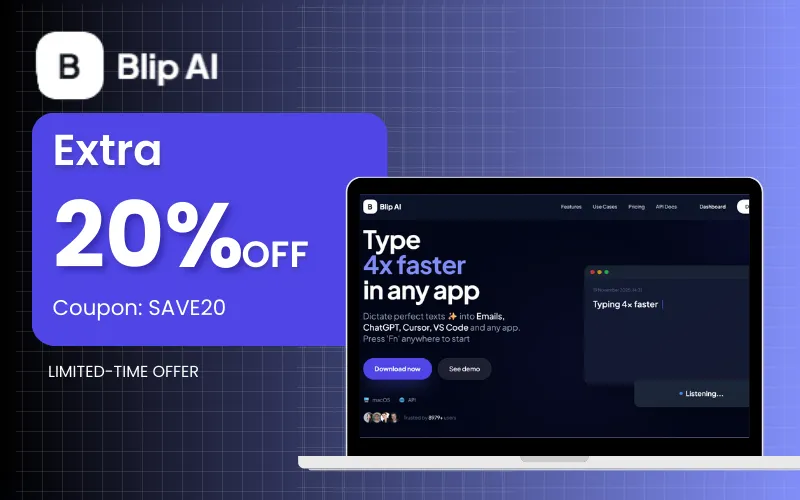
With blazing-fast performance, advanced AI models, and a privacy-first approach, Blip AI helps power users, creators, developers, and teams write up to 4x faster.
Introduction To Blip AI:
How Blip AI Works:
Press the hotkey (Fn) to start dictation.
- Speak naturally – Blip captures and processes your speech.
- Release the hotkey – Your text appears where your cursor is.
Features Of Blip AI:
Universal App Compatibility:
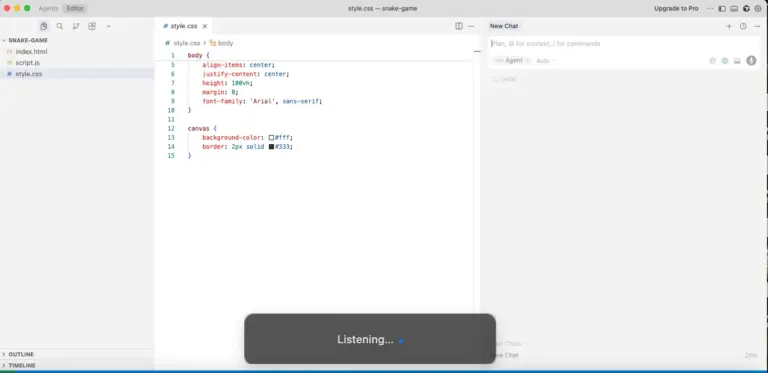
- Use natural voice-to-text in Gmail, Slack, ChatGPT, Cursor, VS Code, Google Docs, Microsoft Word, WhatsApp, Discord, and virtually any app or website.
- Text appears instantly where your cursor is, no copy-paste required.
- Works seamlessly across development tools, communication apps, notes, and browsers.
AI-Powered Email & Message Drafting:
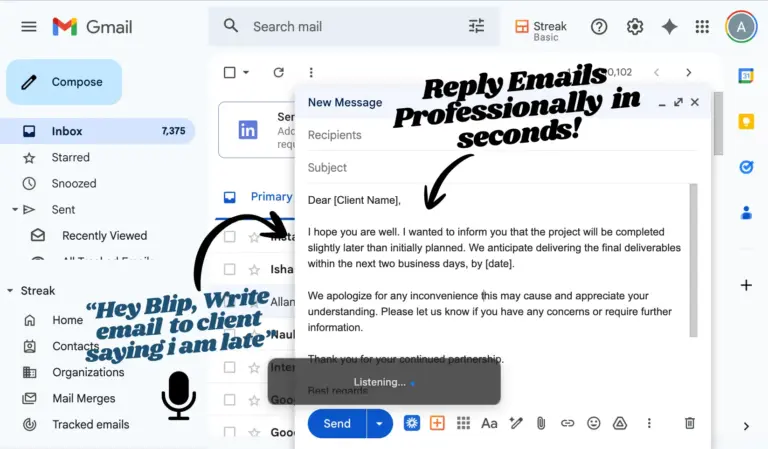
- Draft perfectly formatted emails, Slack replies, and messages just by speaking.
- Generate professional responses in under a second using simple voice instructions.
- Automatically formats, structures, and refines tone for clear communication.
- Create 10x faster emails and messages without manual typing or formatting.
Ultra-Fast AI Transcription & Text Enhancement:
- High-accuracy speech-to-text powered by advanced AI transcription models.
- Automatically removes filler words and applies smart punctuation and capitalization.
- Automatically improves grammar, clarity, and tone.
- Performs reliably across accents, speaking speeds, and speaking styles.
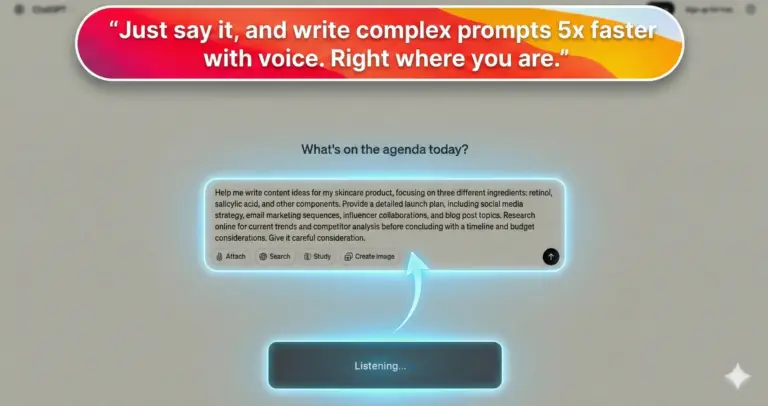
Faster AI Prompt Creation for AI Tools:
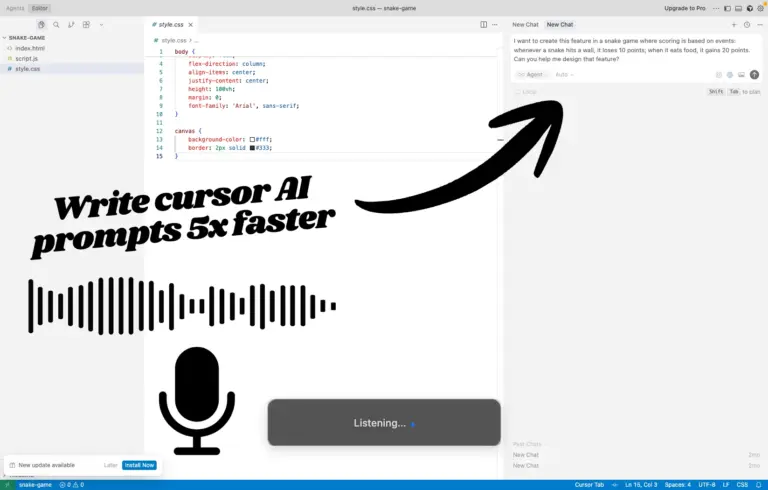
- Speak detailed prompts for ChatGPT, Cursor, Claude, Windsurf, and other AI tools.
- Create prompts up to 5x faster compared to typing.
- Helps generate better AI responses by capturing natural thought flow.
- Saves hours of prompt writing every week.
Blip AI Action Mode (Natural Language Commands):
- Activate using “Hey Blip” and give natural instructions.
- Automatically understands intent and generates properly formatted content.
- Perform actions like rewriting text, changing tone, or adding structure instantly.
- Works like a built-in AI writing assistant across apps.
Instant Activation & Simple Workflow:
- Press hotkey (Fn), Speak, Release, Text appears instantly.
- No complex setup, configuration, or training required.
- Works anywhere you can type text.
- Supports headphones, AirPods, and Bluetooth headsets.
Additional Features:
- Works on macOS and Windows (iOS coming soon).
- Privacy-first processing with no stored transcriptions.
- Dictate up to 4x faster with instant voice input in any app.
- One-time payment with no subscriptions.
- Trusted by 8,500+ professionals worldwide.
Use Cases:
- Remote Workers & Professionals: Spend hours on emails, chat, prompts, and docs.
- Developers & AI Power Users: Use AI coding tools and write long prompts daily.
- Content Creators, Writers & Marketers: Create high volumes of written content and ideas.
- Sales & Customer Support Teams: Handle large volumes of emails, replies, and follow-ups.
- Accessibility & Assistive Use: Helpful for users with typing strain, mobility, or vision challenges.
System Requirements:
FOR MAC:
- Operating System: macOS 11 (Big Sur) or later
- Processor: Apple Silicon (M1/M2/M3/M4) or Intel (2017+)
- Memory: 4 GB RAM minimum, 8 GB recommended
- Storage: 200 MB free space
- Internet: Broadband connection required (1 Mbps minimum, 5 Mbps recommended)
- Microphone: Built-in, USB, Bluetooth, or 3.5mm
- Permissions: Microphone and Accessibility access required
FOR WINDOWS:
- Operating System: Windows 10 (64-bit, v1909+) or Windows 11
- Processor: Intel Core i3 / AMD Ryzen 3 (2017+) minimum, i5/Ryzen 5 recommended
- Memory: 4 GB RAM minimum, 8 GB recommended
- Storage: 200 MB free space
- Internet: Broadband connection required (1 Mbps minimum, 5 Mbps recommended)
- Microphone: Built-in, USB, Bluetooth, or 3.5mm
- Other: .NET Framework 4.7.2+ (usually pre-installed)
MICROPHONE:
- Supported: Built-in laptop mic, USB mics (Blue Yeti, Rode), Bluetooth headsets (AirPods), wired headsets, professional XLR mics (via audio interface)
- Note: Any microphone works. Better quality and quieter environments improve accuracy. Noise-canceling mics recommended for open offices.
INTERNET:
Preview Of Blip AI:


Future Roadmap:
- iPhone: In Development – April -2026
- iPad: In Development – April -2026
- Android Phone: Planned – Mid 2026
- Android Tablet: Planned – Mid 2026
Testimonials:
Q&A:
Does Blip AI work in all applications?
Yes. It works system-wide in most apps where text input is supported, including email, documents, chat tools, and code editors.
How accurate is the transcription?
Typically around 95%+ accuracy with clear audio. Results depend on speech clarity and recording quality.
Can I use custom commands or shortcuts?
Yes. You can create custom voice commands for phrases, punctuation, and formatting.
Does it support multiple languages?
Yes, it supports 100+ languages including English, Spanish, French, German, Italian, Portuguese, and many more. You can switch languages in the settings.
Is my data secure and private?
Yes. Audio is encrypted in transit and at rest, and data is not stored or used for training.
Is Blip AI HIPAA compliant?
Yes. It offers HIPAA-compliant dictation with security measures for sensitive data.
Where is my data processed?
On secure cloud servers using encrypted connections. Recordings are not permanently stored.
How can I improve transcription accuracy?
Use clear speech, a good microphone, low background noise, and stable internet.
Can I use Blip AI with headphones or AirPods?
Yes, as long as the correct input device is selected.
How does Blip AI compare to built-in Mac dictation?
It generally offers higher accuracy, broader app support, custom commands, longer dictation, and advanced formatting features.
Deal Terms:
How to download/activate this product?
After completing your purchase, you will receive an instructions document. Follow the instructions in this document to redeem the coupon code and activate your subscription.
What is the validity of the license key/coupon code? (Within how many days the coupon code must be redeemed?)
The coupon code must be redeemed within 30 days from the date of purchase.
Is a Lifetime Subscription available for this product?
Yes, a Lifetime Subscription* is available for this product.
*LIFETIME MEANS LIFETIME OF THE PRODUCT.
We strive to provide our customers with high-quality products that offer longevity, but unfortunately, some products are acquired or go bankrupt. Many of these products are from startup companies, offering our customers a great deal. However, in an unfortunate situation where the product does not last long, there is not much DealFuel can do about it.
Are Updates available for this product?
Yes, Updates are available for FREE for this product.
Is support available for this product?
Yes, Free support is available for this product.
For support contact – [email protected].
Is this deal exclusive to new users?
Yes, this deal is available only to the NEW USERS of Blip AI.
How many users can use the license key/coupon code?
One coupon code can be used for one user/account.
Are the coupon codes stackable?
No, the coupon codes are NOT stackable.
Can this product be accessed on all devices?
No, Blip AI can be accessed only on macOS & Windows devices, provided they have a stable internet connection.


Reviews
There are no reviews yet.