SnapText – Image To Text Converter | Lifetime Access

TL;DR

  • *NEW: Capture text from webpages & screenshots with the SnapText Chrome Extension (Pro & Power Plans)
  • *NEW: Convert tables into editable Excel & CSV with TableSnap (Power Plan)
  • *NEW: Preserve document layouts with Smart Layout extraction (Power Plan)
  • Extract editable text from images with AI-powered OCR.
  • Process multiple images in seconds with batch OCR & export to Word, Excel, TXT & CSV.

Quick Overview

Alternative to:

  • Adobe Acrobat OCR
  • Google Lens
  • Nanonets OCR
  • OnlineOCR.net

Best for:

  • Accountants
  • Freelancers
  • Project Managers
  • Researchers
  • Students

Compatibility:

  • Browser Support:
    Brave, Chrome, Edge, Firefox, Safari
  • Operating Systems:
    Browser Based
  • Integrations:
    Microsoft Excel, Microsoft Word

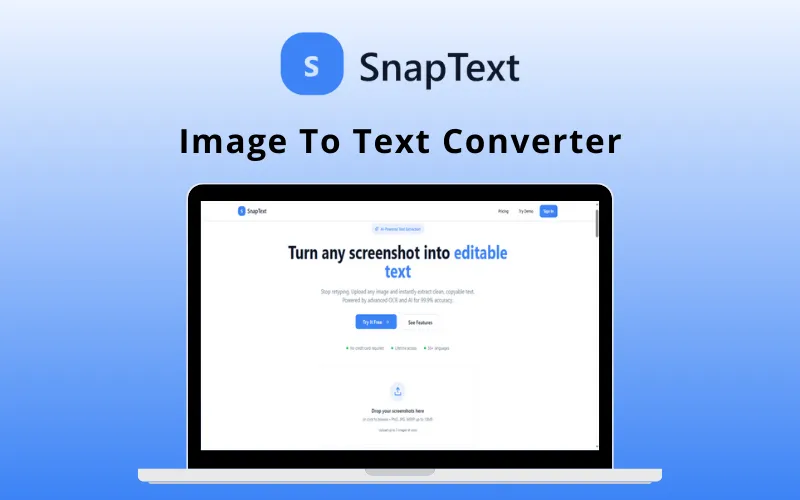
Convert any image, screenshot, or receipt into editable data in seconds with SnapText.


What is SnapText?

SnapText is an AI-powered OCR & document intelligence tool that transforms visual content into clean, text- or Excel-ready tables.


It supports over 50 languages and is designed to process complex documents like invoices & financial reports.


SnapText automates the extraction workflow with 99.9% accuracy & generates professional, editable documents instantly.


How You Can Extract Text From an Image Using SnapText?

Here are the 3 simple steps you can follow:


1. Upload Your Image:

  • Drag & drop or click to upload any screenshot, photo, or scanned document.
  • Support for PNG, JPG, WebP, and more.


2. AI Processes Your Image:

  • The advanced OCR engine extracts text with 99.9% accuracy.
  • AI detects the language and identifies data patterns automatically.


3. Get Your Results:

  • Copy clean text instantly, or download in multiple formats (Excel, Word, TXT)
  • You can also use AI tools to summarize & structure your content.


It’s that easy!

SnapText Features

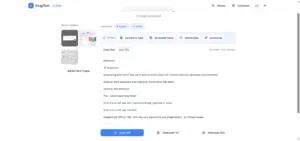
Instant Importing of Extracted Data using SnapText

Extract & Translate Text With AI Precision

  • Extract clean, editable text from images, screenshots, webpages, and PDFs with up to 99.9% OCR accuracy.
  • Automatically detect and process 50+ languages for seamless multilingual text extraction.
  • Convert scanned content into editable text in seconds without manual typing
Image to Text Batch Processing using SnapText

Lightning-Fast Processing:

  • Process multiple PNG, JPG, JPEG, WebP, GIF, and BMP images simultaneously with batch OCR.
  • Receive highly accurate extraction results in just seconds.
  • Accelerate document processing for personal and business tasks.
Converting Data to Table using SnapText

Smart Layout (NEW)

  • Preserve the original document structure during text extraction.
  • Retain headings, paragraphs, lists, and tables for cleaner, more readable output.
  • Perfect for reports, contracts, articles, and other structured documents. (Power Plan)
SnapText Chrome Extension

SnapText Chrome Extension (NEW)

  • Capture and extract text directly from webpages, browser screenshots, or any selected screen area.
  • Instantly copy editable text without downloading images or documents first.
  • Available on Pro and Power plans for faster browser-based workflows.
AI Summarization with SnapText

AI-Powered Analysis

  • Generate AI-powered summaries and structured notes from extracted text.
  • Organize information into a cleaner, more readable format.
  • Turn raw document content into actionable insights with AI assistance.
Converting Data to Table using SnapText

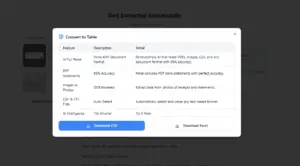
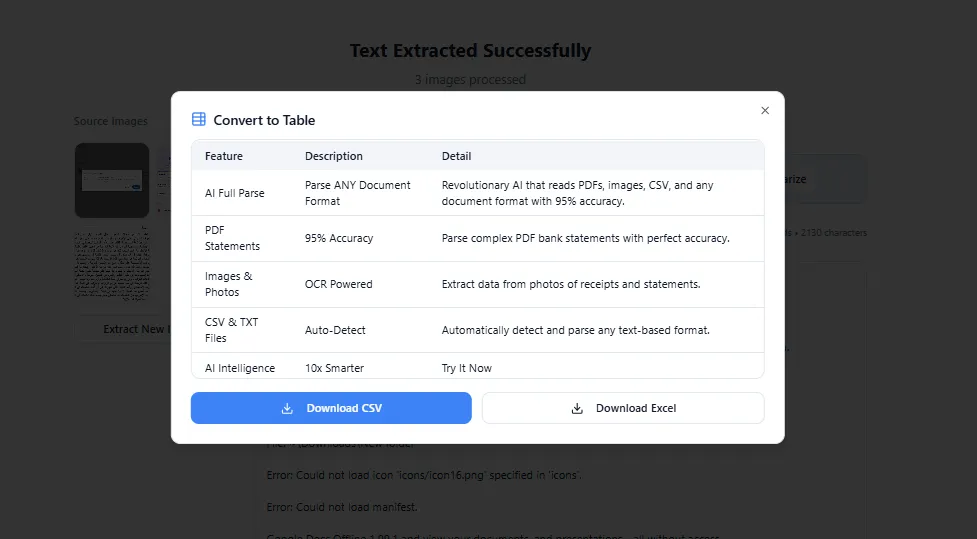
TableSnap (NEW)

  • Automatically extract tables from images, screenshots, and PDFs.
  • Export detected tables directly to editable Excel or CSV files.
  • Eliminate manual data entry for invoices, reports, spreadsheets, and financial documents. (Power Plan)
Instant Importing of Extracted Data using SnapText

Export & Capture Important Data Instantly

  • Export extracted content in TXT, DOCX, CSV, and Excel formats with one click.
  • Copy text instantly to your clipboard for quick sharing and editing.
  • Automatically detect emails, phone numbers, website links, prices, and currency values.
  • Integrate seamlessly with Microsoft Office and Google Workspace for a smoother workflow.
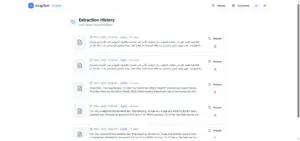
Extraction History of SnapText

Extraction History & Secure Processing

  • Access a secure history of previous extraction tasks.
  • Search and manage past documents with ease.
  • Keep your data protected with encrypted processing and no permanent image storage.

This Document Intelligence Tool:

  • *NEW: INCLUDES a Chrome extension to capture and extract text directly from webpages, browser screenshots, and selected screen areas.
  • *NEW: OFFERS a smart layout to preserve document structure, including headings, paragraphs, lists, and tables, during extraction.
  • *NEW: CONVERTS tables from images, screenshots, and PDFs into editable Excel or CSV files.
  • EXTRACTS text from images (in formats including PNG, JPG, JPEG, WebP, GIF, & BMP), screenshots, and PDFs with high-precision AI OCR.
  • OFFERS smart table recognition to convert screenshots directly into CSV or Excel files.
  • SUPPORTS encrypted processing without permanent storage.
  • GENERATES translations for extracted text across 50+ supported languages.
  • INCLUDES smart data detection for emails, links, prices, and phone numbers.
  • CREATES exports in multiple formats, including Word (DOCX), Excel, & TXT.
  • REQUIRES no installation; it is a fully web-based application.
  • LETS you process up to 10 images at once with batch upload capabilities.

SnapText is Best For:

  • Accountants
  • Freelancers
  • Project Managers
  • Researchers
  • Students

Choose Your Plan

Basic
Basic
Original price was: $79.00.Current price is: $39.00.
Pro
Original price was: $129.00.Current price is: $59.00.
Power
Original price was: $249.00.Current price is: $129.00.
With DealClub
$33.15
$79.00
Without DealClub
$39.00
$79.00
Buy Now
Limited Time Deal

Deal Terms

  • Access via redemption of coupon code
  • 30 Day Coupon Code Validity
  • One Coupon Code for one user/account
  • Coupon Codes are stackable
  • For New Users Only
  • Free Updates
  • Free Support

Customer Testimonials

"Processing receipts and invoices used to be a nightmare. Now I just screenshot and extract. The smart data detection finds all the numbers I need."

-David Kim

"The Power plan's extraction history and AI features have completely transformed how I capture data from visual sources. Absolute game-changer."

-Alex Thompson

"Whiteboard photos from meetings become searchable notes in seconds. The multi-language support is perfect for our international team."

-Priya Sharma

Plans & Features

Choose the perfect plan for your needs.

Plans & Features
Basic
Pro
Power
$79 $39
Buy Now
$129 $59
Buy Now
$249 $129
Buy Now
Image uploads

100/month

500/month

2000/month

AI OCR extraction
Auto language detection
Language Support

English translation support

Multi-language translation support

Multi-language translation support

Export

Export to TXT

Word/Excel export support

Word/Excel export support

AI table extraction
Chrome Extension
Batch image uploads
Faster processing priority
Structured document extraction
Smart Layout
TableSnap
Priority support access
Plan 1 of 3

Basic

$79.00 $39.00
Buy Now
30-Day Refund | Lifetime Access | One-time Payment
  • Image uploads : 100/month
  • AI OCR extraction
  • Auto language detection
  • Language Support: English translation support
  • Export : Export to TXT

Frequently Asked Questions

Find Answers to common questions about SnapText

What file formats does SnapText support?

SnapText supports PNG, JPG, JPEG, GIF, BMP, and WebP image formats.

Can SnapText convert tables into Excel?

Yes. It automatically detects tables and exports them to Excel or CSV while preserving their structure.

How many languages are supported?

SnapText supports automatic OCR and translation across more than 50 languages.

Can I process multiple images at once?

Yes. Batch processing allows you to upload and extract text from multiple images simultaneously.

Customer Feedback

Customer Reviews (1) Customer Q&A (2)
5

Based on 1 reviews

5 star
1
4 star
0
3 star
0
2 star
0
1 star
0

You must purchase this product to leave a review.

Feliciano Verified Buyer
February 11, 2026

Always useful to have powerfull OCR tool to retrieve text in any situation. The Good thing is that PDF OCR will be available for higher tier. Could easily add powerful OCR to scanner. One only thing that is very important. Hope they will create Android app or new website address. Vey important to gain more visibility and increase customers.

Have a Question?

Get answers from our community and support team.

Login to Ask a Question
February 11, 2026

Q: Contact support on website

A: Thank you for raising this. We are currently adding a dedicated Contact page that will include a support form, direct support email, and clear response time expectations. In addition, we are publishing a structured FAQ section to address common questions and improving overall UI consistency across key pages to enhance user experience and trust. These updates will be live shortly. We appreciate the feedback and are committed to maintaining a professional and responsive platform.

February 11, 2026

Q: PDF files OCR

A: Thank you for your question and for testing the demo. Currently, SnapText supports OCR extraction for image formats (PNG, JPG, JPEG, WebP, GIF, BMP). PDF OCR and additional document format support are actively in development and will be introduced in an upcoming update. For the DealFuel offer specifically: PDF and advanced document OCR will be included in select higher-tier plans. It will not be available in all plans under the current deal structure. We will also update the deal page to clearly reflect this plan differentiation to avoid any confusion. Please let us know if you need further clarification. Best regards,

×

You Might Also Like

AI Manga Translator | Annual Access
StudioMagic - Image Composite Editor For Windows & Mac | Lifetime Access

StudioMagic - Image Composite Editor For Windows & Mac | Lifetime Access

, , , , , , , , , , ,

EchoWrite - AI Voice Dictation Software For Windows (BYOK) | Lifetime Access

EchoWrite - AI Voice Dictation Software For Windows (BYOK) | Lifetime Access

, , , , , , , ,

Vidtoon - Animated Video Maker | Lifetime Access

Vidtoon - Animated Video Maker | Lifetime Access

, , , , , , ,

Choose Plan
Basic
Basic
Original price was: $79.00.Current price is: $39.00.
Pro
Original price was: $129.00.Current price is: $59.00.
Power
Original price was: $249.00.Current price is: $129.00.
Buy with DealClub
$33.15 $79.00
Buy without DealClub
$39.00 $79.00

Deal Terms

  • Access via redemption of coupon code
  • 30 Day Coupon Code Validity
  • One Coupon Code for one user/account
  • Coupon Codes are stackable
  • For New Users Only
  • Free Updates
  • Free Support
Scroll to Top