Turn conversations into content instantly across all your apps with
EchoWrite – AI Voice Dictation Software
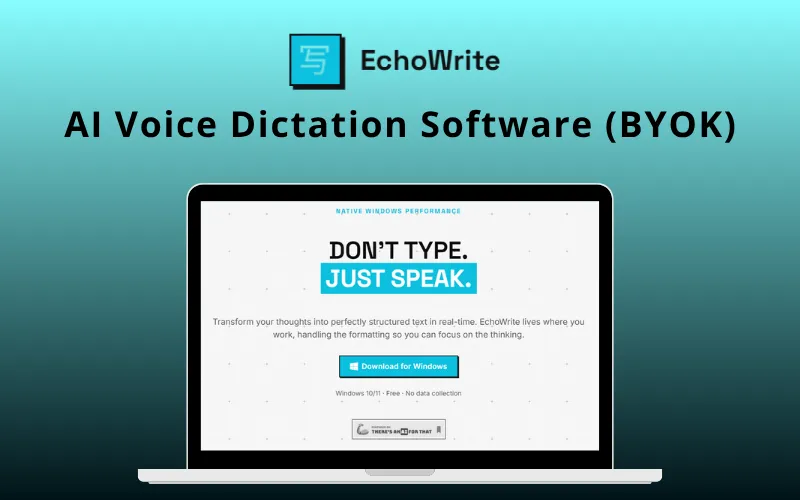
EchoWrite is a powerful AI voice dictation software designed for Windows that lets you turn speech into text anywhere you can type.
It enables seamless voice dictation across any app using a simple global hotkey.
EchoWrite stands out as a highly flexible AI voice dictation software, offering both cloud-based and fully offline functionality.
Whether you prefer maximum accuracy with OpenAI or complete privacy with local models, EchoWrite adapts to your workflow.
You can –
- Dictate emails, code, notes, or messages
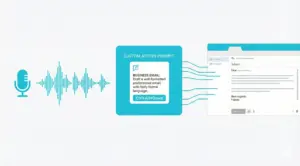
- Apply AI-powered prompts like grammar fixes or formatting,
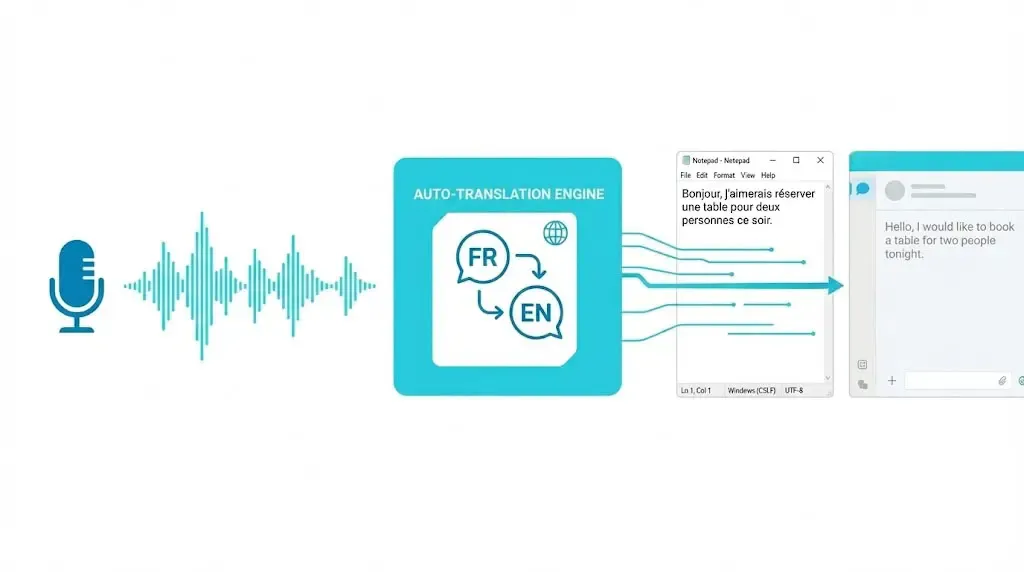
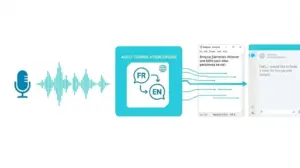
- Translate languages in real time
Designed for productivity and control, EchoWrite includes features like system-wide input, local history tracking, customizable shortcuts, and BYOK support.
How to Transcribe Your Voice With EchoWrite:
Features Of EchoWrite:
Global Voice Dictation & System-Wide Input:
Record and dictate audio using a customizable hotkey without leaving your active window.
Transcribed text is instantly injected into any application – Word, Notion, Slack, browsers, IDEs, and more.
Works system-wide wherever you can type, with seamless background operation.
AI Transcription & Flexible Processing:
Choose between OpenAI Whisper API for maximum accuracy or a local Whisper model for offline, private transcription.
Hybrid setup lets you switch between cloud and on-device processing anytime.
Supports fast, accurate voice-to-text conversion across workflows.
Real-Time Translation & Multi-Language Support:
Speak in your native language and get instant translations typed in your target language.
Automatic language detection with support for 20+ languages, including English, French, Spanish, German, Japanese, Chinese, Arabic, Korean, and more.
Ideal for multilingual communication and content creation.
Custom AI Prompts & Smart Text Actions:
Create reusable AI prompts with dedicated shortcuts like “Summarize,” “Fix Grammar,” or “Convert to Markdown.”
Powered by OpenAI or local LLMs for flexible AI processing.
Enhances productivity with instant text refinement and formatting.
Full Offline Mode & Privacy-First Design:
Run EchoWrite entirely offline using local transcription and local LLMs, no internet or API key required.
Download models like Llama 3.2 3B or Mistral 7B directly inside the app without manual setup.
All audio and transcriptions stay on your device; nothing is sent to external servers.
Additional Features:
Local history panel to store all transcriptions and AI actions.
Easily review, reuse, and reference past inputs.
Maintains smooth, uninterrupted workflows.
One-time purchase with no subscriptions or recurring fees.
Bring Your Own API Key (BYOK) for cost-efficient AI usage
No markup on AI costs, full control over spending..
Why EchoWrite:
-
Dictate anywhere on Windows with system-wide voice input.
-
Turn speech into text instantly, no switching apps.
-
Translate, format, and refine text in real time with AI.
-
Stay in flow with global hotkeys and background listening.
-
Save time on emails, code, notes, and daily communication.
-
No subscriptions – pay once and keep full control with BYOK.
Who Is EchoWrite For:
- Developers & engineers who want to dictate code, docs, and tickets without breaking flow.
- Writers & content creators who think faster than they type.
- Remote workers who handle emails, Slack, and daily communication.
- Multilingual professionals who need real-time translation while typing.
- Privacy-focused users who prefer fully offline AI tools.
- Business users looking to speed up repetitive writing tasks.
Specifications:
System Requirements:
- Windows 10 or Windows 11 (64-bit)
- Minimum 4 GB RAM (16 GB recommended for local AI models)
- ~500 MB storage for app (extra space needed for local models)
- Whisper models: 150 MB to 3 GB, depending on size
- Local LLMs: ~2 GB (Llama 3.2 3B) or ~4.5 GB (Mistral 7B)
GPU Requirements (Recommended):
- NVIDIA GPU with CUDA support for smooth performance
- 1–10 GB VRAM depending on Whisper model size
- 4–8 GB VRAM required for local LLMs
- CPU-only mode works but is very slow (not practical for daily use)
Performance Notes:
- Small/Medium Whisper models offer the best speed vs accuracy
- GPU significantly improves transcription and AI response times
- Local pipelines include both transcription and text processing
Connectivity & Compatibility:
- Internet required only for cloud features (OpenAI API)
- Fully offline use is possible with local models
- Windows desktop only (no macOS, Linux, or mobile support)
Go From Voice to Text in 3 Easy Steps With EchoWrite:
- Set Up Your Key: Add your OpenAI API key or skip it and use a local model. Your key stays encrypted on your device.
- Press the Hotkey: Use Ctrl + Space or customize your shortcut. EchoWrite listens in the background without interrupting your workflow.
- Speak & It Types: Release the key! Your speech is transcribed, processed, and instantly typed where your cursor is.
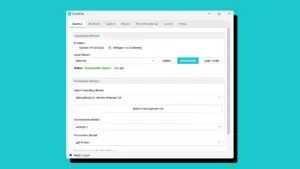
Preview Of EchoWrite:
Testimonials:
Q&A:
How “local” is the local mode?
Fully offline. All processing runs on your device, no internet required.
Do Custom Prompts and Translation work offline?
Yes. Local LLMs handle both features without internet or API keys. Cloud mode is optional.
Do I need my own OpenAI API Key?
No. You can use local models or add your own key for cloud-based accuracy.
Is my voice data private?
Yes. Data is processed locally or sent directly via your API key, never stored on EchoWrite servers.
Deal Terms:
How to download/activate this product?
After completing your purchase, you will receive an instructions document. Follow the instructions in this document to redeem the coupon code and activate your subscription.
What is the validity of the license key/coupon code? (Within how many days the coupon code must be redeemed?)
The coupon code must be redeemed within 30 days from the date of purchase.
Is a Lifetime Subscription available for this product?
Yes, a Lifetime Subscription* is available for this product.
*LIFETIME MEANS LIFETIME OF THE PRODUCT.
We strive to provide our customers with high-quality products that offer longevity, but unfortunately, some products are acquired or go bankrupt. Many of these products are from startup companies, offering our customers a great deal. However, in an unfortunate situation where the product does not last long, there is not much DealFuel can do about it.
Are Updates available for this product?
Yes, Automatic Updates are available for FREE for this product.
Is support available for this product?
Yes, Free support is available for this product.
For support contact – [email protected].
Is this deal exclusive to new users?
No, this deal is available to both the NEW & EXISTING USERS of EchoWrite.
How many users can use the license key/coupon code?
One coupon code can be used for one user/account.
Are the coupon codes stackable?
No, the coupon codes are NOT stackable.
Can this product be accessed on all devices?
No, EchoWrite can be accessed only on Windows 10 or Windows 11 (64-bit) Desktops. Internet is required only for cloud features (OpenAI API).


Reviews
There are no reviews yet.