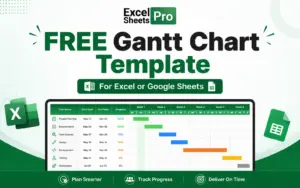
FREE Gantt Chart Template for Excel & Google Sheets

TL;DR

  • Create professional Gantt charts in minutes.
  • Plan tasks, deadlines, and milestones easily.
  • Save time with a free, ready-to-use template.
  • Use it directly in Excel or Google Sheets.
  • Get lifetime access without recurring fees.

Quick Overview

Alternative to:

  • Asana
  • Monday.com

Best for:

  • Business Owners
  • Digital Marketers
  • Entrepreneurs
  • Freelancers
  • Marketers
  • Project Managers
  • Researchers
  • Startups
  • Students

Compatibility:

  • Browser Support:
    Chrome
  • Operating Systems:
    Browser Based, Windows
  • Integrations:
    Google Sheets, Microsoft Excel

Managing projects can become messy when tasks are scattered, deadlines are missed, and everyone needs constant updates. But now you can easily plan, track, and manage projects faster with this –


Free Gantt Chart Template for Excel & Google Sheets


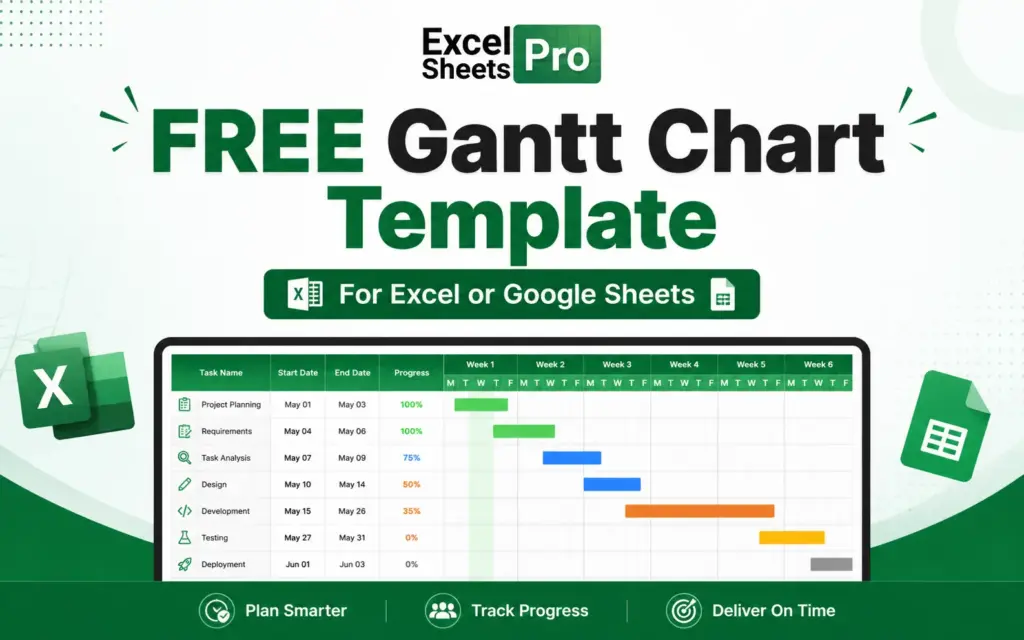
This free Gantt chart template helps you create clear project timelines using Excel or Google Sheets. It gives you a simple way to organize tasks, monitor progress, and keep projects moving.


This Gantt chart template allows you to –

  • Add tasks
  • Set deadlines
  • Track progress
  • Visualize your entire project timeline


all in one place.


It makes your project planning simple without needing advanced tools or complicated setups.


All you have to do is –

  1. Download your free Gantt chart template and open it in Excel or Google Sheets.
  2. Enter tasks, deadlines, milestones, and important project information.
  3. Update task status and monitor your project timeline visually.


This will help you keep your team aligned, quickly understand project status, and manage deadlines with ease.

This Freebie belongs to ExcelSheetsPro.

Features of Free Grantt Chart Template

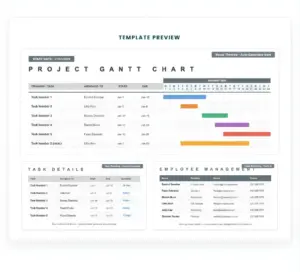
FREE Gantt Chart Template Preview

Plan & Manage Projects Easily

  • Build clear visual schedules for your projects.
  • See tasks, dates, and deadlines in an easy-to-follow format.
  • Set timelines and manage important dates quickly.
  • Structure your projects with a simple planning system.
  • Keep tasks and responsibilities easier to manage.
  • Work directly in Excel or Google Sheets.

Why Choose This Free Gantt Chart Template?

  • Plan projects with a clear visual timeline.
  • Track tasks and deadlines more easily.
  • Save time creating Gantt charts manually.
  • Avoid expensive project management subscriptions.
  • Organize workflows in one simple dashboard.
  • Improve team visibility and collaboration.
  • Manage multiple project tasks faster.
  • Use a familiar Excel or Google Sheets format.
  • Start instantly with a ready-made template.
  • Simplify project planning without complex tools.


Specifications:

  • Freebie: Gantt Chart Template
  • Type: Project Management & Timeline Planning Template
  • File Format: Excel (.xlsx)
  • Compatibility: Microsoft Excel, Google Sheets, and compatible spreadsheet apps
  • Editable: Custom Tasks, Dates, Phases, and Project Details
  • Access: Instant free download & Lifetime Access

Who Is This Free Gantt Chart Template For?

  • Business Owners
  • Digital Marketers
  • Entrepreneurs
  • Freelancers
  • Marketers
  • Project Managers
  • Researchers
  • Startups
  • Students

Choose Your Plan

Download Now
Limited Time Deal

Deal Terms

  • End Products must Not be Used or Sold in a directly competitive way
  • Cannot be Sublicensed, Resold, Shared, Transferred, and Redistributed
  • This template cannot be shared with others

Plans & Features

Choose the perfect plan for your needs.

Plans & Features
Standard
$19.90 $0
Buy Now
Visual Timeline

30-Day

Task capacity

20

Pre-filled Sample Tasks

10

Color-Coded Phases

3 - Planning (blue), Execution (green), Review (gold)

Milestone Markers
Auto-calculated End Dates
Conditional Formatting Bars

Standard Plan

$19.90 $0.00
Buy Now
Commercial Use License | Lifetime Access | Instant Download
  • Visual Timeline: 30-Day
  • Task capacity: 20
  • Pre-filled Sample Tasks: 10
  • Color-Coded Phases: 3 - Planning (blue), Execution (green), Review (gold)
  • Milestone Markers
  • Auto-calculated End Dates
  • Conditional Formatting Bars

Frequently Asked Questions

Find answers to common questions about this Free Gantt Chart Template

Do I need project management software to use it?

No, you can manage projects directly using Excel or Google Sheets.

Can I customize the template?

Yes, you can edit tasks, dates, and project details based on your needs.

Customer Feedback

Customer Reviews (0) Customer Q&A (0)

No Reviews Yet

Be the first to try this deal and share your experience.

You must purchase this product to leave a review.

Be The First To Ask

Get clarity before you buy—your question might help others too.

×
Download Now
Scroll to Top