Kernel Windows Data Recovery Software to Recover Lost Data Instantly

TL;DR

  • Recover deleted, formatted, and permanently deleted documents, photos, videos, emails, archives, databases, and more...
  • Restore data from HDDs, SSDs, USB drives, SD cards, and RAW partitions.
  • Supports NTFS, FAT, MBR, and GPT-based storage devices.

Quick Overview

Alternative to:

  • EaseUS Data Recovery Wizard
  • Stellar Data Recovery
  • Wondershare Recoverit

Best for:

  • Content Creators
  • Designers
  • Freelancers
  • Graphic Designers
  • Local Businesses
  • Photographers
  • Videographers
  • YouTubers

Compatibility:

  • Browser Support:
    Chrome, Firefox, Safari
  • Operating Systems:
    Windows

Accidentally deleted an important file? Formatted a drive by mistake? Lost access to your SSD or external hard drive?

Recover lost, deleted, formatted, and inaccessible data quickly with Kernel for Windows Data Recovery.


What Is Kernel for Windows Data Recovery?

Kernel for Windows Data Recovery is an advanced Windows data recovery software that helps recover files from damaged, formatted, corrupted, RAW, or inaccessible storage devices.


It lets you-

  • Recover deleted and permanently deleted files
  • Restore formatted drives and partitions
  • Recover data from HDDs, SSDs, USB drives, and SD cards
  • Retrieve files from RAW partitions
  • Preview files before recovery
  • Recover data using multiple scan modes


All from one easy-to-use Windows application.


Whether your data was lost due to accidental deletion, formatting, corruption, Windows updates, SSD failures, malware attacks, or partition damage, Kernel helps recover it safely while preserving the original file structure whenever possible.


How Kernel Windows Data Recovery Works

Recover your files in these simple steps:

  1. Launch the Software:
    Install and open Kernel Windows Data Recovery.
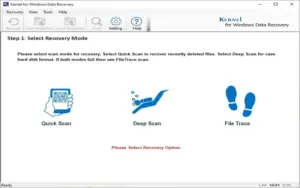
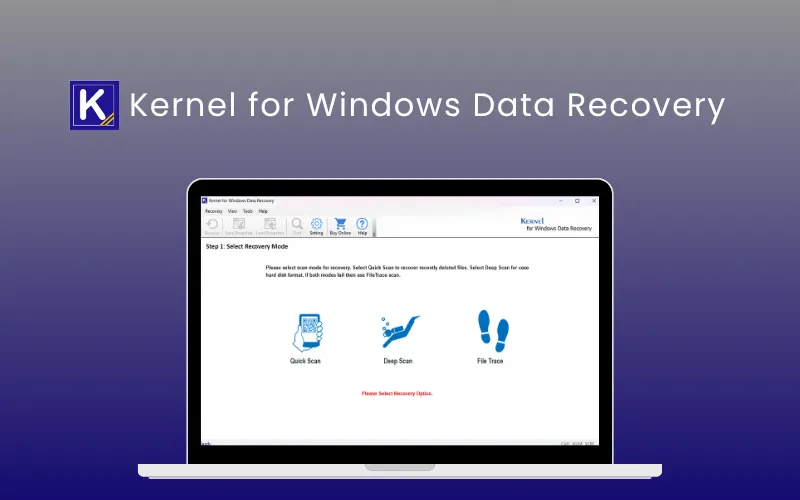
  2. Choose a Scan Mode:
    Select Quick Scan, Deep Scan, or File Trace.
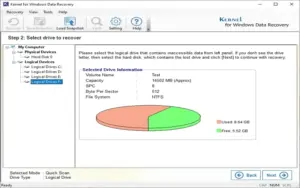
  3. Select the Drive:
    Pick the partition or storage device to scan.
  4. Scan for Lost Files:
    Let the software locate deleted and lost data.
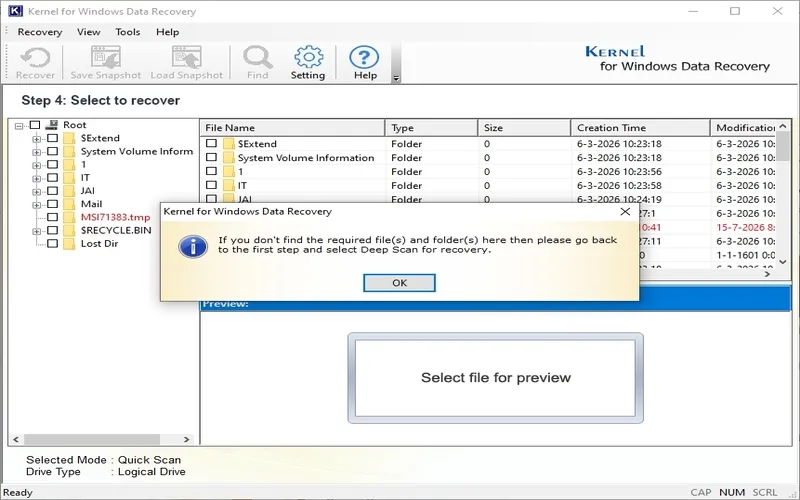
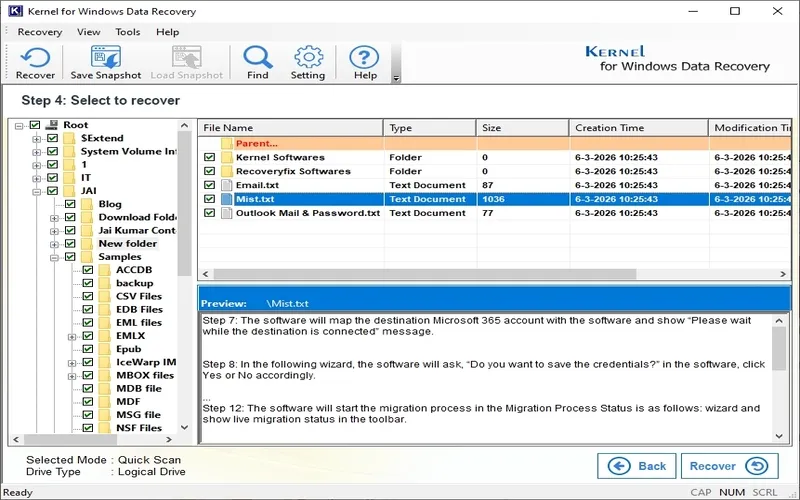
  5. Preview Recoverable Files:
    Verify files before restoring them.
  6. Choose a Recovery Location:
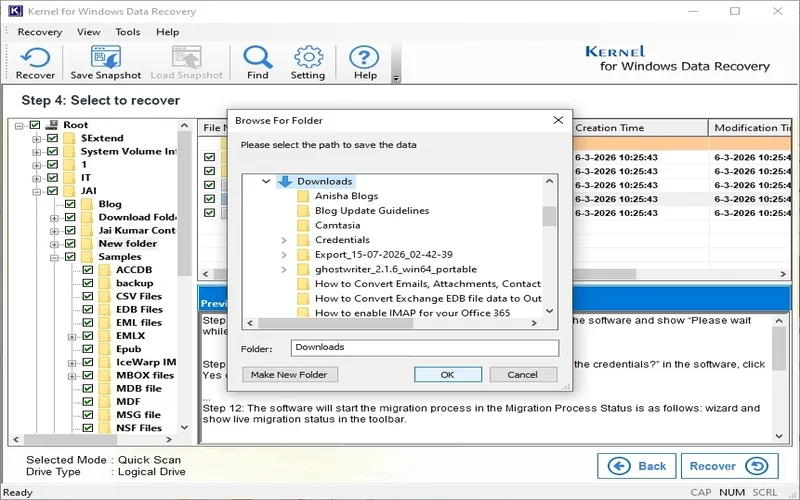
    Select a safe destination to save recovered files.
  7. Recover Your Data:
    Restore your files with just one click

Its that easy!

Introduction to Kernel Windows Data Recovery Software:

Youtube video

Kernel Windows Data Recovery Features

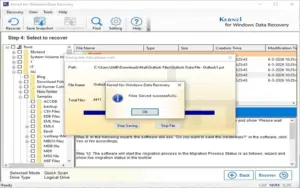
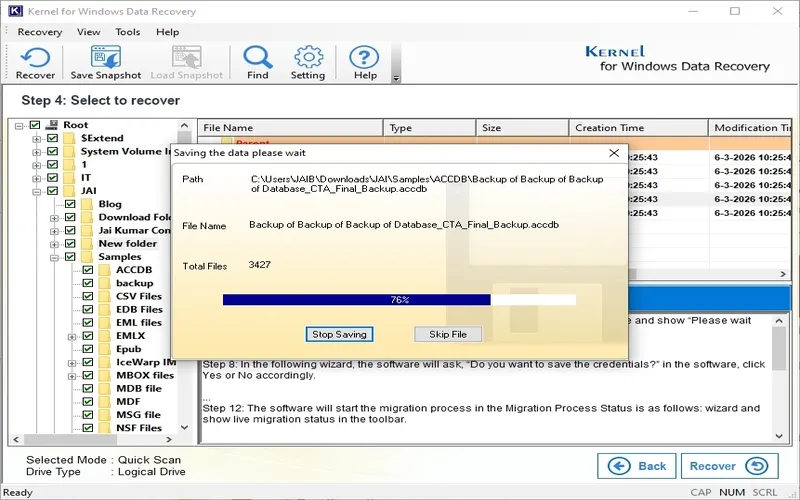
Data Saving
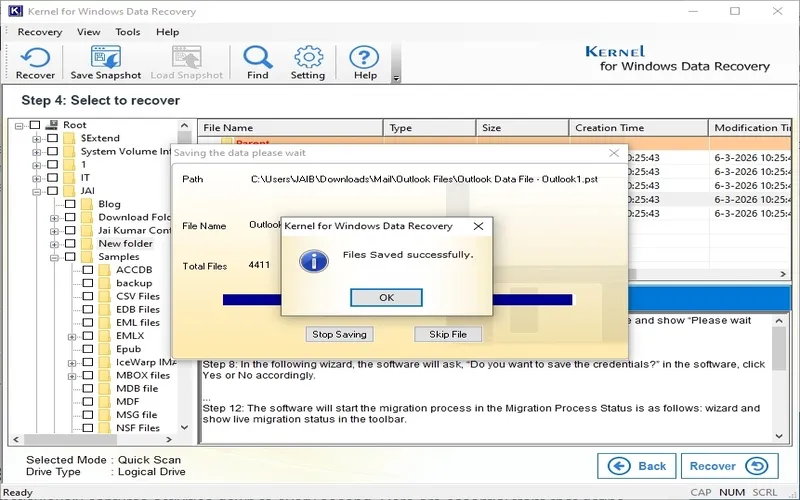
Successfully Saved files

Recover Deleted & Permanently Deleted Files:

  • Recover files deleted using Delete, Shift+Delete, or after emptying the Recycle Bin. Restore documents, photos, videos, emails, archives, and more with high accuracy.
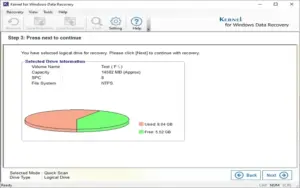
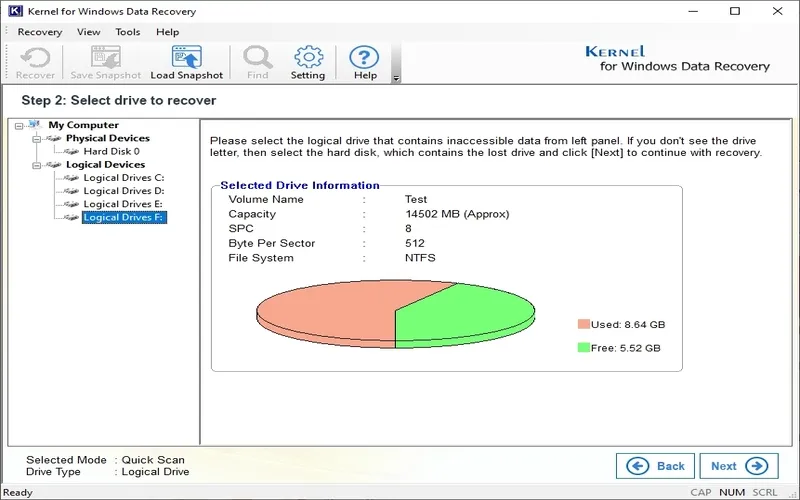
Select Drive to Recover

Recover Data From Any Storage Device:

  • Restore lost data from HDDs, SSDs, USB flash drives, SD cards, memory cards, external hard drives, and other storage devices without hassle.
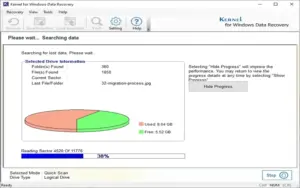
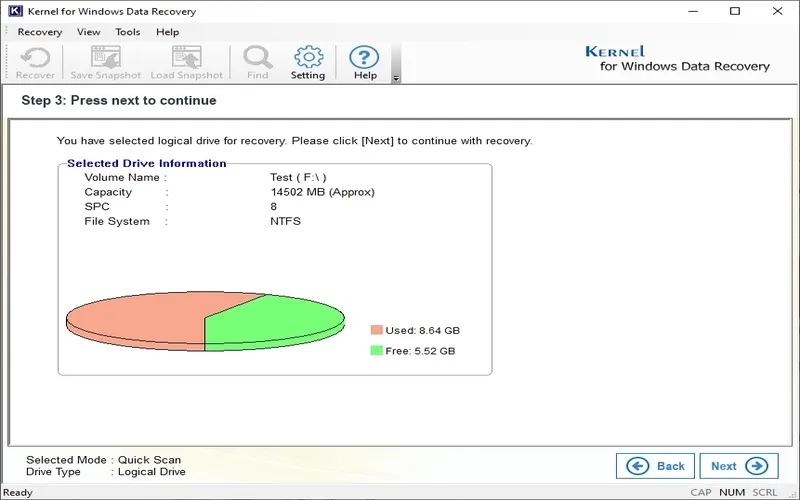
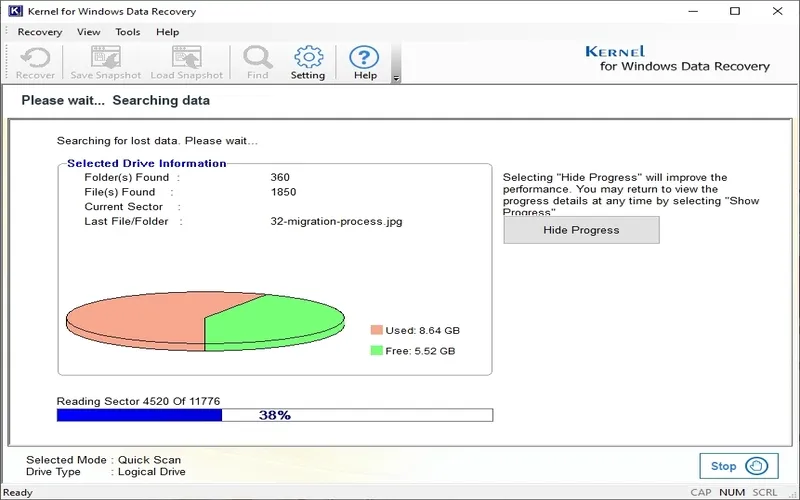
Select Drive Information
Read Sectors

Restore Formatted, RAW & Corrupted Drives:

  • Recover files from formatted partitions, RAW drives, inaccessible storage, damaged NTFS/FAT partitions, and corrupted disks with advanced recovery technology.
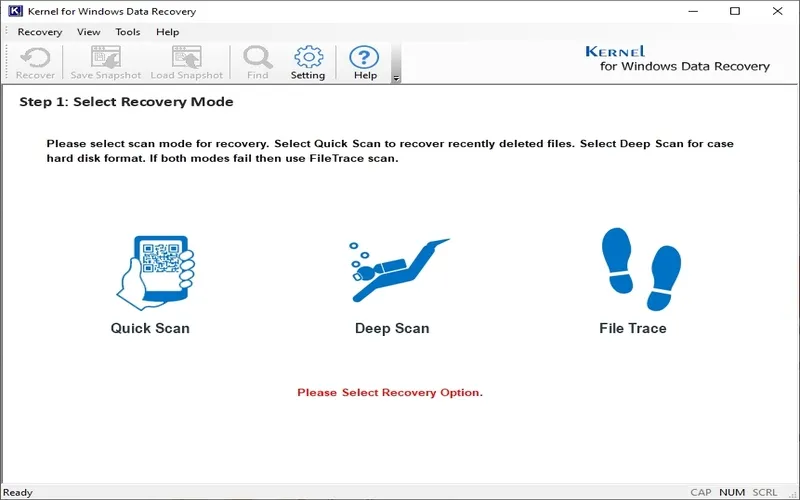
Select Recovery Modes

Advanced Recovery With Three Scan Modes:

  • Choose between Quick Scan for recent deletions, Deep Scan for formatted drives, or File Trace Mode for severely damaged storage devices.
Select Data Saving Location

Recover Every Important File Type:

  • Restore documents, media files, email files, archives, databases, CAD files, internet files, and hundreds of additional file formats from Windows systems.
Note Recovered Files
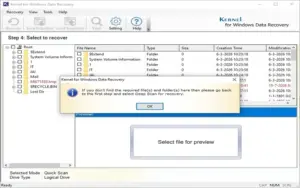
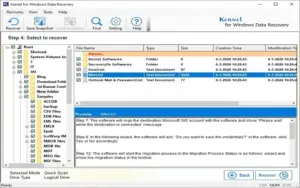
Select Files to Recover

Preview Files Before Recovery:

  • View recoverable files before saving them, preserve metadata, save scan snapshots, resume previous scans, and recover exactly what you need.

Why Choose Kernel for Windows Data Recovery?

  • Recover deleted, permanently deleted, and formatted files
  • Restore data from HDD, SSD, USB drives, SD cards, and external storage
  • Supports NTFS, FAT, MBR, GPT, and RAW partitions
  • Three recovery modes for simple and advanced recovery
  • Preview recoverable files before restoring
  • Resume recovery using Snapshot technology
  • Recover photos, videos, documents, emails, archives, and databases
  • Supports Windows XP through Windows 11 and Windows Server editions
  • Save up to 2 GB of recovered data with the free trial
  • Trusted by professionals for reliable Windows data recovery

Kernel Windows Data Recovery Software is Best For:

  • Content Creators
  • Designers
  • Freelancers
  • Graphic Designers
  • Local Businesses
  • Photographers
  • Videographers
  • YouTubers

Choose Your Plan

Home License (Yearly)
Original price was: $69.00.Current price is: $49.00.
Corporate License (LTD)
Original price was: $149.00.Current price is: $99.00.
Technician License (LTD)
Original price was: $249.00.Current price is: $199.00.
With DealClub
$41.65
$69.00
Without DealClub
$49.00
$69.00
Buy Now
Limited Time Deal

Deal Terms

  • Manual access via email after purchase.
  • Home License Usage per User - Personal Use Only
  • Corporate License Usage per User - Multiple machines at single location
  • Technician License Usage per User - Multiple machines at multiple locations
  • For both - New & Existing Users
  • Free Updates
  • Free Support
  • Only for Windows

Customer Testimonials

My NTFS and FAT drives become corrupted, and I lose valuable volume data unexpectedly. Thanks to the Kernel for Windows Data Recovery tool, I restored all lost files quickly. Its support for NTFS and FAT systems helps me recover my deleted data and save them in my preferred drive.

-Odessa Daniel

The advanced features made it so easy to filter and recover exactly what I needed. A must for anyone dealing with data loss. Solid performance all the way.

-Blake Davis

I accidentally deleted some important data from my drive, then tried the Windows data recovery software and that quickly repaired my all data. Thanks!

-Carla

Plans & Features

Choose the perfect plan for your needs.

Plans & Features
Home License (Yearly)
Corporate License (LTD)
Technician License (LTD)
$69 $49
Buy Now
$149 $99
Buy Now
$249 $199
Buy Now
License usage

Personal use only

Multiple machines at single location

Multiple machines at multiple locations

License validity

1 Year

Lifetime

Lifetime

Unlimited data recovery
Recover data from HDD, SSD, USB, and SD Cards
Recovers corrupted, lost or damaged Data
Recovers data from different drives
Preview files and folders before saving
Provides Find files option
Supports recovery of images, videos, documents, etc.
Supports recovery from corrupted Windows file systems (FAT/NTFS)
Retrieve permanently deleted data
Recovers data lost due to Windows registry corruption
Supports recovery from all Windows OS versions
Plan 1 of 3

Home License (Yearly)

$69.00 $49.00
Buy Now
30-Day Refund | Annual & Lifetime Access
  • License usage: Personal use only
  • License validity: 1 Year
  • Unlimited data recovery
  • Recover data from HDD, SSD, USB, and SD Cards
  • Recovers corrupted, lost or damaged Data
  • Recovers data from different drives
  • Preview files and folders before saving
  • Provides Find files option
  • Supports recovery of images, videos, documents, etc.
  • Supports recovery from corrupted Windows file systems (FAT/NTFS)
  • Retrieve permanently deleted data
  • Recovers data lost due to Windows registry corruption
  • Supports recovery from all Windows OS versions

Frequently Asked Questions

Find Answers to common questions about Kernel Windows Data Recovery Software

How do I recover deleted files using Kernel Windows Data Recovery?

Download and install the software, choose a recovery mode, select the drive, scan for lost files, preview the recoverable data, and save the restored files to a different location.

Can I recover data from formatted or RAW drives?

Yes. Kernel Windows Data Recovery can recover files from formatted, RAW, corrupted, and inaccessible partitions, as well as internal and external storage devices.

What's the difference between Quick Scan, Deep Scan, and File Trace Mode?

Quick Scan is ideal for recently deleted files. Deep Scan performs a thorough search for formatted or heavily deleted data, while File Trace Mode is designed for severely damaged drives and retrieves the maximum possible data.

Which storage devices does Kernel Windows Data Recovery support?

The software supports HDDs, SSDs, USB flash drives, SD cards, memory cards, external hard drives, and other Windows-compatible storage devices.

Can I preview files before recovering them?

Yes. The software lets you preview recoverable files before restoring them, helping you recover only the files you need.

Does the software support recovery of specific file types?

Yes. You can recover specific file types such as documents, photos, videos, emails, archives, databases, CAD files, and many other supported formats using the built-in search and filtering options.

Customer Feedback

Customer Reviews (0) Customer Q&A (0)

No Reviews Yet

Be the first to try this deal and share your experience.

You must purchase this product to leave a review.

Be The First To Ask

Get clarity before you buy—your question might help others too.
×

You Might Also Like

Wins - Mac Windows Manager | Lifetime Access

Wins - Mac Windows Manager | Lifetime Access

, , , , , , ,

tabMeister - Chrome Tab Manager | Lifetime Access

tabMeister - Chrome Tab Manager | Lifetime Access

, , , , , , ,

FREE Genie Timeline Home + Genie Timeline 10 for Lifetime

FREE Genie Timeline Home + Genie Timeline 10 for Lifetime

, , , , , , , ,

Bear VPN - VPN For iPhone & iPad | Annual Subscription

Bear VPN - VPN For iPhone & iPad | Annual Subscription

, , , , , , ,

Choose Plan
Home License (Yearly)
Original price was: $69.00.Current price is: $49.00.
Corporate License (LTD)
Original price was: $149.00.Current price is: $99.00.
Technician License (LTD)
Original price was: $249.00.Current price is: $199.00.
Buy with DealClub
$41.65 $69.00
Buy without DealClub
$49.00 $69.00

Deal Terms

  • ✓ Manual access via email after purchase.
  • ✓ Home License Usage per User - Personal Use Only
  • ✓ Corporate License Usage per User - Multiple machines at single location
  • ✓ Technician License Usage per User - Multiple machines at multiple locations
  • ✓ For both - New & Existing Users
  • ✓ Free Updates
  • ✓ Free Support
  • ✓ Only for Windows
Scroll to Top