
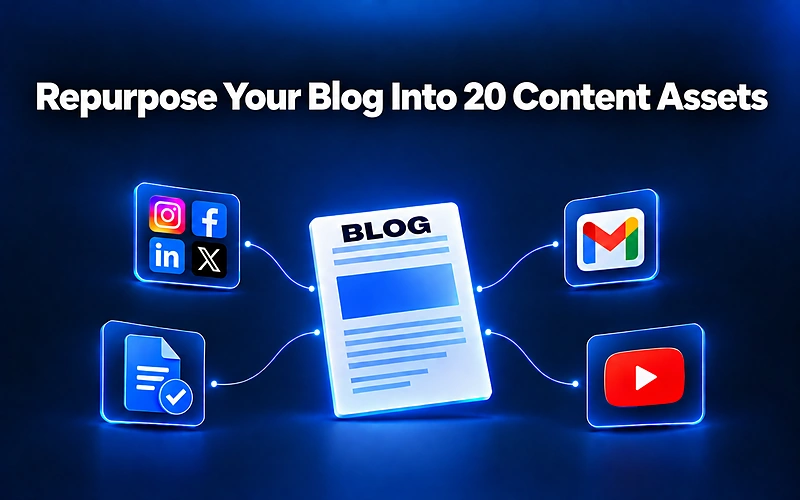
You wrote a blog post. You published it. You shared it once on LinkedIn.
Then you moved on to the next one.
If that’s your workflow, you’re leaving most of the value on the table. A blog post isn’t one piece of content. It’s raw material. And most teams only ever turn it into one finished product, then throw the rest away.
HubSpot named this one of the top marketing trends of 2026: repurposing content has become a growth lever, not just a time-saver. In its 2026 marketing survey, 35% of marketers said they’re now actively repurposing content across channels to boost reach and stay consistent as attention scatters across more platforms. That’s over a third of the industry treating one piece of content as a starting point, not an endpoint.
Most of the rest are still treating that blog post like a finished product. One post, one channel, one moment of visibility, then silence. The gap between those two groups isn’t talent or budget. ITS A SYSTEM.
This article gives you that system. Not a list of random ideas. A framework you can run on any blog post, in any niche, starting today.
The 20-Asset Framework at a Glance

One blog post can become 20 separate assets. Not 20 versions of the same sentence. Twenty distinct pieces, each built for where your audience actually is.
The framework splits into four categories:
- Social assets – for platforms where people scroll fast
- Email assets – for the inbox, where attention is closer
- Lead-gen and sales assets – for people close to a decision
- SEO and other assets – for search engines and future readers
Every category pulls from the same source material. But each one reshapes it for a different reader, in a different mindset, at a different moment. Skip a category, and you’re not being efficient. You’re just leaving a whole audience segment untouched.
Here’s how to break down a post into all four.
Category 1: Social Assets

Social platforms don’t reward blog links. They reward native content. So don’t post your headline with a link. Rewrite the idea for the platform itself.
- LinkedIn post – pulls one insight from the post and frames it as a lesson learned, written in first person.
- X post – strips the idea down to a single sharp claim, short enough to stand alone.
- Facebook post – leans into the story or the problem behind the post, since Facebook audiences respond to context.
- Instagram caption or carousel – turns your structure into visual steps, one idea per slide.
The blog post explains. The social version has to hook first, then explain in one line.
Category 2: Email Assets

Your list already trusts you. Use that. Email assets carry more detail than social, but still can’t be a full repost.
- Newsletter blurb – a short teaser with one useful line, driving clicks back to the full post.
- Standalone email feature – the post’s core argument, rewritten as a direct email from you to the reader.
- Subject line variations – three or four different angles on the same email, so you can test what earns the open.
The blog post has to earn a read-through with structure and headers. The email has to earn a read-through without the subject line alone.
Category 3: Lead-Gen and Sales Assets

This is where a blog post starts paying for itself. Somewhere inside every useful post is a smaller, standalone resource waiting to get pulled out.
- Checklist – the action steps buried inside your post, extracted and reordered as a simple list.
- FAQ document – the questions your post answers, rewritten in a direct question-and-answer format.
- Short lead magnet – a tighter, more actionable version of the post’s main promise.
- Sales enablement snippet – a short paragraph a sales rep can drop into an email, addressing an objection your post already solved.
None of these need new research. They need the same ideas, reshaped for someone closer to acting on them.
Category 4: SEO and Other Assets

The last category isn’t about new channels. It’s about squeezing more long-term value from the same page.
- Video script – turns your post’s structure into a spoken walkthrough, section by section.
- Quote graphic copy – pulls one sharp line from the post, written to work on its own as a shareable image.
- Internal linking opportunities – spots in older posts where this new one deserves a mention, strengthening your site’s structure.
These assets rarely get attention because they don’t feel urgent. But they compound. A well-placed internal link keeps paying off long after a social post has disappeared from the feed.
How AI Speeds Up the Framework

Doing this manually, post by post, is where most people give up. Twenty assets sound like twenty separate writing sessions.
It isn’t, if you use AI correctly.
Give a model like ChatGPT or Claude one blog URL, a defined audience, a goal, and a tone.
That’s enough context for it to generate all four categories in one working session. It reads the post the way your reader does, pulls out the strongest hooks and pain points, then reshapes them into each format above.
Say your original post is a how-to guide on cutting customer churn. Feed it in with the right context, and the model can hand back a LinkedIn post built around your sharpest churn stat, a subject line testing three angles on the same email, a checklist pulled straight from your steps, and a video script that walks through the same argument out loud.
Four categories, one session, zero blank pages.
The framework doesn’t change. What changes is how fast you can run it. Instead of stretching one post over a week of scattered effort, you can walk through all 20 assets in a single sitting.
The catch is the prompt. A vague request gets you 20 generic rewrites that all sound the same. A well-built prompt, one that tells the model your audience, your goal, and your tone upfront, gets you 20 assets that actually sound like they were made on purpose.
Getting Started

Building that prompt from scratch takes trial and error. You have to test phrasing, tell the model what to ignore, and figure out which details actually change the output. Most people get it wrong two or three times before it clicks.
You can build this prompt yourself. Or you can skip straight to a version that’s already been tested.
DealFuel’s Content Repurposing Playbook does exactly that. It’s a free tool built around this same framework, with a ready-to-use prompt for ChatGPT or Claude already built in.
Want to run this framework on your own blog? Open the free Content Repurposing Playbook, enter your blog URL, and get a ready-to-use ChatGPT/Claude prompt that builds all 20 assets for you, right on the page- nothing to download.