
ClientBill – Create Recurring Invoices in just 30 Seconds

TL;DR

  • Turn previous invoices into new ones in seconds.
  • Save recurring client details once and reuse them whenever you bill.
  • Track invoice status and identify unpaid bills that need attention.
  • Send professional payment reminders with one click.
  • Get the lifetime access with a 15-day refund policy.

Quick Overview

Alternative to:

  • Bonsai
  • FreshBooks
  • Invoice Ninja
  • Wave
  • Zoho Invoice

Best for:

  • Agencies
  • E-commerce Brands
  • Finance Professionals
  • Freelancers
  • Local Businesses
  • Marketers
  • Small Businesses
  • Startups

Compatibility:

  • Browser Support:
    Chrome, Edge, Firefox, Safari
  • Operating Systems:
    Browser Based

Are you wasting time checking old invoices, copying billing details, and chasing unpaid payments?

Recurring billing can quickly become repetitive and error-prone. You shouldn’t have to recreate information you already have just to send the next invoice.

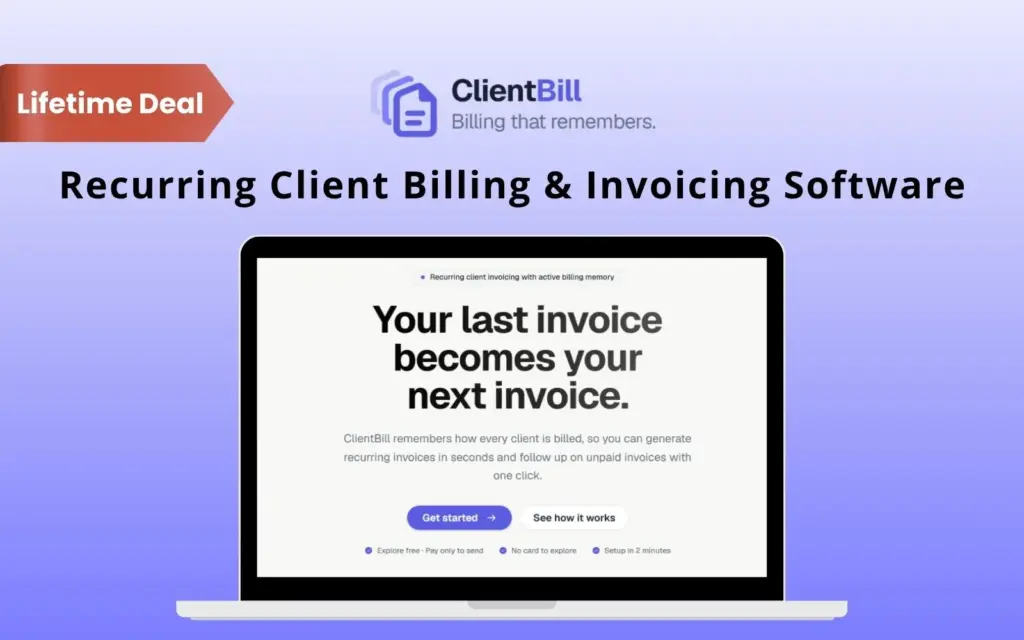
Make recurring billing easier and generate the next invoice in just 30 seconds with ClientBill.

What Is ClientBill?

ClientBill is a recurring client billing and invoicing software.

It saves your client billing details and

  • Helps you reuse previous invoices

  • Tracks invoice status

  • Lets you send payment reminders with one click

You just have to –

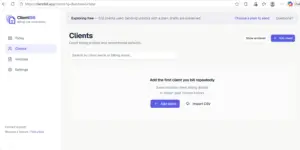
  1. Create your client: Save billing details, rates, contacts, payment terms, PO numbers, notes, and other recurring information.

  2. Generate the next invoice: Reuse a previous invoice instead of creating a new one from scratch. Review the details and make any necessary changes.

  3. Send and track: Send the invoice and track whether it’s Draft, Sent, Viewed, Paid, or Overdue.

  4. Follow up and repeat: Send a professional payment reminder with one click, then reuse the invoice again for the next billing cycle.

With ClientBill, you can quickly see what’s unpaid, follow up without writing reminder emails from scratch, and avoid missing recurring billing cycles.

It helps you spend less time rebuilding invoices and more time running your business.

Introduction To ClientBill

Youtube video

Features Of ClientBill:

Track invoices, payments, and billing activity

Save & Reuse Client Billing Details:

  • Create reusable client billing profiles.
  • Store rates, services, contacts, PO numbers, project codes, terms, notes, and payment instructions.
  • Reuse previous invoices to create new ones.
  • Review and edit reused information before generating invoices.
  • Automatically update invoice numbers, dates, due dates, and billing periods.
Manage and reuse saved client billing details

Track Invoices & Send Payment Reminders:

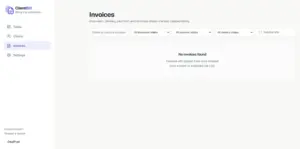
  • Track invoices from Draft to Sent, Viewed, Paid, or Overdue.
  • Identify clients due for a new invoice using inactivity thresholds.
  • Send one-click payment reminders with progressively stronger templates.
  • Review reminder history and avoid repeated follow-ups.
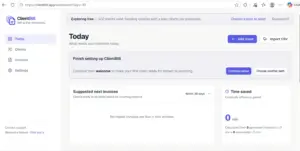
Create, reuse, and track recurring client invoices

Monitor Time Saved on Billing Tasks:

  • Track estimated time saved from invoice reuse.
  • Measure time saved through payment reminders.
  • See how much repetitive billing work you’re avoiding over time.

Why Choose ClientBill?

  • Reuse past invoices to create recurring invoices without starting from scratch.
  • Save client billing details once and keep them ready for future invoices.
  • Generate invoices faster by pre-filling information you use repeatedly.
  • Review changes before sending so you stay in control of every invoice.
  • Track invoice status and quickly identify payments that need attention.
  • Send reminders with one click instead of writing follow-up emails manually.
  • Keep recurring clients on track by seeing who may need a new invoice.
  • Reduce billing errors by reusing trusted client and invoice information.
  • Measure your time savings and see how much repetitive work ClientBill removes.
  • Focus on client billing without the complexity of a full accounting platform.

Best For:

  • Agencies
  • E-commerce Brands
  • Finance Professionals
  • Freelancers
  • Local Businesses
  • Marketers
  • Small Businesses
  • Startups

Choose Your Plan

With DealClub
$67.15
$479.40
Without DealClub
$79.00
$479.40
Buy Now
Limited Time Deal

Deal Terms

  • Access via redemption of coupon code
  • 15-Day Coupon Code Validity
  • One Coupon Code for one user/account
  • Coupon Codes are not stackable
  • For both - New & Existing Users
  • Free Updates
  • Free Support
  • Accessible on all devices - Desktop, Mobile and Tablet

Plans & Features

Choose the perfect plan for your needs.

Plans & Features
Solo Plan
$479.40 $79
Buy Now
Active recurring clients

3

Reusable client billing profiles
Recurring invoice generation from previous invoices
Invoice information reuse and automatic updates
Invoice status tracking
One-click payment reminders
Professional reminder email generation
Reminder history and tracking
Client invoicing activity dashboard
Unpaid invoice follow-up dashboard
Recently Paid invoice overview
Estimated Time Saved tracking
Adjustable client inactivity thresholds

Solo Plan

$479.40 $79.00
Buy Now
15-Day Refund | Lifetime Access | One-time Payment
  • Active recurring clients: 3
  • Reusable client billing profiles
  • Recurring invoice generation from previous invoices
  • Invoice information reuse and automatic updates
  • Invoice status tracking
  • One-click payment reminders
  • Professional reminder email generation
  • Reminder history and tracking
  • Client invoicing activity dashboard
  • Unpaid invoice follow-up dashboard
  • Recently Paid invoice overview
  • Estimated Time Saved tracking
  • Adjustable client inactivity thresholds

Frequently Asked Questions

Find answers to common questions about ClientBill

Can invoice details be changed before creating the next invoice?

Yes. Previous invoice information is reused as a starting point, and the details can be reviewed and adjusted before the next invoice is generated.

How does ClientBill handle payment reminders?

Payment reminders can be sent with one click for unpaid invoices. ClientBill provides three reminder templates: Friendly Reminder, Follow-Up Reminder, and Final Reminder. A 24-hour cooldown applies between reminders, with a maximum of three reminders.

Can ClientBill identify clients who need a new invoice?

Yes. ClientBill can highlight clients who may need a new invoice based on adjustable inactivity thresholds of 30, 45, or 60 days.

Does ClientBill include accounting or bookkeeping features?

No. ClientBill focuses specifically on recurring client invoicing and payment follow-ups. It is not accounting, bookkeeping, payroll, tax, subscription billing, or payment processing software.

Customer Feedback

Customer Reviews (0) Customer Q&A (0)

No Reviews Yet

Be the first to try this deal and share your experience.

You must purchase this product to leave a review.

Be The First To Ask

Get clarity before you buy—your question might help others too.

×

You Might Also Like

MYFUNDBOX - Automate Subscription Billing
iFinancer Income & Expense Tracker | Lifetime Access

iFinancer Income & Expense Tracker | Lifetime Access

, , , , , , ,

NotionBooks- Editable Accounting Toolkit | Lifetime Access
PaySync - Streamline PayPal Order Tracking
Buy with DealClub
$67.15 $479.40
Buy without DealClub
$79.00 $479.40

Deal Terms

  • ✓ Access via redemption of coupon code
  • ✓ 15-Day Coupon Code Validity
  • ✓ One Coupon Code for one user/account
  • ✓ Coupon Codes are not stackable
  • ✓ For both - New & Existing Users
  • ✓ Free Updates
  • ✓ Free Support
  • ✓ Accessible on all devices - Desktop, Mobile and Tablet
Scroll to Top