AMP by CanyonTechs AI – Detect & Fix Production Errors Automatically

TL;DR

  • Detect production incidents and pinpoint failing code using AI-powered log analysis.
  • Automate investigation, test proposed fixes, and generate reviewable pull requests.
  • Reduce manual troubleshooting and accelerate incident remediation.
  • Connect supported repositories, log sources, and Jira workflows.
  • Maintain control with human-reviewed changes and isolated remediation environments.

Quick Overview

Alternative to:

  • Better Stack
  • Datadog Bits AI SRE
  • incident.io AI SRE
  • Rootly AI SRE
  • Sentry Seer Autofix

Best for:

  • Agencies
  • Developers
  • DevOps Engineers
  • Freelancers

Compatibility:

  • Browser Support:
    Chrome, Edge, Firefox, Safari
  • Operating Systems:
    Browser Based
  • Integrations:
    Bitbucket, GitHub, GitLab, Jira

Tired of manually debugging incidents while your team waits for a fix?

When production issues pile up, manual troubleshooting slows your team down, delays releases, and takes time away from development.

Now get a faster way to identify errors and work toward a fix without compromising your code quality with AMP by CanyonTechs AI.

What Is AMP?

is an auto remediation platform. It helps you –

  • Detect production incidents
  • Identify failing code
  • Automate fixes with AI

Instead of starting from scratch, AMP helps you get a reviewable pull request ready for your team. It runs tests and creates a pull request with a proposed fix, so you can review the changes before they reach production.

Here’s how to fix production errors with AMP:

  1. Connect Your Logs: Send application logs to AMP using supported log agents and integrations.
  2. Detect and Diagnose Errors: Let AMP group related log errors, identify failing code, and investigate potential causes using your repository.
  3. Generate and Test Fixes: AMP proposes a code fix and runs tests in an isolated environment before preparing the changes.
  4. Review and Approve Changes: Receive a pull request in your connected Git platform, review the proposed fix, and retain control over deployment.

AMP helps you reduce manual debugging, speed up incident resolution, and simplify your team’s response to production errors.

With its automated investigation and human-reviewed fixes, you spend less time troubleshooting and more time building.

Introduction To AMP by CanyonTechs AI

Youtube video

Features Of this Auto Remediation Tool:

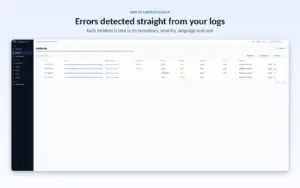
Errors are detected straight from your logs, and each incident is tied to its repository, severity, language and cost.

Detect Production Incidents Automatically:

  • Group duplicate log messages to reduce noise.
  • Identify exceptions, stack traces, and failing code locations.
  • Detect related errors across distributed services.
  • Focus your investigation on actionable production issues.
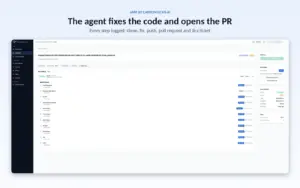
The agent fixes the code and opens the PR, with every step logged from clone to Jira ticket.

Automate Code Fixes With AI:

  • Analyze stack traces alongside your source code.
  • Investigate potential root causes using an AI agent.
  • Run targeted tests before proposing changes.
  • Generate pull requests with suggested fixes for your review.
The agent fixes the code and opens the PR, with every step logged from clone to Jira ticket.

Connect Your Development Stack:

  • Integrate with GitHub, GitLab, and Bitbucket.
  • Create Jira tickets through Atlassian MCP integration.
  • Ingest logs through Vector, AWS CloudWatch Lambda, and the local log agent.
  • Connect supported logging platforms, including Grafana Loki, Elastic Stack (ELK), Splunk, and Snowflake.
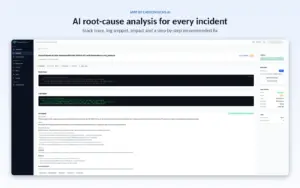
AI root-cause analysis for every incident, with the stack trace, log snippet, impact and a step-by-step recommended fix.

Debug Across Multiple Languages:

  • Analyze Java, Python, JavaScript/TypeScript, Node.js, and Rust logs.
  • Use language-aware parsing to extract useful error details.
  • Trace failures to relevant files and code locations.
  • Investigate issues across supported application environments.
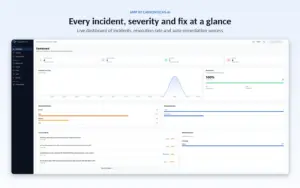
Every incident, severity and fix at a glance, with a live view of resolution rate and auto-remediation success.

Keep Your Code Under Control:

  • Review proposed fixes before merging them.
  • Keep automated changes away from production by default.
  • Run remediation jobs in ephemeral sandboxes.
  • Use your own API key with OpenAI-compatible LLM providers.
  • Track remediation activity through incident-linked pull requests.
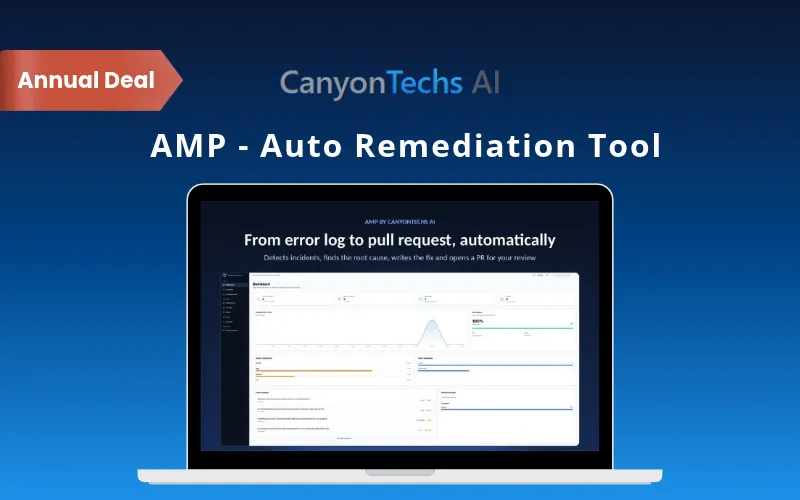
From error log to pull request, automatically. AMP detects incidents, finds the root cause, writes the fix and opens a PR for your review.

Scan Dependencies for Security Risks:

  • Run dependency security scans on demand.
  • Schedule daily automated dependency scans.
  • Identify potential dependency issues as part of your maintenance workflow.
  • Support more proactive security checks alongside incident remediation.

Why Choose AMP by CanyonTechs AI?

  • Spend less time debugging by automatically analyzing logs and tracing errors.
  • Resolve incidents faster with AI-powered investigation and automated fix proposals.
  • Reduce log noise by grouping duplicate errors and highlighting actionable issues.
  • Automate repetitive tasks by letting AI investigate code, run tests, and prepare pull requests.
  • Maintain control over your code by reviewing fixes before merging them into production.
  • Simplify incident tracking by connecting Git platforms and Jira workflows.
  • Debug applications across Java, Python, JavaScript/TypeScript, Node.js, and Rust.
  • Protect source code with isolated, temporary environments for remediation runs.
  • Integrate with your existing workflow using supported log sources and repositories.
  • Strengthen software maintenance with on-demand and daily automated dependency security scans.

Specifications:

Specification Details
Platform Web-based dashboard (React); runs in any modern desktop browser with no installation
Supported Languages Java, Python, JavaScript/TypeScript, Node.js, and Rust
Native Log Parsers Java, Python, Node.js, and Rust
Git Integrations GitHub, GitLab, Bitbucket, and local repositories (OAuth or access token)
Repositories Unlimited repositories per platform subscription
Log Sources Vector, AWS CloudWatch Lambda, Grafana Loki, Elastic Stack (ELK), Splunk, Snowflake, and local log agent
Log Ingestion REST ingestion API secured with a per-project bearer token
Issue Tracking Jira integration via Atlassian MCP (API token or OAuth)
Team Notifications Slack integration
AI Model Support Any OpenAI-compatible API with your own API key, including Anthropic, OpenAI, Azure OpenAI, and self-hosted models
Incident Detection Drain3-based log deduplication and stack-trace-aware parsing that pinpoints exception, file, and line
Remediation Pipeline 3 stages: Ingest & Parse → Diagnose (LLM reads trace and repo, runs targeted tests) → Remediate (branch, commit, push, pull request, optional Jira ticket)
Confidence Scoring Every AI diagnosis and fix carries a confidence score
Auto-Remediation AI-powered diagnosis, code fixes, test execution, and pull request creation
Code Safety Human-reviewed pull requests on feature branches; no direct production pushes by default
Merge Control Cannot push to main or protected branches; automated merges are off unless you opt in
Execution Environment Fresh, single-use ephemeral sandbox per remediation run with no persistent volume
Data Handling Source code is not persisted at rest; LLM prompts and responses are not stored beyond the run
Encryption TLS 1.2+ in transit; AES-256 at rest via AWS-managed KMS
Access Control Role-based access with Superadmin, Admin, Member, and Viewer roles
Security Scanning On-demand and daily automated dependency scans
Log Agent Compatibility Linux, macOS, and Windows; single lightweight binary with no dependencies
Log Agent Requirements Outbound HTTPS only; runs as non-root with read-only log access
Deployment Options Docker image, Kubernetes, Helm chart, and AWS ECS task
Hosting & Data Residency AWS (US East by default); EU region (Frankfurt) available at workspace creation
Device Access Desktop only

CanyonTechs AI AMP is Best For:

  • Agencies
  • Developers
  • DevOps Engineers
  • Freelancers

Choose Your Plan

With DealClub
$169.15
$275.00
Without DealClub
$199.00
$275.00
Buy Now
Limited Time Deal

Deal Terms

  • Access via redemption of coupon code
  • 30-Day Coupon Code Validity
  • One Coupon Code for one user/account
  • Coupon Codes are not stackable
  • For New Users Only
  • Free Updates
  • Free Support
  • Accessible only on desktops

Plans & Features

Choose the perfect plan for your needs.

Plans & Features
Pro Plan
$275 $199
Buy Now
Repositories

Unlimited

Auto-fixes

100/month

Uptime SLA

99.9%

Ticket Support

Priority

Code Analysis

Advanced

Audit Logs

90 Days

CI Integration

Pro Plan

$275.00 $199.00
Buy Now
30-Day Refund | Annual Access
  • Repositories: Unlimited
  • Auto-fixes: 100/month
  • Uptime SLA: 99.9%
  • Ticket Support: Priority
  • Code Analysis: Advanced
  • Audit Logs: 90 Days
  • CI Integration

Frequently Asked Questions

Find answers to common questions about AMP by CanyonTechs AI

Does AMP push code directly to production?

No. AMP creates a pull request on a separate branch for your team to review. Your existing code reviews, CI checks, and merge policies remain in control.

Which AI models does AMP support?

AMP supports OpenAI-compatible APIs, allowing you to use supported models with your own API key.

How does AMP protect my source code?

AMP uses temporary, isolated sandboxes for remediation runs. Source code is discarded after the pull request is created rather than persisted at rest.

What happens if AMP suggests an incorrect fix?

You can review and close the pull request without merging it. AMP also records rejection feedback against the incident to help avoid repeating the same proposal.

Does AMP use my code to train AI models?

No. According to the product's stated policy, your source code and logs are not used to train its models. When you use your own API key, your provider's data policies apply.

Can AMP integrate with my existing development tools?

Yes. AMP supports GitHub, GitLab, Bitbucket, Jira, and multiple log sources, including AWS CloudWatch, Grafana Loki, Splunk, and Elastic Stack.

Is AMP the best CI remediation software for faster fixes?

Yes, AMP by CanyonTechs AI tests every fix in a sandbox and opens a ready-to-merge pull request. Your CI checks it before you merge.

Customer Feedback

Customer Reviews (0) Customer Q&A (0)

No Reviews Yet

Be the first to try this deal and share your experience.

You must purchase this product to leave a review.

Be The First To Ask

Get clarity before you buy—your question might help others too.

×

You Might Also Like

ShadowGit - AI Code Assistant
4.5 (2)
ShopFunnels - Create Powerful eCommerce Stores With No Code

ShopFunnels - Create Powerful eCommerce Stores With No Code

, , , , , , ,

WP Demo Access - WordPress Demo Plugin | Lifetime Access

WP Demo Access - WordPress Demo Plugin | Lifetime Access

, , , , , , ,

Crown – Material Admin Dashboard UI Kit | Lifetime Access
Buy with DealClub
$169.15 $275.00
Buy without DealClub
$199.00 $275.00

Deal Terms

  • ✓ Access via redemption of coupon code
  • ✓ 30-Day Coupon Code Validity
  • ✓ One Coupon Code for one user/account
  • ✓ Coupon Codes are not stackable
  • ✓ For New Users Only
  • ✓ Free Updates
  • ✓ Free Support
  • ✓ Accessible only on desktops
Scroll to Top