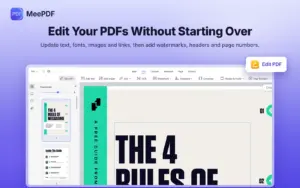
Edit Your PDFs Without Starting Over:
- Update existing text, fonts, images, and links
- Add watermarks, headers, footers, and page numbers
- Review documents with highlights, comments, shapes, and stamps
Editing a document, fixing a scanned page, & signing a form can mean switching tools.
Handle your everyday PDF tasks in one place with MeePDF.
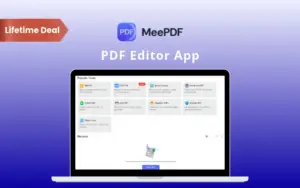
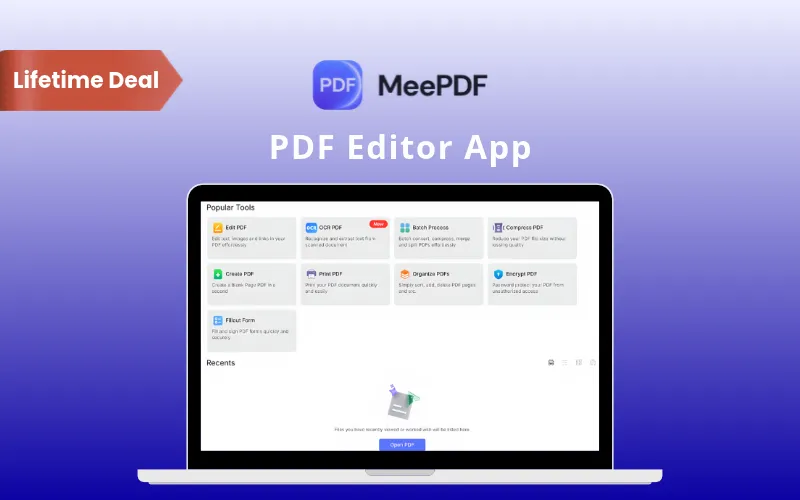
MeePDF is a PDF editor app for Windows & Mac. It helps you handle everyday document tasks in one application.
It allows you to –
OCR Languages: Recognize text in English, Simplified Chinese, German, French, Spanish, Italian, Portuguese, and more, with automatic language detection.
| Specification | Details |
|---|---|
| Software Type | Desktop PDF editor |
| Supported Systems | Windows 7, 8, 8.1, 10, and 11 | Mac |
| Installation | Download and installation required |
| Interface Languages | 25 supported languages |
| OCR Options | Local OCR and online OCR |
| Offline Access | Local PDF tools work offline; online OCR requires internet access |
| Conversion Formats | PDF to and from Word, Excel, PowerPoint, and images, including JPG and PNG |
| Signature Input | Draw, type, or upload an image |
| Document Protection | Passwords, encryption, and permission controls |
I mainly use this PDF editor for papers and lecture notes. It's really handy for highlighting things and adding notes without making everything feel complicated.
-Eiris
I work with a lot of invoices and financial documents, so I use MeePDF almost every day. It's simple, quick, and does what I need without getting in the way.
-Sandy
Invoices and financial reports make up a big part of my daily work. MeePDF keeps the PDF side of things simple and straightforward.
-Linda
Choose the perfect plan for your needs.
| Plans & Features |
Perpetual Plan
|
|---|---|
|
$39.9
$29.9
Buy Now
|
|
| Supported Platforms |
Windows & MacOS |
| Devices per License Key |
3 devices per license key |
| Save Without Watermark | |
| Edit PDF Text, Images & Links | |
| Local & Online OCR | |
| Add Watermarks | |
| Sign PDFs by Drawing, Typing, or Uploading an Image | |
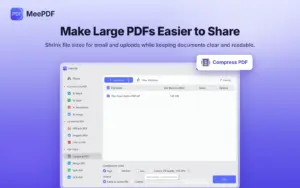
| Compress, Merge & Split PDFs | |
| Convert PDF to Word, Excel, PowerPoint & Images—and Back | |
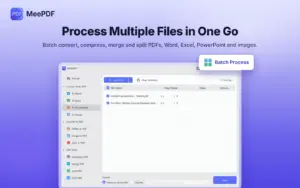
| Batch Processing | |
| Delete, Extract, Rotate & Split Pages | |
| Crop, Resize & Reverse Pages | |
| Draw & Add Shapes | |
| Text Comments & Sticky Notes | |
| Add Stamps & Attachments | |
| Fill Out PDF Forms | |
| Password Protection & Permission Controls | |
| Unlock PDFs | |
| Add & Delete Bookmarks | |
| Search Text in PDFs | |
| Take Screenshots | |
| Send PDFs by Email | |
| Create PDFs From Blank Pages or Images | |
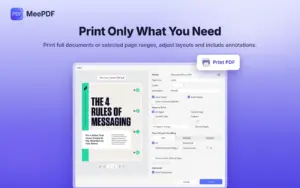
| Print PDFs | |
| 1-on-1 Technical Support | |
| Updates to Future Versions |
Free |
Find Answers to common questions about MeePDF
Yes, you can edit text, change fonts, resize images, and update links.
Yes, OCR turns scanned documents into searchable, copyable, and editable PDFs.
Yes, local PDF tools and local OCR work without internet access.
Yes, you need an internet connection to use online OCR.
Yes, batch processing lets you convert multiple files in one go.
Yes, you can complete forms and draw, type, or upload signatures.
Be the first to try this deal and share your experience.
You must purchase this product to leave a review.
Get clarity before you buy—your question might help others too.
All, Browser Based, Human Assistance, Lifetime, Marketing, Marketplace, Operating System, Subscription Type, Tools & Software, Utility, Web Development
All, Browser Based, Instant Download, Marketplace, Operating System, Subscription Type, Tools & Software, Utility
All, Browser Based, Human Assistance, Lifetime, Marketplace, Operating System, Subscription Type, Tools & Software, Utility

All, Instant Download, Lifetime, Mac-OS, Marketplace, Operating System, Subscription Type, Tools & Software, Utility, Windows
Deal Terms