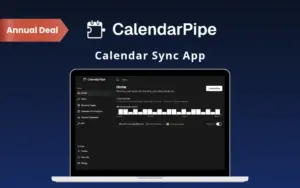
CalendarPipe – Calendar Sync App That Stops Double-Bookings

TL;DR

  • Stop double-bookings by syncing your work, personal and family calendars.
  • Connect Google Calendar, Outlook, iCloud, any CalDAV calendar and ICS feeds.
  • Show colleagues you’re busy, without showing why.
  • Write sync rules in plain English, and AI builds them for you.
  • Let people book your free time with one link.

Quick Overview

Alternative to:

  • CalendarBridge
  • Calendly
  • OneCal
  • Reclaim AI

Best for:

  • Agencies
  • Consultants
  • Content Creators
  • Founders
  • Freelancers
  • HR Professionals
  • Marketers
  • Small Business Owners

Compatibility:

  • Browser Support:
    Brave, Chrome, Edge, Firefox, Safari
  • Operating Systems:
    Browser Based

Your work calendar says you’re free. Your personal calendar says you’re not.

So someone books over your dentist appointment, your kid’s school play, or a client call. And you pay for it with missed meetings and awkward apologies.

One calendar truth, everywhere. With CalendarPipe.

What Is CalendarPipe?

CalendarPipe is a calendar sync app. It copies events between your calendars, so every calendar shows when you’re really busy. You decide exactly what crosses over & what stays private.

It allows you to –

  • Keep work, personal, and family calendars in sync
  • Hide event details, so others only see “Busy”
  • Let people book your free time with one link
  • Give AI agents and scripts their own calendars

With CalendarPipe, You Can:

  • SYNC Google, Outlook, iCloud, and CalDAV calendars
  • HIDE private details and show only “Busy”
  • FILTER what syncs, like weekdays or accepted meetings only
  • TEST every rule before it goes live
  • SHARE a booking link based on all your calendars
  • AUTOMATE calendars with a REST API

Here’s how CalendarPipe works:

  1. Connect Your Calendars: Sign in with Google, Outlook, iCloud, or any CalDAV account.
  2. Create a Pipe: Pick the calendar to copy from and the one to copy to.
  3. Set Your Rule: Choose what syncs and what stays private, and CalendarPipe keeps it in sync every 5 minutes.

Introduction to CalendarPipe:

Youtube video

CalendarPipe Features;

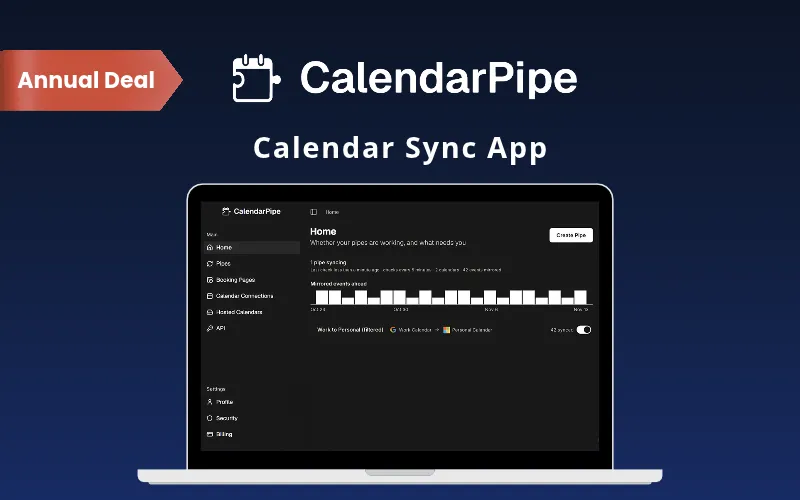
Stop Double-Bookings

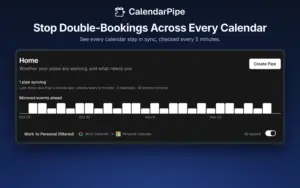
Stop Double-Bookings Across Every Calendar:

  • Your calendars stay in sync, checked every 5 minutes.
  • See every sync working and what needs your attention on one screen.
Connect Any Calendar

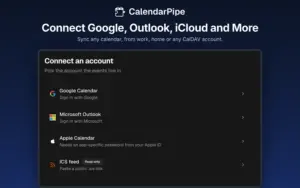
Connect Google, Outlook, iCloud & More:

  • Sync Google Calendar, Outlook and Microsoft 365, Apple iCloud, any CalDAV calendar (Fastmail, Nextcloud and more) and ICS feeds.
  • Mix and match providers, like Google for work and iCloud for home.
Choose What Syncs

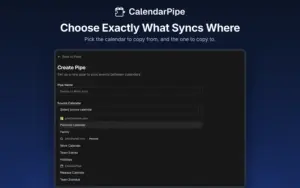
Choose Exactly What Syncs Where:

  • Pick the calendar to copy from and the one to copy to.
  • Sync to a locked-down work calendar too, using standard calendar invites.
Busy, Not Why

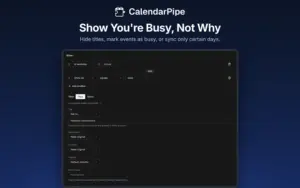
Show You’re Busy, Not Why:

  • Hide event titles, mark everything as “Busy,” or sync only weekday, weekend, or evening events.
  • Build rules in a simple visual builder, or start from a template.
AI-Built Rules

Describe a Rule in Plain English:

  • Tell the AI what you want, like “hide my personal events on weekends,” and it builds the rule.
  • Developers can write rules in TypeScript instead.
Test Before It Syncs

Test Every Rule Before It Goes Live:

  • Run a rule against your real events and see exactly what changes.
  • Approve it only when it does what you expect.
Book Your Free Time

Let People Book Your Free Time:

  • Share one link that shows only when you’re free across all your calendars.
  • Visitors pick a time and get a calendar invite by email, with no account needed.
Calendars for AI Agents

Give Your AI Agents Their Own Calendars:

  • Create real calendars that your scripts and AI agents can manage through a REST API.
  • Send invites to attendees automatically, with no sign-in needed on their side.

Why Choose CalendarPipe to Sync Google Calendar and Outlook?

  • Every calendar shows when you’re really busy.
  • Colleagues see “Busy,” not your plans.
  • Sync to locked-down work calendars through standard invites.
  • Test every rule before it touches your calendar.
  • Share one link with your real free time.
  • It runs in the cloud and updates on every device you already use.
 

CalendarPipe Specifications:

Specification Details
Software Type Web app (no installation)
Supported Calendars Google Calendar, Microsoft 365 / Outlook.com, Apple iCloud, CalDAV, ICS feeds
Sync Interval Every 5 minutes (Pro)
Sync Window 90 days ahead by default, up to 180 days (Pro)
Rule Builders Visual builder, templates, AI (plain English), TypeScript
Privacy Google and Microsoft sign in through OAuth; passwords and tokens encrypted with AES-256-GCM; rules run in an isolated sandbox with no network access
Booking Pages Unlimited (Pro)
Developer Access REST API and hosted calendars
Devices Any browser on desktop, tablet, and mobile

CalendarPipe is Best For:

  • Agencies
  • Consultants
  • Content Creators
  • Founders
  • Freelancers
  • HR Professionals
  • Marketers
  • Small Business Owners

Choose Your Plan

With DealClub
$20.40
$40.00
Without DealClub
$24.00
$40.00
Buy Now
Limited Time Deal

Deal Terms

  • Access via redemption of coupon code
  • 14-Day Coupon Code Validity
  • One Coupon Code for one user/account
  • Coupon Codes are not stackable
  • For Both New & Existing Users
  • Free Updates
  • Free Support
  • Accessible on all devices - Desktop, Mobile and Tablet

Plans & Features

Choose the perfect plan for your needs.

Plans & Features
Pro Plan
$40 $24
Buy Now
Connected Accounts

Unlimited

Pipes (Sync Rules)

Unlimited

Booking Pages

Unlimited

Sync Interval

Every 5 minutes

Sync Window

Up to 180 days ahead (90 by default)

No CalendarPipe Branding
AI Rule Generation
Email Invitation Delivery
Public REST API
Agentic Hosted Calendars
Priority Support

Pro Plan

$40.00 $24.00
Buy Now
14-Day Refund | Annual Access
  • Connected Accounts: Unlimited
  • Pipes (Sync Rules): Unlimited
  • Booking Pages: Unlimited
  • Sync Interval: Every 5 minutes
  • Sync Window: Up to 180 days ahead (90 by default)
  • No CalendarPipe Branding
  • AI Rule Generation
  • Email Invitation Delivery
  • Public REST API
  • Agentic Hosted Calendars
  • Priority Support

Frequently Asked Questions

Find Answers to common questions about CalendarPipe

Can I sync my work and personal calendars to avoid double-booking meetings?

Yes. Connect both calendars and create a pipe, and events copy across every 5 minutes.

Can I sync Google Calendar with Outlook automatically?

Yes. CalendarPipe syncs Google, Outlook, Microsoft 365, iCloud, CalDAV and ICS feeds in any direction.

Can I block time on my work calendar without sharing personal event details?

Yes. A privacy rule hides titles and shows your time as “Busy.”

Can I sync my calendar if my company blocks third-party calendar apps?

Yes. CalendarPipe sends events as standard calendar invitations, so it still works.

Is CalendarPipe the best calendar sync app for freelancers with multiple client calendars?

Yes. Pro allows unlimited accounts and pipes, so every client calendar stays in sync.

Does this calendar sync app store my calendar events on its servers?

No. It syncs events without storing them, and encrypts your passwords and tokens.

Customer Feedback

Customer Reviews (0) Customer Q&A (0)

No Reviews Yet

Be the first to try this deal and share your experience.

You must purchase this product to leave a review.

Be The First To Ask

Get clarity before you buy—your question might help others too.

×

You Might Also Like

ReviewGro - Get More Google Reviews With Ready-to-Use Review Tools

ReviewGro - Get More Google Reviews With Ready-to-Use Review Tools

, , , , , , ,

FREE Gantt Chart Template for Excel & Google Sheets
Reviews Collector - Review Management Software | Annual Subscription

Reviews Collector - Review Management Software | Annual Subscription

, , , , , , ,

1.0 (1)
Buy with DealClub
$20.40 $40.00
Buy without DealClub
$24.00 $40.00

Deal Terms

  • ✓ Access via redemption of coupon code
  • ✓ 14-Day Coupon Code Validity
  • ✓ One Coupon Code for one user/account
  • ✓ Coupon Codes are not stackable
  • ✓ For Both New & Existing Users
  • ✓ Free Updates
  • ✓ Free Support
  • ✓ Accessible on all devices - Desktop, Mobile and Tablet
Scroll to Top