AgentID – Connect Your AI Tools With Shared Memory

TL;DR

  • Let connected agents reuse facts, preferences, decisions, and context across sessions.
  • Integrate with 280+ AI agents to support different tasks and workflows.
  • Maintain consistent agent profiles and instructions across supported AI tools.
  • Manage agent tasks, handoffs, workflows, and activity from one dashboard.
  • Connect supported MCP clients and use compatible SDK or prompt-based integrations.

Quick Overview

Alternative to:

  • Letta
  • Mem0
  • Membase
  • Supermemory

Best for:

  • Agencies
  • Designers
  • Developers
  • Freelancers
  • Marketers
  • Researchers
  • Small Business Owners

Compatibility:

  • Browser Support:
    Chrome, Edge, Firefox, Safari
  • Operating Systems:
    Browser Based
  • Integrations:
    ChatGPT, Claude, Cline, Cursor, Flowise, Gemini, GitHub, Grok, n8n AI, Perplexity, Telegram, Windsurf, Zapier

Do you waste time repeating instructions, restoring context, or switching between tools that don’t share what they’ve learned?

When you work across multiple AI clients, keeping your agents consistent can be challenging. Your preferences, project details, and decisions can get scattered across sessions, making it harder to maintain continuity and coordinate work.

Now your agents can easily reuse context across sessions instead of starting from scratch with AgentID.

What Is AgentID?

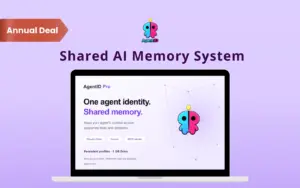
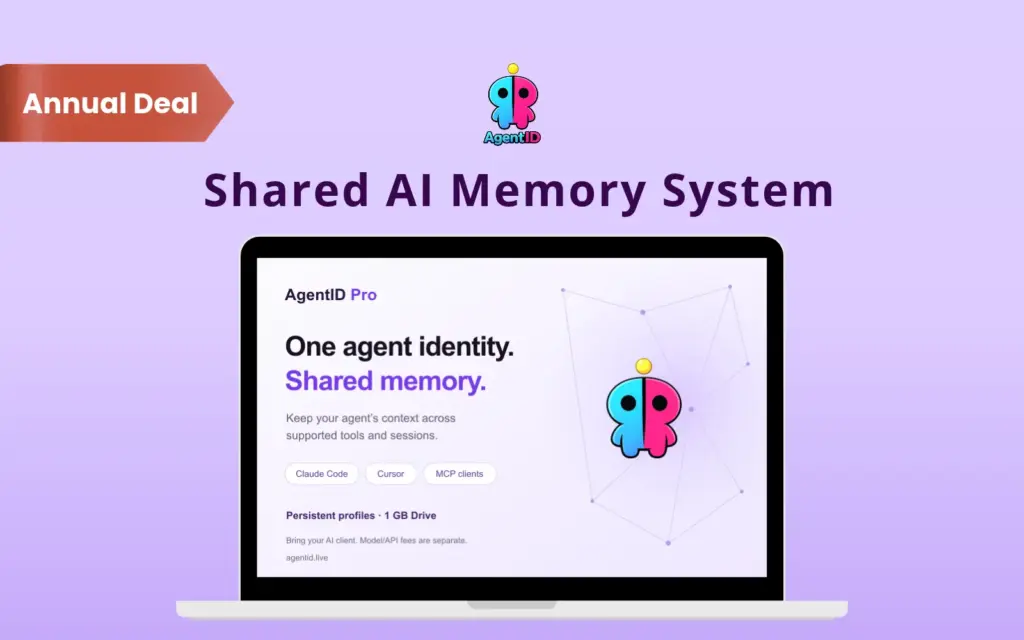
AgentID is a shared AI memory system. It gives your AI agents persistent profiles, reusable context, and a common memory across supported integrations like –

  • Claude Code
  • Cursor
  • Windsurf
  • Cline
  • ChatGPT
  • Gemini
  • Perplexity
  • Other supported AI tools.

AgentID allows you to connect compatible AI clients through MCP or use supported SDK and prompt-based integrations.


Here’s how it works:

  1. Create Your Agent Profile: Define your agent’s identity, tone, rules, and working preferences. You can also start with a ready-made profile from the Agent Library.
  2. Connect Your AI Tools: Connect supported clients such as Claude Code and Cursor through MCP. You can also use compatible SDKs or exported prompts for supported integrations.
  3. Share Memory and Coordinate Work: Let connected agents access shared memory across sessions. Use the dashboard to monitor activity and coordinate tasks through supported integrations.

As your agents work, they can save useful information for future sessions.

Whether you’re building AI-powered workflows, managing coding assistants, or experimenting with multiple agents, AgentID helps you

Features Of AgentID:

Connect any agent or IDE through MCP or API so it inherits shared identity and memory.

Connect AI Agents Across Tools:

  • Integrate with 280+ AI agents and tools through supported MCP, SDK, and prompt-based methods.
  • Connect compatible platforms like Claude Code and Cursor to share agent identity and context across your workflow.
Give all your agents one shared memory so context carries across tools and sessions.

Maintain Shared Memory and Agent Identity:

  • Store facts, preferences, decisions, and project context in shared memory so connected agents can reuse information across sessions.
  • Define each agent’s name, tone, rules, and working style in a persistent profile.
Assign shared tasks, track live status, and hand work off between agents like a real team.

Coordinate Tasks and Agent Handoffs:

  • Assign shared goals, track task progress, and pass context between connected agents.
  • Use Tasks to help multiple agents coordinate work across tools and sessions.
Track every agent you run, with its profile, platform, and last contact, in one fleet view.

Monitor Agent Activity Centrally:

  • View reported events, task updates, errors, and completions from one dashboard.
  • Monitor connected agents across supported platforms without checking each tool separately.
Install or write skills to shape how your agents behave from one place.

Automate Multi-Step AI Workflows:

  • Build visual workflows using triggers, agent tasks, supported tools, and delivery steps.
  • Automate recurring processes and send results to your dashboard or connected Telegram destination.
Install or write skills to shape how your agents behave from one place.

Reuse Skills and Store Shared Resources:

  • Use reusable skills and capability packs to standardize repeatable tasks across agents.
  • Store documents and reference materials in the included 1 GB Drive so that relevant resources are available to your workflows.
Install or write skills to shape how your agents behave from one place.

Reduce Prompt Tokens and Manage Credentials:

  • Use Prompt Compression to trim selected profile details while retaining essential instructions, helping reduce startup prompt length.
  • Manage API credentials centrally and control when agents can share them.

Why Choose AgentID?

  • Reuse shared memory so your connected agents can pick up relevant information from previous work.
  • Store profiles and behavioral instructions centrally to keep your agents consistent across tools.
  • Connect supported MCP, SDK, or prompt-based integrations with the AI tools you already use.
  • Assign shared goals, track progress, and pass context between connected agents.
  • Review reported events, errors, task updates, and completions from one central dashboard.
  • Build multi-step workflows to automate recurring tasks across supported agents and tools.
  • Share files and reusable skills across agents to simplify repeatable work.
  • Reduce startup prompt length with Prompt Compression while retaining essential instructions.
  • Manage unlimited agents, memory entries, workflows, and runs with the Pro plan.
  • Organize API keys centrally and control how agents share credentials.
 

Specifications:

  • Platform: Web-based AI agent management system
  • AI Agent Integration: Integrates with 280+ AI agents
  • Agent Profiles: Persistent identities, customizable rules, tone, and working preferences
  • Shared Memory: Stores reusable facts, decisions, and project context across sessions
  • Integrations: MCP support for compatible AI clients
  • Supported Tools: Claude Code, Claude Desktop, Cursor, and other compatible tools
  • Task Management: Shared goals, task coordination, and agent handoffs
  • Workflow Builder: Visual workflows with triggers, agent tasks, tools, and delivery actions
  • Activity Monitoring: Dashboard for reported events, errors, task updates, and completions
  • Storage: 1 GB Drive for files and resources
  • Skills: Reusable capability packs for supported agents
  • Prompt Compression: Reduces startup prompt tokens
  • Credential Management: Centralized API key and credential management
  • Workflow Delivery: Dashboard and Telegram support for supported workflows

Best For:

  • Agencies
  • Designers
  • Developers
  • Freelancers
  • Marketers
  • Researchers
  • Small Business Owners

Choose Your Plan

With DealClub
$16.15
$57.60
Without DealClub
$19.00
$57.60
Buy Now
Limited Time Deal

Deal Terms

  • Access via redemption of coupon code
  • 30-Day Coupon Code Validity
  • One Coupon Code for one user/account
  • Coupon Codes are not stackable
  • For both - New & Existing Users
  • Free Updates
  • Free Support
  • Accessible only on Desktops

Customer Testimonials

AgentID gives our agents exactly what they've been missing - a persistent identity and shared memory that actually travels with them across every tool. No more lost context, no more re-explaining. The agent just picks up where it left off.

-Matthew Osborn, scoutiq.co

We run agents across Claude, Cursor, and our own automation layer. AgentID ties them all together - same memory pool, same profile, same tools. The monitoring dashboard is a game-changer for knowing exactly what your agents are doing in real time.

-Jesse Wisnewski, Tithe.ly, get.tithe.ly

If you're running AI agents seriously, you need AgentID. Memory, identity, tools - it's the infrastructure that should have existed from the start.

-Aaron Krall, aaronkrall.io

When we demo our product, our sales agent on AgentID already knows our prospect's history from the research agent. The handoff is seamless - no copy-pasting context between tools. Prospects can feel the difference when an AI is actually prepared.

-Kenneth Burke, textrequest.com

I was skeptical that a memory layer could really change how my agents behaved. Within 48 hours of connecting to AgentID I was a convert. The agent just knew things - decisions I'd made weeks ago, files I'd uploaded, preferences I'd set once. It actually sticks.

-Ryan Helms, gritandhustle.co

Plans & Features

Choose the perfect plan for your needs.

Plans & Features
Pro Plan
$57.60 $19
Buy Now
Agents · Memory

Unlimited

Drive memory

1 GB

Workflows & runs

Unlimited

Connector Library

3,000+ integrations - GitHub, Slack, Notion, databases, web search.

Full Skills Marketplace

Community skills + create private skills for your team.

Tasks - agent coordination

Assign goals to agents via MCP. They check in, report status, and hand off - all tracked in one dashboard.

Teams - shared agents

Invite teammates by email and share any agent with your team. Everyone works with the same agent.

Prompt Compression

Compress system prompts up to 65% - shorter context on every request.

All export formats

Claude, OpenAI, Moltbook, Tobira, generic prompt & full JSON.

Pro Plan

$57.60 $19.00
Buy Now
30-Day Refund | Annual Access
  • Agents · Memory: Unlimited
  • Drive memory: 1 GB
  • Workflows & runs: Unlimited
  • Connector Library
  • Connector Library: 3,000+ integrations - GitHub, Slack, Notion, databases, web search.
  • Full Skills Marketplace: Community skills + create private skills for your team.
  • Tasks - agent coordination: Assign goals to agents via MCP. They check in, report status, and hand off - all tracked in one dashboard.
  • Teams - shared agents: Invite teammates by email and share any agent with your team. Everyone works with the same agent.
  • Prompt Compression: Compress system prompts up to 65% - shorter context on every request.
  • All export formats: Claude, OpenAI, Moltbook, Tobira, generic prompt & full JSON.

Frequently Asked Questions

Find answers to common questions about AgentID

Can one agent work across multiple tools?

Yes. You can connect compatible custom agents using the SDK or exported prompts.

How does shared memory work?

AgentID stores shared information that connected agents can access across sessions.

Can I update an agent's profile without restarting it?

Yes. The updated profile can be fetched in a new session or loaded into a running agent.

Is my agent data private?

Agent profiles are publicly readable through their export URLs. Account details, memory entries, agent tokens, activity, and billing information are private.

Can multiple agents collaborate on the same task?

Yes. The Tasks feature supports shared goals, task tracking, and handoffs between agents.

Does AgentID support automated workflows?

Yes. You can build multi-step workflows using triggers, agent tasks, tools, and delivery actions.

What does Prompt Compression do?

It reduces the startup prompt sent to supported tools by trimming selected profile details while retaining essential instructions.

Customer Feedback

Customer Reviews (0) Customer Q&A (0)

No Reviews Yet

Be the first to try this deal and share your experience.

You must purchase this product to leave a review.

Be The First To Ask

Get clarity before you buy—your question might help others too.

×

You Might Also Like

EchoWrite - AI Voice Dictation Software For Windows (BYOK) | Lifetime Access

EchoWrite - AI Voice Dictation Software For Windows (BYOK) | Lifetime Access

, , , , , , , ,

Producti - All-In-One AI Toolkit | Lifetime Access

Producti - All-In-One AI Toolkit | Lifetime Access

, , , , , , ,

1min AI - All-In-One AI Tool | Lifetime Access
5.0 (9)
Buy with DealClub
$16.15 $57.60
Buy without DealClub
$19.00 $57.60

Deal Terms

  • ✓ Access via redemption of coupon code
  • ✓ 30-Day Coupon Code Validity
  • ✓ One Coupon Code for one user/account
  • ✓ Coupon Codes are not stackable
  • ✓ For both - New & Existing Users
  • ✓ Free Updates
  • ✓ Free Support
  • ✓ Accessible only on Desktops
Scroll to Top