ApowerMirror – Mirror Your Screen in Real Time With Audio

TL;DR

  • Mirror your smartphone screen to PC, Mac, or TV in real time.
  • Control your mobile device using a mouse and keyboard for easier navigation.
  • Save time with quick wireless and USB screen mirroring.
  • Record and share mobile screens for presentations, tutorials, gameplay, and more.
  • Enjoy powerful screen mirroring without recurring subscription costs.
  • Get 30-day refund protection for added peace of mind.

Quick Overview

Alternative to:

  • AirDroid Cast
  • LetsView
  • MirrorGo
  • Mirroring360
  • Vysor

Best for:

  • Business Teams
  • Content Creators
  • Educators
  • Gamers
  • IT Teams
  • Remote Workers
  • Social Media Designers
  • Streamers
  • Students
  • Teachers

Compatibility:

  • Operating Systems:
    Android, iOS, Linux, MacOS, Windows

Imagine a world where your smartphone’s content flows effortlessly across devices, letting you share media, presentations, and messages with a simple gesture. DealFuel presents ApowerMirror.


What is ApowerMirror?


ApowerMirror delivers the ultimate connectivity experience, letting you seamlessly mirror your smartphone screen and audio to your computer, tablet, or smart TV.


Additionally, ApowerMirror is designed with your security in mind.


Your data is encrypted and protected, ensuring that your personal and professional information remains confidential at all times.


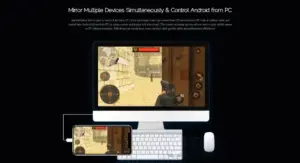
Moreover, ApowerMirror for PC lets you connect four devices to your computer at once.


Whether it’s an iPhone or Android, you can control your phone with your computer’s mouse and keyboard.


You can even play mobile games without emulators.

Features of ApowerMirror:

ApoerMirror-preview- (1)

Mirror & Control Devices:

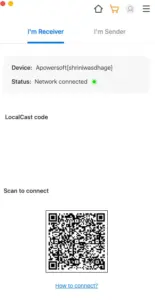
  • Mirror Android and iOS device screens to your computer or vice versa for larger displays and easier content sharing.
  • Control your phone from your computer with a keyboard and mouse.
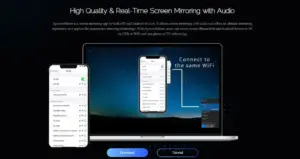
  • Use ApowerMirror across multiple devices for flexible screen-sharing and interaction.
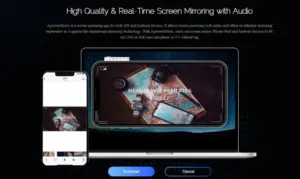
  • Enjoy high-quality screen mirroring with audio for a clearer viewing and listening experience.
<strong>Usage on Multiple Devices</strong>

Capture & Record Screens:

  • Capture screenshots of your phone or computer screen in real time.
  • Record phone or computer screens for tutorials, demonstrations, and gameplay.
  • Edit and annotate captured screenshots with text, arrows, and other markup tools.
  • Add notes or explanations to screenshots for clearer communication.
<strong>High-Quality Screen Mirroring With Audio</strong>

Share, Present & Entertain:

  • Use ApowerMirror for home entertainment and sharing mobile content on larger screens.
  • Deliver conference presentations with convenient screen mirroring.
  • Support intelligent education with interactive screen sharing and demonstrations.
  • Enhance gaming and livestreaming experiences with real-time screen mirroring.
  • Use it for other screen-sharing needs across different scenarios.

Why Choose ApowerMirror?

  • Mirror your Android or iOS screen on a larger computer display.
  • Control your phone directly from your PC using a keyboard and mouse.
  • Easily share mobile content during meetings, presentations, and classes.
  • Capture important screen content instantly with real-time screenshots.
  • Record mobile gameplay, tutorials, demonstrations, and other activities.
  • Annotate screenshots with text, arrows, and markup for clearer explanations.
  • Enjoy high-quality screen mirroring with audio for a better viewing experience.
  • Use multiple devices for more flexible screen-sharing and collaboration.
  • Turn your phone into a convenient tool for gaming, livestreaming, and entertainment.
  • Save time switching between devices with simple, centralized screen control.

Best For:

  • Business Teams
  • Content Creators
  • Educators
  • Gamers
  • IT Teams
  • Remote Workers
  • Social Media Designers
  • Streamers
  • Students
  • Teachers

Choose Your Plan

With DealClub
$34.85
$69.95
Without DealClub
$41.00
$69.95
Buy Now
Limited Time Deal

Deal Terms

  • Access via redemption of coupon code
  • 30-Day Coupon Code Validity
  • One Coupon Code for one user/account
  • Coupon Codes are stackable
  • For New Users Only
  • Free Updates
  • Free Support
  • Accessible on all devices - Desktop, Mobile and Tablet

Customer Testimonials

If you have ApowerMirror, you have a comfortable workspace and highly productive working opportunity. Intuitive and easy to use. This product helps us deliver solutions and manage projects much faster.All content image in one place.Collaboration and file sharing. Possibility to keep everything in one place.

-Russ Z., Project Coordinator

I like this but because app is useful when I need to see applications on my phone and what widescreen features is excellent because allows my computer to turn into my mobile device. I know that there are other features that I need to take advantage of, I will have to do a lot more exploring though. What is really worth the money, I would recommend this app to everyone.

-Cheryl H., Videographer

Of all the screen sharing apps I've used this is hands down the best , mobile screen sharing as well as screen recording are flawless.

-Bryan J., Project Admininistrator

Plans & Features

Choose the perfect plan for your needs.

Plans & Features
Standard
$69.95 $41
Buy Now
Screen mirroring

Android & iOS to PC

Control phone via PC

Mouse & keyboard

Real-time screen capture & recording
Whiteboard for annotations
Devices

Supports up to 4 devices connected simultaneously

Secure data encryption
Ideal for gaming, presentations, education, and livestreaming

Standard

$69.95 $41.00
Buy Now
30-Day Refund | Lifetime Access | One-Time Payment
  • Screen mirroring: Android & iOS to PC
  • Control phone via PC: Mouse & keyboard
  • Real-time screen capture & recording
  • Whiteboard for annotations
  • Devices : Supports up to 4 devices connected simultaneously
  • Secure data encryption
  • Ideal for gaming, presentations, education, and livestreaming

Frequently Asked Questions

Find answers to common questions about ApowerMirror

Can I take screenshots while mirroring?

Yes, capture screenshots in real time and annotate them with text, arrows, and other markup.

Does it support audio with screen mirroring?

Yes, it supports high-quality screen mirroring with audio.

What can I use ApowerMirror for?

Use it for entertainment, presentations, education, gaming, livestreaming, tutorials, and more.

Customer Feedback

Customer Reviews (0) Customer Q&A (0)

No Reviews Yet

Be the first to try this deal and share your experience.

You must purchase this product to leave a review.

Be The First To Ask

Get clarity before you buy—your question might help others too.

×

You Might Also Like

Secure Login - WordPress Passwordless Login System | Lifetime Access

Secure Login - WordPress Passwordless Login System | Lifetime Access

, , , , , , , ,

1.0 (1)
QuitURL - Bitly Alternative For All-In-One Link Management | Lifetime Access

QuitURL - Bitly Alternative For All-In-One Link Management | Lifetime Access

, , , , , , , ,

Sentinel Authenticator - 2 Factor Authentication Tool | Lifetime Access

Sentinel Authenticator - 2 Factor Authentication Tool | Lifetime Access

, , , , , , , ,

EcomGrab - E-commerce Scraper | Lifetime Access

EcomGrab - E-commerce Scraper | Lifetime Access

, , , , , , ,

Buy with DealClub
$34.85 $69.95
Buy without DealClub
$41.00 $69.95

Deal Terms

  • Access via redemption of coupon code
  • 30-Day Coupon Code Validity
  • One Coupon Code for one user/account
  • Coupon Codes are stackable
  • For New Users Only
  • Free Updates
  • Free Support
  • Accessible on all devices - Desktop, Mobile and Tablet
Scroll to Top