



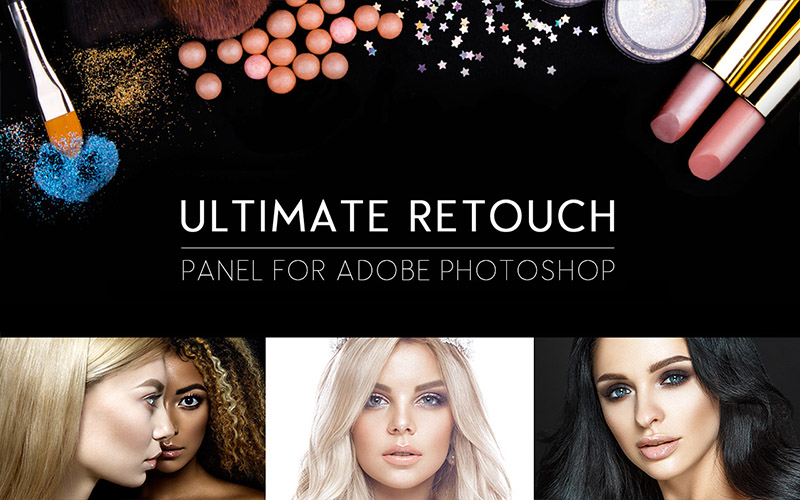
The Beauty Retouch Panel to Soften & Smoothen Skin!
Retouching skin requires attention to detail and accuracy, but not every technique has to be overly complicated or time-consuming. Wish there could be an ultimate beauty retouching tool to do all the hard work.
Inky deals present the ultimate beauty retouch panel for Photoshop. This tool lets you retouch photos quickly, effortlessly and saves you time for the actual shooting that photographers love so much.
The Ultimate Beauty Retouch Panel has been developed over a period of 3 years of hard work. At the moment there are more than 200 useful functions of this panel. It can become an essential part of your workflow and will keep you away from boring technical Photoshop settings.
What’s more? This deal comes with an extended commercial licence so that you can use this tool for unlimited personal and commercial projects!
Highlights of this Photoshop Beauty Retouch Panel:
- 200 Functions in one panel
- 7 Unique blocks for retouching
- 20 Custom buttons for your personal actions
- 8 & 16 Bits frequency separation
- Immediate visual texture boost switching
- Fast retouch via 4 methods
- Colour correction block with 65 presets
- 4 Methods of dodge & burn
- 3 Help layers to capture the flaws and irregularities
- Dual vision for easy managing of Dodge & Burn
- Work with RGB channels and masks
- Local and global high pass sharpness
- Dynamic opacity and vignette
- Multi tint effect
Colour correction:
- Fashion
- Vintage
- Candy
- Matte
- HDR
- Black and white
- A possibility to mix the styles
30 Tools For Local Skin Retouching:
- HDR Kit for simulating an HDR effect
- Highlights and shadow restore
- Volume
- Volume HRLA
- Manual HRLA
- Tan skin
- Remove pores
- Skintone gradient map
- Skin pigment
- Noise texture
- Manual noise texture
- White teeth
- 10 in 1 multifunctional tool for eyes
- 5 in 1 multifunctional tool for face
3 Types Of Vignettes:
- Black
- White
- Coloured
5 Types Of Sharpness:
- Unsharp mask
- High pass sharpness
- Local high pass sharpness
- Multi sharpness
- A unique method to sharpen skin edges without touching the skin itself
Here’s A Sneak Peek Into the best Beauty retouching panel for photoshop:


Grab This Ultimate Skin Retouching Photoshop Tool For Just $99 $29 Today!
Software Requirements for this Ultimate Photoshop Skin Retouching Tool:
- Panel available for photoshop CC2020, CC2019, CC2018, CC2017, CC2015, CC2014, CC, CS6
- All languages support
- Mac and Windows support
Deal Terms:
How to download this bundle?
This bundle is delivered as an instant download after completing your purchase.
Which license do you get access to with this deal?
This bundle comes with an Extended Commercial License.
What are the terms of usage for this bundle?
You can use all these assets for both personal and commercial projects, as mentioned below:
- The end products must not be used or sold in a way that is directly competitive with the original item you have purchased.
- This bundle cannot be sublicensed, resold, shared, transferred, or otherwise redistributed on its own.
- You cannot share this font with others.
Is Lifetime Access available to this bundle?
Yes, you get lifetime access to these resources after downloading them on your device.

Reviews
There are no reviews yet.