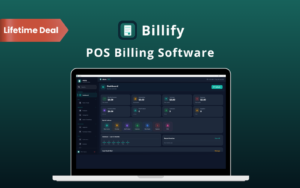
Billify – Manage Billing, Stock & POS Sales on Windows

TL;DR

  • Manage billing, inventory, and counter sales from one Windows application.
  • Track stock levels and spot products running low.
  • Create invoices, record payments, and convert accepted quotes into invoices.
  • Keep customer, supplier, purchase, and expense records together.

Quick Overview

Alternative to:

  • myBillBook
  • Paytm
  • Shopify
  • Vyapar
  • Zoho POS

Best for:

  • Agencies
  • Finance Professionals
  • Small Business Owners
  • Startups

Compatibility:

  • Browser Support:
    Brave, Chrome, Edge, Firefox
  • Operating Systems:
    Windows

Scattered records make billing and stock tracking harder than they need to be.

Bring your daily business tasks together with Billify.

What Is Billify?

Billify is an inventory, billing, & point-of-sale software for Windows.

It helps you manage everyday sales and stock from a single desktop workspace.

With Billify, You Can:

  • MANAGE products, prices, barcodes, and stock details
  • BILL customers through invoices and point-of-sale transactions
  • TRACK stock levels, low-stock status, and stock movements
  • RECORD payments, purchases, expenses, and returns
  • ORGANIZE customer and supplier information
  • REVIEW sales, stock, expenses, and profit/loss reports
  • OFFER discount codes and customer loyalty points
  • BACK UP your records and restore saved data when needed

Your business data stays in a local database on your computer. No external database server is required.

How Billify Works:

Step 1 – Install & Activate

Download Billify, install it on a supported Windows computer, and enter your license key.

Step 2 – Add Your Business Records

Add your products, prices, stock details, customers, and suppliers.

Step 3 – Start Billing & Tracking

Create invoices or process POS sales, record payments, and monitor your stock.

Step 4 – Review & Back Up

Check your reports and export backups of your business records.

Billify Features:

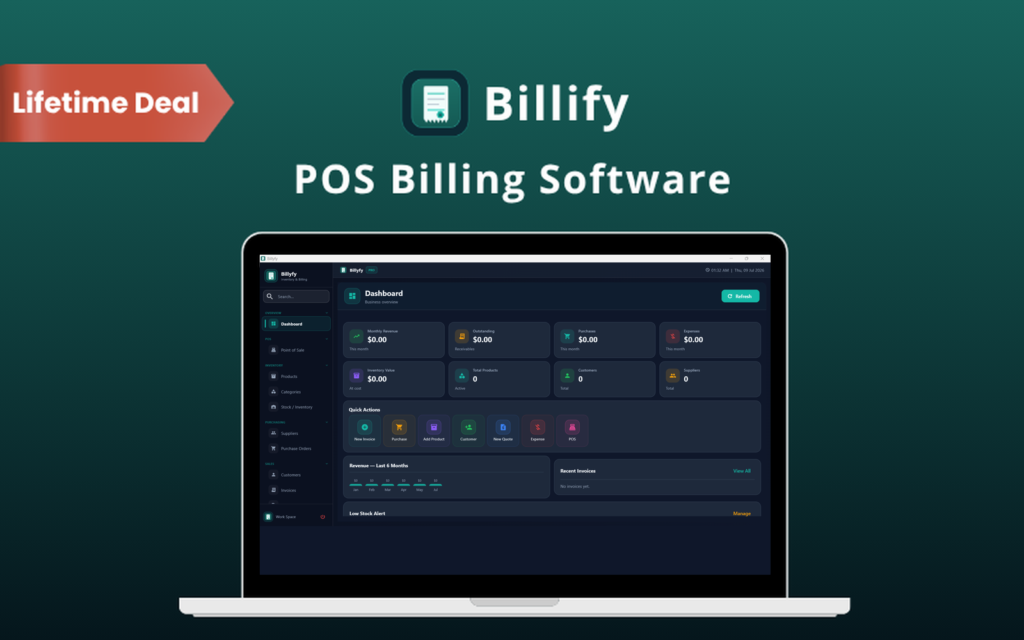
Business At Glance

See Your Business Activity at a Glance:

  • View sales, purchases, expenses, and stock value from the dashboard
  • Check recent activity and your business summary
  • Review key figures without opening each individual record
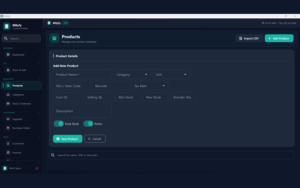
Organize Your Products

Keep Your Products & Stock Organized:

  • Add products with SKUs, barcodes, categories, and units
  • Record cost prices, selling prices, taxes, and stock details
  • Check current quantities, stock value, and low-stock status
  • Review stock movement history to see inventory changes
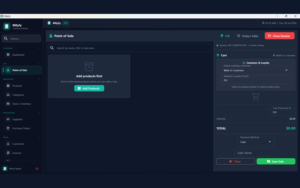
Fast Counter Sales

Handle Counter Sales From One Screen:

  • Select customers and products during POS sales
  • Apply discounts and coupon codes
  • Record the payment method and add sale notes
  • Generate and print an invoice, then start the next sale
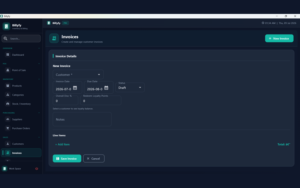
Create Customer Invoices

Create Invoices & Track Customer Payments:

  • Create invoices with product or service line items
  • Apply discounts or coupon codes
  • Record full or partial payments
  • Keep payment methods, references, and payment history
  • Generate PDF invoices for your records or customers
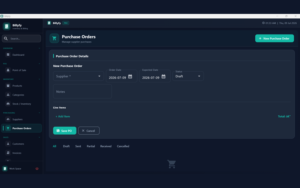
Track Purchase Orders

Keep Supplier Purchases & Contact Details Together:

  • Create purchase orders with products, quantities, and unit costs
  • Track purchase order status
  • Store customer and supplier records
  • Keep these records available for sales, purchases, payments, and reports
Track Business Expenses

Record Expenses & Handle Returns:

  • Track expenses by date, amount, payment method, and notes
  • Record sales returns and purchase returns
  • Track the related stock movements
Review Business Reports

Review Sales, Costs & Stock Reports:

  • View sales, purchase, inventory, and expense reports
  • Review profit/loss figures
  • Filter reports by date to examine a specific period
Reward Loyal Customers

Manage Discounts & Customer Loyalty Points:

  • Create coupon codes for invoice and POS discounts
  • Let customers earn and redeem loyalty points
  • Review each customer’s points balance and history
Protect Business Data

Back Up Your Business Records:

  • Export database backups and Excel backups
  • Import backup data when you need to restore records
  • Keep backup copies of the information stored on your computer

Why Choose Billify?

  • Keep billing and stock records in one workspace
  • See low-stock products before planning your next purchase
  • Track outstanding invoice balances and payment history
  • Reuse accepted quotations when creating invoices
  • Store your business data locally on your Windows computer
 

Specifications:

Software Type Inventory, billing, and POS desktop software
Supported Systems Windows 10 64-bit and Windows 11 64-bit
Processor Intel or AMD dual-core 2.0 GHz or better
Memory 4 GB RAM minimum; 8 GB recommended
Storage At least 1 GB of free disk space
Display 1366 × 768 minimum; 1920 × 1080 recommended
Internet Required for license activation and verification
Database Local SQLite database
External Database Server Not required
Additional Setup No separate Python or manual package installation required
Access Lifetime access with a one-time payment
Updates Free updates

Billify is Best For:

  • Agencies
  • Finance Professionals
  • Small Business Owners
  • Startups

Choose Your Plan

1 Device
1 Device
Original price was: $29.00.Current price is: $15.00.
5 Devices
Original price was: $60.00.Current price is: $29.00.
10 Devices
Original price was: $120.00.Current price is: $49.00.
With DealClub
$12.75
$29.00
Without DealClub
$15.00
$29.00
Buy Now
Limited Time Deal

Deal Terms

  • Access via redemption of coupon code
  • 30-Day Coupon Code Validity
  • One Coupon Code for one user/account
  • Coupon Codes are not stackable
  • For both - New & Existing Users
  • Free Updates
  • Free Support
  • Accessible only on Windows- Desktop & Laptop

Plans & Features

Choose the perfect plan for your needs.

Plans & Features
1 Device
5 Devices
10 Devices
$29 $15
Buy Now
$60 $29
Buy Now
$120 $49
Buy Now
Licensed Devices

1

5

10

Dashboard & Business Summary
Product & Barcode Management
Inventory & Low-Stock Tracking
Point of Sale
Invoices & PDF Generation
Quotations & Invoice Conversion
Purchase Orders
Customer & Supplier Records
Full & Partial Payment Tracking
Expense & Return Tracking
Reports With Date Filters
Discount Codes & Loyalty Points
Database & Excel Backups
Backup Restore
Plan 1 of 3

1 Device

$29.00 $15.00
Buy Now
30-Day Refund | Lifetime Access | One-time Payment
  • Licensed Devices: 1
  • Dashboard & Business Summary
  • Product & Barcode Management
  • Inventory & Low-Stock Tracking
  • Point of Sale
  • Invoices & PDF Generation
  • Quotations & Invoice Conversion
  • Purchase Orders
  • Customer & Supplier Records
  • Full & Partial Payment Tracking
  • Expense & Return Tracking
  • Reports With Date Filters
  • Discount Codes & Loyalty Points
  • Database & Excel Backups
  • Backup Restore

Frequently Asked Questions

Find Answers to common questions about Billify

Does Billify Work Offline?

Yes. Daily billing, inventory, and reporting use the local database on your computer. Whereas, internet access is required for license activation & verification.

Where Is My Business Data Stored?

Your data is stored in a local SQLite database on your computer. You do not need an external database server.

Can I Back Up My Data?

Yes. You can export database and Excel backups, then import backup data when needed.

Can I Record Partial Payments?

Yes. You can record full or partial invoice payments, including payment methods, references, and history.

Customer Feedback

Customer Reviews (0) Customer Q&A (0)

No Reviews Yet

Be the first to try this deal and share your experience.

You must purchase this product to leave a review.

Be The First To Ask

Get clarity before you buy—your question might help others too.

×

You Might Also Like

Spendify - AI Finance & Subscription Analysis Tool | Lifetime Access

Spendify - AI Finance & Subscription Analysis Tool | Lifetime Access

, , , , , , , ,

NotionBooks- Editable Accounting Toolkit | Lifetime Access
BeatMarket - Track & Analyze Your Investments
SIR - Simple Invoice, Receipt & Inventory Manager | Lifetime Access

SIR - Simple Invoice, Receipt & Inventory Manager | Lifetime Access

, , , , , , ,

Choose Plan
1 Device
1 Device
Original price was: $29.00.Current price is: $15.00.
5 Devices
Original price was: $60.00.Current price is: $29.00.
10 Devices
Original price was: $120.00.Current price is: $49.00.
Buy with DealClub
$12.75 $29.00
Buy without DealClub
$15.00 $29.00

Deal Terms

  • ✓ Access via redemption of coupon code
  • ✓ 30-Day Coupon Code Validity
  • ✓ One Coupon Code for one user/account
  • ✓ Coupon Codes are not stackable
  • ✓ For both - New & Existing Users
  • ✓ Free Updates
  • ✓ Free Support
  • ✓ Accessible only on Windows- Desktop & Laptop
Scroll to Top