BugTracker – Track, Manage & Resolve Bugs From One Place

TL;DR

  • Simple bug-reporting tool for web, mobile, and software product teams.
  • Create unlimited projects and customizable bug-report forms.
  • Share report forms through unique links to collect issues from clients or users.
  • Track each report’s status and receive real-time email notifications.

Quick Overview

Alternative to:

  • Bugzilla
  • GitHub Issues
  • Jira
  • Linear
  • MantisBT

Best for:

  • Agencies
  • Developers
  • Product Managers
  • QA & Test Engineers
  • SaaS Founders
  • Small Business Owners

Compatibility:

  • Browser Support:
    Chrome, Edge, Firefox, Safari
  • Operating Systems:
    Browser Based

Managing and tracking bug reports in applications can be a cumbersome task. Without a streamlined process, it’s easy to lose track of reported issues and their resolutions, leading to inefficiencies and delays in bug fixes.

Therefore, DealFuel brings you –

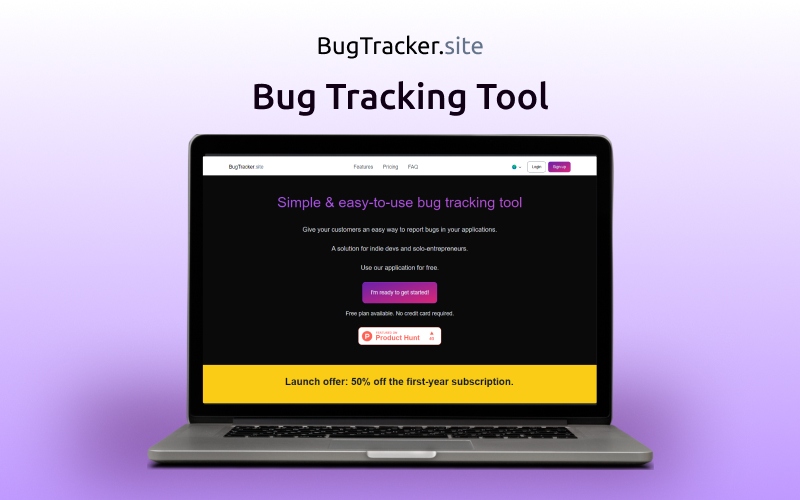
BugTracker – Bug Tracking Tool

BugTracker is a simple and intuitive bug tracking tool designed to streamline the process of reporting and managing bugs in applications.

It offers a user-friendly interface and intuitive features to help you create, manage, and track bug reports effortlessly.

BugTracker caters to those who value ease of use, customization options, and transparent bug management.

Whether you’re developing mobile apps, web applications, or software products, BugTracker offers a hassle-free solution for improving overall product quality.


How To Get a Bug Report Using BugTracker?

Step 1: Create a project
Reduce clutter by organizing your forms into projects.

Step 2: Build the form
Use the visual editor to add fields to the form, depending on what information you need to collect to quickly troubleshoot the bug.
Step 3: Share with your clients
Publish the form to get your link. Now you can share it with your app’s clients, either through a floating button or an <a></a> tag.

Introduction To BugTracker – Bug Tracking Software:

Youtube video

Features Of BugTracker – Bug Tracking Tool:

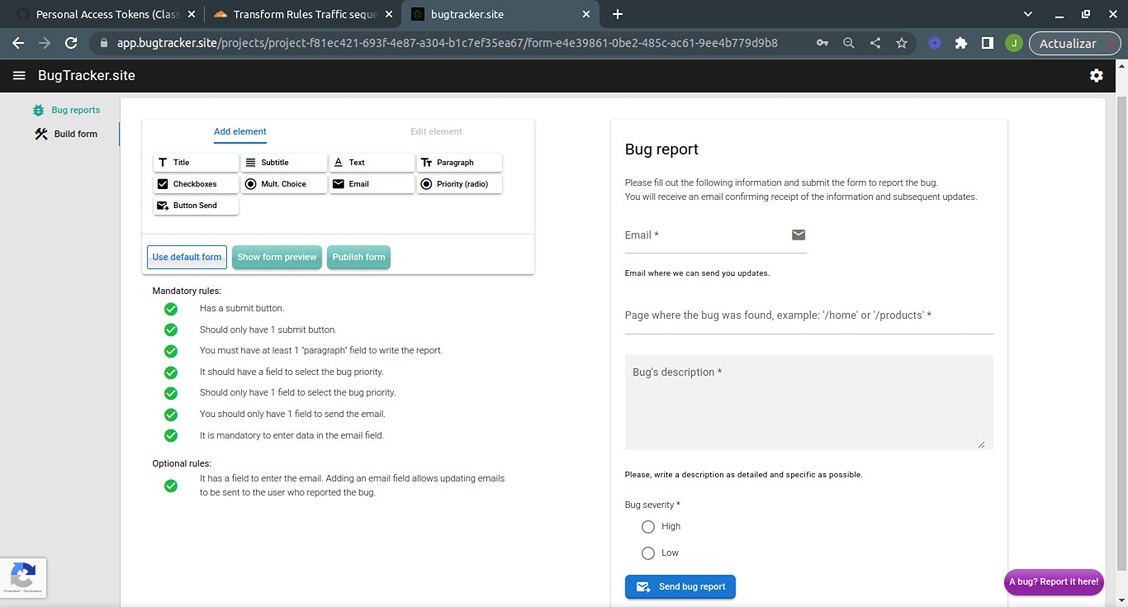
<b>Bug Report</b>

Report & Collect Bugs:

  • Create intuitive bug reporting forms for customers and users.
  • Build custom forms with fields and layouts using the easy Form Builder.
  • Generate unique links to share bug report forms with your team or users.
  • Support for Spanish and English, with French and Portuguese coming soon.
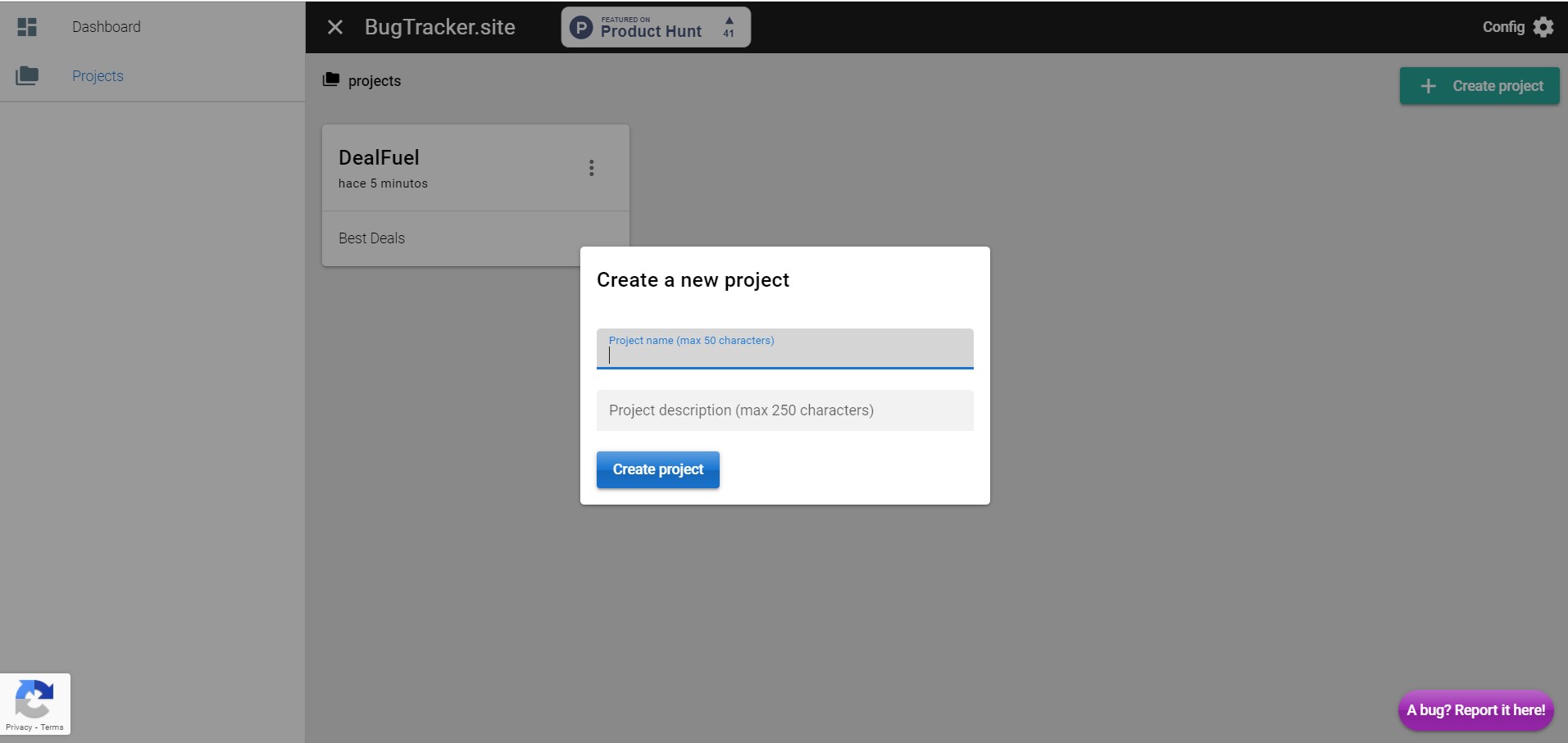
<b>Create A New Project</b>

Manage Projects & Reports:

  • Create and organize multiple projects, forms, and bug reports.
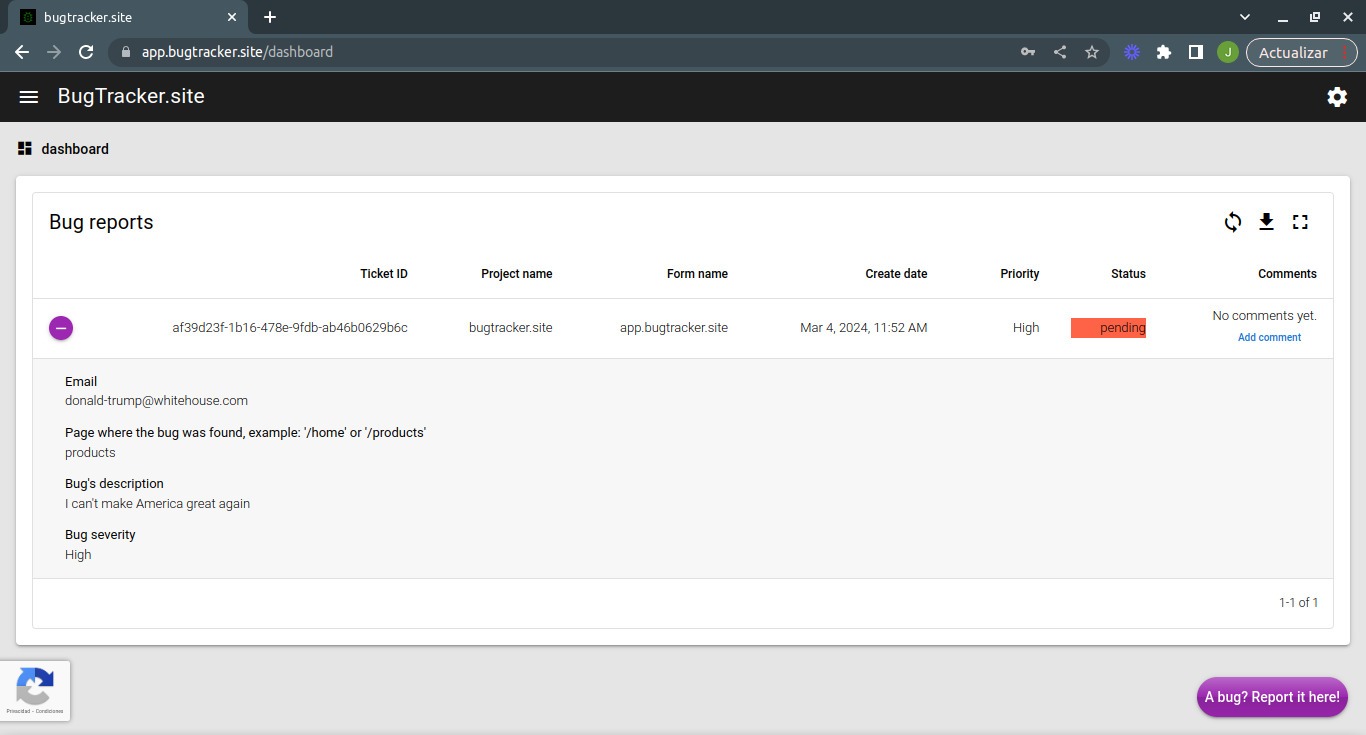
  • Manage submitted reports from one centralized platform.
  • Track each issue through Pending, In Process, and Closed statuses.
  • Update bug statuses with a single click for clear issue tracking.
<b>Dashboard UI</b>

Stay Updated & In Control:

  • Receive instant email notifications when new bugs are reported.
  • Get notified when a bug report’s status changes.
  • Keep your team informed with real-time updates.
  • Simplify your bug-reporting workflow and save time on issue management.

Why Choose BugTracker?

  • Collect bug reports from users with simple, easy-to-use forms.
  • Create custom forms that match your project and reporting needs.
  • Organize bugs across multiple projects from one central platform.
  • Share bug reporting links with customers, teams, or testers instantly.
  • Track every reported issue from Pending to In Process to Closed.
  • Get instant email alerts when new bugs are submitted or updated.
  • Keep your development and QA teams aligned with clear issue tracking.
  • Reduce manual bug-reporting work and save valuable time.
  • Manage bug reports without needing technical expertise.
  • Keep your issue-reporting process organized, transparent, and easy to follow.

BugTracker – Bug Tracking Tool is best for:

  • Agencies
  • Developers
  • Product Managers
  • QA & Test Engineers
  • SaaS Founders
  • Small Business Owners

Choose Your Plan

With DealClub
$33.57
$79.00
Without DealClub
$39.50
$79.00
Buy Now
Limited Time Deal

Deal Terms

  • Access via redemption of coupon code
  • 30-Day Coupon Code Validity
  • One Coupon Code for one user/account
  • Coupon Codes are not stackable
  • For New Users only
  • Free Updates
  • Free Support
  • Accessible on all devices - Desktop, Mobile and Tablet

Plans & Features

Choose the perfect plan for your needs.

Plans & Features
Standard
$79 $39.50
Buy Now
Projects

Unlimited

Forms

Unlimited

Bug reports

Unlimited

Admin user

1

Support users
Exports to CSV

Available

Standard

$79.00 $39.50
Buy Now
30-Day Refund | Annual Access
  • Projects : Unlimited
  • Forms : Unlimited
  • Bug reports: Unlimited
  • Admin user: 1
  • Support users
  • Exports to CSV: Available

Frequently Asked Questions

Find answers to common questions about BugTracker

Will I get notified about new bugs?

Yes. BugTracker sends email notifications when reports are submitted or updated.

Does it support multiple languages?

Yes. It currently supports English and Spanish, with French and Portuguese planned.

Can I keep users updated on reported issues?

Yes. Status tracking gives you a clear view of each issue's progress.

Customer Feedback

Customer Reviews (0) Customer Q&A (0)

No Reviews Yet

Be the first to try this deal and share your experience.

You must purchase this product to leave a review.

Be The First To Ask

Get clarity before you buy—your question might help others too.

×

You Might Also Like

Zigaform - WordPress Calculator & Cost Estimation Form Builder | Lifetime Access

Zigaform - WordPress Calculator & Cost Estimation Form Builder | Lifetime Access

, , , , , , ,

7 Different Bootstrap Admin Templates For A Responsive Dashboard

7 Different Bootstrap Admin Templates For A Responsive Dashboard

, , , , , , , , , , ,

UtilBolt - All-In-One AI Productivity Tools
5.0 (1)
WP Exit Pop Up - An Advanced WordPress Exit Intent Pop Up Plugin

WP Exit Pop Up - An Advanced WordPress Exit Intent Pop Up Plugin

, , , , , , , ,

4.8 (21)
Buy with DealClub
$33.57 $79.00
Buy without DealClub
$39.50 $79.00

Deal Terms

  • ✓ Access via redemption of coupon code
  • ✓ 30-Day Coupon Code Validity
  • ✓ One Coupon Code for one user/account
  • ✓ Coupon Codes are not stackable
  • ✓ For New Users only
  • ✓ Free Updates
  • ✓ Free Support
  • ✓ Accessible on all devices - Desktop, Mobile and Tablet
Scroll to Top