Home > All > Operating System > Browser Based > ChatSlide – AI Presentation Maker | Lifetime Access

ChatSlide – AI Presentation Maker | Lifetime Access

Vendor: DrLambda Inc.
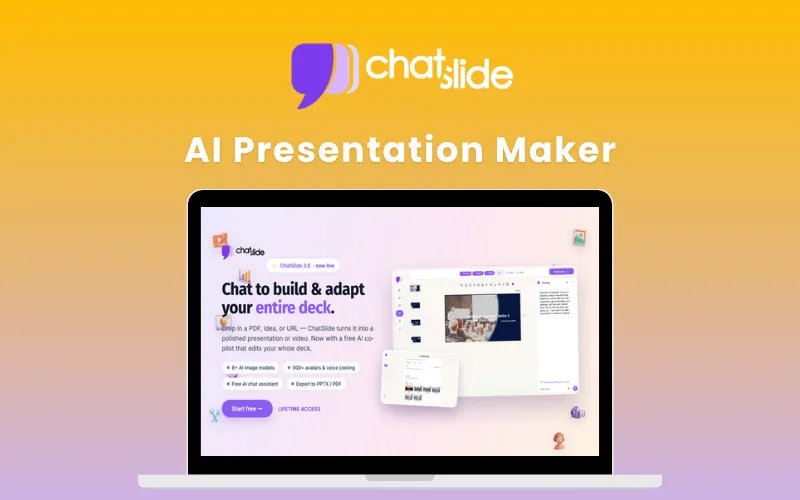
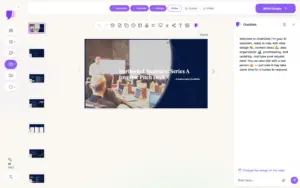
ChatSlide AI Presentation Maker Feature Image

TL;DR

  • Instantly turn text, PDFs, videos & URLs into professional slide decks and videos.
  • Edit entire presentations with free AI Chat and file uploads.
  • Create AI videos with 500+ avatars, voice cloning, and 40+ languages supported.
  • Generate AI images using 8+ models, including Imagen 4, Nano Banana, Flux, and more.
  • Export presentations to PPTX, PDF, and Google Slides at no additional cost.

Creating compelling presentations is time-consuming and often requires multiple tools and skills. That’s why DealFuel brings you ChatSlide.

What is ChatSlide?

ChatSlide is an AI-powered presentation maker that transforms text, PDFs, videos, and URLs into polished presentations and explainer videos in minutes. 

This AI presentation maker easily creates high-quality, professional presentations 150 times faster, by leveraging the power of your vast knowledge base.

It uses AI avatars and voice cloning to add intelligent visual elements like dynamic charts, infographics, posters, and videos. 

It adapts to your domain and allows you to guide it with tags and themes for refined output. 

Whether you’re making learning materials, prepping stakeholder updates, or scripting YouTube videos, ChatSlide can be used for anything. 

It has a wide-spread customer base across 170+ countries, supporting 29 languages. 

How To Create ChatSlide – AI Presentation Maker:

Youtube video

How To Create Presentations Using ChatSlide AI:

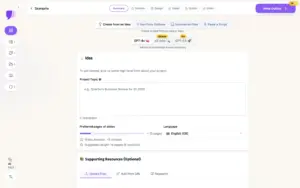
  1. UPLOAD: Add your content – PDFs, documents, text, URLs, or YouTube videos.

  2. AI SLIDE GENERATION: GPT-4o creates outlines, slide content, and matching visuals.

  3. PRESENT & EXPORT: Present online, export to PPTX, or generate videos with AI avatars.

Features Of ChatSlide - AI Presentation Maker:

Free AI Chat Assistant:

  • Edit individual slides or entire presentations using natural language prompts.
  • Upload supporting documents for additional context and make unlimited AI-assisted presentation improvements without consuming credits.

AI Media Studio:

  • Access multiple AI image and video generation models, including Imagen 4, Nano Banana, Nano Banana Pro, Flux, & more, to create custom visuals directly inside ChatSlide.

Redesigned Workspace:

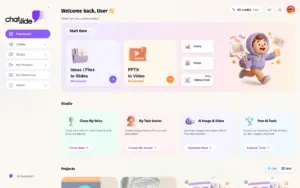
  • Manage presentations, videos, images, social content, & collaborative projects from a modern unified dashboard built for faster content creation.

AI Image & Video Studio (Credit-Based):

  • Generate high-quality images with Google Imagen 4 and create AI videos directly in ChatSlide using Gemini Veo.

AI-Powered Slides:

  • Convert text, PDFs, documents, videos, and URLs into professional presentation slides with dynamic charts and data visualizations powered by GPT-4o.

AI-Powered Videos:

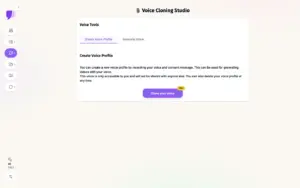
  • Transform text, PDFs, documents, and URLs into engaging videos featuring AI avatars with voice cloning.

500+ AI Avatar Presenters:

  • Access Azure AI avatars across all plans.
  • Ultimate Plan users additionally receive access to 500+ Jogg avatars, custom avatar training, voice cloning, & multilingual video narration capabilities.

67+ Document Converters:

  • Import and convert files, including PDF, DOCX, PPTX, and many other formats, for seamless presentation creation.

Key Insights:

  • Generate useful insights alongside slide and video creation for clearer and more impactful presentations.

Poster Designs:

  • Turn ideas into high-quality, visually appealing poster designs for professional use.

Brand Customization:

  • Customize presentations and videos to match your brand style and identity.

Domain Outline:

  • Control presentation structure using customizable tags and outline styles.

Tailored Presentations:

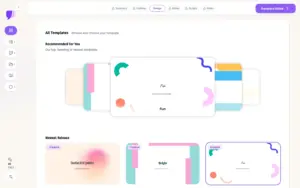
  • Create presentations with matching themes, intelligent visual components, and interactive elements.

Flexible & Modifiable Content:

  • Edit content in real time with personalized voice and avatar cloning for a fully customized experience.

Multimodal Document Support:

  • Supports inputs like text, PDFs, web pages (URLs), and YouTube videos.

Multiple Language Support:

  • Create content in over 100 languages.

Export Options:

  • Export presentations to PPTX for editing in PowerPoint or download as PDFs.

Project & Upload Limits:

  • Includes 5 resources per project with up to 20MB file uploads.

AI-Powered Results:

  • Get smarter, optimized presentations using GPT-4o combined with your expertise.

Credit Usage:

  • Click here to see the credit usage for every task performed in Chatslide.

A Sneak Peek Into ChatSlide:

ChatSlide Customer Testimonials:

Frequently Asked Questions:

Can I edit my presentation after ChatSlide generates it?

Yes. ChatSlide’s AI Chat Assistant can edit individual slides or entire presentations using natural language prompts. You can also upload files for additional context, and AI Chat usage is completely free.

What content sources can ChatSlide convert into presentations?

ChatSlide can create presentations from text, PDFs, documents, URLs, web pages, YouTube videos, PowerPoint files, and many other supported formats.

Can I export presentations to PowerPoint and PDF?

Yes. You can export presentations to PPTX, PDF, and Google Slides at no additional credit cost.

What AI image models are available?

ChatSlide includes access to multiple AI image generation models, including Imagen 4, Nano Banana, Nano Banana Pro, Flux, and other supported models through the AI Media Studio.

Can I create AI avatar videos with my presentations?

Yes. ChatSlide allows you to turn presentations into narrated videos using AI avatars, voice cloning, and multilingual voiceovers.

How many languages does ChatSlide support?

ChatSlide supports presentation and video creation in over 100 languages, with AI avatar narration available in 40+ languages.

Deal Terms:

How to download/activate this product?
After completing your purchase, you will receive an instructions document. Follow the instructions in this document to redeem the coupon code and get access to this product.

What is the validity of the license key/coupon code? (Within how many days the coupon code must be redeemed?)
The coupon code must be redeemed within 30 days from the date of purchase.

Is a Lifetime Subscription available for this product?
Yes, a lifetime subscription is available with this deal for ChatSlide – AI Presentation Maker.

Are Lifetime Updates available for this product?
Yes, free lifetime updates are available.

Is support available for this product?
Yes, free lifetime support is available for this product.
For support, contact [email protected].

Is this deal for new users only?
No, this deal is available for both new and existing users of ChatSlide – AI Presentation Maker.

How many users can use the license key/coupon code?
One coupon code can be used for one user/account.

Are the coupon codes stackable?
No, the coupon codes are not stackable.

Can this product be accessed on all devices?
Yes, ChatSlide – AI Presentation Maker is accessible on all devices, provided that they have a good internet connection.

Reviews

  1. Peiyuan Chou

Add a review

Your email address will not be published. Required fields are marked *

Clear
30 Day Refund Policy
For support contact: [email protected] 

Want to save another 25% on this deal?

Join DealClub

Plans & Features

Plus Plan
$160.50 $535
  • 500 Credits/Month
  • GPT-4o
  • Up to 20 Slides/Project
Buy Now
Pro Plan
$214.50 $715
  • 2500 Credits/Month
  • GPT-4o
  • Up to 40 Slides/Project
Buy Now
Ultimate Plan
$646.50 $2155
  • Unlimited Credits
  • GPT-4o + o3-mini + DeepSeek-R1
  • Up to 60 Slides/Project
Buy Now
    Q. Plan Mapping
    Hi, I just want to check Dealfuel's Ultimate plan is the same as Ultimate plan on your website?
    A:
    Peiyuan Chou June 25, 2025

    No Reviews available.

    Add a review

    Your email address will not be published. Required fields are marked *

$136.42$535.00
$160.50$535.00
Scroll to Top