



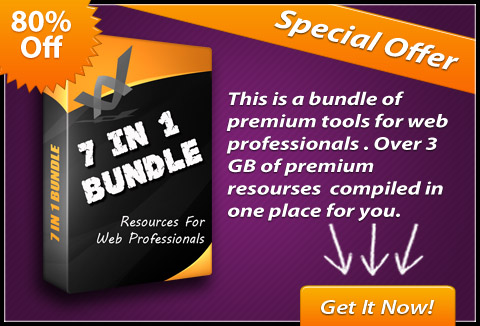
The biggest, the heaviest, the heftiest web design bundle is here.
Today’s deal is one of those deals which could be the only thing you would need to purchase for a very long time. That’s because it has almost everything you would need.
This mighty 7-in-1 bundle includes:
- Ultimate Collection of 30 Different Modules of Premium Graphics Tools & Templates
- Graphics Ninja eBook
- The Offline Monster Lead Gen Pack
- eBook on How To Earn Over $100 Plus Daily From CLICKBANK As A Newbie
- 60 WordPress Mastery Videos
- 7 ‘How To’ Videos
- Doodle/White Board Video Creation Course
Grab this humongous 7-in-1 bundle for just $19 (DealClub $14.25)
This huge design bundle from WordPressMastery comprises:
Bundle 1: Ultimate collection of 30 different modules of premium graphics tools & templates – $3857 Value
Category: Graphics tools and templates, Photoshop action scripts
This is a must have for every Internet Marketer.
There are 30 different modules in this package, and 17 of them are dedicated specifically to web-ready files in PNG, JPEG and GIF formats. These web-ready files don’t need any special program at all, and you can simply copy and paste them into your existing websites, blogs or any other projects. Or if you want to edit them, you can do that using ANY graphics editor (even MS paint).
Then there are 3 modules that are HTML based and require some basic HTML skills.
There are only 7 (out of 30) modules that do require either Photoshop or Photoshop Elements, the rest can be used without.
And ALL of the modules come with source layered PSD files (so if you do have Photoshop, and you want to edit and customize the graphics further… you can).
Bundle 2: Graphics Ninja – $27 value
Category: eBook
Graphics ninja reveals the secret stash of closely guarded secrets for finding a virtually endless supply of kick-ass professional graphics and software.
The online game changer that no one is talking about… but should be.
The underground site few know about, with an endless supply of graphics.
Bundle 3: The Offline Monster Lead Gen Pack – $1434 Value
Category: eBook
The biggest Offline Lead Gen pack for offline marketers to be released ever. This pack is for offline marketers who want to land more clients without putting together the needed promotional materials.
This 12 module package includes:
Module 1: Website Design Questionnaire
Module 2: In-Depth Guide on How to Start a Web Design Business
Module 3: Lead Gen Report 1 – Growing Your Business Online
- This report educates business owners.
- This report shows your expertise
- This report lands clients
Module 4: Lead Gen Presentation – Growing Your Business Online
- This report educates business owners.
- This report shows your expertise.
- This report lands clients
Module 5: Lead Gen Report – How Search Engine Optimization Can Drive More Business
- Lead Gen Report lands SEO clients.
- Get more SEO Clients.
- Display your expertise in the field.
Module 6: Lead Gen Presentation – How Search Engine Optimization Can Drive More Business
High quality lead gen presentation
Module 7: 5 Deal Closing Letters to Promote the Top Five Offline Services
- Letter 1 – Why you need a professional website
- Letter 2 – Why you need a mobile website
- Letter 3 – Why you need a social media presence
- Letter 4 – Why you need local SEO
- Letter 5 – Why you need reputation management services
Module 8: 5 Deal Closing Presentations to Promote the Top Five Offline Services
- Presentation 1 – Why you need a professional website
- Presentation 2 – Why you need a mobile website
- Presentation 3 – Why you need a social media presence
- Presentation 4 – Why you need local SEO
- Presentation S – Why you need reputation management services
Module 9: 5 Deal Closing Client Attraction Videos To Promote The Top Five Offline Services
- Video 1 – Why you need a professional website
- Video 2 – Why you need a mobile website
- Video 3 – Why you need a Social media presence
- Video 4 – Why you need local SEO
- Video 5 – Why you need reputation management services
Module 10: 6 High Quality Client Grabbing Ad Templates (PSD Format)
- Ad 1 – Web design ad template
- Ad 2 – Social media services ad template
- Ad 3 – SEO services ad template
- Ad 4 – Web design ad template variation
- Ad 5 – Social media services ad template variation
- Ad 6 – SEO services ad template variation
Module 11: 10 High Quality Client Attraction And Relationship Building Auto-Responder Series
- Content marketing for your business
- Growing your business with a website
- How to generate more leads with photos and video
- How to get more sales with your website
- Maintaining and updating your website
- The importance of a mobile optimized website
- The importance of a professional logo and how to get 1
- What customers want from a website
- What information you should provide on your website
- Why search engine optimization is good for your business
Module 12: The Offline Monster Getting Started Guide
Learn what is included in this pack and how to use it
Bundle 4: How To Earn Over $100 Plus Daily From CLICKBANK As A Newbie – $47 value
Category: eBook
Do You have difficulties making money with your clickbank account?
Are you struggling to get started making money online because you lack a definite step by step plan?
Or maybe you were trying to figure it out on your own for some time now but didn’t quite make it yet?
Start generating an easy & constant $100 daily promoting Clickbank products, even as a newbie.
- $100+ per-day on CLICKBANK
- Zero investment needed
- Newbie friendly
This system contains the simple strategies + all the necessary info needed to make you $100 daily from Clickbank.
Bundle 5: 60 Step by Step WordPress Tutorial Videos – $197.00 Value
Category: Videos
Video 1: How to Create Subdomains and Add-on Domains in cPanel.
- Sub-domains are used to divide your primary website into different “categories”.
- And add-on domains are used when you want to add a new domain name to your hosting account instead of paying for new hosting.
- This video shows you how to create both sub-domains and add-on domains!
Video 2: How to Install WordPress Automatically Using cPanel
- Installing WordPress automatically through cPanel is the easiest and fastest way.
- This video shows you how to install WordPress within 2 minutes by using cPanel.
Video 3: How to Install WordPress Manually Via FTP
- If your hosting account does not have cPanel, you can also choose to install WordPress manually via FTP.
- This is a more tedious process and this video shows you how to install WordPress manually via FTP.
Video 4: How to Change Your Permalinks Structure
- The default permalinks structure used by WordPress does not help in on-site search engine optimization (SEO).
- This video shows you how to change your permalinks structure to make it more SEO-friendly.
Video 5: How to Create New Blog Posts
- The easiest way to start blogging would be to create new blog posts. This video shows you how to create a new blog post in WordPress.
Video 6: How to Create New Pages
- You can also create pages in WordPress such as “About Me” which are separate from the blog content.
- This video shows you how to create a new page in WordPress.
Video 7: How to Insert Images
- To make your blog look more attractive, you’re bound to need to insert images to make it more lively.
- This video shows you how to insert images in your blog posts.
Video 8: How To Install Plugins Automatically
- There are tens of thousands of WordPress plugins available to improve various functionalities WordPress!
- This video shows you how to install WordPress plugins automatically via the dashboard.
Video 9: How to Upgrade / Delete Plugins Automatically
- There are always new updates for WordPress plugins.
- You might want to delete old plugins which you’re no longer using.
- This video shows you how to upgrade and also delete your plugins automatically.
Video 10: How to Upload & Install Plugins Manually
- If you happen to download a plugin which cannot be installe automatically, you’ll have to upload it manually via FTP.
- This video shows you exactly how to do that!
Video 11: How to Install Themes Automatically
- A wordpress theme is a layout template designed to run on WordPress.
- Thousands of pre-made WordPress themes exist on the Internet.
- This video shows you how to install WordPress themes automatically via the dashboard.
Video 12: How to Customize Your Theme Menu
- Inside your WordPress dashboard, you can actually create your own custom navigation menus and footer menus.
- This video shows you how to customize your theme menu.
Video 13: How to Upload and Install Themes Manually
- Not all themes can be installed via the dashboard and when that happens,you can do it the traditional way.
- This video shows you how to upload and install themes manually via FTP.
Video 14: How to Use Widgets in The Sidebar
- WordPress Widgets (WPW) is like a plugin, but designed to provide a simple way to arrange the various elements of your sidebar content (known as “widgets”) without having to change any code..
- This video shows you how to use widgets in the sidebar.
Video 15: How to Add and Manage Users
- You can actually allow other people to post content to your blog by adding user accounts and giving others login access.
- This video shows you how to add and manage users in your WordPress blog.
Video 16: How to Upgrade WordPress Version Automatically Via The Dashboard
- WordPress frequently release new version updates to add security fixes or upgrade functionality.
- This video shows you how to quickly upgrade your WordPress version automatically via your dashboard.
Video 17: How to Inserting Audio or MP3 Files
- Instead of just plain text, you can also insert audio or mp3 files to allow your readers to listen to them on your blog.
- This video shows you how to cinsert audio or mp3 files to your wordPress blog.
Video 18: How to Use Gravatars for Your Blog
- Gravatar (an abbreviation for globally recognized avatar) is a service for providing globally unique avatars which can appear beside comments leaved by your readers.
- This video shows you how to use gravatars for your WordPress blog.
Video 19: How to Edit WordPress Theme CSS Styles
- In order to make changes to your theme’s appearance, you need to edit the CSS (Cascading Style Sheet) file.
- This video shows you how to edit your WordPress theme’s CSS styles.
Video 20: How to Add YouTube Videos to WordPress Automatically
- Another way to make your blog more lively and entertaining is by adding videos to it.
- This video shows you how to easily add videos from Youtube to WordPress automatically
Video 21: How to Create Backups for Your WordPress Blog
- Anything could happen to your blog and you do not want the unfortunate incident of losing years of blog content.
- So you would want to create backups of your blog so you can restore it when you need them.
- This video shows you how to create backups for your wordpress blog.
Video 22: How to Import Content from Blogger to WordPress
- If you have content from blogger (or blogspot) which you want to transfer to your WordPress blog, you can do that as well!
- This video shows you how to import content from Blogger to WordPress.
Video 23: How to Add Google Analytics to WordPress
- It’s really important for you to track your website traffic statistics so you know which areas is working well for you.
- Google Analytics allow you track where your visitors are coming from and even sales conversions.
- This video shows you how to add Google Analytics to your WordPress blog.
Video 24: How to Place a Banner In the Sidebar
- The most common way of monetizing a blog is by placing banner ads linked to your own website or affiliate links.
- This video shows you how to place a banner in your WordPress blog’s sidebar.
Video 25: How to Place an Adsense Ad In Your Blog Post
- Google Adsense is also a common way on how you can actually make money with a blog.
- This video shows you how to easily place an Adsense ad in your blog post.
Video 26: How to Add Feedburner to Your WordPress Blog
- Really Simple Syndication (RSS) feeds allow you to easily syndicate content from your blog so others can easily view on their RSS readers.
- A feedburner account will allow you to setup your blog’s RSS feed.
- This video shows you how to add Feedburner to your WordPress blog.
Video 27: How to Install and Use the All-In-One SEO Plugin
- The All-In-One SEO plugin is an extremely useful WordPress plugin which improves your blog’s on-site search engine optimization (SEO).
- This video shows you how to install and use the all-in-one SEO plugin.
Video 28: How to Install and Use A Contact Form Plugin
- You’ll probably want to allow your blog readers to have a way to contact you to encourage more interaction.
- This video shows you how to install a contact form plugin on your WordPress blog and how to use it.
Video 29: How to Insert an Aweber Form In The Sidebar
- Ideally, you’ll also want to capture your blog readers onto your mailing list.
- To do tha, you need an autoresponder account like Aweber.
- This video shows you how to insert an Aweber form in your sidebar.
Video 30: How to Use The Akismet Spam Plugin
- Every blog is bound to face comments left from spammer. If you wish to manage these spam comments manually on your own, it’s going to take up loads of your time.
- This video shows you how to use the Akismet Spam plugin to combat these Spam comments.
Video 31: How to Customize Your 404 Error Page
- A 404 error page shows when a visitor lands on a page of your website which doesn’t exist.
- You’re able to monetize your 404 error pages by placing ads on it.
- This video shows you how to customize your 404 error pages according to your preferences.
Video 32: How to Add/Delete Categories
- You’re able to add categories to your blog and categorize your posts accordingly.
- This video shows you how to add and delete categories from your blog easily.
Video 33: How to Block Your Site From Search Engines
- There could be instances where you want to block your blog from being picked up from the search engines for privacy reasons.
- This video shows you how to configure the settings to block your blog from the search engines.
Video 34: How to Add & Edit New Links In Your Blogroll
- You can have a blog roll which consists of links to websites of your choice.
- This video shows you how to easily add and edit new links in your blog roll.
Video 35: How to Change Your Login Password Through WordPress Admin
- It’s recommended that you change your blog’s password occasionally to prevent it from being abused by hackers.
- This video shows you how to change your login password through the wordpress admin panel.
Video 36: How to Change The Blog Title
- It’s good to optimize your blog’s title with keywords that you wish to rank for as part of on-page optimization.
- This video shows you how to change your blog title through the wordpress admin panel.
Video 37: How To Clean Up A New WordPress Blog
- Whenever you start a new wordpress blog, there are a couple of things that you should do to make it look professional right from the start.
- This video shows you how to clean up a new WordPress blog.
Video 38: How to Moderate The Comments Made On Your Site
- Every blog is bound to face comments left from Spammer so it’s good that you have some form of control policy on your blog.
- This video shows you how to moderate the comments made on your site.
Video 39: How to Customize Your WordPress Dashboard
- Every wordpress blog has a dashboard when you login and it is actually customizable according to your liking.
- This video shows you how to customize your wordPress dashboard.
Video 40: How to Put A Custom Header in Your Blog
- A blog’s header is very important as that’s the first thing that your visitors’ see when they visit your blog. So you would want to change it to be unique and attractive.
- This video shows you how to put a custom header image in your blog.
Video 41: How to Delete Comments Inside Trash Folder
- After you delete comments, it ends up in your trash folder and if many of these comments accumulate, it could chalk up your server’s space.
- This video shows you how to delete the comments inside your trash folder.
Video 42: How to Add a Digg Button In Your Post
- Digg.com is one of the largest social bookmarking sites on the Internet. If many users were to Digg your post, it could drive a ton of visitors to your blog overnight.
- This video shows you how to add a Digg button in your blog post.
Video 43: How to Edit A Blog Post
- After you type a blog post, you might want to make amendments to your blog post.
- This video shows you how to edit a blog post.
Video 44: How to Add A Facebook Like Button In Your Post
- Facebook is the largest social networking sites on the entire Internet with more than 800 million active users. And when you are able to garner many “likes” on your blog post, it will drive alot of visitors to your blog post.
- This video shows you how to add a Facebook “like” button in your blog post.
Video 45: How to Add a Google Plus Button In Your Post
- Google Plus is a new social network created by Google and is fast growing in its database. Getting lots of Google “Pluses” on your blog post will not only get you visitors and also will help to boost your rankings in Google.
- This video shows you how to add a Google Plus button in your blog post.
Video 46: How to Set A WordPress Page As Your Blog’s Home Page
- WordPress allows you to set a static page of your choice as your home page, instead of just displaying all the blog posts you have.
- This video shows you how to set a wordpress page as your blog’s home page.
Video 47: How to Transfer Content From One WordPress Blog to Another
- When you sell a blog to someone else, you might need to transfer the content from one wordpress blog to another.
- This video shows you how to transfer content from one wordpress blog to another.
Video 48: How to Manage Banner Ads
- A great way to monetize your blog is through banner advertising. There are plugins which allows you to easily manage your banner ads and help increase your advertising revenue.
- This video shows you how to manage banner ads on your blog using an awesome plugin.
Video 49: How to Change The Number of Blog Posts That Is Shown On The Home Page
- WordPress allows you to specify how many blog posts are to be displayed on your home page. And you could have different preferences as to how many you want to show.
- This video shows you how to change the number of blog posts that is shown on the home page.
Video 50: How to Create A Password Protected Or Private Post
- Another cool feature of WordPress is that it allows you to create blog posts that are private and can’t be viewed by other people. Or alternatively, you could create posts which requires a password in order to be viewed.
- This video shows you how to create a password protected or private post.
Video 51: How to Recover Your WordPress Password
- If you ever forget your blog’s password, you could actually retrieve it by using the “forget password” feature.
- This video shows you exactly how to go about doing that.
Video 52: How to Secure Your WordPress Blog
- There are several procedures which you can use to make your wordpress blog more secure and protect it from scammers and hackers.
- This video shows you how to secure your wordpress blog.
Video 53: How to Schedule Blog Post For Future Date
- WordPress allows you to create blog posts and pre-schedule them to go live at a date of your choice.
- This video shows you how to schedule a blog post for future date.
Video 54: How to Create A Sitemap
- A site map (or sitemap) is a list of pages of a web site accessible to crawlers or users. Site maps can improve search engine optimization of a site by making sure that all the pages can be found.
- This video shows you how to create a sitemap for your WordPress blog.
Video 55: How to Speed Up Your WordPress Blog
- When you have lots of content and images on your wordpress blog, your blog’s loading speed could slow down. This is bad as your visitors could get impatient and end up leaving your blog. And it’s also bad for search engine optimization.
- This video shows you a few techniques you could use to speed up your wordPress blog.
Video 56: How to Make A Post Sticky
- There are certain blog posts which you want to make it appear at the top of your blog.
- This video shows you exactly how to do that by making a blog post “sticky”.
Video 57: How to Add Text Link Ads
- Text link ads usually get very high click through rates so it’s a great form of monetization for your blog.
- This video shows you easily add text link ads to your wordpress blog.
Video 58: How to Add Thumbnails to Your Posts
- Thumbnail images help make your blog posts look more attractive and increase the overall look of your blog.
- This video shows you how to add thumbnails to your blog posts.
Video 59: How to Integrate TweetMeme with Your Blog
- The TweetMeme plugin is an excellent way to get your blog readers to re-tweet your blog posts on Twitter, one of the largest social networking sites online.
- This video shows you how to integrate TweetMeme with your blog.
Video 60: How to Install & Configure W3 Total Cache Plugin
- The w3 total cache plugin helps make your wordpress blog load faster and saves up your bandwidth.
- This is especially vital if you’re using shared hosting.
- This video shows you how to install and configure w3 total cache plugin.
Bundle 6: 7 ‘How To’ Videos – $27 Value
Category: Video
- Video 1: How To Register A Domain Name
- Video 2: How To Choose & Register A Web Hosting Provider
- Video 3: How To Set Up Name Server For Your Domains
- Video 4: How To Upload Files Via FTP
- Video 5: How To Setup An AWeber Autoresponder Account
- Video 6: How to Setup A Squeeze Page
- Video 7: How to Create A Download Page
Bundle 7: Doodle/White Board Video Creation Course – $47 Value
Category: Video and Photoshop action script
This is a new video course which will explain you how to create hand drawn and whiteboard videos from scratch for marketing.
You will be able the create doodle and whiteboard videos for illustration in your marketing and training… Doodle videos works like magic and its the new trend now in Internet Marketing.
And that’s not all!!!
You will also get over 1GB of undisclosed resources as a gift.
Deal Terms:
- You will receive download links after your payment.
- Files are 3GB in size, so divided into parts.
- All the courses, videos included available for lifetime access.

Reviews
There are no reviews yet.