iFun Screen Recorder Pro For Windows – Record Your Screen & Gameplay

TL;DR

  • Flexible Screen Capture
  • Facecam Recording
  • Multiple Output/Convert Formats
  • Easy to Use

Quick Overview

Alternative to:

  • Bandicam
  • Camtasia
  • Loom
  • Movavi
  • OBS Studio
  • Snagit

Best for:

  • Content Creators
  • Digital Marketers
  • E-commerce Brands
  • Educational Trainers
  • Freelancers
  • Gamers
  • Streamers
  • Teachers
  • Trainers
  • Video Editors
  • YouTubers

Compatibility:

  • Operating Systems:
    Windows

It is very difficult to take notes during online lectures or keep up with work calls! What if you could record them and watch it at your own convenience?


Presenting a tool that will help you do all that and much more – iFun Screen Recorder Pro.


What is iFun Screen Recorder Pro?


iFun Screen Recorder Pro is the best tool for recording computer screens, sound, and webcam on Windows.


It has no limitations on recording time or watermarks.


You can record video conferences, movies, music, online courses, games, and anything you can imagine!


This screen recorder also allows you to record yourself with audio for self-made tutorials!


3 Easy Steps to Record Your Screen with IObit Screen Recorder for PC:


iFun Screen Recorder Pro - screen recorder for windows 11 user interface
  1. Set up Preferences: Record the full screen or any selected area, and adjust other settings as you want.
  2. Record the Screen: Record what is happening on your screen without lagging frames.
  3. Save and Edit: Export the video in any popular format, then edit it.

Features of iFun Screen Recorder Pro

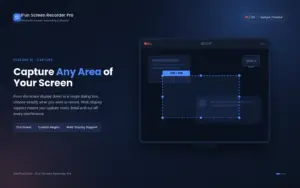
Flexible Screen Capture — drag to select any region, from a full display to a single dialog box, across multiple monitors.

Flexible Screen Capture:

  • Select any area of your screen to start recording, from the entire display to a small dialog box. iFun Screen Recorder supports multiple displays. Capture every detail and cut out every interference.
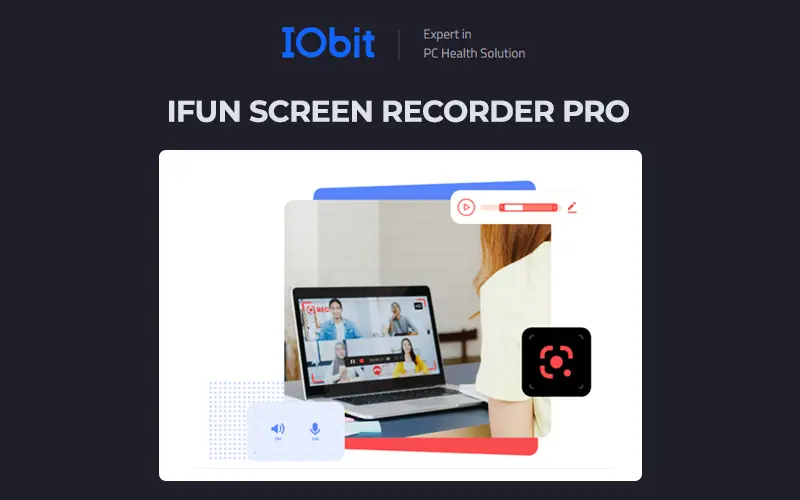
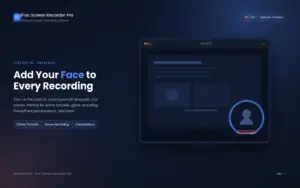
Facecam Recording — show your face on screen while you present, teach, or play, all in one take.

Facecam Recording:

  • iFun Screen Recorder includes a Facecam function that lets you record your face in a video. Use the Facecam for online tutorials, game recording, PowerPoint presentations, and more.
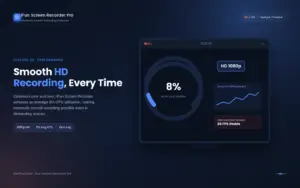
Lag Free HD Recording — an average 8% CPU utilization keeps every recording smooth, even in high-motion scenes.

Lag-Free HD Recording:

  • Optimized over and over, iFun Screen Recorder achieves an average of 8% CPU utilization, making extremely smooth recording possible.
Screenshots While Recording — grab perfect stills without ever pausing your video capture.

Screenshots While Recording:

  • Break through technical barriers between video & audio recording and screen capture by taking them simultaneously.
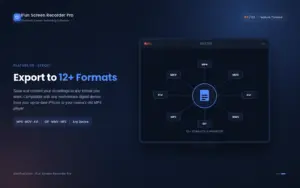
Multiple Output/Conversion Formats — over 12 formats supported, so your recordings play on any mainstream device.

Multiple Output/Conversion Formats:

  • Supports more than 12 output formats for storage and conversion to any format you want. Compatible with any mainstream digital device, from your up-to-date iPhone to your mama’s old MP4 player.
Screenshots While Recording — grab perfect stills without ever pausing your video capture.

Screen Recording With Audio:

  • Experience excellent screen recording with audio. Every syllable of what is said is clearly recorded.

Why Choose iFun Screen Recorder Pro?

  • Record your screen in high quality for tutorials, demos, presentations, and more.
  • Capture gameplay smoothly to create high-quality gaming videos and walkthroughs.
  • Record your webcam and screen together for engaging tutorials, courses, and presentations.
  • Capture system and microphone audio to create complete, narrated recordings.
  • Record specific areas or windows so you can focus viewers on exactly what matters.
  • Create professional-looking videos without needing a complex editing workflow.
  • Add annotations and highlights to make instructions and demonstrations easier to follow.
  • Capture mobile device screens to demonstrate apps, features, and workflows.
  • Take screenshots while recording to quickly save important moments or visuals.
  • Create content faster for YouTube, training, education, customer support, and everyday screen-sharing needs.

Best For:

  • Content Creators
  • Digital Marketers
  • E-commerce Brands
  • Educational Trainers
  • Freelancers
  • Gamers
  • Streamers
  • Teachers
  • Trainers
  • Video Editors
  • YouTubers

Choose Your Plan

With DealClub
$33.99
$79.99
Without DealClub
$39.99
$79.99
Buy Now
Limited Time Deal

Deal Terms

  • Access via redemption of coupon code
  • 30-Day Coupon Code Validity
  • One Coupon Code for one user/three PCs
  • Coupon Codes are not stackable
  • For New Users Only
  • Free Updates
  • Free Support
  • Accessible on - Desktop, Laptop and Tablet

Customer Testimonials

Hi, there! Your fantastic free screen recorder surprises me. I can record all these precious and wonderful moments with iFun Screen Recorder, especially for some live videos. The videos I record with iFun Screen Recorder are extremely high-quality. I can save and share them with my friends. I was not sure of its services but the results I have got are far more amazing. It's brilliant!

-Robbins Hilton

Well, so far so great. iFun Screen Recorder has really been an all-in-one tool that is easy to use. It solves my problem of how to record screen on Windows. With iFun Screen Recorder, I can take screenshots while HD recording and edit diverse captions for the video after recording. Then I send it to my Instagram and catch massive attention. This powerful screen recorder has helped drive my business forward. BTW, it's totally free.

-Elsie Weston

As a secretary, I need to use screen recording software a lot. It is hard to find an ideal free screen recorder for me, but iFun Screen Recorder happens to be such a perfect tool for video-teleconference records and helps me a lot! I could record the HD screen with it and convert the video into different formats. I highly recommend iFun Screen Recorder, and it deserves to be owned!

-Marielle Irvine

Plans & Features

Choose the perfect plan for your needs.

Plans & Features
Standard
$79.99 $39.99
Buy Now
Subscription

Annual

Users

1 user - 3 PCs

Standard

$79.99 $39.99
Buy Now
30-Day Refund | Annual Access
  • Subscription: Annual
  • Users: 1 user - 3 PCs

Frequently Asked Questions

Find answers to common questions about iFun Screen Recorder Pro

Can I record my screen and webcam together?

Yes. You can capture your screen and webcam simultaneously for tutorials, presentations, and video content.

Can I record gameplay with iFun Screen Recorder Pro?

Yes. It supports gameplay recording for creating walkthroughs, highlights, and gaming videos.

Can I record system and microphone audio?

Yes. You can capture system sounds, microphone input, or both in your recordings.

Can I take screenshots while recording?

Yes. You can capture important moments as screenshots without stopping your recording.

Customer Feedback

Customer Reviews (0) Customer Q&A (0)

No Reviews Yet

Be the first to try this deal and share your experience.

You must purchase this product to leave a review.

Be The First To Ask

Get clarity before you buy—your question might help others too.

×

You Might Also Like

ParseFlow - Convert Your PDF To JSON API in Minutes
Workspaces - App Launcher For Mac | Lifetime Access

Workspaces - App Launcher For Mac | Lifetime Access

, , , , , , , ,

Automate Screenshots, OCR & Compliance From One Toolkit | Lifetime Access

Automate Screenshots, OCR & Compliance From One Toolkit | Lifetime Access

, , , , , , , ,

Screentell - Screen Recorder And Video Editor | Lifetime Access

Screentell - Screen Recorder And Video Editor | Lifetime Access

, , , , , , , ,

Buy with DealClub
$33.99 $79.99
Buy without DealClub
$39.99 $79.99

Deal Terms

  • Access via redemption of coupon code
  • 30-Day Coupon Code Validity
  • One Coupon Code for one user/three PCs
  • Coupon Codes are not stackable
  • For New Users Only
  • Free Updates
  • Free Support
  • Accessible on - Desktop, Laptop and Tablet
Scroll to Top