


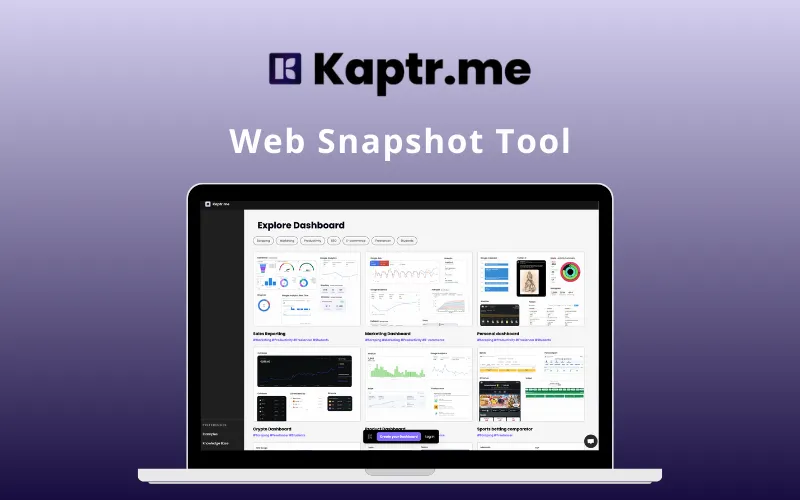
Managing screenshots shouldn’t require dozens of tools or cluttered folders. Capture, annotate, organize, and share instantly with –
Kaptr.me – Web Snapshot Tool
Kaptr.me is an all-in-one snapshot & dashboard workspace that lets you capture, edit, organize, & share screenshots effortlessly.
It transforms messy screenshot workflows into clean, structured dashboards with customizable themes, snapshot history, annotation tools, & secure sharing options.
It automates screenshot capture, simplifies collaboration, & keeps all your visuals organized.
How does Kaptr.me work?
1. Capture Snapshots:
Enables instant selection of any app or website element via the extension.
2. Organize Dashboard
Adds live snapshots to your command center with custom resizing and notes.
3. Refresh Data
Provides automatic background updates every time you open your dashboard.
Its’s that easy!
Introduction To Kaptr.Me – Web Snapshot Tool:
This Screen Capture & Dashboard Manager:
- CREATES instant snapshots you can duplicate, move, or edit anytime.
- OFFERS multiple dashboards with responsive layouts and custom themes.
- INCLUDES quick annotation tools for drawing, editing & highlighting.
- PROVIDES snapshot history, custom URL slugs & folder icons.
- SUPPORTS public/private dashboard sharing & embeddable snapshots.
- EXPORTS dashboards and captures as PDF in one click.
- ENSURES secure, organized & professional screenshot workflows.
- REQUIRES no technical expertise, clean, simple, and fast.
Features of KAPTR.ME:
Create Snapshot:
- Enables the creation of instant snapshots from any app or website
- Provides a seamless way to capture specific web elements via the extension
- Helps you build a visual library of important data points
Snapshot Duplication + Moving:
- Enables the duplication of existing snapshots for multi-purpose use
- Provides the flexibility to move snapshots between different dashboards
- Adds a simplified way to organize and categorize your visual assets
Snapshot History:
- Adds a comprehensive history to track visual changes over time
- Enables you to view previous versions of your data captures
- Helps you monitor trends and historical data visually
Edit Snapshot:
- Provides tools to resize snapshots to fit your dashboard layout
- Enables cropping and framing to show only the most relevant info
- Helps you maintain a clean and neat visual command center
Draw & Annotate Directly on Snapshots:
- Enables drawing directly on snapshots to highlight specific areas
- Provides a way to add visual cues and markers for better clarity
- Adds a layer of communication directly onto your captured data
Quick Annotation and Editing Tools:
- Adds rapid-use tools for instant visual adjustments
- Provides a streamlined interface for making quick changes on the fly
- Enables efficient editing without complex software
Multiple Dashboard:
- Enables the creation of various dashboards based on topics or projects
- Provides a way to segment your data into organized workspaces
- Adds flexibility for users managing multiple clients or data streams
Fully Responsive Dashboards:
- Enables a perfect viewing experience on any device or screen size
- Provides a fluid layout that adapts to your browsing environment
- Helps you access your data on desktop, tablet, or mobile
Customizable Themes + Custom Folder Icons:
- Adds the ability to change the look and feel of your workspace
- Provides custom folder icons for faster visual navigation
- Enables a personalized environment that matches your branding
Custom URL Slugs:
- Enables the creation of personalized and easy-to-remember links
- Provides a professional touch for shared dashboards
- Adds brand consistency for public-facing data pages
Public or Private Dashboard Sharing:
- Enables full control over who can view your data snapshots
- Provides secure private links for internal or personal use
- Adds the option for public sharing when transparency is needed
Embed Snapshots & Dashboards Anywhere:
- Enables the integration of snapshots into external websites or wikis
- Provides code snippets to display live data on third-party platforms
- Adds a visual layer to your existing reports and presentations
Auto-Refresh & Manual Refresh Data:
- Enables automatic background updates to keep your snapshots current
- Provides a manual refresh button for instant data synchronization
- Helps ensure you are always looking at the most recent information
PDF Export (Captures + Dashboards):
- Adds the ability to download your dashboards as high-quality PDFs
- Enables easy sharing of static reports with stakeholders
- Provides a way to archive your data in a portable format
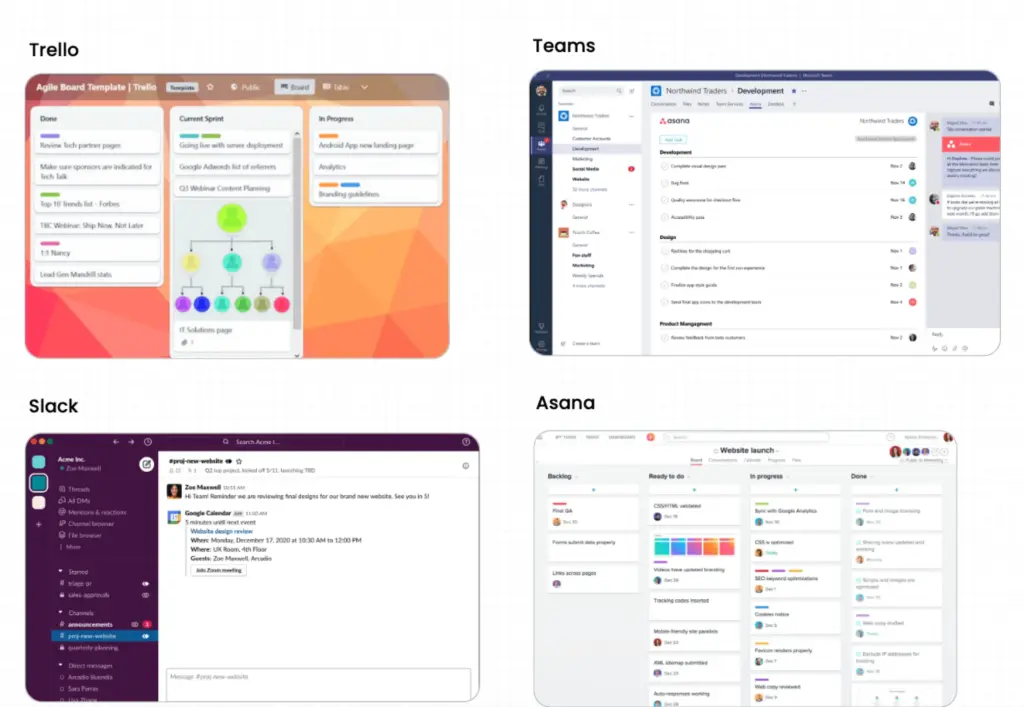
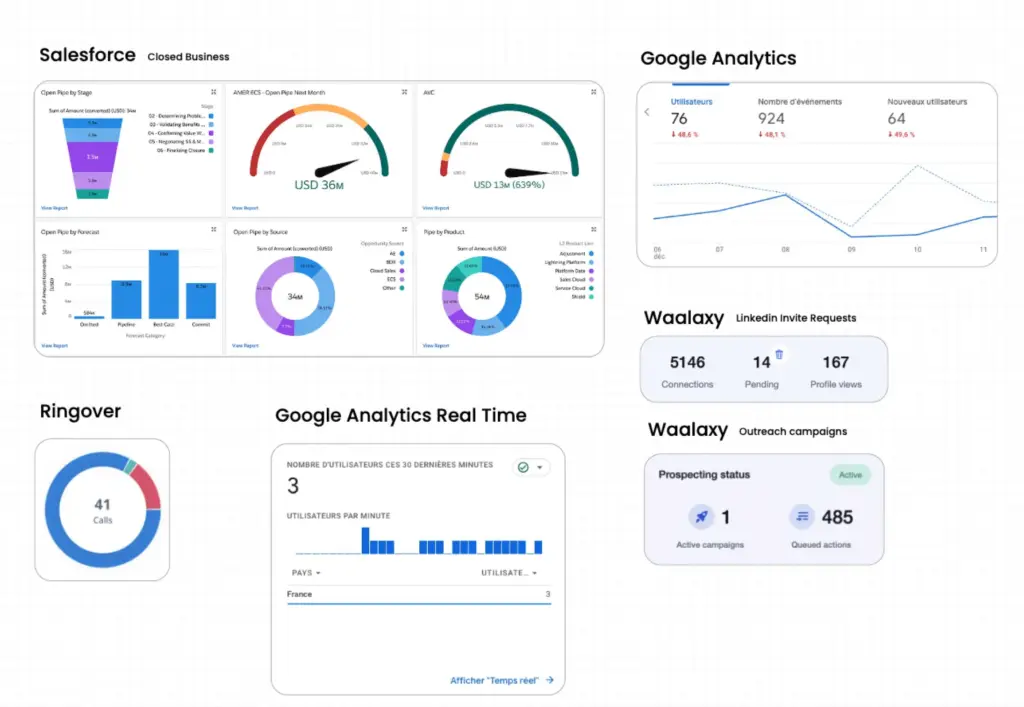
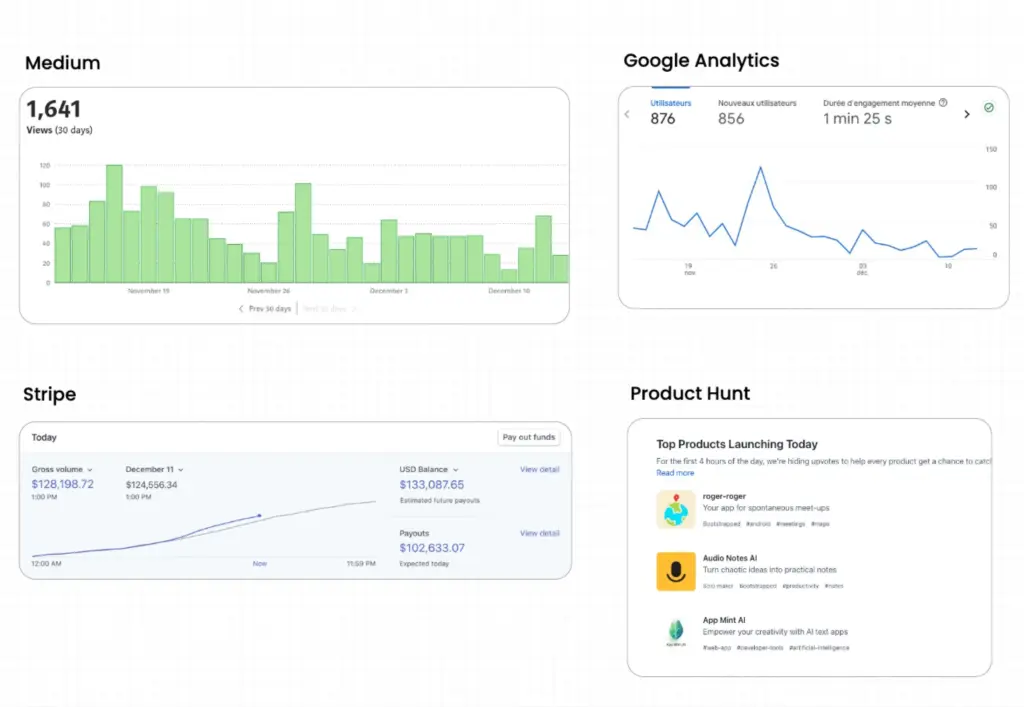
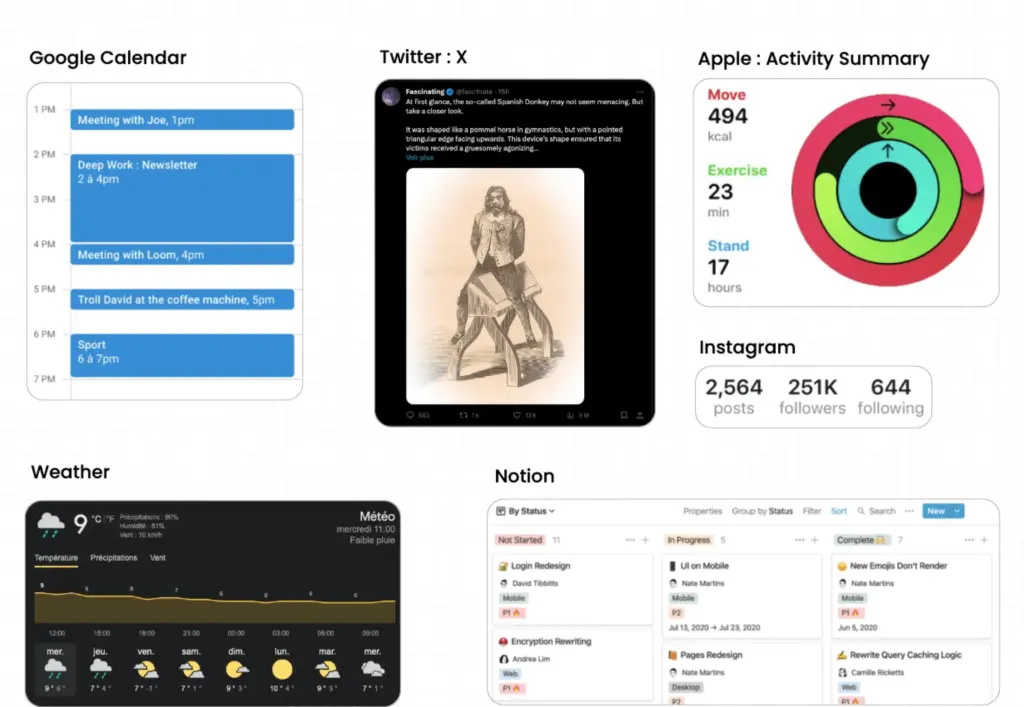
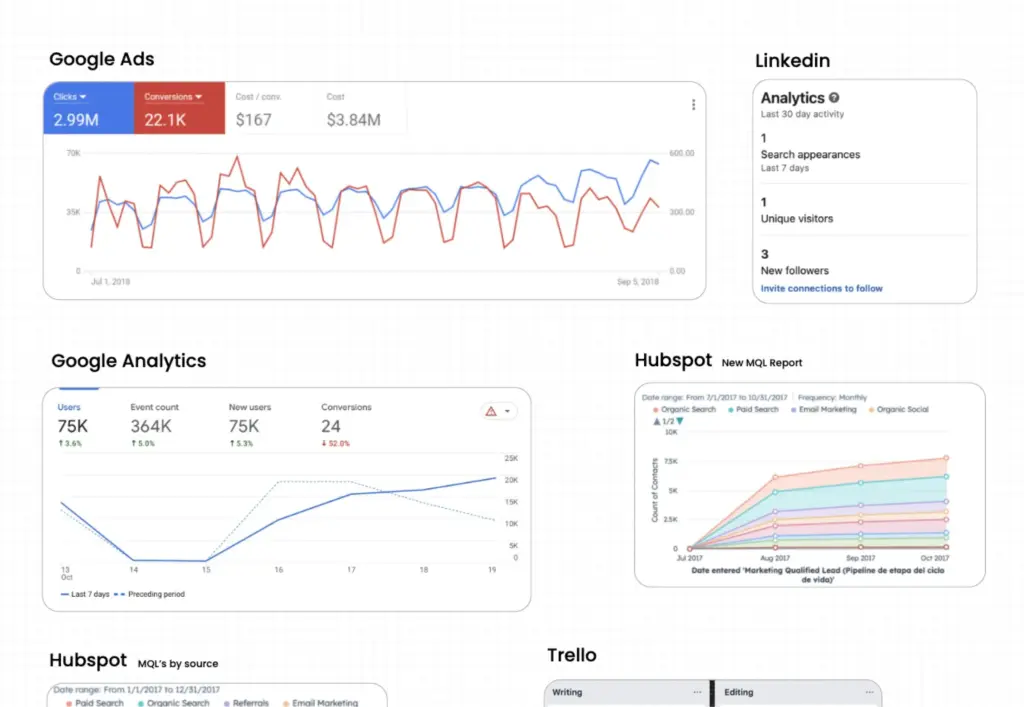
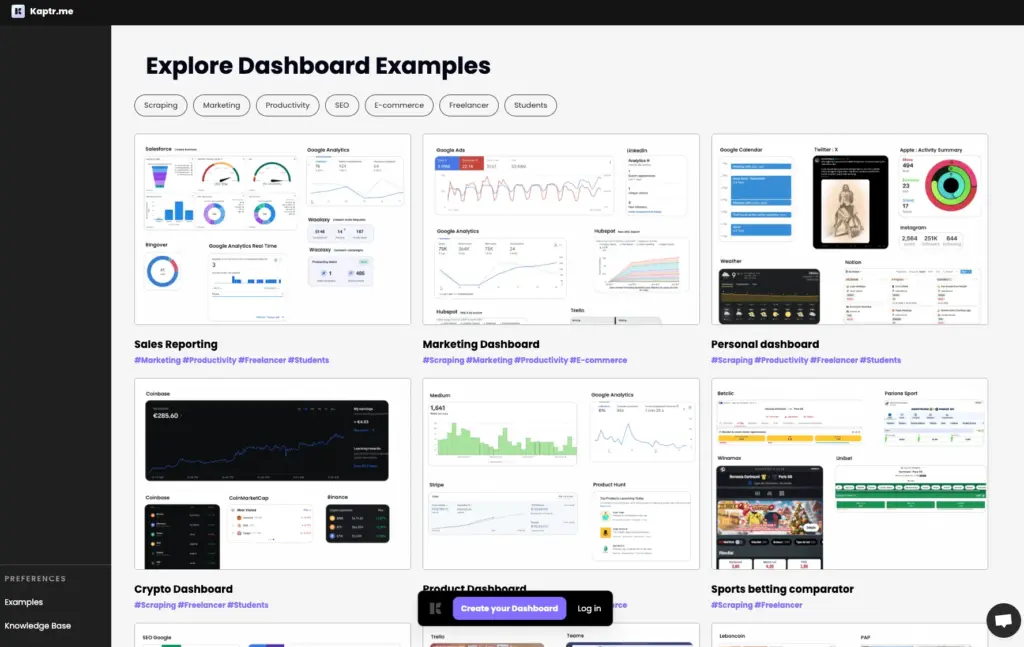
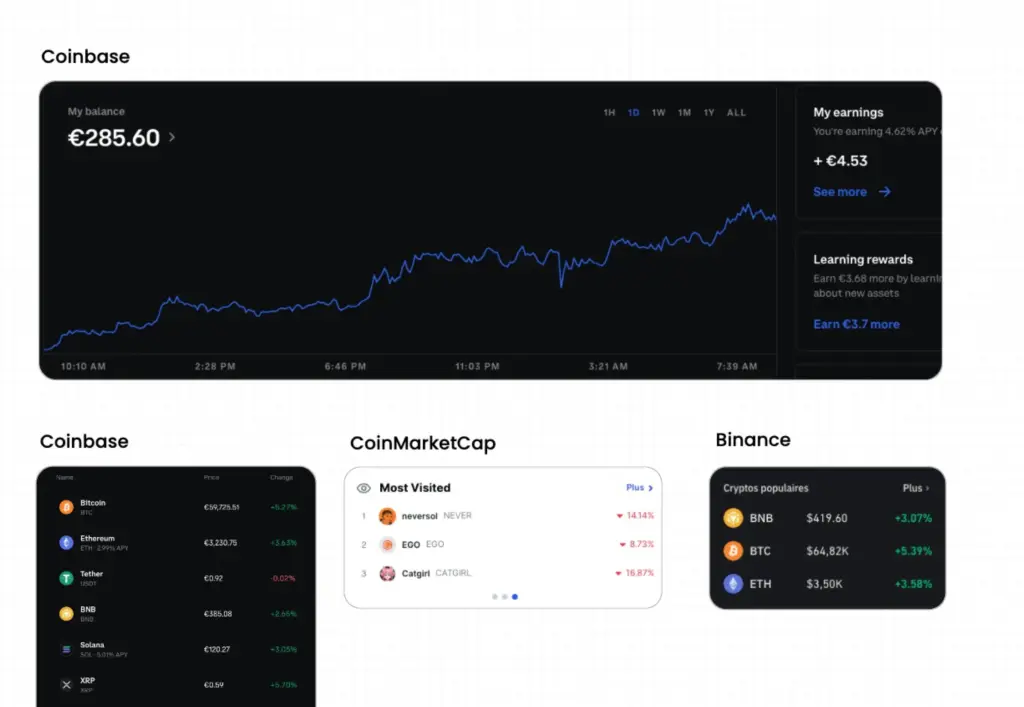
A Preview Of Kaptr.Me – Web Snapshot Tool:
Customer Testimonials:
Deal Terms:
How to download/activate this product?
After completing your purchase, you will receive an instructions document. Follow the instructions in this document to redeem the coupon code and activate your subscription.
What is the validity of the license key/coupon code? (Within how many days the coupon code must be redeemed?)
The coupon code must be redeemed within 7 days from the date of purchase.
Is a Lifetime Subscription available for this product?
Yes, a Lifetime Subscription* is available for this product.
*LIFETIME MEANS LIFETIME OF THE PRODUCT.
We strive to provide our customers with high-quality products that offer longevity, but unfortunately, some products are acquired or go bankrupt. Many of these products are from startup companies, offering our customers a great deal. However, in an unfortunate situation where the product does not last long, there is not much DealFuel can do about it.
Are Updates available for this product?
Yes, Updates are available for FREE for this product.
Is support available for this product?
Yes, Free support is available for this product.
For support contact – [email protected].
Is this deal exclusive to new users?
Yes, this deal is available only to NEW users of Kaptr.Me.
How many users can use the license key/coupon code?
One coupon code can be used for one user/account.
Are the coupon codes stackable?
No, the coupon codes are NOT stackable.
Can this product be accessed on all devices?
Yes, Kaptr.Me can be accessed on all devices, provided they have a stable internet connection.



Reviews
There are no reviews yet.