Waiting to discover issues after users report them is no longer an option. Stay ahead with –
Monitor – All-In-One Uptime Monitoring Tool
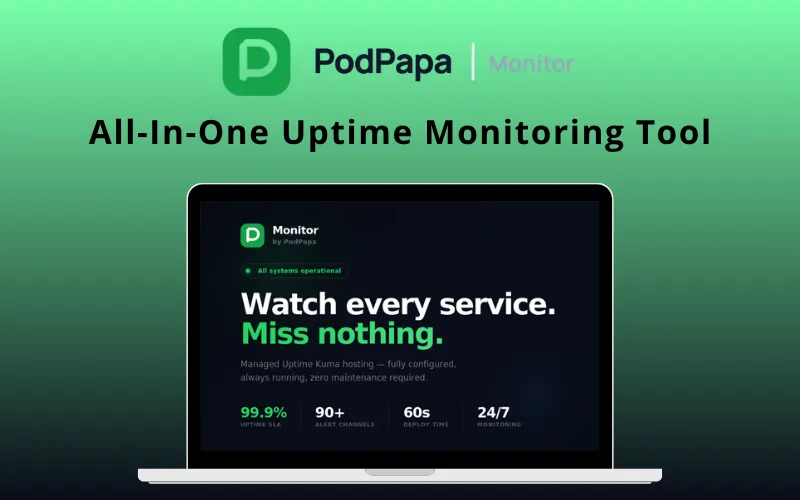
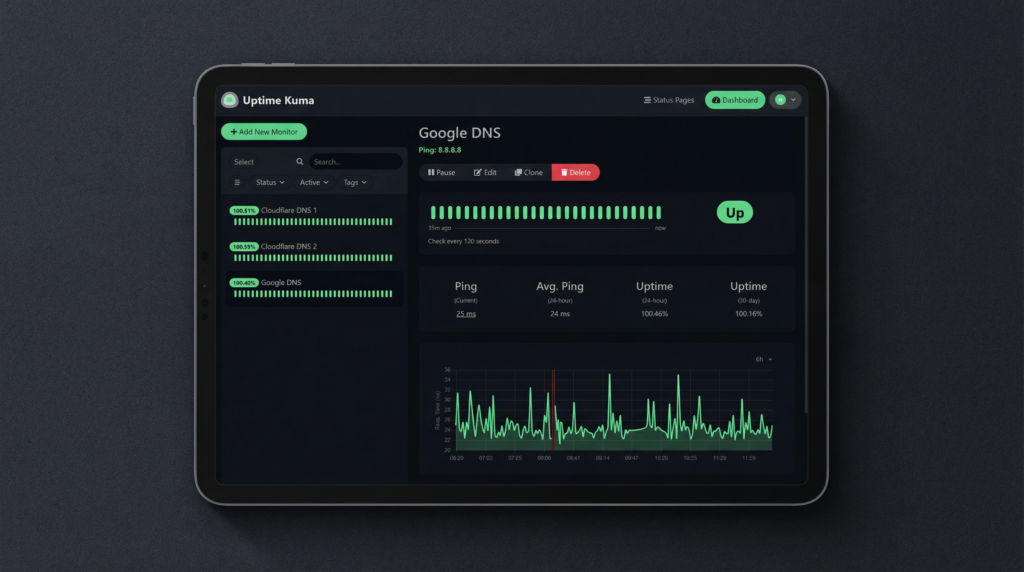
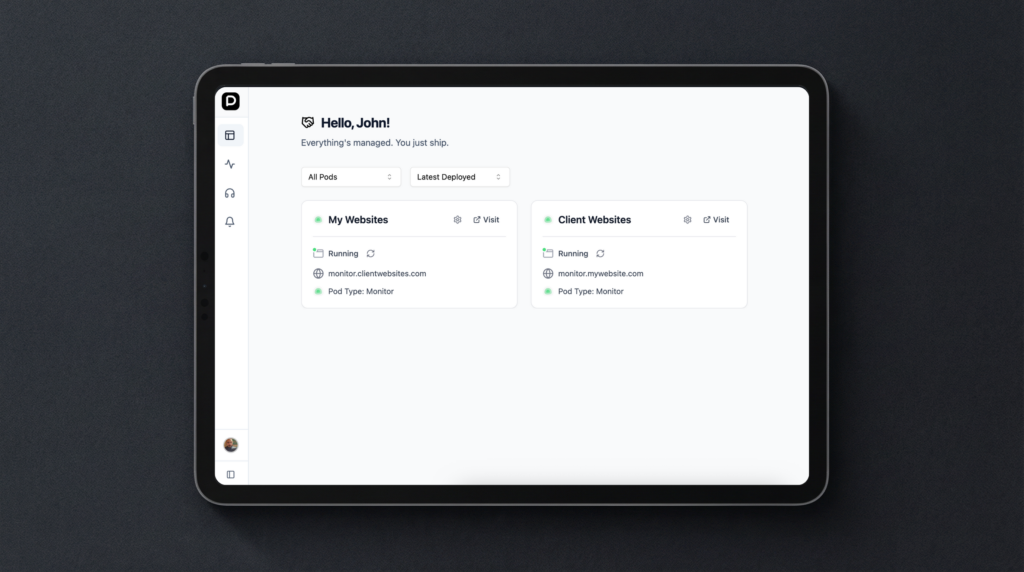
Monitor by PodPapa is a fully managed hosting solution built on Uptime Kuma. It is designed to keep your Websites, APIs, and Services online without dealing with servers or setup.
It gives you enterprise-level monitoring with zero configuration.
With Monitor, you get –
- Real-time alerts
- Performance tracking
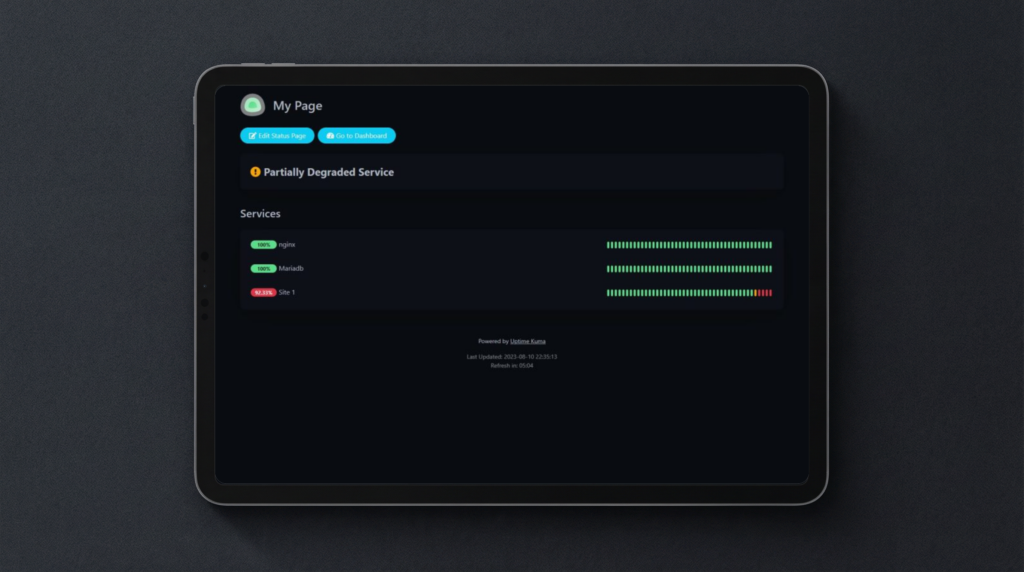
- Custom status pages
all in one place, without needing technical expertise.
Instead of configuring servers and maintaining infrastructure, you get a ready-to-use system that starts monitoring in seconds and alerts you instantly when issues arise.
With support for 90+ notification channels, advanced monitoring types, and a fully managed infrastructure, Monitor is an ideal solution for reliable uptime monitoring without the overhead.
Features Of Monitor – Uptime Monitoring Tool:
24/7 Monitoring & Instant Alerts:
- Continuous monitoring of websites, APIs, servers, and infrastructure with checks as frequent as every 20 seconds.
- Instant alerts across 95+ channels including Email, Slack, Telegram, Discord, PagerDuty, and Webhooks.
- Multi-channel notifications per monitor to ensure no incident is missed.
- Smart alerting with auto-retry to reduce false positives and ensure accurate downtime detection.
Fully Managed Setup (Zero Configuration):
- Managed instance powered by Uptime Kuma, fully deployed and maintained by PodPapa.
- No servers, setup, or maintenance required, live in under 60 seconds.
- Automatic updates, backups, security, and infrastructure handling included.
- 99.9% uptime SLA with high-availability infrastructure.
Comprehensive Monitoring Capabilities:
- Monitor HTTP/HTTPS websites, REST APIs, TCP ports, Ping (ICMP), DNS records, and SSL certificates.
- Advanced checks including keyword monitoring, JSON validation, HTTP headers, and status code verification.
- Support for Docker containers, databases, gRPC services, MQTT, and heartbeat (push) monitoring.
- Proxy support for monitoring internal or restricted services.
Performance Tracking & Reporting:
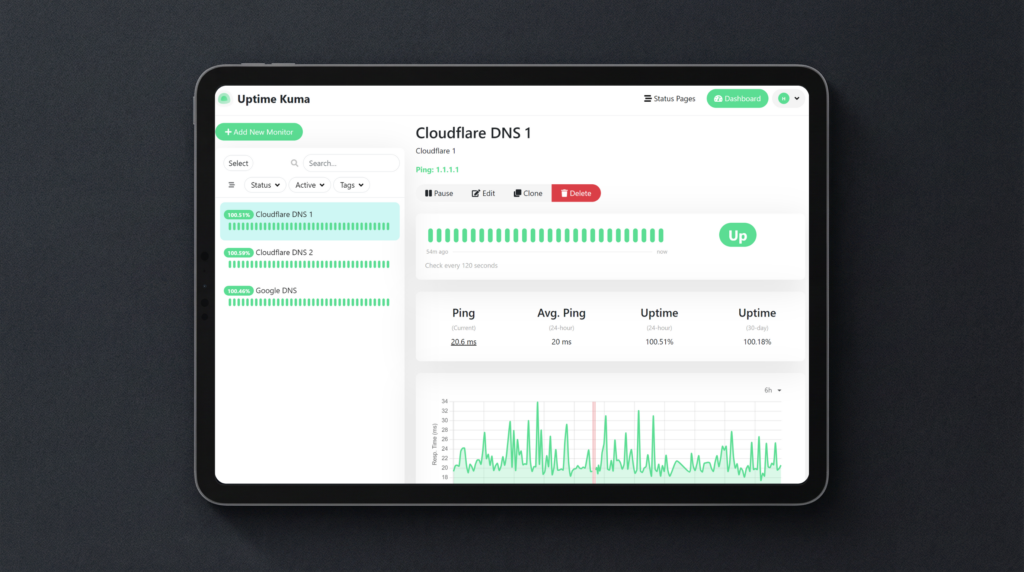
- Track response times, latency trends, and uptime performance with full historical data.
- Real-time dashboard with live updates across all monitors and services.
- Detailed incident logs with timestamps, duration, and root cause tracking.
- Exportable reports for team sharing and analysis.
SSL & Domain Monitoring:
- Track SSL/TLS certificate validity, expiry, and issuer details across domains.
- Multi-stage alerts (30, 14, 7 days) before certificate expiration.
- Full TLS validation to detect misconfigurations and trust issues.
- Automatic SSL (HTTPS) enabled by default for all instances.
Custom Status Pages & Incident Communication:
- Create multiple public or private status pages with custom domains and branding.
- Display uptime history, grouped services, and real-time service status.
- Share live incident updates, maintenance notices, and progress on resolutions.
- Password-protected pages for internal or client-specific visibility.
Team Collaboration & Security:
- Multi-user access with role-based permissions (Admin/Viewer).
- Two-factor authentication (2FA) for secure account access.
- Multi-language interface for global teams and accessibility.
Automation & Developer Integrations:
- Full REST API access for automation, CI/CD integration, and custom workflows.
- Webhook support to connect with any external system or tool.
- Import/export monitor configurations via JSON for easy backup or migration.
Flexible Monitoring Controls:
- Custom check intervals ranging from 20 seconds to once per day per monitor.
- Maintenance scheduling to pause alerts during planned downtime.
- Monitor grouping, tagging, and organization for better management.
Advanced Infrastructure Monitoring:
- Docker container health monitoring via Docker API.
- gRPC service health checks for microservice architectures.
- MQTT monitoring for IoT systems and message brokers.
- Heartbeat monitoring for cron jobs and background processes.
Additional Features:
- Real-time dashboard with live status, metrics, and alerts.
- Response time tracking with performance history charts.
- Dark and light mode support.
- Alerts delivered within seconds of confirmed issues.
- 95+ integrations including chat, incident, and webhook tools.
- Multi-channel alerts per monitor.
- Powered by Uptime Kuma (trusted by 500,000+ developers).
- Secure, container-ready, and fully managed infrastructure.
- 24/7 human support available.
Specifications:
- Powered by: Uptime Kuma (latest stable)
- Deployment time: Under 60 seconds
- Hosting: Fully managed cloud infrastructure
- Subdomain: yourname.apps.podpapa.com
- Custom domain: Supported (CNAME setup)
- SSL certificate: Automatic via Let’s Encrypt
- Uptime SLA: 99.999%
- Monitor types: HTTP/HTTPS, TCP, Ping, DNS, SSL, Docker, databases, and more
- Notification channels: 90+ (Slack, Telegram, Discord, Email, Webhook, PagerDuty, etc.)
- Status pages: Multiple per instance
- 2FA: Supported
- API access: Supported
- Maintenance windows: Supported
- Monitor groups & tags: Supported
- Data ownership: 100% yours
- Updates & patches: Managed by PodPapa
- Support: 24/7 via support portal
- Platform: Web-based, mobile-friendly
Preview Of Monitor by PodPapa:


Testimonials:
Q&A:
What exactly does Monitor check?
Websites (HTTP/HTTPS), REST APIs, TCP ports, DNS records, ping (ICMP), keyword presence, plus Docker containers and databases.
How quickly will I be notified of downtime?
Monitoring runs every 20 seconds, with alerts sent within seconds of detecting an issue.
Do I need to set up any servers?
No. It’s fully managed – no setup, maintenance, or infrastructure handling needed.
What notification channels are supported?
95+ channels, including Telegram, Email, Slack, Discord, PagerDuty, Webhooks, and more.
Can I create public status pages?
Yes. Create and customize multiple status pages to share real-time updates during incidents or maintenance.
What technology powers Monitor?
It runs on Uptime Kuma, an open-source monitoring tool, fully managed on PodPapa infrastructure.
Deal Terms:
How to download/activate this product?
After completing your purchase, you will receive an instructions document. Follow the instructions in this document to redeem the coupon code and activate your subscription.
What is the validity of the license key/coupon code? (Within how many days the coupon code must be redeemed?)
The coupon code must be redeemed within 30Â days from the date of purchase.
Is a Lifetime Subscription available for this product?
Yes, a Lifetime Subscription* is available for this product.
*LIFETIME MEANS LIFETIME OF THE PRODUCT.
We strive to provide our customers with high-quality products that offer longevity, but unfortunately, some products are acquired or go bankrupt. Many of these products are from startup companies, offering our customers a great deal. However, in an unfortunate situation where the product does not last long, there is not much DealFuel can do about it.
Are Updates available for this product?
Yes, Updates are available for FREE for this product.
Is support available for this product?
Yes, Free support is available for this product.
For support contact – [email protected].
Is this deal exclusive to new users?
No, this deal is available to both the NEW & EXISTING USERS of Montior by PodPapa.
How many users can use the license key/coupon code?
One coupon code can be used for one user/account.
Are the coupon codes stackable?
No, the coupon codes are NOT stackable.
Can this product be accessed on all devices?
Yes, Montior can be accessed on all devices, provided they have a stable internet connection.


Reviews
There are no reviews yet.