Nero – AI Video Upscaler Pro

TL;DR

  • Transform blurry, low-resolution videos into sharper, higher-quality footage with AI-powered upscaling.
  • Restore old recordings, archived videos, and compressed clips without spending hours on manual editing.
  • Improve video quality for YouTube, social media, presentations, and professional projects in just a few clicks.
  • Save time with AI-powered automated enhancement, noise reduction, and detail restoration.
  • Get professional-looking results without advanced video editing skills or expensive software.
  • Enjoy lifetime access with a one-time payment and no recurring subscription costs.

Quick Overview

Alternative to:

  • AVCLabs Video Enhancer AI
  • HitPaw VikPea
  • Pixop
  • TensorPix
  • Topaz Video AI
  • UniFab Video Enhancer AI
  • Video2X

Best for:

  • Content Creators
  • Digital Marketers
  • Educational Trainers
  • Filmmakers
  • Media Archivists
  • Small Business Owners
  • Social Media Managers
  • Video Editors
  • YouTubers

Compatibility:

  • Operating Systems:
    Windows

Refine old videos, upgrade animations, or produce content for high-res platforms, using Nero AI Video Upscaler Pro.


What is Nero AI Video Upscaler Pro?


Nero AI Video Upscaler Pro is an AI-powered video upscaler that upgrades your footage to 4K or even 8K resolution in just a few clicks.


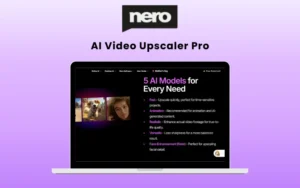
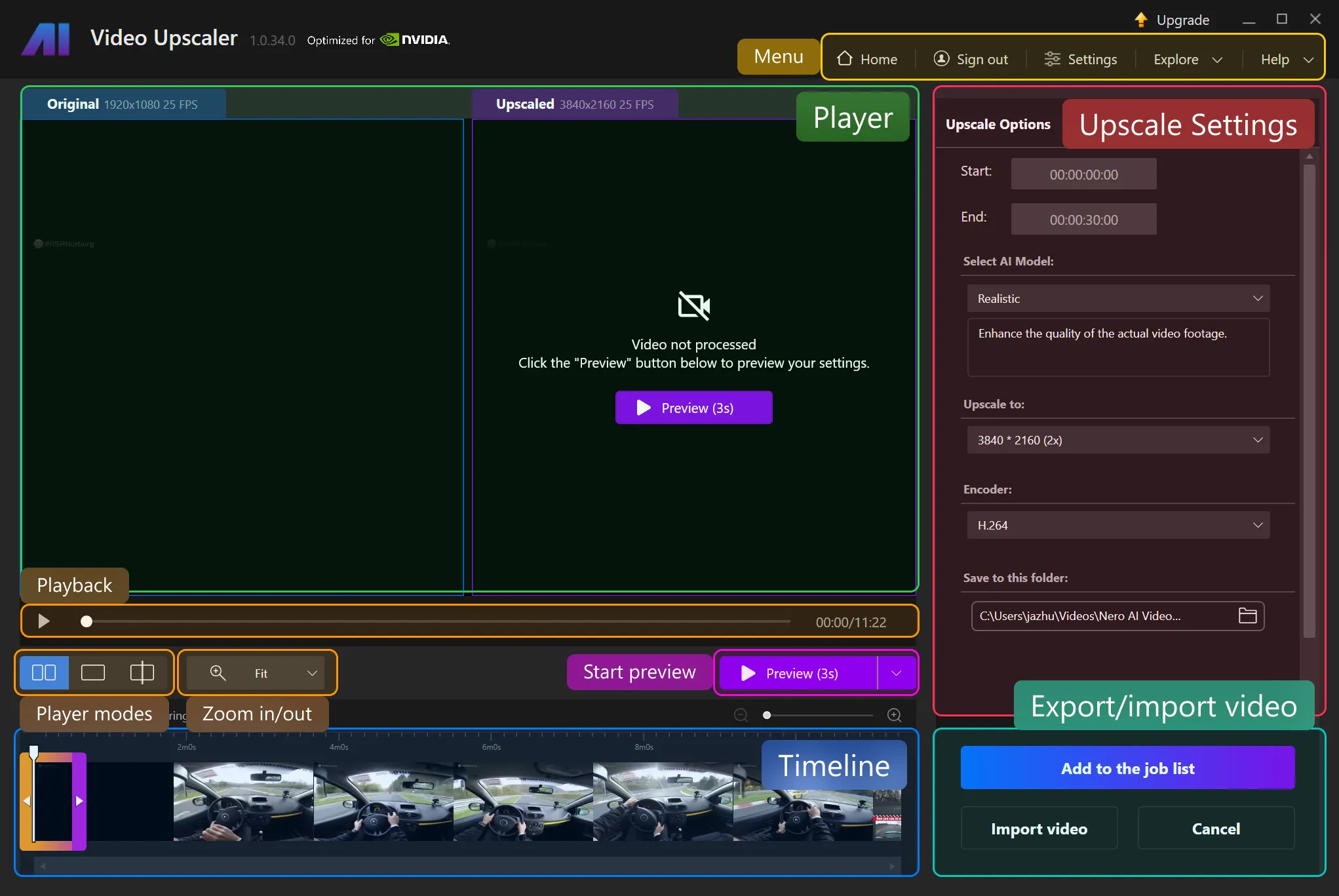
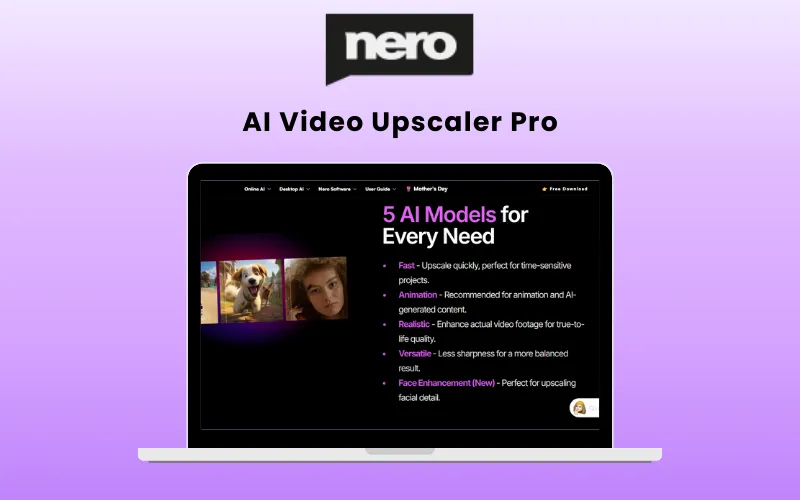
Nero AI allows you to set your upscale options with five powerful AI models, each tailored for different video types. They are:

  • Fast: general-purpose model, fast processing speed.
  • Animation: special model for 2D cartoon or animation video enhancement.
  • Realistic: special model for reality video footage.
  • Versatile: It will enhance video quality while preserving sharpness and retaining more details.
  • Restoration (New): restores microdetails in video footage.


It supports MP4, AVI, MOV, and WMV video formats and allows users to export videos in various formats, to various folder locations, and at resolutions ranging from 720*576 to 7680*4320 (11 options).


It also allows you to set the video encoder: H.264 for more compatibility, H.265 for better size efficiency


You can easily upscale old footage, anime, live-action clips, or social content, and bring clarity, sharpness, and vividness back to them.


How to Import Videos?

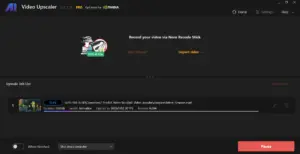
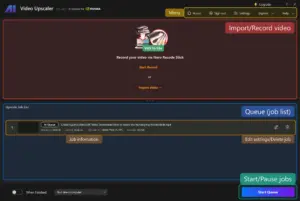
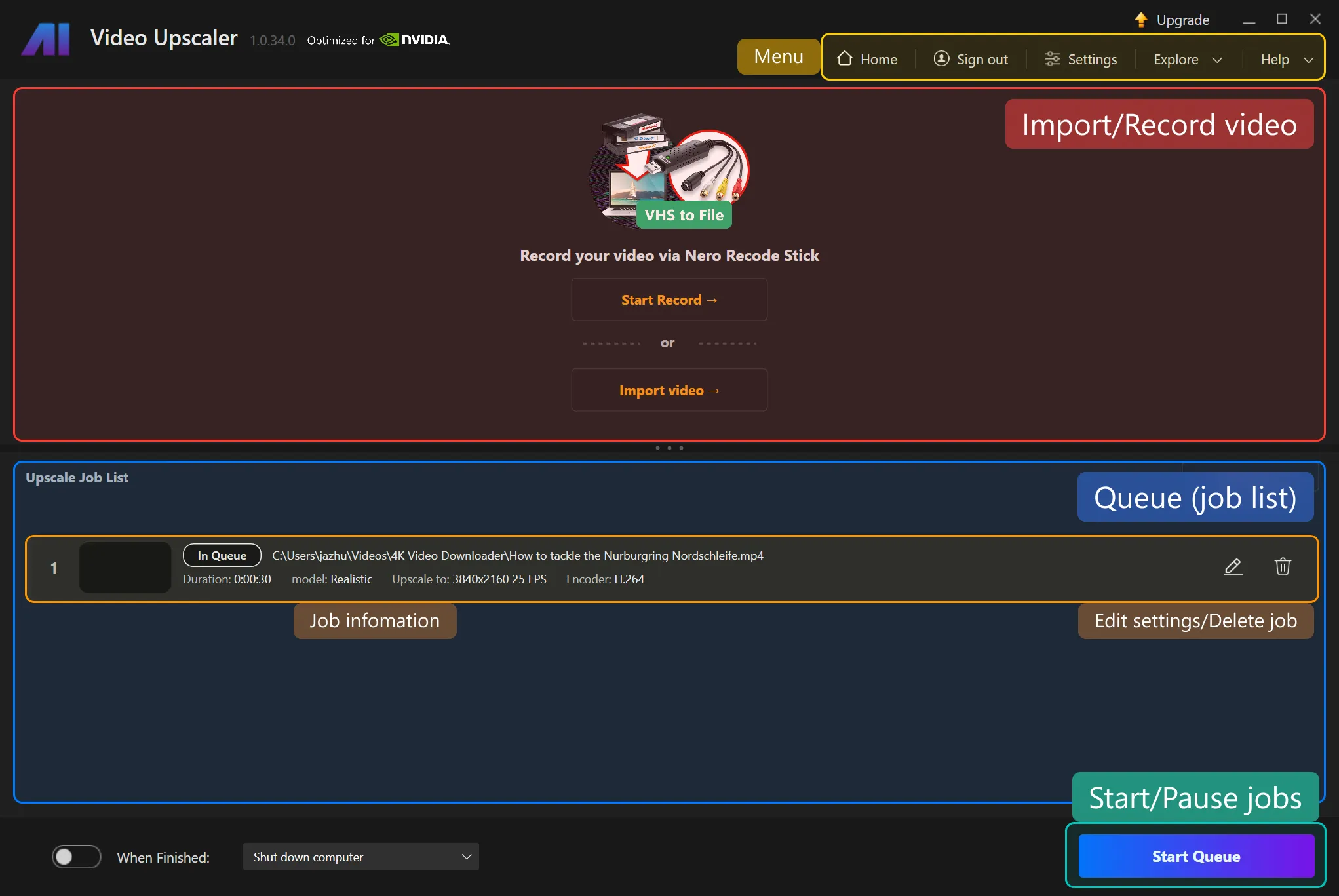
  1. Recording a video: via Nero Recode Stick or other video input sources, such as a camera.
  2. Importing a video: By opening a video file to import into the application. Or simply drag and drop. For multiple video files, you can drag and drop the folder containing them, or open multiple files.


Formats Supported:

  • 3GP (3g2, .3gp, .3gp2, .3gpp)
  • Advanced Streaming Format (.asf, .wma, .wmv)
  • AVI (.avi)
  • MPEG-4 (.m4a, .m4v, .mov, .mp4)
  • Matroska Video (.mkv)
  • DV Video
  • H.264
  • H.263
  • MJPEG
  • MPEG-4 Part-2/v1/v2/v3
  • Windows Media Video (WMV)
  • HEVC*
  • AV1*
  • VP9*
  • MPEG-2*


*Requires installing additional Video Extensions from Microsoft Store.

Introduction to Nero AI Video Upscaler Pro:

Youtube video

Features Of Nero AI Lifetime Deal:

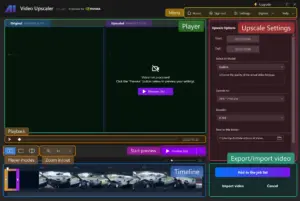
<b>Dashboard</b>

AI Upscaling and Restoration:

  • Easily converts SD, 720p, and 1080p videos into 4K or even 8K while restoring lost details.
<b>AI Frame Interpolation and Slow Motion</b>

AI Frame Interpolation and Slow Motion:

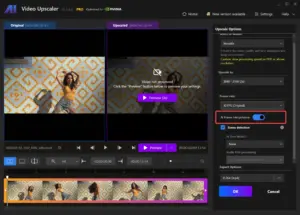
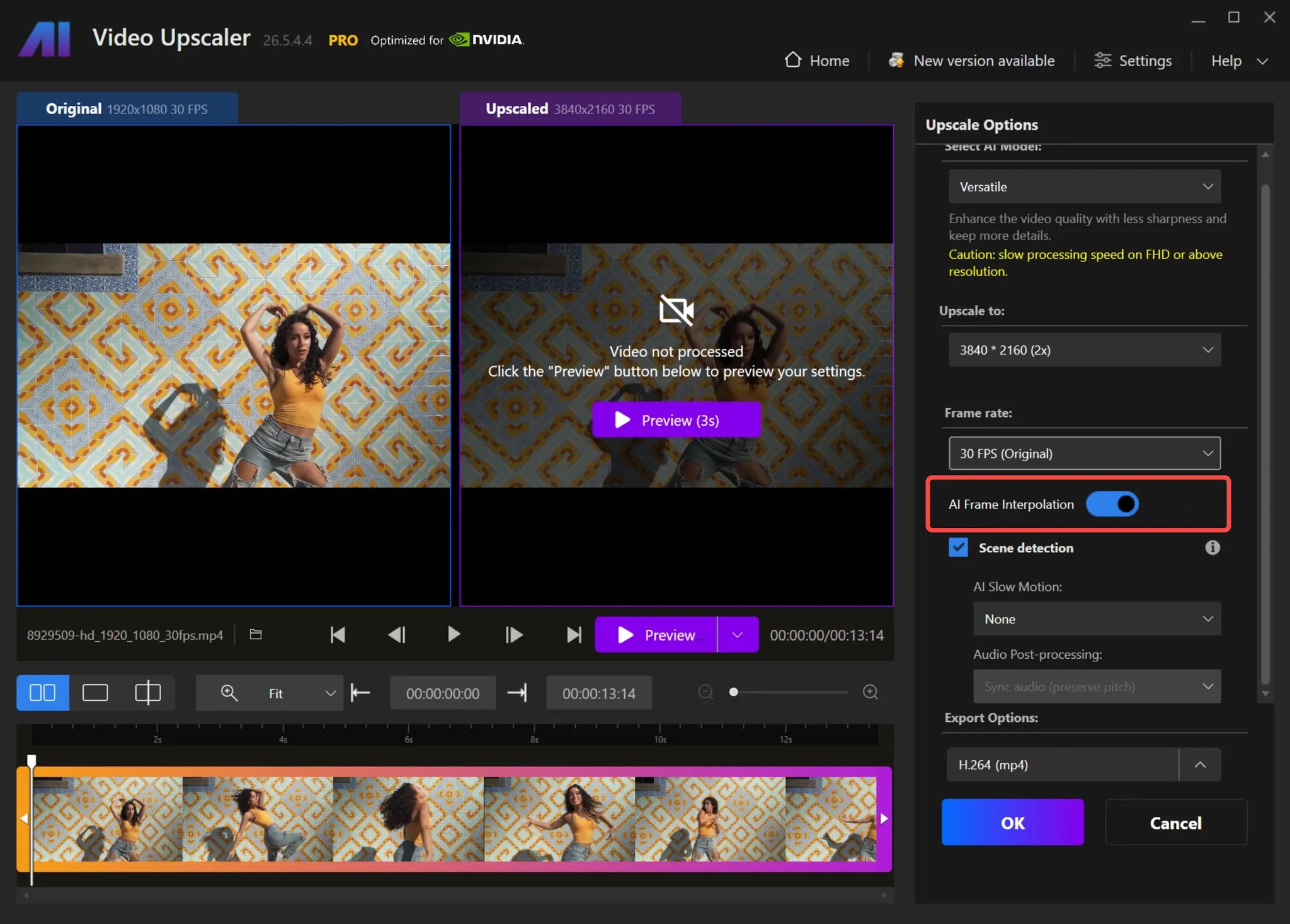
  • Allows you to choose your desired frame rate from the drop-down menu, with options ranging up to 120 FPS.
  • Lets you customize the audio settings by selecting either Preserve Pitch or Do Not Preserve Pitch based on your preference.
<b>File Preview</b>

4K Upscaling:

  • Effortlessly brings anime characters and cartoons to life using AI.
<b>Export File</b>

Presets Upscaling:

  • Allows you to craft your own presets or choose from factory presets to start your projects.
  • Provides an option to save the current video settings as a preset, allowing you to reuse them for other videos. Just open the “Presets & Settings” menu to save the current settings as a preset.
<b>AI Frame Interpolation and Slow Motion</b>

AI Frame Interpolation:

  • Analyzes video frames and fills in the gaps to increase the frame rate, making the videos look smoother and more fluid.
<b>Before and After Quality Comparison</b>

Face Enhancement Model:

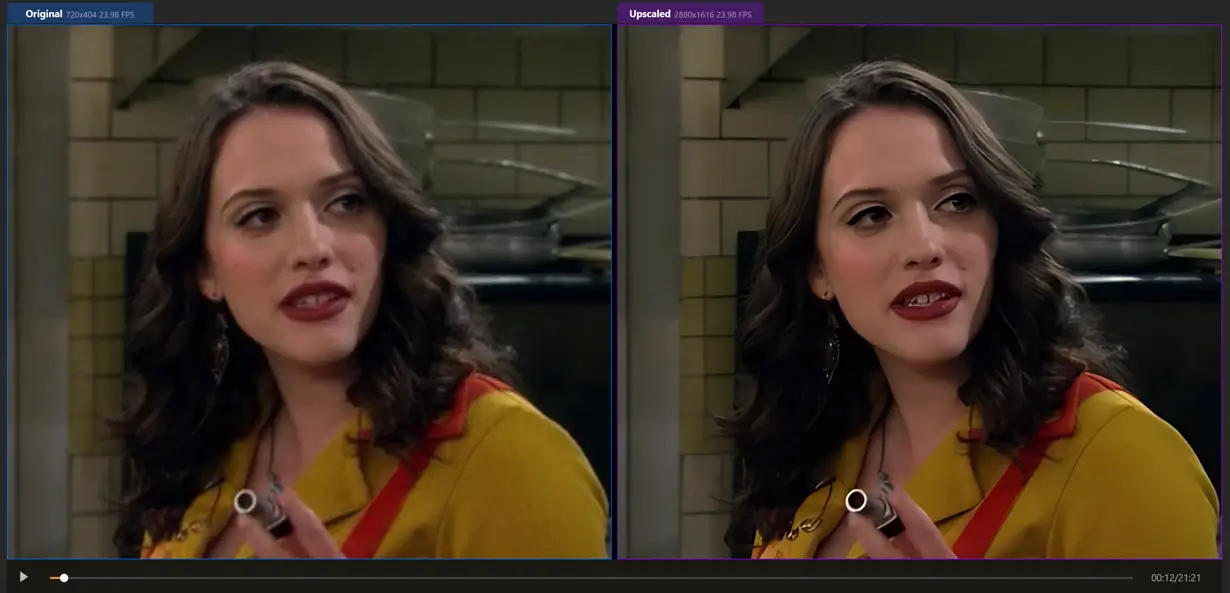
  • Improves the clarity and detail of faces in the videos with a specialized upscaling algorithm.
<b>File Preview</b>

New Color Adjustment:

  • Allows for adjusting brightness, contrast, and colors to fix dull or overly dark videos.
<b>Import File</b>

Batch Processing:

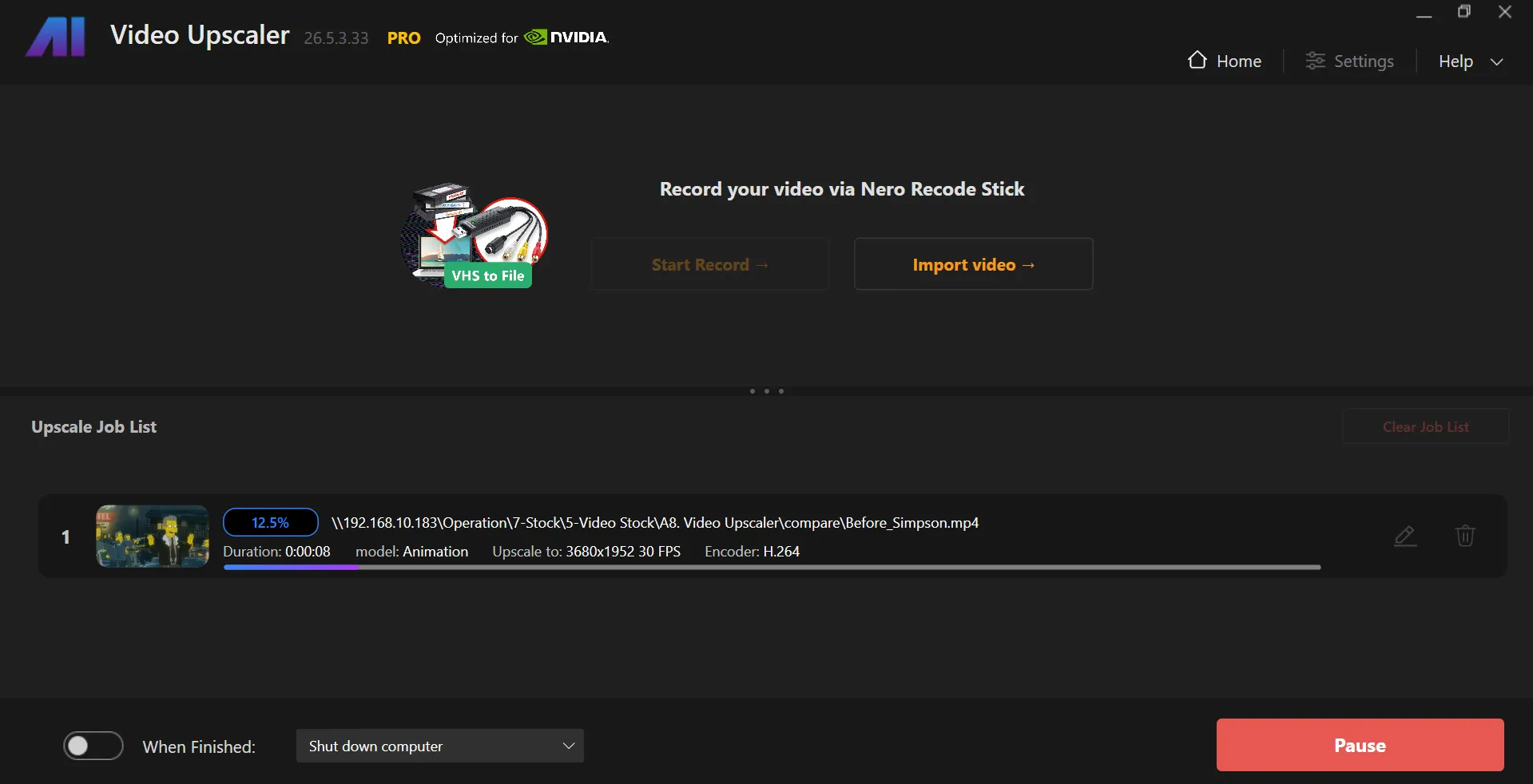
  • Uses AI to upscale multiple videos at once, saving hours of work.
<b>AI Frame Interpolation and Slow Motion</b>

Real-Time Preview:

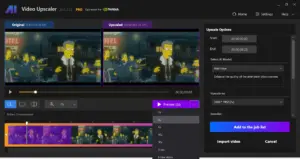
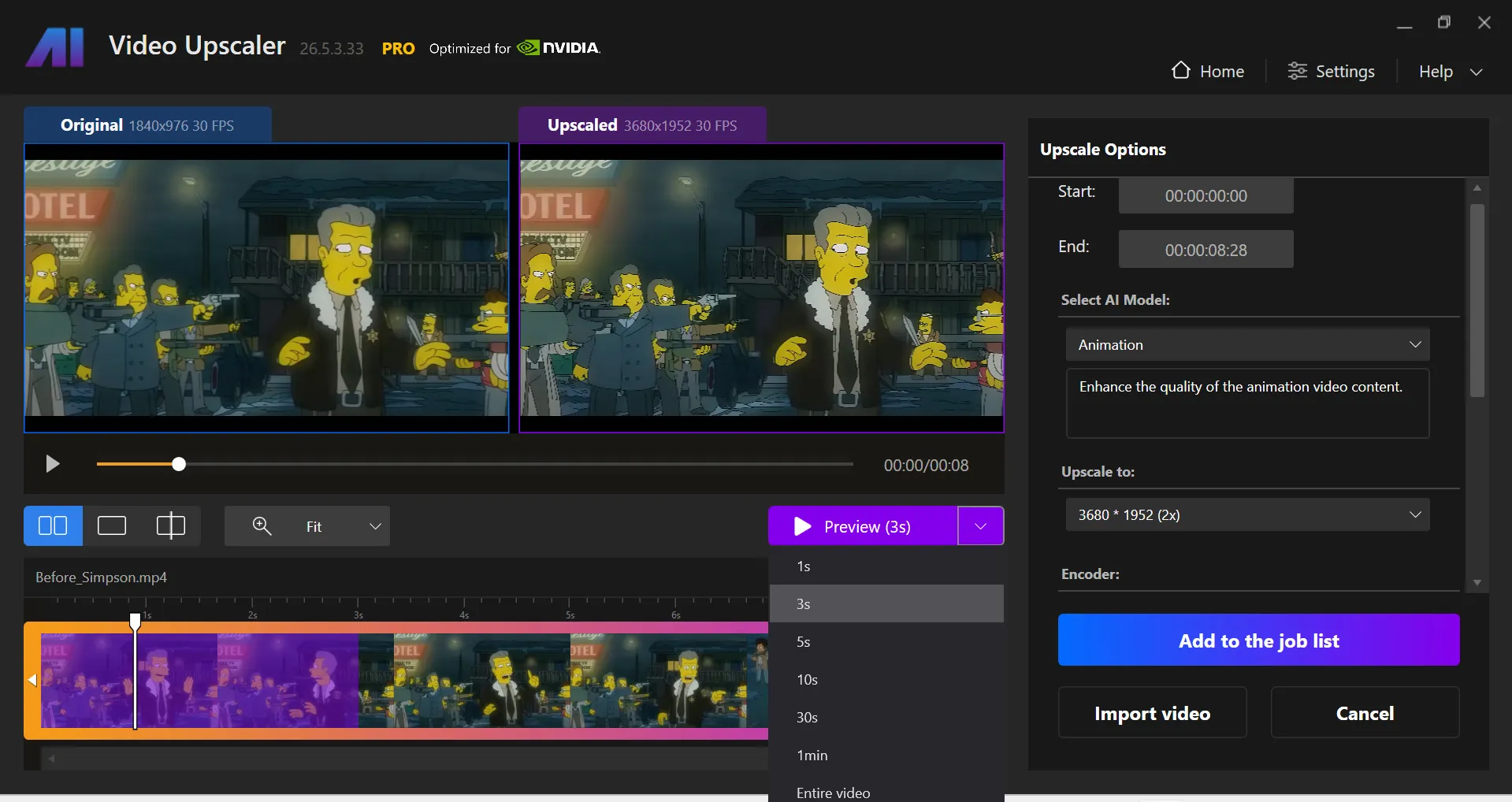
  • Provides a real-time side-by-side comparison of the original video and the upscaled/enhanced version.
  • Allows you to generate a preview, select the desired resolution and output settings, and press the Preview button.
  • Provides options for previews ranging from 1s, 3s, 5s, 10s, 30s,  1min,  to the whole video.
  • Allows you to adjust the view and zoom to inspect the results.
<b>Import File</b>

Optimized for Speed with GPU Acceleration:  

  • Uses NVIDIA and AMD GPUs to speed up video processing.
<b>Dashboard</b>

Time-Saving Workflow:

  • Allows for enhancing specific parts of a video without pre-cutting.
<b>Dashboard</b>

New – Restoration Model:

  • Allows you to enhance fine details and make textures look sharper than ever.
<b>File Preview</b>

Time Estimation:

  • Lets you know when your upscaling will be done, so you can plan your work accordingly.

Why Choose Nero AI Video Upscaler Pro?

  • Upscale low-resolution videos to higher resolutions and achieve sharper, more professional-looking results.
  • Enhance old, blurry, or compressed footage and restore lost visual details with AI-powered processing.
  • Improve video quality for YouTube, social media, presentations, and client projects without advanced editing skills.
  • Convert SD and HD videos into clearer, more modern-looking content suitable for today’s displays.
  • Reduce noise, artifacts, and visual imperfections for cleaner and more polished footage.
  • Restore archived family videos and preserve important memories with improved clarity and detail.
  • Upgrade older content for larger screens, monitors, and TVs without sacrificing viewing quality.
  • Save hours of manual editing by automating video enhancement and upscaling with AI.
  • Create more engaging videos that look sharper and more professional to viewers and clients.
  • Process videos locally on your computer, giving you greater control over your content and workflow.
 

System Requirements:

  • Operating System: Windows 10 (64-bit) or Windows 11 (64-bit)
  • Memory (RAM): Minimum 8GB, Recommended 32GB or more
  • Graphics Card (GPU): *
  • Minimum: AMD Radeon 500 Series or NVIDIA GTX 900 Series (4GB VRAM) for Full HD to 4K *
  • Recommended: AMD Radeon RX 6700 XT or NVIDIA RTX 3060 (12GB VRAM) for 4K to 8K
  • Processor (CPU): AMD Ryzen or Intel Core (2017 or later)
  • Storage: 20GB free disk space

Best For:

  • Content Creators
  • Digital Marketers
  • Educational Trainers
  • Filmmakers
  • Media Archivists
  • Small Business Owners
  • Social Media Managers
  • Video Editors
  • YouTubers

Choose Your Plan

With DealClub
$118.15
$195.00
Without DealClub
$139.00
$195.00
Buy Now
Limited Time Deal

Deal Terms

  • Access via redemption of coupon code
  • 30 Day Coupon Code Validity
  • One Coupon Code for one user/account
  • Coupon Codes are not stackable
  • For both - New & Existing Users
  • Free Updates
  • Free Support
  • Accessible only on Desktop

Customer Testimonials

With the right AI model, I was able to turn 720p clips, into clean, crisp 4K.

-The DIY Video Editor

I was able to upscale old home footage to 1080p with great results, much better than I expected.

-mysolutions.tech

It reduces noise and grain, so it's not just the resolution that improves - the entire video feels refreshed.

-Steve Litchfield

Plans & Features

Choose the perfect plan for your needs.

Plans & Features
Standard
$195 $139
Buy Now
License

1 PC

Features

All features unlocked

Access

Lifetime

Latest Upgrade

2026 Version

Standard Plan

$195.00 $139.00
Buy Now
30-Day Refund | Lifetime Access | One-time Payment
  • License: 1 PC
  • Features : All features unlocked
  • Access: Lifetime
  • Latest Upgrade: 2026 Version

Frequently Asked Questions

Find answers to common questions about Nero AI LTD

Does it reduce video noise?

Yes, AI automatically removes noise and improves clarity.

Is an internet connection required?

No, processing is done locally on your PC.

Does it work with GPU acceleration?

Yes, it supports NVIDIA and AMD GPUs for faster processing.

Can beginners use it?

Yes, its simple interface makes enhancement easy.

Does it integrate with video editing software?

No, it's a standalone desktop application.

Customer Feedback

Customer Reviews (0) Customer Q&A (0)

No Reviews Yet

Be the first to try this deal and share your experience.

You must purchase this product to leave a review.

Be The First To Ask

Get clarity before you buy—your question might help others too.

×

You Might Also Like

FOCUS Projects 4 Professional - Focus Stacking Software | Lifetime Access

FOCUS Projects 4 Professional - Focus Stacking Software | Lifetime Access

, , , , , , ,

EaseUS - Online Video Downloader For Windows & MacOS | Annual & Lifetime Plans

EaseUS - Online Video Downloader For Windows & MacOS | Annual & Lifetime Plans

, , , , , , , ,

SoftOrbits - Video Converter Software | Lifetime Access

SoftOrbits - Video Converter Software | Lifetime Access

, , , , , , ,

Wideo Pro - Create Instant Videos & Presentations | Lifetime Access

Wideo Pro - Create Instant Videos & Presentations | Lifetime Access

, , , , , ,

Buy with DealClub
$118.15 $195.00
Buy without DealClub
$139.00 $195.00

Deal Terms

  • Access via redemption of coupon code
  • 30 Day Coupon Code Validity
  • One Coupon Code for one user/account
  • Coupon Codes are not stackable
  • For both - New & Existing Users
  • Free Updates
  • Free Support
  • Accessible only on Desktop
Scroll to Top