Open Time Clock – Employee Time Tracking Software | Annual subscription

TL;DR

  • Track employee working hours and attendance with a simple digital time-clock system.
  • Make it easier for teams to record clock-ins, clock-outs, and working time accurately.
  • Reduce manual time tracking and administrative work by keeping employee hours organized digitally.
  • Improve visibility into staff working hours to support better workforce and productivity management.

Quick Overview

Alternative to:

  • Clockify
  • Connecteam
  • Deputy
  • Jibble
  • QuickBooks Time

Best for:

  • Agencies
  • Recruiters
  • Small Business Owners
  • Startups

Compatibility:

  • Browser Support:
    Brave, Chrome, Edge, Firefox, Safari

Managing employee time and attendance with timesheets and spreadsheets can be frustrating. But we have the solution! Say goodbye to the old ways and hello to Open Time Clock.

What is Open Time Clock?

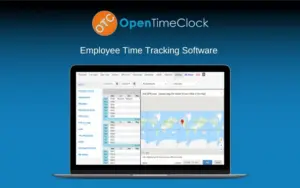
Open Time Clock is a powerful and easy-to-use online time clock software designed for businesses of all sizes. It allows you to manage employee time and attendance effectively. 

With Open Time Clock, you can – 

  • Monitor and analyze employee work hours
  • Monitor paid time off
  • Track project time

This employee time clock provides a reliable and user-friendly solution for businesses to streamline time management and improve payroll accuracy.

What’s more? It offers ten login and management tools to make your experience easier and smoother!

Introduction To Open Time Clock

Youtube video

Open Time Clock Features:

flexible-clock-in-options

Flexible Employee Clock-Ins:

Let employees clock in using face recognition, PINs, QR codes, barcodes, RFID, or usernames.
gps-location-tracking

GPS & Attendance Verification:

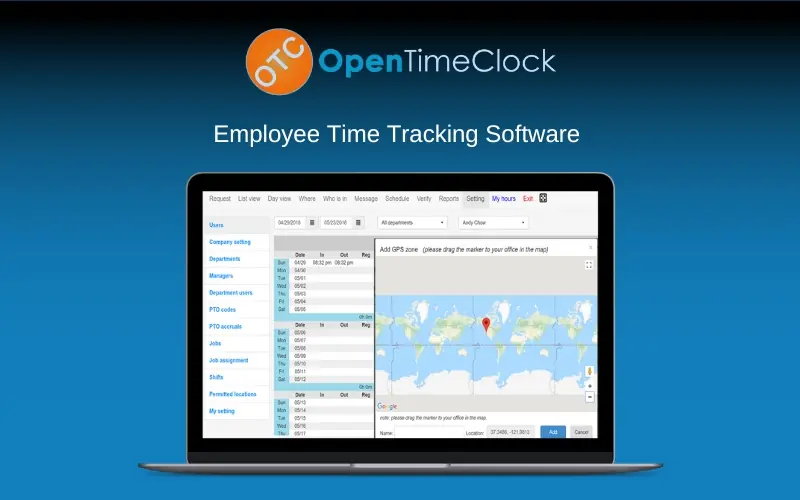
Verify clock-ins using GPS, Google Maps, webcam photos, Wi-Fi, IP addresses, or geofences.

shift-pto-management

Shift, PTO & Project Tracking:

Manage shifts, paid time off, missed hours, projects, tasks, and job costs from one system.

project-time-tracking

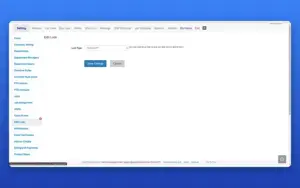
Project Time Tracking:

It uses the Edit Lock page. This is also a weak fit, so swap it if you have a better screenshot.

employee-time-reports

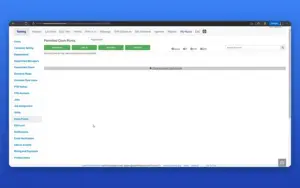
Employee Time Reports:

It uses the Reports page (CSV, PDF, and Excel report buttons).

Open Time Clock Tools Include –

Login Tools Management Tools
  • Username Clock
  • Face Recognition
  • PIN Clock
  • Barcode QR Code Clock
  • RFID Clock
  • Group Clock
  • Offline Clock
  • Webcam Photo
  • GPS and Map
  • iFrame Code
  • Job Tracking
  • Shift Scheduling
  • Overtime Rules
  • Absence PTO
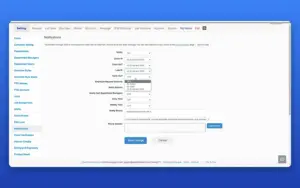
  • Notification
  • Who is working
  • Time Approval
  • Clock Points
  • Reports
  • Bulletin Board
 

Why Choose Open Time Clock?

  • Multiple employee clock-in methods
  • Track employee locations with GPS
  • Automate PTO accrual calculations
  • Schedule employee shifts
  • Track project and job hours
  • Monitor who is currently working
  • Review and approve employee time
  • Set overtime rules and authorized clock points
  • Access data through the Developer API

Open Time Clock is best for:

  • Agencies
  • Recruiters
  • Small Business Owners
  • Startups

Choose Your Plan

With DealClub
$271.15
$339.00
Without DealClub
$319.00
$339.00
Buy Now
Limited Time Deal

Deal Terms

  • Access via redemption of coupon code
  • 30-Day Coupon Code Validity
  • One Coupon Code for one user/account
  • Coupon Codes are not stackable
  • For both - New & Existing Users
  • Free Updates
  • Free Support
  • Accessible on all devices - Desktop, Mobile and Tablet

Plans & Features

Choose the perfect plan for your needs.

Plans & Features
Standard
$339 $319
Buy Now
Face recognition
Barcode, RFID, and QR code support
Web camera photo capture during clock-in/out
GPS tracking

Google Maps Integration

Job tracking
Shift scheduling
Employee project tracking
Absence, PTO requests, and missed hours submission
Automatic PTO accruals
Overtime rules
Time approval
Authorized clock points
Predefined reports

30+

Developer API access

Standard

$339.00 $319.00
Buy Now
30-Day Refund | Annual Access
  • Face recognition
  • Barcode, RFID, and QR code support
  • Web camera photo capture during clock-in/out
  • GPS tracking : Google Maps Integration
  • Job tracking
  • Shift scheduling
  • Employee project tracking
  • Absence, PTO requests, and missed hours submission
  • Automatic PTO accruals
  • Overtime rules
  • Time approval
  • Authorized clock points
  • Predefined reports: 30+
  • Developer API access

Frequently Asked Questions

Find Answers to common questions about OpenTimeClock

Can employees clock in with face recognition?

Yes. Its Face Clock can recognize employees and clock them in or out.

Can Open Time Clock track PTO?

Yes. Employees can manage absence requests, while automatic accrual rules calculate PTO balances.

Does Open Time Clock support project time tracking?

Yes. It can track employee hours across projects, tasks, and jobs.

Can I export employee time reports?

Yes. It provides 30+ predefined reports with CSV, XLSX, IIF, and PDF export options.

Customer Feedback

Customer Reviews (0) Customer Q&A (0)

No Reviews Yet

Be the first to try this deal and share your experience.

You must purchase this product to leave a review.

Be The First To Ask

Get clarity before you buy—your question might help others too.

×

You Might Also Like

Stackby - Online Spreadsheet Software | Annual Subscription

Stackby - Online Spreadsheet Software | Annual Subscription

, , , , , , ,

Flowara – Simplify Your Freelance Work, Tracking & Billing
Calenda - Appointment Scheduling Software [For US & Canada Users]| Annual Access

Calenda - Appointment Scheduling Software [For US & Canada Users]| Annual Access

, , , , , , ,

Onboardix - Onboarding Software | Annual Subscription
Buy with DealClub
$271.15 $339.00
Buy without DealClub
$319.00 $339.00

Deal Terms

  • ✓ Access via redemption of coupon code
  • ✓ 30-Day Coupon Code Validity
  • ✓ One Coupon Code for one user/account
  • ✓ Coupon Codes are not stackable
  • ✓ For both - New & Existing Users
  • ✓ Free Updates
  • ✓ Free Support
  • ✓ Accessible on all devices - Desktop, Mobile and Tablet
Scroll to Top