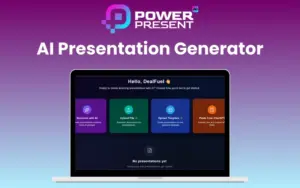
PowerPresent – AI Presentation Generator

TL;DR

  • Turn ideas, documents, URLs, or notes into presentation-ready slide decks in minutes.
  • Create professional presentations without design skills using AI.
  • Create presentations in multiple languages for global audiences.
  • Automatically generate structured slide content, visuals, and formatting.
  • Build pitch decks, reports, lectures, webinars, and client presentations much faster.
  • Keep presentations on-brand with customizable themes, fonts, and styles.
  • Export fully editable PPTX files or present directly from your browser.
  • Get lifetime access with a one-time payment.

Quick Overview

Alternative to:

  • Beautiful.ai
  • Canva Presentations
  • Gamma
  • Pitch
  • Tome

Best for:

  • Content Creators
  • Creative Agencies
  • Digital Marketers
  • Entrepreneurs
  • Freelancers
  • Marketers
  • Students

Compatibility:

  • Browser Support:
    Chrome, Edge, Firefox, Safari
  • Operating Systems:
    Browser Based

When deadlines are tight and presentations need to be perfect, speed matters most. That’s why DealFuel brings you PowerPresent – AI Presentation Generator


What is PowerPresent?


PowerPresent is an AI-powered presentation generator that instantly converts your text, topics, documents, or links into professionally designed slide decks.


It combines intelligent content structuring with automatic design, layout, and visual generation to deliver presentation-ready slides in minutes.


Here’s how it works:

  1. GENERATE: Enter your topic, select a slide count, and let the AI generate your presentation instantly.
  2. STRUCTURE: Edit AI-suggested slide titles to fit your story and tone.
  3. STYLE: Pick a theme, adjust fonts, and choose your visual style with AI-powered design tools.
  4. SHARE: Download as PPTX or present directly from the platform.


PowerPresent helps in making every presentation visually consistent and structurally strong. It offers –

  • Professionally designed templates
  • 100+ layouts
  • Brand-safe customization
  • AI-optimized formatting
It’s web-based, cloud-powered, supports multiple languages, and allows seamless exporting in PPTX for easy sharing and presenting anywhere.


With support for pitch decks, lectures, workshops, business reports, webinars, and client presentations, PowerPresent is perfect for students, educators, startup founders, corporate teams, consultants, marketers, and content creators.

Introduction To PowerPresent AI:

Youtube video

PowerPresent Features

PowerPresent-Generate-With-AI

AI Presentation Generation:

  • Turn topics, text, outlines, links, or files into fully designed presentations instantly. 
  • Slides come with structured content, smart layouts, and relevant visuals.
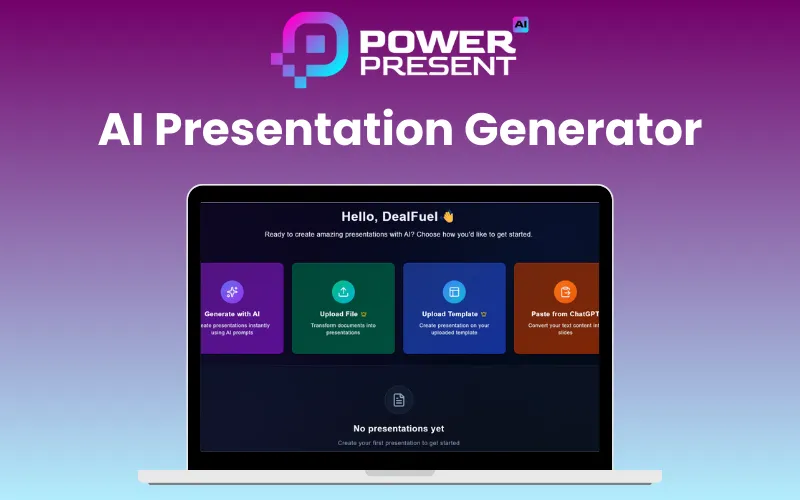
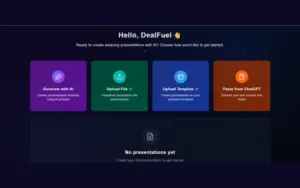
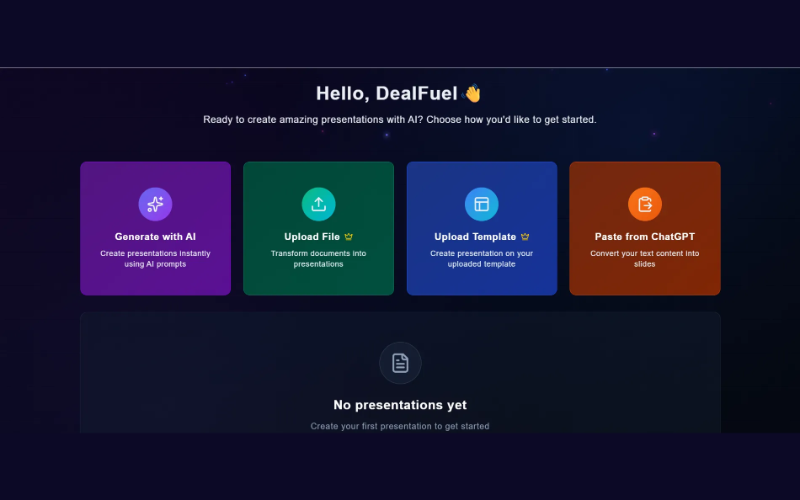
PowerPresent-Dashboard

Multi-Input Support:

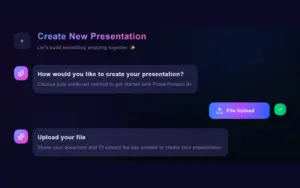
  • Create decks from text prompts, PDFs, DOCX files, website links, or existing content.
PowerPresent-Upload-File

Professional Design System:

  • Access modern, designer-crafted templates with 100+ layouts, auto-adaptive themes, and AI-optimized formatting.
  • Suitable for business, education, startup, corporate, and more.
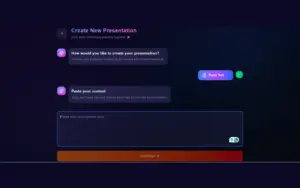
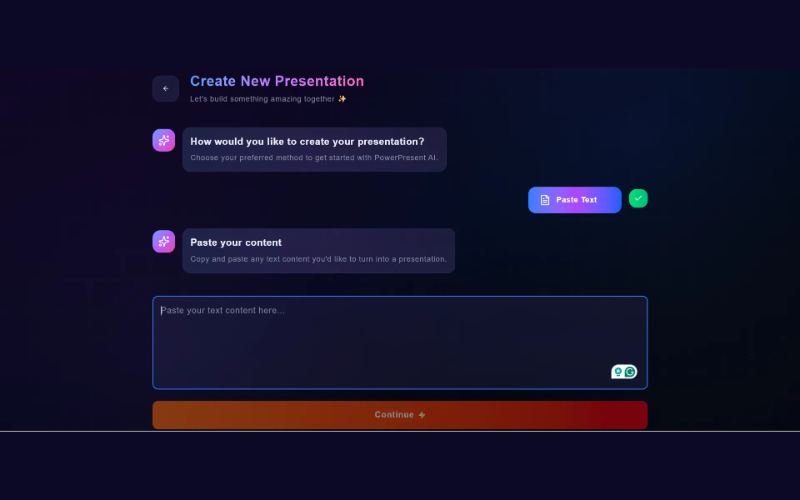
PowerPresent-Paste-From-ChatGPT

Brand-Safe Customization:

  • Upload your own PPT, Canva, or Figma templates and generate slides in your exact brand style.
  • Get consistent fonts, colors, and layouts.
PowerPresent-Generate-With-AI

AI-Powered Content Editing:

  • Edit inside slides directly using built-in AI tools.
  • Rewrite, shorten, expand, or restyle content instantly without switching tools.
PowerPresent-Paste-From-ChatGPT

Smart Visual Enhancements:

  • AI automatically suggests high-quality images and icons that match your topic.
  • Perfect for more engaging and visually polished presentations.
PowerPresent-Upload-Template

Instant Outlines & Structuring:

  • Generate structured outlines from any topic.
  • Edit AI-suggested slide titles to match your narrative and presentation flow.

Why Choose PowerPresent?

  • Create presentations in multiple languages – English, Arabic, French, Spanish, Urdu & more.
  • Export slides as PPTX or present directly in the browser.
  • Edit, regenerate, and update presentations anytime.
  • Works for both individual users and teams.
  • Manage your entire presentation from idea to final deck in one platform.
  • Simple for beginners, powerful enough for professionals.
  • Ideal for students, teachers, founders, marketers, and corporate teams.
  • Suitable for pitch decks, lectures, trainings, reports, webinars & client presentations.
  • Create presentations up to 10x faster using AI.
 

Specifications:

  • Supported File Formats: PPTX, PDF, Text Input
  • Export Format: PPTX
  • AI Model: Proprietary Slide Generation Engine
  • Languages Supported: English, Arabic, Urdu, French, Spanish & more
  • Device Support: Desktop, Mobile, Tablet (Web-Based App)
  • Account Type: Individual User Login
  • Storage: Cloud-Based with Auto-Save
 

What You’ll Achieve with PowerPresent?

  • 30K+ satisfied clients worldwide
  • 15K+ presentations designed
  • 95% customer satisfaction rate
  • 97% design consistency
  • 80K+ hours saved using the platform

Best For:

  • Content Creators
  • Creative Agencies
  • Digital Marketers
  • Entrepreneurs
  • Freelancers
  • Marketers
  • Students

Choose Your Plan

With DealClub
$75.65
$240.00
Without DealClub
$89.00
$240.00
Buy Now
Limited Time Deal

Deal Terms

  • Access via redemption of coupon code
  • 30 Day Coupon Code Validity
  • One Coupon Code for one user/account
  • Coupon Codes are not stackable
  • For both - Old & New Users Only
  • Free Updates
  • Free Support
  • Accessible on all devices - Desktop, Mobile and Tablet

Customer Testimonials

I used Power Present for a client pitch, and they were seriously impressed with the visuals. Definitely a game-changer for me.

-Richard Hammond

Power Present saved me hours of work! Normally, I’d spend an entire evening designing slides, but with this, I just focused on my content and it handled the rest.

-Hailey Manfredi

I was blown away by how clean and modern the slides looked. It feels like having a personal designer working beside me.

-Clyde Vance

Plans & Features

Choose the perfect plan for your needs.

Plans & Features
Standard
$240 $89
Buy Now
Unlimited AI-generated presentations
Unlimited slide edits/regenerations
Custom template upload
Unlimited downloads
Priority AI processing
Access to all future feature updates
Commercial usage rights
Multilingual presentation support

Standard Plan

$240.00 $89.00
Buy Now
30-Day Refund | Lifetime Access | One-time Payment
  • Unlimited AI-generated presentations
  • Unlimited slide edits/regenerations
  • Custom template upload
  • Unlimited downloads
  • Priority AI processing
  • Access to all future feature updates
  • Commercial usage rights
  • Multilingual presentation support

Frequently Asked Questions

Find Answers to common questions about PowerPresent

How does PowerPresent work?

PowerPresent uses natural language processing to convert your topic or text into a complete slide deck.

Is my data secure?

Absolutely. PowerPresent uses industry-grade encryption to keep your content safe. All presentations created with it are securely stored and are never used again.

Can I customize the templates?

PowerPresent’s Al presentation templates are fully editable. You can easily edit colors, fonts, and layouts to match your brand or mood.

What export options are available?

You can export your presentations as PPTX (PowerPoint) files, or you can skip the downloading part and present live directly from the platform.

What can the AI do?

From a simple prompt, PowerPresent AI presentation generator can build an entire slide deck that includes slide content, layout, and suggested visuals. Bonus? It also learns your presentation style over time for smarter results.

Customer Feedback

Customer Reviews (4) Customer Q&A (0)
4.8

Based on 4 reviews

5 star
3
4 star
1
3 star
0
2 star
0
1 star
0

You must purchase this product to leave a review.

suyonga Verified Buyer
February 15, 2026

Very cool. The results exceeded my expectations. It's like having a personal assistant who helps me organize my thoughts. I've been having a hard time working on lesson plans lately, but thanks to you, it's made things a lot easier. Thank you~~

Joel Strong Verified Buyer
January 25, 2026

I’ve been using PowerPresent – AI Presentation Generator to create slides for my classes, and it’s been a huge time saver. The AI quickly turns my notes into clean, professional presentations that need very little editing. My only gripe is that the design customization options are a bit limited. Still, for fast, reliable, and good-looking slides, PowerPresent is one of the best tools I’ve tried.

Fire Stone Verified Buyer
January 25, 2026

Es de gran ayuda para crear presentaciones de urgencia. Solo que si deberían agregar más formatos y ,más plantillas, también deberían de mejorar el servicio de más generación de imagenes con IA. Estoy satisfecho con la compra.

justin vargas Verified Buyer
December 15, 2025

I recently used PowrPresent AI to turn a roughly 20-minute video transcript into a presentation-ready slide deck. I asked for about 30 slides and ended up with 28. The generation time was fast—under 5 minutes—and the visuals looked polished from start to finish. I could generate more if I needed to. What I liked most - Sleek visuals and flexible images: Slides look sharp and stylish, with high-quality stock images from Pexels. You can regenerate or replace images, and you can upload your own visuals if you want more control. Some Images where created by AI not many but the images that were set in each slide felt like they matched the theme of the slide. - Nice variety in templates: there are 6 templates to choose from, and they look professional. Across 28 slides, the templates don’t feel repetitive—the system seems to shuffle them intuitively through the presentation. - Easy editing on every slide: You can edit each slide’s content and images easily, so it’s quick to fine-tune wording or visuals. Replace images, Pexels, Ai generated or your own. - Smart content extraction from the transcript: The tool took the video transcript and pulls out main ideas and patterns, then condenses them into concise, slide-friendly statements. It identifies key concepts, creates digestible bullets, and even includes reflective questions to engage the audience. The overall flow of the video is preserved, and the language is polished for a formal, presentation-ready tone. So if you put in your PDFs or Content from your notes or chat GPT for your slides you'll have to edit a tiny bit. But the timeline of your content will match the slides. - Streamlined slide-building workflow: When adding a new slide, you can choose from up to 8 formats and describe the slide with up to 1,000 characters. It promptly generates the slide, allowing users to create forgotten ideas easily. It also fills in the slide format based on your content. Example: When adding a new slide, it will ask "what should this slide be about? you have 1000 characters, but all you input is "How to parkour" a few seconds later the entire slide format is filled with corresponding content and or images. - Six templates to choose from for your presentation, with 8 slide formats per template. What could be improved - More formats and templates: I’d love to see a larger catalog of slide formats and templates beyond the current six. A bit more variety would help keep it feeling fresh. Notes on features I’ve tested (and haven’t) - I’ve been using the Paste from chat GPT feature (in my case it was a 20 min transcript about 4,200 words). I haven’t explored features for uploading templates or PDFs yet. I imagine it would be about the same where small amounts of polishing would be needed. -Im hoping if i upload a personal template they would be saved in the system and the slide format styles are matching to that template. But i haven't gotten that far yet. - When you choose to change your template, your entire slide presentation will change to that template format and style. -Out of the box, this is a pretty cool presentation software. I stress tested a 4200-word transcript and came out with 28 sleek slides less than 4 minutes later. Bottom line PowrPresent AI does a fantastic job of turning long-form content into a clean, editable, presentation-ready slide deck in a short amount of time. The auto-generated, slide-friendly summaries, combined with easy editing and flexible image options, make it a standout tool for turning videos into impactful presentations. I’m very happy with this purchase and would give it 5 stars.

Be The First To Ask

Get clarity before you buy—your question might help others too.

×

You Might Also Like

200+ AI Prompts For Cartoon Characters | Commercial License
Creator's AI Art Prompts Bundle | Lifetime Access

Creator's AI Art Prompts Bundle | Lifetime Access

, , , , , , ,

PleaseRSVP - AI Birthday Invitation Maker With RSVP | Lifetime Access

PleaseRSVP - AI Birthday Invitation Maker With RSVP | Lifetime Access

, , , , , , ,

Wordlab - Product Image Generation Tool | Lifetime Access

Wordlab - Product Image Generation Tool | Lifetime Access

, , , , , , ,

Buy with DealClub
$75.65 $240.00
Buy without DealClub
$89.00 $240.00

Deal Terms

  • ✓ Access via redemption of coupon code
  • ✓ 30 Day Coupon Code Validity
  • ✓ One Coupon Code for one user/account
  • ✓ Coupon Codes are not stackable
  • ✓ For both - Old & New Users Only
  • ✓ Free Updates
  • ✓ Free Support
  • ✓ Accessible on all devices - Desktop, Mobile and Tablet
Scroll to Top