

Site Commander MCP – Manage Your WordPress Site Using Claude AI

TL;DR

  • Manage WordPress tasks by telling Claude what you need in plain language.
  • Create content, update products, & manage WooCommerce orders through chat.
  • Review SEO issues and update settings using supported SEO plugins.
  • Control what Claude can access, with read-only mode and activity logs.

Quick Overview

Alternative to:

  • MainWP
  • Wix
  • WooCommerce

Best for:

  • Agencies
  • Freelancers
  • Small Business Owners

Compatibility:

  • Browser Support:
    Brave, Chrome, Edge, Firefox, Safari
  • Operating Systems:
    Android, iOS, Linux, MacOS, Windows
  • Integrations:
    WooCommerce, WordPress

Updating content, products, & settings means moving through multiple WordPress screens.

Spend less time navigating your dashboard with Site Commander MCP.

What Is Site Commander MCP?

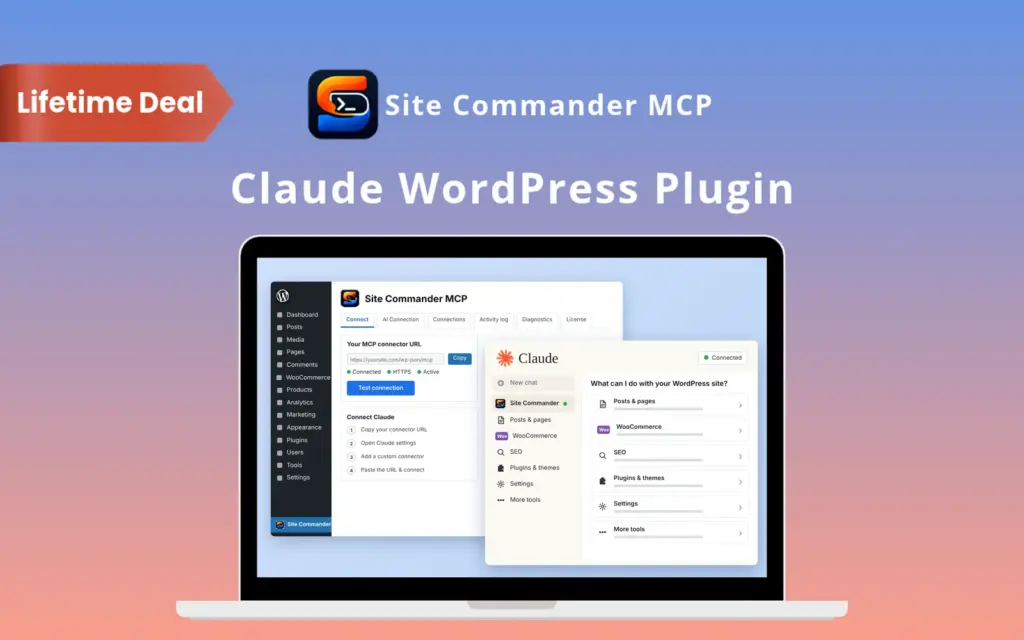
Site Commander MCP is a WordPress plugin that connects your website to Claude.

You describe a task in plain language, & Claude uses the connection to carry it out within your approved permissions.

You can manage –

  • Content
  • WooCommerce products
  • Orders
  • SEO settings

& other website tasks through chat.

You need a Claude plan that supports custom connectors; Claude access is separate from this deal.

With Site Commander MCP, You Can:

  • CREATE and schedule posts, pages, and product content
  • UPDATE WooCommerce prices, variations, stock, and orders
  • CHECK SEO issues and change supported SEO settings
  • MANAGE plugins, themes, users, comments, and media
  • CONTROL which website areas Claude can access
  • REVIEW actions and troubleshoot connection problems


Set Up in About 2 Minutes:

  1. Install: Activate the plugin and enter your license key.
  2. Copy: Get your connector link from the plugin dashboard.
  3. Connect: Add the link under Claude’s Settings → Connectors → Add custom connector.
  4. Approve: Click Connect, sign in to your website, and approve access.

Site Commander MCP Features

Schedule Content Chat
Publish Daily Articles

Create & Schedule Content Through Chat:

  • Create, edit, schedule, duplicate, or delete posts, pages, and custom post types
  • Manage block-editor content, featured images, categories, tags, and custom fields
  • Apply bulk changes, find scheduled content, and restore earlier revisions
Update Product Details
Live Product Page
Catalog At Glance

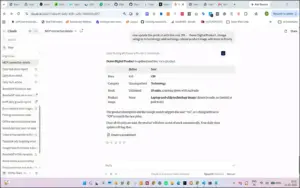
Update Your Product Catalog With Less Manual Work:

  • Manage simple, variable, grouped, and external WooCommerce products
  • Generate size and color combinations with individual prices, stock, and images
  • Change prices in bulk and review low-stock or out-of-stock products
Create Store Coupons
Set Coupon Rules
Sales Customer Reports

Keep Orders, Customers & Discounts Organized:

  • Find orders, create manual orders, update statuses, and add notes
  • Manage customer details, addresses, and coupon rules
  • Review sales reports and issue refunds after confirmation

Find Fix SEO
SEO Audit Results
Update Page Titles

Find SEO Issues & Update Page Details:

  • Set titles, descriptions, focus keywords, canonical URLs, and social details
  • Audit pages for headings, content, images, links, schema, and indexing issues
  • Review site reports, check sitemaps, and manage redirects through Rank Math

SEO features work with Rank Math or Yoast SEO; redirect management requires Rank Math.

Install Store Plugins
Plugin Setup Checklist
Themes Plugins Updates

Manage Plugins, Themes & Website Appearance:

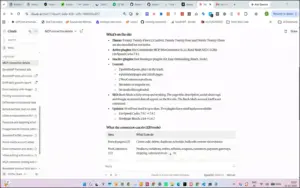
  • Find, install, activate, update, deactivate, or delete plugins and themes
  • Control automatic updates and review available WordPress updates
  • Change theme customizer options, custom CSS, and supported plugin settings
Everyday Admin Tools
Connected Site Details

Handle Everyday Website Admin From One Conversation:

  • Manage users, password-reset emails, comments, and reviews
  • Upload media from links and edit captions, alt text, and navigation menus
  • Change site settings, clear caches, and review site health information

Approve Claude Access
Security Permission Settings
Tool Permission Controls

Choose What Claude Can Access:

  • Approve connections through OAuth 2.1 without sharing your password with Claude
  • Use read-only mode or enable specific website areas
  • Restrict actions to the approving user’s permissions and disconnect anytime

Activity Log Review
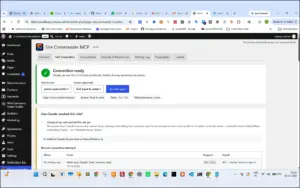
Test Connection Status
Connector URL Test

Review Actions & Resolve Connection Problems:

  • Track who performed each action, when it happened, and its result
  • Test whether Claude can reach and authenticate with your website
  • See allowed actions, blocked permissions, and hosting firewall troubleshooting guidance

Why Choose Site Commander MCP?

  • Spend less time moving between WordPress admin screens
  • Handle repeated content and catalog changes in bulk
  • Check information in read-only mode before allowing changes
  • Keep plugin passwords, API keys, and license keys hidden from Claude
  • Protect administrator-role changes with separate permission controls
  • Use supported plugin settings and APIs without code execution or direct file editing
 

Specifications:

Specification Requirement
Platform WordPress plugin
WordPress Version 6.2 or newer
PHP Version 7.4 or newer
Website Security HTTPS with an SSL certificate
Permalinks Any permalink structure except Plain
Claude Access A separate Claude plan supporting custom connectors
Store Features WooCommerce required for store management
SEO Features Rank Math or Yoast SEO required; redirect management requires Rank Math

Site Commander MCP is Best For:

  • Agencies
  • Freelancers
  • Small Business Owners

Choose Your Plan

1 Device
1 Device
Original price was: $29.00.Current price is: $19.00.
5 Devices
Original price was: $60.00.Current price is: $39.00.
10 Devices
Original price was: $120.00.Current price is: $89.00.
With DealClub
$16.15
$29.00
Without DealClub
$19.00
$29.00
Buy Now
Limited Time Deal

Deal Terms

  • Access via redemption of coupon code
  • 30 Day Coupon Code Validity
  • One Coupon Code for one user/account
  • Coupon Codes are stackable
  • For both - New & Existing Users
  • Free Updates
  • Free Support
  • Accessible on all devices - Desktop, Mobile and Tablet

Plans & Features

Choose the perfect plan for your needs.

Plans & Features
1 Device
5 Devices
10 Devices
$29 $19
Buy Now
$60 $39
Buy Now
$120 $89
Buy Now
Licensed Devices

1

5

10

Content Creation & Scheduling
Bulk Actions & Revision Restore
WooCommerce Products, Variations & Stock
Orders, Customers, Coupons & Refunds
Sales Reports & Store Settings
SEO Audits & Metadata Editing
Rank Math Redirect Management
Sitemap & SEO Plugin Checks
Plugin & Theme Management
Supported Plugin Settings & Custom CSS
Site Settings, Cache & Health Checks
Secure Connection & Permission Controls
Activity Log & Connection Testing
Lifetime Access & Updates
Plan 1 of 3

1 Device

$29.00 $19.00
Buy Now
30-Day Refund | Lifetime Access | One-time Payment
  • Licensed Devices: 1
  • Content Creation & Scheduling
  • Bulk Actions & Revision Restore
  • WooCommerce Products, Variations & Stock
  • Orders, Customers, Coupons & Refunds
  • Sales Reports & Store Settings
  • SEO Audits & Metadata Editing
  • Rank Math Redirect Management
  • Sitemap & SEO Plugin Checks
  • Plugin & Theme Management
  • Supported Plugin Settings & Custom CSS
  • Site Settings, Cache & Health Checks
  • Secure Connection & Permission Controls
  • Activity Log & Connection Testing
  • Lifetime Access & Updates

Frequently Asked Questions

Find Answers to common questions about Site Commander MCP

Do I Need WooCommerce to Use the Plugin?

No, you only need WooCommerce if you want to manage your online store through Claude.

Does It Work With Rank Math and Yoast SEO?

Yes, Site Commander MCP supports both plugins, but redirect management requires Rank Math.

Can I Choose What Claude Can Change?

Yes, you can control which website areas Claude can access or enable read-only mode.

Can I Review Changes Made Through Claude?

Yes, the activity log records each action, who performed it, when it happened, and its result.

Customer Feedback

Customer Reviews (0) Customer Q&A (0)

No Reviews Yet

Be the first to try this deal and share your experience.

You must purchase this product to leave a review.

Be The First To Ask

Get clarity before you buy—your question might help others too.

×

You Might Also Like

15 Top WordPress Themes Bundle | Extended License
Architecto - AI Copilot for Architecture Design & Docs

Architecto - AI Copilot for Architecture Design & Docs

, , , , , , , ,

NotifAI - Automate Your Engineering Workflow
Website Speedy - WordPress Speed Optimizer | Lifetime Access

Website Speedy - WordPress Speed Optimizer | Lifetime Access

, , , , , , , ,

Choose Plan
1 Device
1 Device
Original price was: $29.00.Current price is: $19.00.
5 Devices
Original price was: $60.00.Current price is: $39.00.
10 Devices
Original price was: $120.00.Current price is: $89.00.
Buy with DealClub
$16.15 $29.00
Buy without DealClub
$19.00 $29.00

Deal Terms

  • ✓ Access via redemption of coupon code
  • ✓ 30 Day Coupon Code Validity
  • ✓ One Coupon Code for one user/account
  • ✓ Coupon Codes are stackable
  • ✓ For both - New & Existing Users
  • ✓ Free Updates
  • ✓ Free Support
  • ✓ Accessible on all devices - Desktop, Mobile and Tablet
Scroll to Top