



Convert any image, screenshot, or receipt into editable data in seconds with –
SnapText – Image To Text Converter
SnapText is an AI-powered OCR & document intelligence tool that transforms visual content into clean, text or Excel-ready tables.
It supports over 50 languages and is designed to process complex documents like invoices & financial reports.
SnapText automates the extraction workflow with 99.9% accuracy, & generates professional, editable documents instantly.
How You Can Extract Text From an Image Using SnapText?
Here are the 3 simple steps you can follow:
1. Upload Your Image:
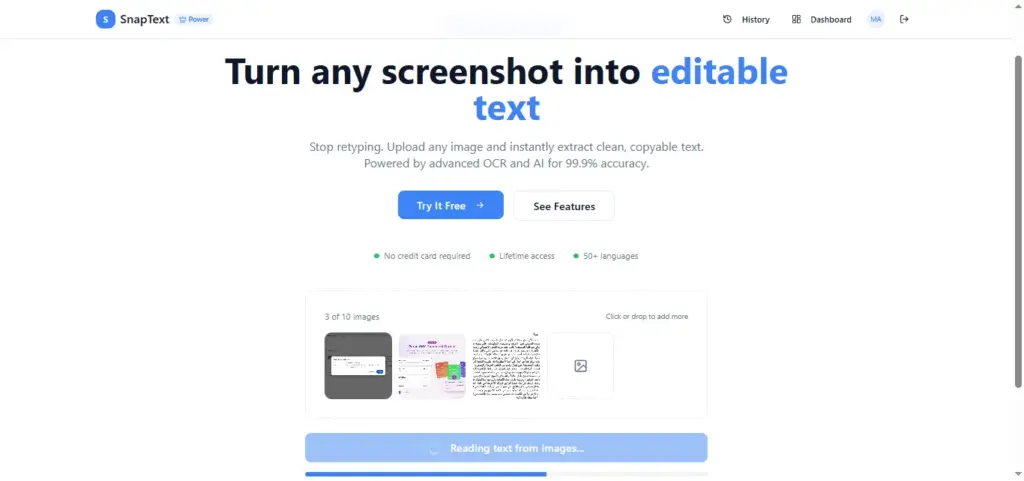
- Drag & drop or click to upload any screenshot, photo, or scanned document.
- Support for PNG, JPG, WebP, and more.
2. AI Processes Your Image:
- The advanced OCR engine extracts text with 99.9% accuracy.
- AI detects the language and identifies data patterns automatically.
3. Get Your Results:
- Copy clean text instantly, download in multiple formats (Excel, Word, TXT)
- You can also use AI tools to summarize & structure your content.
It’s that easy!
This Document Intelligence Tool:
- EXTRACTS text from images (of formats including PNG, JPG, JPEG, WebP, GIF, & BMP), screenshots, and PDFs with high-precision AI OCR.
- OFFERS smart table recognition to convert screenshots directly into CSV or Excel files.
- SUPPORTS encrypted processing without permanent storage.
- GENERATES translations for extracted text across 50+ supported languages.
- INCLUDES smart data detection for emails, links, prices, and phone numbers.
- CREATES exports in multiple formats, including Word (DOCX), Excel, & TXT.
- REQUIRES no installation; it is a fully web-based application.
- LETS you process up to 10 images at once with batch upload capabilities.
Features Of SnapText – Image To Text Converter:
Instant Text Extraction:
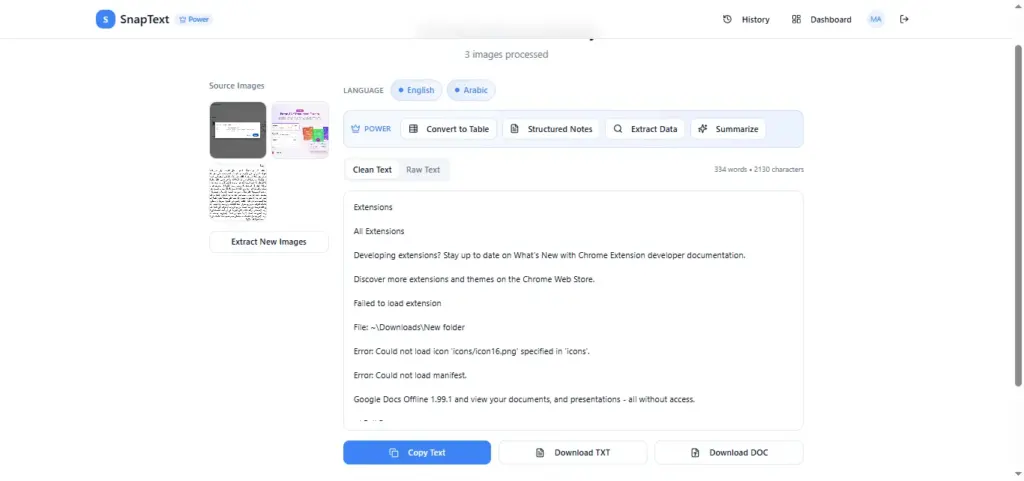
- Provides clean, editable text from any screenshot or photo in seconds.
- Achieves 99.9% accuracy using advanced cloud-based OCR.
- Helps eliminate manual data entry & repetitive typing tasks.
50+ Languages Supported:
- Provides automatic language detection for global document handling.
- Enables seamless extraction for English, Spanish, French, German, Chinese, Japanese, Korean, Arabic, Hindi, & many more
- Helps multilingual professionals process diverse international scripts.
Lightning Fast Processing:
- Enables batch processing of multiple images of formats including PNG, JPG, JPEG, WebP, GIF, & BMP simultaneously.
- Provides high-precision extraction results in under 3 seconds per image.
- Helps speed up productivity workflows for time-sensitive projects.
Smart Table Conversion:
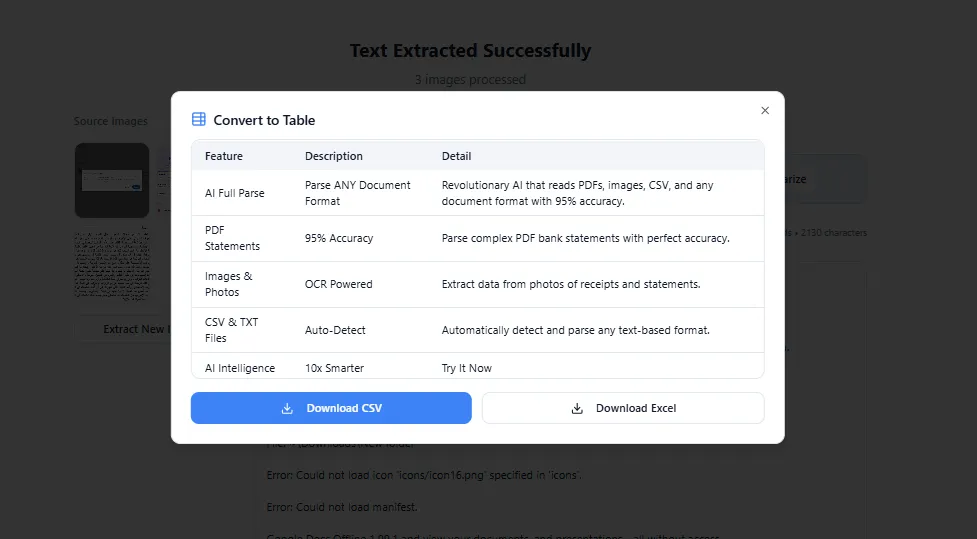
- Adds the ability to convert screenshot tables directly into Excel or CSV.
- Provides structured data extraction for financial reports & charts.
- Helps users avoid the hassle of rebuilding complex tables manually.
AI-Powered Analysis:
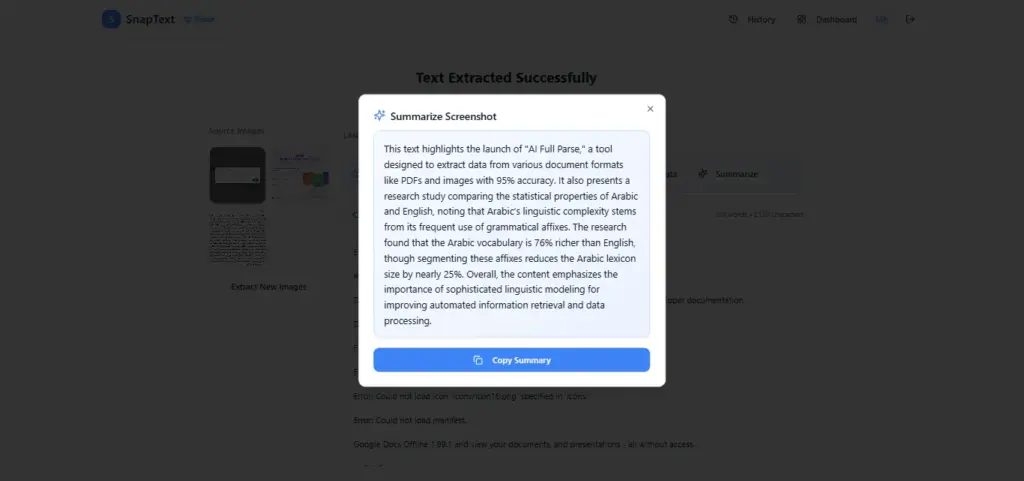
- Provides automatic AI summaries & structured notes from extracted text.
- Enables intelligent formatting for better data organization & clarity.
- Helps transform raw image data into actionable, professional insights.
Multiple Export Options:
- Provides one-click downloads for TXT, DOCX, CSV, & Excel formats.
- Adds a quick “Copy to Clipboard” feature for immediate pasting.
- Helps integrate extracted data with Microsoft Office & Google Workspace.
Smart Data Detection:
- Adds automatic recognition of emails, phone numbers, & website links.
- Provides extraction of prices & currency for expense tracking.
- Helps streamline contact management from business cards or receipts.
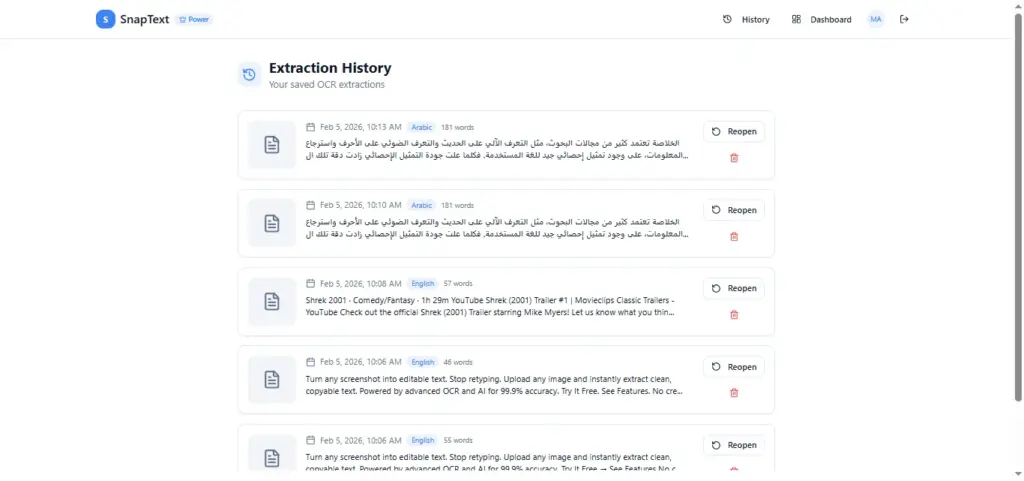
Extraction History:
- Provides a secure personal archive for all past extraction tasks.
- Enables easy searching and filtering of historical document data.
- Provides secure, encrypted processing without any permanent storage of images.
Customers Testimonials:
Deal Terms:
How to download/activate this product?
After completing your purchase, you will receive an instructions document. Follow the instructions in this document to redeem the coupon code and activate your subscription.
What is the validity of the license key/coupon code? (Within how many days the coupon code must be redeemed?)
The coupon code must be redeemed within 30 days from the date of purchase.
Is a Lifetime Subscription available for this product?
Yes, a Lifetime Subscription* is available for this product.
*LIFETIME MEANS LIFETIME OF THE PRODUCT.
We strive to provide our customers with high-quality products that offer longevity, but unfortunately, some products are acquired or go bankrupt. Many of these products are from startup companies, offering our customers a great deal. However, in an unfortunate situation where the product does not last long, there is not much DealFuel can do about it.
Are Updates available for this product?
Yes, Updates are available for FREE for this product.
Is support available for this product?
Yes, Free support is available for this product.
For support contact – [email protected].
Is this deal for new users only?
Yes, this deal is available only for the NEW users of SnapText.
How many users can use the license key/coupon code?
One coupon code can be used for one user/account.
Are the coupon codes stackable?
Yes, the coupon codes are stackable.
Can this product be accessed on all devices?
Yes, SnapText can be accessed on all devices, provided the devices have a good internet connection.



Feliciano –
Thank you for your question and for testing the demo.
Currently, SnapText supports OCR extraction for image formats (PNG, JPG, JPEG, WebP, GIF, BMP).
PDF OCR and additional document format support are actively in development and will be introduced in an upcoming update.
For the DealFuel offer specifically:
PDF and advanced document OCR will be included in select higher-tier plans.
It will not be available in all plans under the current deal structure.
We will also update the deal page to clearly reflect this plan differentiation to avoid any confusion.
Please let us know if you need further clarification.
Best regards,
Feliciano –
Thank you for raising this.
We are currently adding a dedicated Contact page that will include a support form, direct support email, and clear response time expectations.
In addition, we are publishing a structured FAQ section to address common questions and improving overall UI consistency across key pages to enhance user experience and trust.
These updates will be live shortly.
We appreciate the feedback and are committed to maintaining a professional and responsive platform.
Feliciano –
Always useful to have powerfull OCR tool to retrieve text in any situation.
The Good thing is that PDF OCR will be available for higher tier.
Could easily add powerful OCR to scanner.
One only thing that is very important. Hope they will create Android app or new website address. Vey important to gain more visibility and increase customers.