



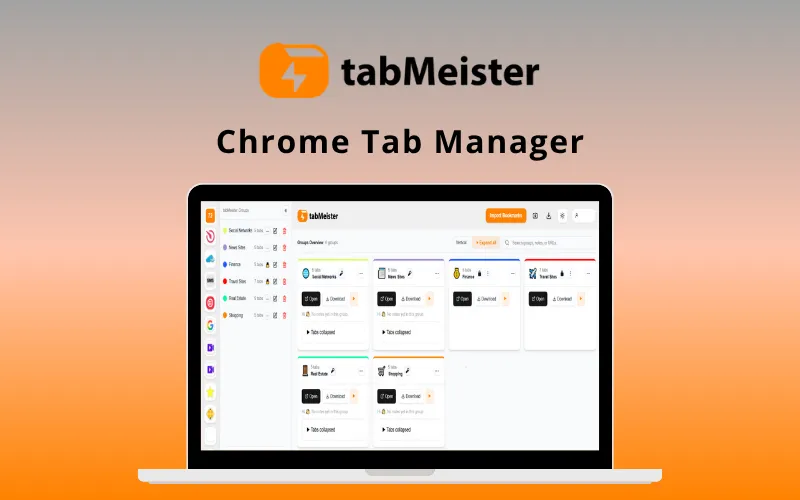
Transform 100+ Messy Chrome Tabs Into an Organized, Lightning-Fast Workspace in seconds with –
tabMeister – Chrome Tab Manager
TabMeister is a professional-grade Chrome tab manager that turns hundreds of messy tabs into an organized, searchable dashboard.
It is specifically designed to help entrepreneurs, researchers, & developers regain control over their digital workflow.
It provides a secure, cloud-synced infrastructure that ensures your important links are protected & accessible across all your devices.
It automates the sorting process, reduces RAM consumption, & provides a visual “Flipbook” interface to help you find exactly what you need.
You can reclaim your tab organization using tabMeister by following these 3 simple steps:
One-Click Grouping: Instantly capture all open tabs into a structured collection with one click.
Organize & Protect: Personalize groups with notes and secure sensitive research with passwords.
Restore & Sync: Reopen full sessions immediately and access your saved data from any device.
It’s that easy!
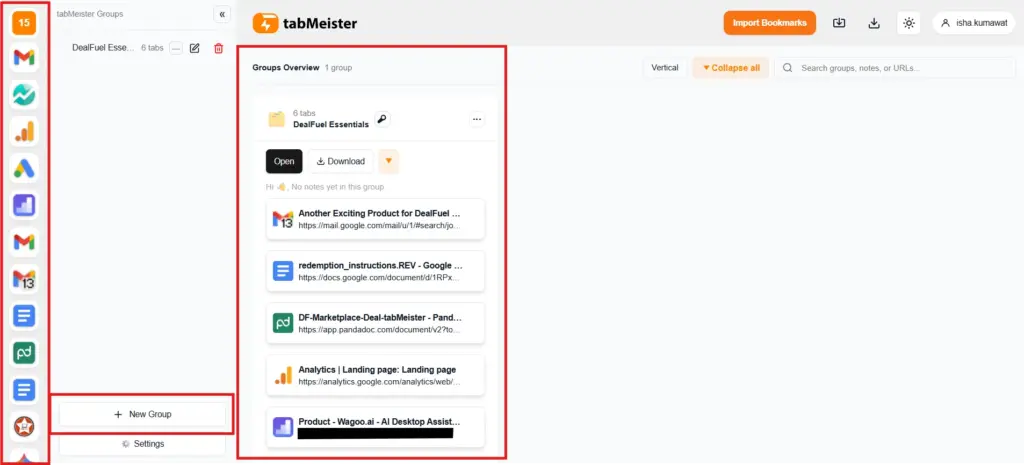
Introduction To tabMeister:
This Tab Management System:
- STOPS browser lag by offloading inactive tabs from your RAM.
- SCALES over 100+ tabs, built for heavy Chrome users.
- OFFERS a visual “Flipbook” view to browse tabs like a digital magazine.
- SECURES your private data with built-in password locks for specific groups.
- INCLUDES a “Duplicate Finder” to identify and close redundant open pages.
- CREATES a seamless workflow with drag-and-drop group management.
- REQUIRES zero technical skill; installs directly from the Chrome Web Store.
- LETS you scale your research with unlimited tab and group storage.
Features Of tabMeister – Chrome Tab Manager:
Visual Layout Options:
- Switch between Grid, List, and Flipbook views.
- Browse saved tabs like a digital magazine in Flipbook mode.
- Find exactly what you need visually, no more guessing by tiny icons.
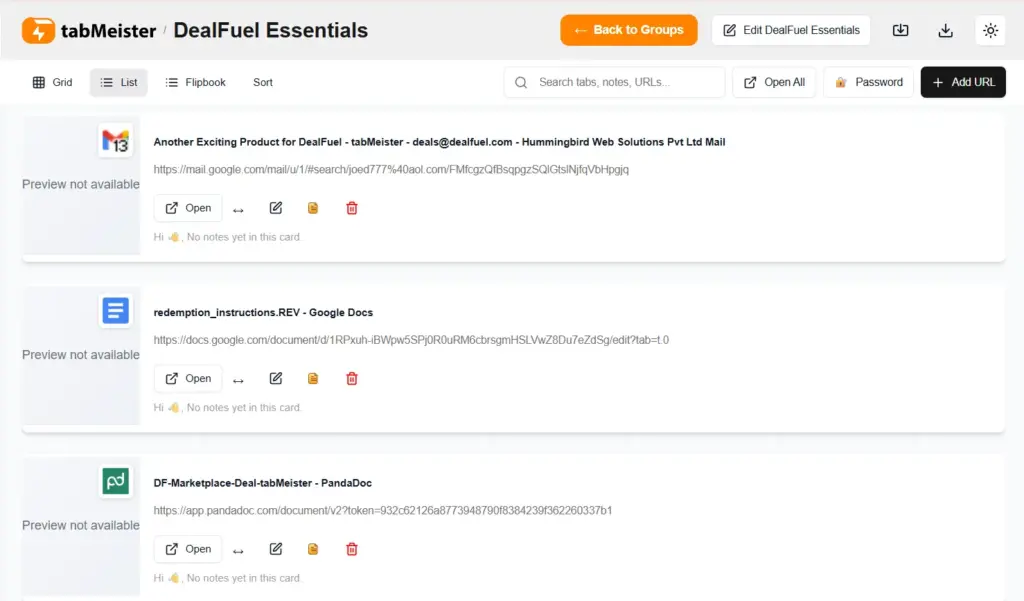
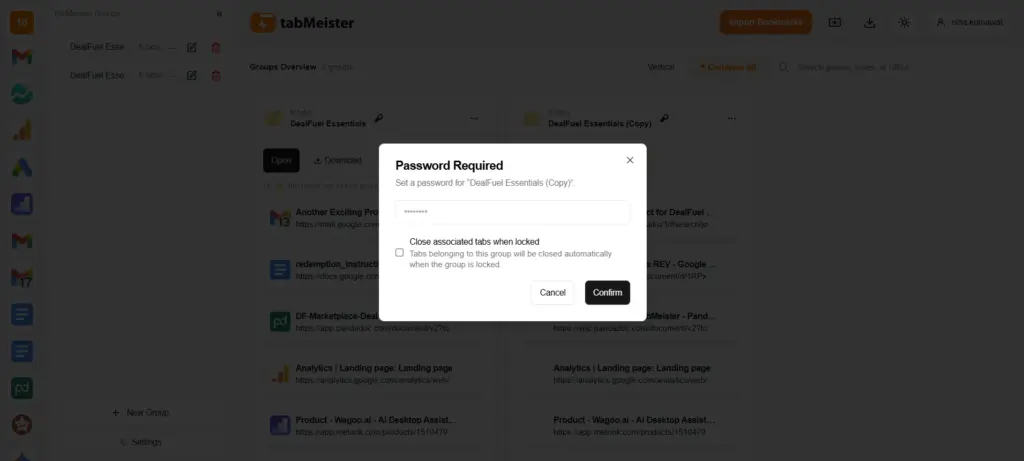
Password Protection:
- Lock sensitive tabs with built-in password security.
- Prevent unauthorized access to private groups on shared devices.
- Ensure total privacy for confidential research and projects.
AI Summaries:
- Get the gist of any saved page without reopening it.
- Generate concise, one-line summaries directly in your notes.
- Perfect for quick reviews of massive research libraries.
Auto-Categorization:
- Save hours of manual sorting with intelligent organization.
- Get automatical suggestions for logical group names based content.
- Keep your library structured without you lifting a finger.
Smart Recommendations:
- Discover related resources that complement your research.
- Get suggestions on links & articles based on your current saved tabs.
- Close research gaps and find new perspectives.
Semantic Smart Search:
- Find content based on meaning rather than exact keywords.
- Search your entire library using natural, human language.
- Locate information based on intent even if you forget the title.
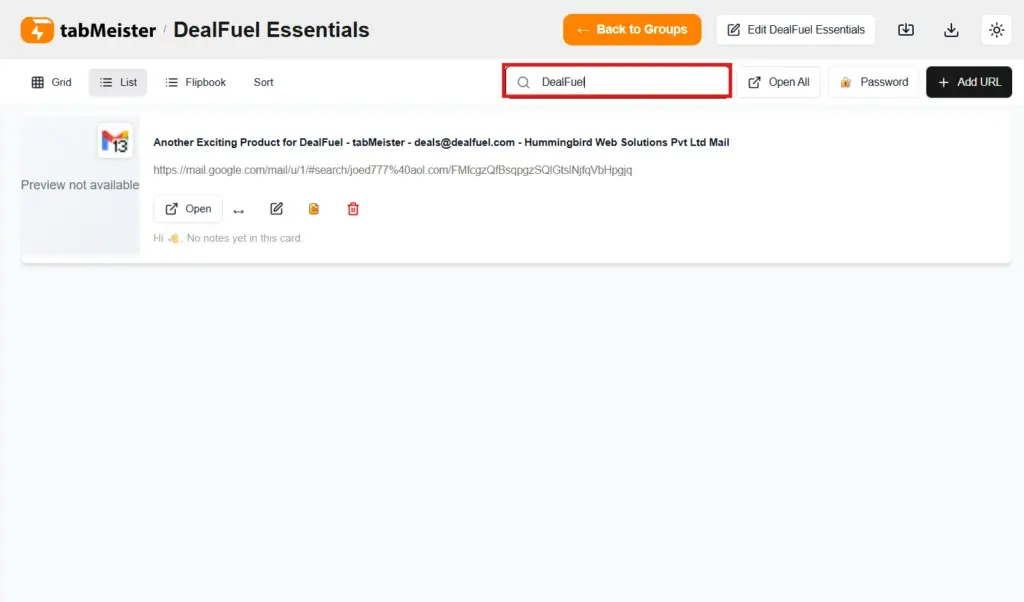
Easy Search:
- Locate any link instantly across your entire library.
- Filter by tab name, group name, custom notes, or URLs.
- Find your content in seconds without manual scrolling.
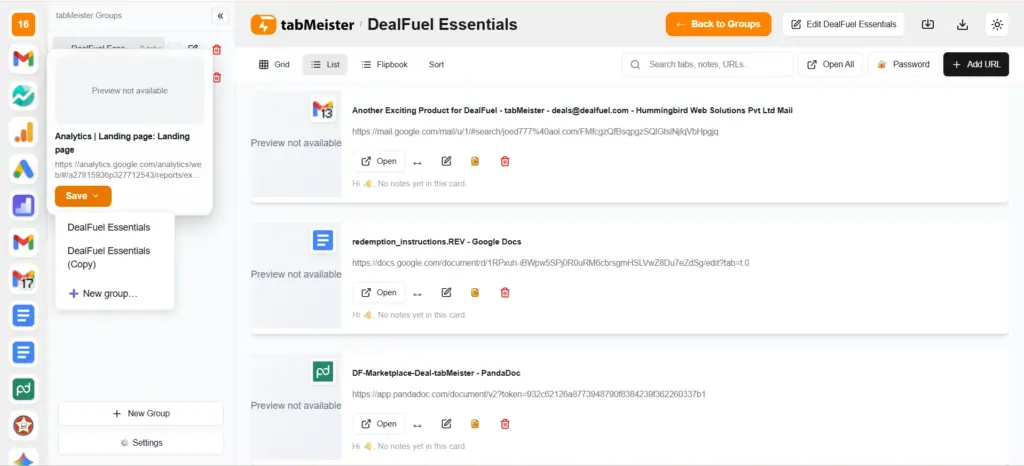
One-Click Save:
- Capture all currently open tabs into a group instantly.
- Automatically store every tab to the left of your active page.
- Clear your workspace in one second without losing progress.
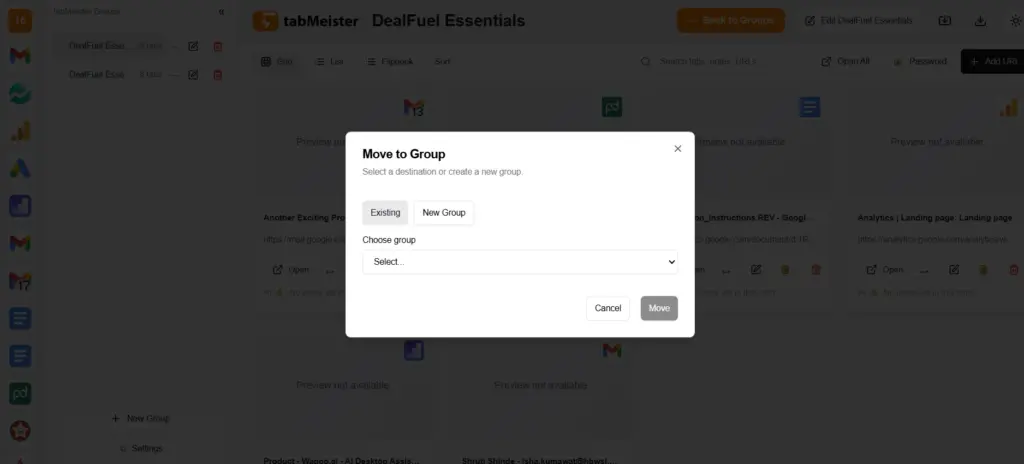
Manual Tab Adding:
- Add specific URLs directly to any existing or new group.
- Organize links without needing to open them in your browser first.
- Maintain a clean, clutter-free active window at all times.
Bulk Import/Export:
- Migrate your existing browser bookmarks in seconds.
- Assign imported links to specific, organized tab groups.
- Export your data easily for backups or team sharing.
Edit Tab Details:
- Rename tabs and edit URLs for better workspace clarity.
- Add specific context through notes or delete items in bulk.
- Keep your dashboard updated as your projects evolve.
Drag and Drop:
- Reorder and rearrange tab groups with intuitive mouse movements.
- Customize your dashboard layout to fit your daily workflow.
- Prioritize current tasks by simply dragging them to the top.
Reopen Options:
- Choose to restore tabs in your current or a new window.
- Open sensitive tab groups directly into an Incognito session.
- Resume entire project workflows exactly where you left off.
Built-In Notes:
- Attach custom descriptions and goals to every tab group.
- Track research context so you never forget why a link was saved.
- Identify the purpose of complex projects at a single glance.
Cross-Device Access:
- Sync your tabs across all desktop and laptop devices automatically.
- Access your saved library from any Chrome profile via the cloud.
- Keep your digital workspace consistent wherever you log in.
Free Up RAM Space:
- Drastically reduce memory usage by offloading inactive tabs.
- Prevent browser freezes and system crashes during heavy work.
- Keep Chrome running lightning-fast, even with 100+ saved links.
Save Unlimited Tabs:
- Store as many tabs and groups as your projects require.
- Zero artificial limits, ideal for heavy researchers and founders.
- Build a permanent, searchable library of your digital assets.
Color Tagging:
- Label groups with unique colors for instant identification.
- Visually separate work, personal, and side projects.
- Navigate your dashboard using high-speed visual cues.
Duplicate Finder:
- Identify and close identical tabs to keep your library lean.
- Detect similar content even if the URLs are slightly different.
- Get alert if a tab already exists elsewhere to prevent clutter.
Why tabMeister?
tabMeister is a powerful productivity hub that transforms how you manage your online workspace.
It is a high-speed digital vault that helps heavy Chrome users stop lag even with 100+ open tabs by providing encrypted cloud syncing.
This allows you to keep massive research projects perfectly organized, secure, and accessible across all your devices.
Q & A:
Will you lose your tabs if Chrome crashes?
No, because your tabs are automatically saved & synced to the cloud for instant restoration at any time.
Are your tabs private and secure?
Absolutely, as you can password-protect sensitive groups & all your data is fully encrypted on secure servers.
Can you import your existing bookmarks?
Yes, you can use the bulk import tool to bring in your Chrome bookmarks & organize them into your visual dashboard instantly.
Does tabMeister collect your browsing data?
No, your browsing activity is never sold, shared, or monetized because your privacy is the primary commitment.
Deal Terms:
How to download/activate this product?
After completing your purchase, you will receive an instructions document. Follow the instructions in this document to redeem the coupon code and activate your subscription.
What is the validity of the license key/coupon code? (Within how many days the coupon code must be redeemed?)
The coupon code must be redeemed within 30 days from the date of purchase.
Is a Lifetime Subscription available for this product?
Yes, a Lifetime Subscription* is available for this product.
*LIFETIME MEANS LIFETIME OF THE PRODUCT.
We strive to provide our customers with high-quality products that offer longevity, but unfortunately, some products are acquired or go bankrupt. Many of these products are from startup companies, offering our customers a great deal. However, in an unfortunate situation where the product does not last long, there is not much DealFuel can do about it.
Are Updates available for this product?
Yes, Updates are available for FREE for this product.
Is support available for this product?
Yes, Free support is available for this product.
For support contact – [email protected].
Is this deal exclusive to new users?
No, this deal is available to both NEW & EXISTING USERS of tabMeister.
How many users can use the license key/coupon code?
One coupon code can be used for one user/account.
Are the coupon codes stackable?
No, the coupon codes are NOT stackable.
Can this product be accessed on all devices?
Yes, tabMeister can be accessed on all devices, provided they have a stable internet connection.


Reviews
There are no reviews yet.