TTSFree AI – Convert Documents Into Natural-Sounding Audio

TL;DR

  • Convert entire books, PDFs, EPUBs, DOCX, and other documents into natural-sounding audio.
  • Generate unlimited speech without credits, character limits, or monthly usage caps.
  • Clone your voice, design custom AI speakers, and create multi-character dialogues.
  • Access 400+ AI voices, multiple TTS engines, and support for 20+ languages and accents.
  • Save time with bulk conversion, audiobook creation, and automatic chapter markers.

Quick Overview

Alternative to:

  • Descript
  • ElevenLabs
  • Megatranscript
  • Speechify
  • Voicely

Best for:

  • Agencies
  • Content Creators
  • Creative studios
  • Digital Product Creators
  • Freelancers
  • Marketers
  • Musicians & Voice Artists
  • Online Course Creators
  • Podcasters
  • Small Businesses
  • Students
  • Video Editors
  • YouTubers

Compatibility:

  • Operating Systems:
    MacOS, Windows

Creating natural-sounding audio shouldn’t mean dealing with usage limits, expensive subscriptions, or privacy concerns.

You need a simple way to turn your text into audio without compromising on quality or control.

That’s why DealFuel brings you TTSFree AI.

What Is TTSFree AI?

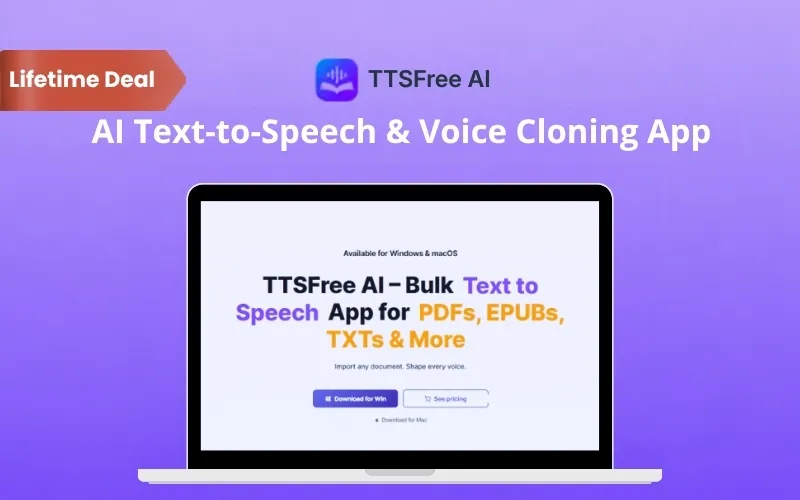
TTSFree AI is an offline AI text-to-speech app. It converts books, documents, PDFs, and scripts into natural-sounding audio.

TTSFreeAI allows you to –

  • Clone voices
  • Design custom AI speakers
  • Generate multi-character dialogues

all without any monthly limits or credits.

All you have to do is –

  1. Import Your Text or Documents: Paste your content or upload PDFs, EPUBs, DOCX, TXT, and other supported files.
  2. Choose Your AI Voice: Select from built-in voices, clone your own voice, or design a custom speaker.
  3. Preview and Generate Audio: Listen to individual paragraphs or entire documents before generating your final audio.
  4. Play or Export Your Audio: Listen instantly or save your recordings as MP3, WAV, M4A, or M4B files.

Whether you’re creating audiobooks, producing video voiceovers, preparing learning materials, or converting reports into audio, TTSFree AI helps you get it done faster.

Your files and voice data stay on your device, giving you complete control over your content.

Introduction To TTSFree AI

Youtube video

Features Of TTSFree AI:

TTSFree-AI-batch convert task

Convert Entire Documents Into Speech:

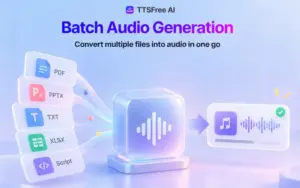
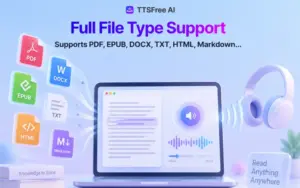
  • Turn complete books, PDFs, EPUBs, DOCX, TXT files, presentations, and Markdown documents into audio.
  • Convert long-form content without character limits or daily usage caps.
  • Use one voice throughout your document or assign different voices to individual sections.
TTSFree-AI-voice clone

Clone Voices and Design Speakers:

  • Create a personalized AI voice using a short voice recording.
  • Design original AI speakers by describing their age, tone, and mood.
  • Customize built-in voices to match your characters, brand, or narration style.
TTSFree-AI-voice design

Create Multi-Speaker Audio Dialogues:

  • Turn scripts, conversations, and subtitles into realistic multi-character audio.
  • Assign a unique voice to each speaker and let Script Mode apply it throughout your content.
  • Maintain consistent character voices without manually editing every line of dialogue.
TTSFree-AI-click to generate all

Generate Audio in Bulk:

  • Convert multiple documents into audio in a single workflow.
  • Process books, reports, lessons, and other long-form content without handling each file separately.
  • Save time when producing audio for multiple projects.
TTSFree-AI-voice library

Choose From 400+ AI Voices:

  • Explore 400+ natural-sounding AI voices across 20+ languages and accents.
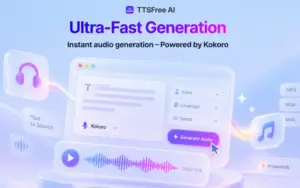
  • Switch between Qwen3-TTS, Kokoro-82M, OmniVoice, and built-in Windows or macOS voices.
  • Combine voices from different engines within the same document.
  • Choose models based on speech quality, processing speed, and your computer’s hardware.
TTSFree-AI-script-mode

Export Audio in Multiple Formats:

  • Save generated audio as MP3, WAV, M4A, or M4B files.
  • Create structured audiobooks with automatic chapter markers.
  • Preview individual paragraphs or entire documents before exporting.
  • Play audio seamlessly or jump between chapters in compatible audio players.
TTSFree-AI-batch convert task

Generate Speech Completely Offline:

  • Convert text into speech directly on your Windows or Mac computer.
  • Keep your documents, text, and voice data on your device.
  • Avoid cloud uploads, third-party processing, and server queues.
  • Download the required AI models and generate audio locally.

Why Choose TTSFree AI?

  • Convert entire books, PDFs, and documents into audio without character limits or monthly usage restrictions.
  • Save hours of manual work with bulk document-to-audio conversion.
  • Create personalized narration by cloning your voice or designing custom AI speakers.
  • Produce realistic conversations, podcasts, and audio dramas with multi-speaker Script Mode.
  • Choose from 400+ AI voices to match your content and preferred narration style.
  • Work across 20+ languages and accents for different audiences.
  • Switch between multiple AI speech engines to balance audio quality and hardware requirements.
  • Export recordings in MP3, WAV, M4A, and M4B formats for flexible playback and sharing.
  • Create audiobooks with automatic chapter markers instead of manually organizing every section.
  • Protect sensitive documents and voice recordings with 100% local speech processing.

Specifications:

  • Product Version: 1.8.0
  • Platform: Windows & macOS
  • Windows Compatibility: Windows 10 and 11 (64-bit)
  • Mac Compatibility: macOS 12.0 or later
  • Processor Support: Intel, AMD, and Apple Silicon
  • GPU Support: NVIDIA, AMD, and Intel GPUs
  • AI Voices: 400+ voices
  • Language Support: 20+ languages and accents
  • TTS Engines: Qwen3-TTS, Kokoro-82M, OmniVoice, and System TTS
  • Import Formats: PDF, EPUB, DOCX, TXT, presentations, Markdown, and pasted text
  • Export Formats: MP3, WAV, M4A, and M4B
  • Processing: 100% local and offline speech generation
  • Usage: Unlimited conversions with no credits or monthly limits
  • Commercial Usage: Supported for all included TTS models except OmniVoice.

Best For:

  • Agencies
  • Content Creators
  • Creative studios
  • Digital Product Creators
  • Freelancers
  • Marketers
  • Musicians & Voice Artists
  • Online Course Creators
  • Podcasters
  • Small Businesses
  • Students
  • Video Editors
  • YouTubers

Choose Your Plan

Lifetime (Mac)
Lifetime (Mac)
Original price was: $149.00.Current price is: $39.99.
Lifetime (Windows)
Original price was: $149.00.Current price is: $39.99.
With DealClub
$33.99
$149.00
Without DealClub
$39.99
$149.00
Buy Now
Limited Time Deal

Deal Terms

  • Access via redemption of coupon code
  • 30 Day Coupon Code Validity
  • One Coupon Code for one user/account
  • Coupon Codes are not stackable
  • For both - New & Existing Users
  • Free Updates
  • Free Support
  • Accessible only on Desktops

Plans & Features

Choose the perfect plan for your needs.

Plans & Features
Lifetime (Mac)
Lifetime (Windows)
$149 $39.99
Buy Now
$149 $39.99
Buy Now
TTS

Unlimited

Unlimited

Conversions

Unlimited

Unlimited

Supported formats

10+ (PDF, EPUB, DOCX ,TXT & more)

10+ (PDF, EPUB, DOCX ,TXT & more)

AI Voices

400+ Across 20+ Languages/Accents

400+ Across 20+ Languages/Accents

All voices & languages
Full file import
Bulk conversion
Script mode

For Multi-Speaker Dialogues & Audio Dramas

For Multi-Speaker Dialogues & Audio Dramas

Voice design
Real-time processing
Advanced voice controls
Multiple TTS models
Export to

MP3, WAV, M4A & M4B

MP3, WAV, M4A & M4B

100% local processing

For Maximum Privacy

For Maximum Privacy

Upgrades

Lifetime free

Lifetime free

Commercial use

For All Included TTS Models Except OmniVoice

For All Included TTS Models Except OmniVoice

PC activation

1

1

Plan 1 of 2

Lifetime (Mac)

$149.00 $39.99
Buy Now
30-Day Refund | Lifetime Access | One-time Payment
  • TTS : Unlimited
  • Conversions: Unlimited
  • Supported formats: 10+ (PDF, EPUB, DOCX ,TXT & more)
  • AI Voices: 400+ Across 20+ Languages/Accents
  • All voices & languages
  • Full file import
  • Bulk conversion
  • Script mode: For Multi-Speaker Dialogues & Audio Dramas
  • Voice design
  • Real-time processing
  • Advanced voice controls
  • Multiple TTS models
  • Export to: MP3, WAV, M4A & M4B
  • 100% local processing: For Maximum Privacy
  • Upgrades: Lifetime free
  • Commercial use: For All Included TTS Models Except OmniVoice
  • PC activation: 1

Frequently Asked Questions

Find answers to common questions about TTSFree AI

Do I need an internet connection to use TTSFree AI?

No. TTSFree AI generates speech entirely offline on your computer. You only need an internet connection to download AI voice models or check your license status.

Is my text or personal data uploaded to the cloud?

No. Your text, documents, and voice data stay on your device. All speech generation happens locally without uploading your files to external servers.

Can I use generated voiceovers for commercial projects?

Yes. Commercial use is supported for all included TTS models except OmniVoice. You can use eligible generated audio in videos, podcasts, presentations, and client projects.

Are there any character limits or usage restrictions?

No. Your lifetime plan includes unlimited text-to-speech conversions without character limits, daily caps, credits, or monthly usage quotas.

Customer Feedback

Customer Reviews (0) Customer Q&A (0)

No Reviews Yet

Be the first to try this deal and share your experience.

You must purchase this product to leave a review.

Be The First To Ask

Get clarity before you buy—your question might help others too.

×

You Might Also Like

SoftOrbits - Video Converter Software - Edit, Convert & Compress Videos

SoftOrbits - Video Converter Software - Edit, Convert & Compress Videos

, , , , , , ,

Gleam - OG Image Generator | Lifetime Access
Romo AI - Best All-In-One AI Platform | Lifetime Access
1000 Business Videos Bundle | Extended Commercial License

1000 Business Videos Bundle | Extended Commercial License

, , , , , , , , , ,

Choose Plan
Lifetime (Mac)
Lifetime (Mac)
Original price was: $149.00.Current price is: $39.99.
Lifetime (Windows)
Original price was: $149.00.Current price is: $39.99.
Buy with DealClub
$33.99 $149.00
Buy without DealClub
$39.99 $149.00

Deal Terms

  • ✓ Access via redemption of coupon code
  • ✓ 30 Day Coupon Code Validity
  • ✓ One Coupon Code for one user/account
  • ✓ Coupon Codes are not stackable
  • ✓ For both - New & Existing Users
  • ✓ Free Updates
  • ✓ Free Support
  • ✓ Accessible only on Desktops
Scroll to Top