Home > Uncategorized > Photoshop CS6 Crash Course: Master Photoshop in just 4 hours!

Photoshop CS6 Crash Course: Master Photoshop in just 4 hours!

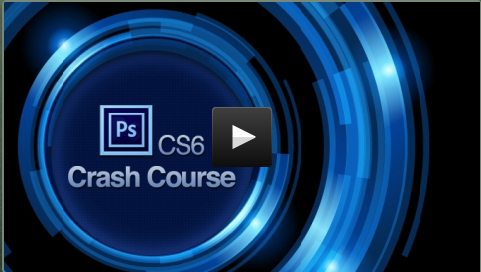
Photoshop CS6 Crash Course: Master Photoshop Course Feature Image

Learn Photoshop CS6 essentials in just 4 hours! Master Layers, Selections, and Color Correction to create stunning visuals effortlessly with –

Photoshop CS6 Crash Course

Photoshop can seem overwhelming, but mastering just three key elements—Layers, Selections, and Color Correction—can unlock limitless possibilities.

This Photoshop online course is designed to take you from zero to pro in just 4 hours. Instead of drowning you in every single feature, it focuses on what truly matters, helping you work smarter, not harder.

Guided by Jeremy Shuback, a professional designer with years of experience, you’ll learn practical skills to tackle everyday design challenges. Whether it’s retouching, compositing, or creative editing, this course has you covered.

Unlike typical long courses, Jeremy’s teaching style is engaging and human, cutting straight to the point while keeping you motivated.

Photoshop Online Course Features:

Understanding the Basics

  • Navigate the Photoshop interface with ease.
  • Learn essential shortcut keys.
  • Add text and work with images effortlessly.
  • Explore features to get started quickly.

Layers

  • Combine multiple images seamlessly.
  • Resize, split, and manipulate layers effectively.
  • Add color boxes to enhance your designs.

Selections

  • Remove simple images from photographs.
  • Select strands of hair with precision.
  • Change backgrounds smoothly for professional results.

Color Correction

  • Perform simple color corrections and dive into in-depth theory.
  • Fix complex photographs with advanced techniques.
  • Change colors in specific areas, like turning a yellow shirt green.
  • Convert parts of images into black and white.

Object Removal

  • Remove small imperfections like pimples.
  • Eliminate large objects such as fence posts.
  • Remove obstructions like date stamps, even in tricky areas like faces.

Beauty Retouching

  • Remove wrinkles and enhance facial features.
  • Adjust proportions like eye size or nose shape.
  • Smooth skin and fix issues like bloodshot eyes.
  • Correct mistakes with straightforward tools.

Compositing

  • Combine tools learned to accomplish complex tasks.
  • Merge household objects into cohesive designs.
  • Replace people in photos seamlessly.

Wrap-Up

  • Gain a solid grounding in Photoshop basics.
  • Build a foundation to explore advanced topics confidently.
  • Be equipped with enough knowledge to tackle creative challenges.

Specifications of the CS6 Course:

  • 68 lectures and 4 hours of content.
  • Lifetime access to the course materials.
  • 30-day money-back guarantee.
  • Access on Mac, PC, Linux, iPad, and iPhone.

Customer Testimonials:

Deal Terms:

How to download/activate this product?
After completing your purchase, you will receive an instructions document. Follow the instructions in this document to redeem the coupon code and get access to this online course.

What is the validity of the license key/coupon code? (Within how many days must the coupon code be redeemed?)
The coupon code must be redeemed within 30 days from the date of purchase.

Do you get Lifetime Access to this deal?
Yes, this deal gives you lifetime access.

Lifetime means the lifetime of the product.
We try to get great products with longevity for our customers, but products do get acquired, or sometimes the products go bankrupt. Many of these products are startup companies, giving us a great deal for our customers. But in case of an unfortunate situation where the product does not last long, there is not much DealFuel can do about it.

Are Updates available for this course?
Yes, Lifetime updates are available for this course.

Is support available for this course?
Yes, support is available.

Is this deal for new users only?
No, this deal is available for both old & new users of this course.

How many users can use the license key/coupon code?
One coupon code can be used for one user/account.

Are the coupon codes stackable?
No, the coupon codes are not stackable.

Can this course be accessed on all devices?
Yes, this online course is accessible on all devices, provided the devices have a good internet connection.

Reviews

There are no reviews yet.

Only logged in customers who have purchased this product may leave a review.

TL;DR

Accomplish about anything in Photoshop by learning to manipulate the 3 elements:
  • Layers
  • Selections
  • Color Correction
Grab this deal just for $19 today! DealClub just $14

Learn Photoshop CS6 essentials in just 4 hours! Master Layers, Selections, and Color Correction to create stunning visuals effortlessly with –

Photoshop CS6 Crash Course

Photoshop can seem overwhelming, but mastering just three key elements—Layers, Selections, and Color Correction—can unlock limitless possibilities.

This Photoshop online course is designed to take you from zero to pro in just 4 hours. Instead of drowning you in every single feature, it focuses on what truly matters, helping you work smarter, not harder.

Guided by Jeremy Shuback, a professional designer with years of experience, you’ll learn practical skills to tackle everyday design challenges. Whether it’s retouching, compositing, or creative editing, this course has you covered.

Unlike typical long courses, Jeremy’s teaching style is engaging and human, cutting straight to the point while keeping you motivated.

Photoshop Online Course Features:

Understanding the Basics

  • Navigate the Photoshop interface with ease.
  • Learn essential shortcut keys.
  • Add text and work with images effortlessly.
  • Explore features to get started quickly.

Layers

  • Combine multiple images seamlessly.
  • Resize, split, and manipulate layers effectively.
  • Add color boxes to enhance your designs.

Selections

  • Remove simple images from photographs.
  • Select strands of hair with precision.
  • Change backgrounds smoothly for professional results.

Color Correction

  • Perform simple color corrections and dive into in-depth theory.
  • Fix complex photographs with advanced techniques.
  • Change colors in specific areas, like turning a yellow shirt green.
  • Convert parts of images into black and white.

Object Removal

  • Remove small imperfections like pimples.
  • Eliminate large objects such as fence posts.
  • Remove obstructions like date stamps, even in tricky areas like faces.

Beauty Retouching

  • Remove wrinkles and enhance facial features.
  • Adjust proportions like eye size or nose shape.
  • Smooth skin and fix issues like bloodshot eyes.
  • Correct mistakes with straightforward tools.

Compositing

  • Combine tools learned to accomplish complex tasks.
  • Merge household objects into cohesive designs.
  • Replace people in photos seamlessly.

Wrap-Up

  • Gain a solid grounding in Photoshop basics.
  • Build a foundation to explore advanced topics confidently.
  • Be equipped with enough knowledge to tackle creative challenges.

Specifications of the CS6 Course:

  • 68 lectures and 4 hours of content.
  • Lifetime access to the course materials.
  • 30-day money-back guarantee.
  • Access on Mac, PC, Linux, iPad, and iPhone.

Customer Testimonials:

Deal Terms:

How to download/activate this product?
After completing your purchase, you will receive an instructions document. Follow the instructions in this document to redeem the coupon code and get access to this online course.

What is the validity of the license key/coupon code? (Within how many days must the coupon code be redeemed?)
The coupon code must be redeemed within 30 days from the date of purchase.

Do you get Lifetime Access to this deal?
Yes, this deal gives you lifetime access.

Lifetime means the lifetime of the product.
We try to get great products with longevity for our customers, but products do get acquired, or sometimes the products go bankrupt. Many of these products are startup companies, giving us a great deal for our customers. But in case of an unfortunate situation where the product does not last long, there is not much DealFuel can do about it.

Are Updates available for this course?
Yes, Lifetime updates are available for this course.

Is support available for this course?
Yes, support is available.

Is this deal for new users only?
No, this deal is available for both old & new users of this course.

How many users can use the license key/coupon code?
One coupon code can be used for one user/account.

Are the coupon codes stackable?
No, the coupon codes are not stackable.

Can this course be accessed on all devices?
Yes, this online course is accessible on all devices, provided the devices have a good internet connection.

This Deal ran out of Fuel

Don’t Miss a Deal Again.
Get the Latest Deals In your Inbox.

30 Day Refund Policy
For support contact: [email protected] 

Want to save another 25% on this deal?

Join DealClub

Plans & Features

Base Plan
$19 $40
  • 68 lectures and 4 hours of content.
  • Lifetime access to the course materials.
  • 30-day money-back guarantee.
  • Licensed per user.
  • Compatible with Mac, PC, Linux, iPad, and iPhone.
  • Over 3000 subscribers already enrolled.
Buy Now

    No Q&A available yet.

    No Reviews available.

    Only logged in customers who have purchased this product may leave a review.

Scroll to Top