UPDF – AI PDF Editor & PDF Converter – Pro

TL;DR

  • Edit text, images, links, pages, and forms inside PDFs with ease.
  • Convert PDFs to Word, Excel, PowerPoint, images, HTML, XML, CSV, and more.
  • OCR scanned PDFs in multiple languages to create searchable and editable documents.
  • Summarize, translate, explain, and chat with PDFs using the built-in AI Assistant.
  • Annotate, organize, sign, merge, split, and manage PDFs across devices.
  • Works on Windows, Mac, iOS, & Android.

Quick Overview

Alternative to:

  • Adobe Acrobat Pro
  • Foxit PDF Editor
  • ILovePDF
  • Nitro PDF Pro
  • PDF-XChange Editor
  • Smallpdf
  • Wondershare PDFelement

Best for:

  • Accountants
  • Business Teams
  • Consultants
  • Content Creators
  • Educators
  • ERP & Fintech Platforms
  • Finance Startups
  • Freelancers
  • HR Teams
  • Legal Teams
  • Researchers
  • Students
  • Trainers
  • Writers

Compatibility:

  • Operating Systems:
    Android, iOS, MacOS, Windows

Forget clunky PDF readers of the past. Unleash the power of AI and transform your documents with UPDF!


What is UPDF?


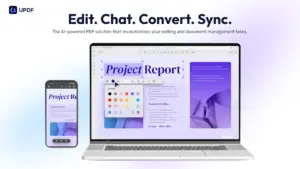
UPDF is a PDF Editor & PDF Converter that allows you to edit, annotate, convert, and organize PDF files to improve your document productivity across all major platforms.


UPDF also serves as a file manager and meets all your editing needs. This tool has a simple, easy-to-use user interface and comes with a ton of features.


Moreover, UPDF offers AI-powered tools to maximize efficiency in document workflow.

Introduction To UPDF – AI PDF Editor:

Youtube video

Features Of UPDF LTD:

Edit PDF

UPDF Compatibility:

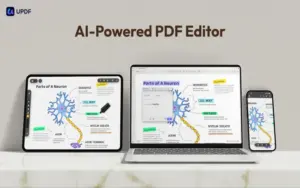
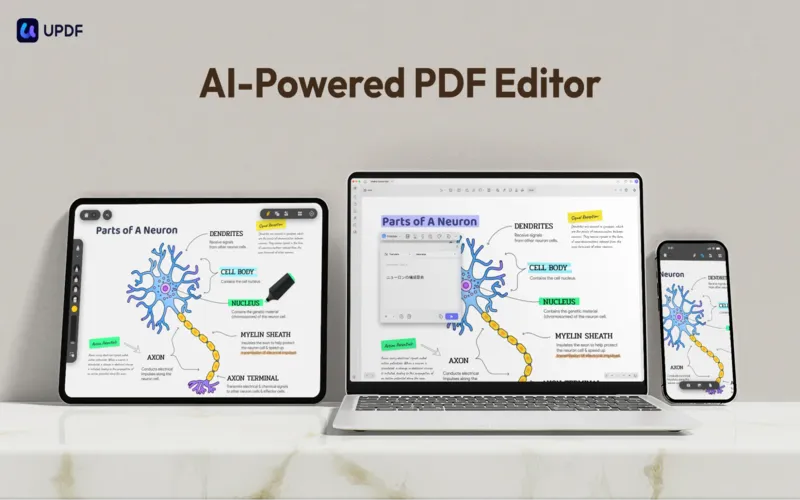
  • Document productivity is possible on all major platforms on UPDF, including Windows, Mac, iOS, and Android devices.
updf PDF Editing Tools

PDF Editing Tools:

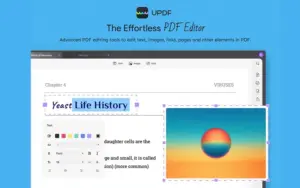
  • With UPDF, get advanced PDF editing software to edit text, images, links, pages, and other PDF elements.
  • Edit text in PDF to change the properties of the text, such as the color, font, size, etc.
  • Edit images in PDF to change the size, crop, rotate, extract, replace, delete, etc.
  • Add or remove links to the web or a page.
Annotate PDF

PDF Annotation Tools:

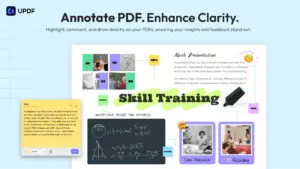
  • You can also review documents in UPDF by annotating PDFs with highlights, underlines, and other such tools.
  • Highlight, underline, strikethrough, or squiggly the text in PDFs.
  • Add sticky notes, text boxes, text comments, text callouts, or shapes to PDFs.
  • Free-hand drawing within a PDF.
  • Add stamps, stickers, and signatures to PDFs.
  • Measure a PDF.
Convert PDF

PDF Converting Tools:

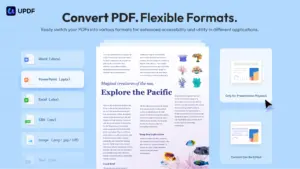
  • You can also convert PDFs in UPDF to other document formats.
  • Convert PDFs to: DOCX, XLSX, and PPTX.
  • Convert PDFs to images: PNG, JPEG, BMP, TIFF, and GIF.
  • Convert PDFs to TXT, RTF, CSV, HTML, and XML.
Organize PDF

UPDF PDF Editor:

  • UPDF is a high-quality PDF Editor and PDF Converter that helps you increase your document workflow’s efficiency.
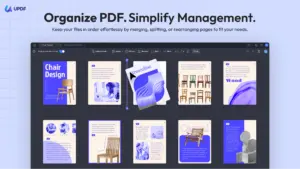
  • Insert, replace, extract, split, rotate, remove, and reorder the pages in PDFs
  • Crop or extend page margins.
  • Split a long single page into multiple pages.
  • Read, organize, review and sign documents on iOS and Android devices.
OCR PDF

PDF OCR (Not available on the Mac App Store):

  • OCR (Optical Character Recognition) allows you to convert PDF files to Word, PowerPoint, Excel, images, and other formats.

More Features Of UPDF:

AI Assistant:

  • Chat with PDFs and get instant answers from your documents
  • Summarize lengthy reports, contracts, and research papers
  • Translate PDF content into multiple languages
  • Explain complex information in simpler terms
  • Extract key insights and important takeaways
 

Why Choose UPDF?

  • Edit text, images, links, and pages in PDFs as easily as editing a Word document.
  • Convert PDFs into Word, Excel, PowerPoint, images, and other editable formats.
  • Chat with PDFs using AI to summarize, explain, translate, and extract key information.
  • Turn scanned documents into searchable and editable files with OCR.
  • Highlight, annotate, comment, and sign PDFs for faster collaboration.
  • Merge, split, reorder, crop, rotate, and compress PDFs with just a few clicks.
  • Protect sensitive documents with passwords and permission controls.
  • Access and edit your PDFs seamlessly across Windows, Mac, iOS, and Android.
  • Complete document workflows faster while reducing manual editing and paperwork.
  • Replace multiple PDF tools with one fast, AI-powered, all-in-one PDF solution.
 

System Requirements:

  • Windows 10 or later,
  • macOS 11.0 or later,
  • iOS 14.0 or later,
  • Android 6.0 or later

Best For:

  • Accountants
  • Business Teams
  • Consultants
  • Content Creators
  • Educators
  • ERP & Fintech Platforms
  • Finance Startups
  • Freelancers
  • HR Teams
  • Legal Teams
  • Researchers
  • Students
  • Trainers
  • Writers

Choose Your Plan

With DealClub
$59.49
$79.99
Without DealClub
$69.99
$79.99
Buy Now
Limited Time Deal

Deal Terms

  • Access via redemption of coupon code
  • 30 Day Coupon Code Validity
  • One Coupon Code for one user/account
  • Coupon Codes are stackable
  • For both - New & Existing Users
  • Free Updates
  • Free Support
  • Accessible on all devices - Desktop, Mobile and Tablet

Customer Testimonials

I have almost completely transitioned from Adobe PDF to UPDF on most of my devices! It has saved me hundreds of dollars from my subscription to Adobe Pro and still allows me almost all the same features as Adobe Pro. The lifetime license is a godsend, and if you just need to edit PDF's, sign them, or even create them, it has been a great product! I only took one star away for some issues I had with inputs, and the interface not being as intuitive as I am used to, but overcoming those hurdles makes this a fantastic replacement!

-Joseph Sanzo

Purchased a lifetime license for only about $30 several years ago and have not regretted it. It is lightweight and fast. Not super user-friendly, but can do many tasks. Customer support is great. Updates are free and make it easier to handle PDF and JPG files which I use often. Editing is convenient for editing PDF files. Rearranging and inserting/deleting pages is easy. Files can be reduced based on your file size preference.

-moemanofnj

Plans & Features

Choose the perfect plan for your needs.

Plans & Features
Standard
$79.99 $69.99
Buy Now
AI-powered PDF editor & converter
Cross-platform compatibility (Windows, Mac, iOS, Android)
Edit text, images, links, & pages
Annotate with highlights, underlines, etc.
OCR for converting PDFs to other formats
Organize & sign documents on mobile
One-time purchase for lifetime access
Cloud Storage

2GB

Standard Plan

$79.99 $69.99
Buy Now
30-Day Refund | Lifetime Access | One-time Payment
  • AI-powered PDF editor & converter
  • Cross-platform compatibility (Windows, Mac, iOS, Android)
  • Edit text, images, links, & pages
  • Annotate with highlights, underlines, etc.
  • OCR for converting PDFs to other formats
  • Organize & sign documents on mobile
  • One-time purchase for lifetime access
  • Cloud Storage: 2GB

Frequently Asked Questions

Find answers to common questions about UPDF

Can UPDF replace Adobe Acrobat?

Yes. UPDF combines PDF editing, conversion, OCR, annotation, AI tools, and eSign support in one affordable solution.

Can I edit scanned PDFs?

Yes. UPDF's OCR technology converts scanned PDFs into searchable and editable documents.

Which file formats can I convert PDFs to?

Convert PDFs to Word, Excel, PowerPoint, images, HTML, CSV, XML, and more.

Does UPDF work on multiple devices?

Yes. A single license lets you use UPDF on Windows, Mac, iOS, and Android.

Can I sign documents with UPDF?

Yes. Add electronic signatures, fill forms, and annotate PDFs without printing them.

Customer Feedback

Customer Reviews (0) Customer Q&A (0)

No Reviews Yet

Be the first to try this deal and share your experience.

You must purchase this product to leave a review.

Be The First To Ask

Get clarity before you buy—your question might help others too.

×

You Might Also Like

EaseUS FocalFlow - AI Screen Recording With Auto-Zoom (3PCs - Windows) | Annual Access

EaseUS FocalFlow - AI Screen Recording With Auto-Zoom (3PCs - Windows) | Annual Access

, , , , , , , ,

GoReportly - JSON To PDF API | Annual Access
PDFGPT - Chat With PDF Tool | Annual Subscription
NotJustVPN - Cyber Security Software | Annual Subscription

NotJustVPN - Cyber Security Software | Annual Subscription

, , , , , , ,

Buy with DealClub
$59.49 $79.99
Buy without DealClub
$69.99 $79.99

Deal Terms

  • ✓ Access via redemption of coupon code
  • ✓ 30 Day Coupon Code Validity
  • ✓ One Coupon Code for one user/account
  • ✓ Coupon Codes are stackable
  • ✓ For both - New & Existing Users
  • ✓ Free Updates
  • ✓ Free Support
  • ✓ Accessible on all devices - Desktop, Mobile and Tablet
Scroll to Top