


Troubled with the constant PC crashes?
Worried about losing your data due to the PC crash?
Here’s an ultimate solution to your PC trouble!
Windows Boot Genius is an effective tool that manages most of your PC issues. It’s an all-in-1 tool for Windows rescue, data recovery, password and key recovery and more.
Main features:
- Fix all booting issues including blue screen of death, black screen of death, freezes, crashes, etc. on Windows
- Backup & restore Windows, hard disk, and partitions
- Recover data from crashed computer
- Find lost passwords and more
Grab Windows Boot Genius for just $14.99 (DealClub $11.25)
Watch this plugin in action by Tenorshare
Booting Issues on Windows:
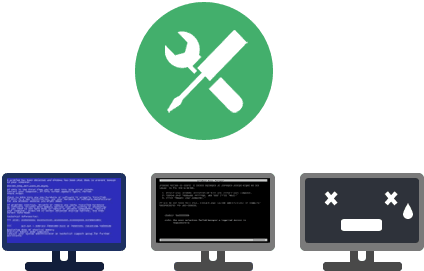
- Windows Boot Genius repairs major booting issue like startup issue, rebooting issues, blue screen, black screen, constant crashes.
- It fixes errors like “NTLDR is Missing”, “BOOTMGR is Missing” errors by recovering missing boot sector.
- It also repairs crashed MBR, corrupt registry, virus-infected registry key value and partition table.
Backup & restore Windows, Hard Disk, and Partitions:
- Backup Windows system, applications, and files before you start to troubleshoot Windows or a hard drive crashes.
- Restore Windows after computer crash without reinstalling Windows OS.
- Clone a partition or hard drive when you need to copy an old drive to a new one.

Recover data from crashed computer:
- Retrieve your photos, videos and music collections, and other files.
- Recover files lost from formatted or crashed hard drive.
- Repair corrupt, altered, or lost partition table.
- Rescue data from crashed Windows system.

Find lost passwords & keys
- Recover lost Windows local administrator/user passwords in Windows 10, 8.1, 8, 7, Vista, XP.
- Recover domain administrator and user password in Windows Server 2012/2008(R2), etc.
- Find Windows product key before reinstalling.
- Find Office product key, SQL Server Key for reinstall to avoid a second purchase.

Wipe specific files & folders or entire partition
- Wipe a particular partition before you clean install Windows or any software.
- Remove a sensitive folder from your PC without any possibility to recover.
- Delete virus-affected files when your computer is infected with boot sector virus.
- Wipe any data before you donated or sell your computer.
- All data wiped have no chance to be recovered by any data recovery software.
Specifications:
- Operating System: Windows 10/Windows 8.1/Windows 8/Windows 7/Vista/Windows XP (64&32 bits), Windows Sever 2012 R2/2012/2008 R2/2008/2003 R2/2003
- CPU: 1000MHz and above
- RAM: 512 MB or more of RAM (1028MB Recommended)
- Disk Space: 20 MB of free space
- GPU: NVIDIA G80+ (GT8600 to GTX590)
The tool is super easy to use and has a very clear mode of operation.
Check out its user interface:
rs are saying…
“Windows Boot Genius is by far the most powerful tool I’ve seen. It’s with so many features and functions and fixes all kinds of Windows problems.”
“This tool is fantastic. When my computer refused to turn on, it fixed the issue and everything work fine then.”
“I have used this utility for almost one year. It is one of the best software I’ve used.”
“A lot of my friends have the same problem with their computer occasionally. I would recommend to my friends and they should never be bothered by such problems.”
Personal License:
- License for 1~3 PCs
- Use it as long as you want
- Free lifetime support
- Free lifetime update
Deal Terms:
- Delivered as an instant download after your payment.
- The size of the software is 254MB
- Free support and updates for lifetime





Reviews
There are no reviews yet.