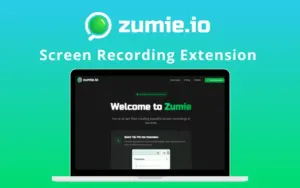
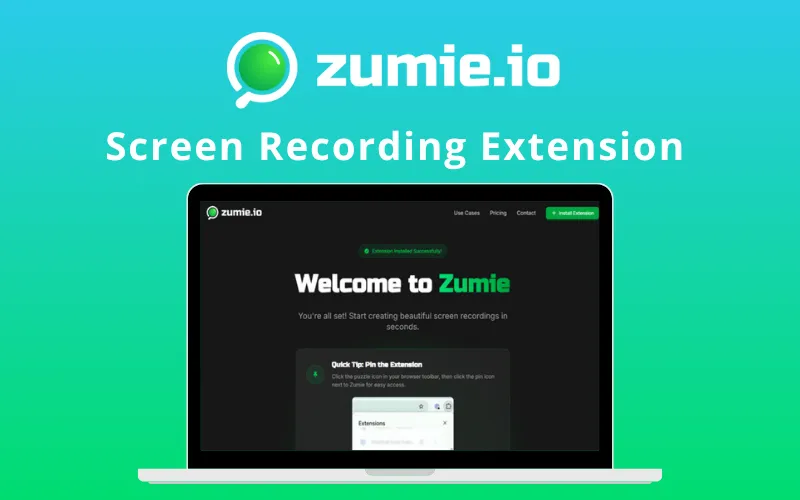
Zumie – Screen Recording Extension | Lifetime Access

TL;DR

  • Smart auto-zoom recording
  • Records screen, webcam, voice
  • Highlights clicks and keys
  • Built-in video editing tools
  • Lifetime HD exports, no watermark

Quick Overview

Alternative to:

  • Berrycast
  • Loom

Best for:

  • Content Creators
  • Freelancers
  • Graphic Designers
  • Small Business Owners
  • YouTubers

Compatibility:

  • Browser Support:
    Chrome
  • Operating Systems:
    Browser Based

Screen recordings don’t need to be confusing. Make them smooth, professional, & engaging with Zumie.


What is Zumie?


Zumie is a screen recording extension that creates stunning screen recordings with automatic zoom that smoothly follows your cursor to highlight every action. It requires no editing skills required


Designed for creators, developers, educators, & IT professionals, this Screen Recorder lets you –

  • Record your screen, webcam, and voice together
  • Automatically zoom in on key actions
  • Highlight clicks and keyboard inputs clearly
  • Customize layouts with beautiful backgrounds
  • Instantly edit, trim, and share your recordings


With Zumie, you can go from idea to a professional video in just minutes, no complex tools or post-production needed.


How to record your Screen using Zumie?

1. Start Recording:

  • Capture screen, webcam, and voice with smooth auto-zoom.


2. Edit Instantly:

  • Trim or tweak in the built-in editor.


3. Export & Share:

  • Download HD videos, watermark-free, and share anywhere.

Zumie Features:

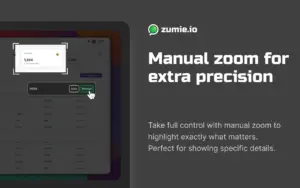
Manual-Zoom-Feature-Of-Zumie

Manual Zooming:

  • Enables full control over zoom levels and focus areas
  • Provides flexibility to highlight specific details or code snippets
  • Helps create professional, detail-oriented demonstrations
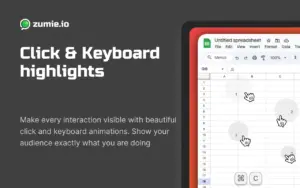
Click-and-keyboard-Highlights-Feature-of-Zumie

Click & Keyboard Highlights:

  • Enables clear visual cues for clicks and keystrokes
  • Provides better audience understanding of on-screen actions
  • Helps make tutorials and walkthroughs more engaging
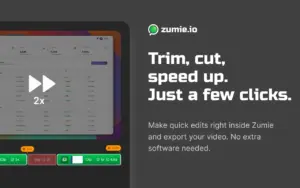
Trim-cut-speedd-up-feature-of-Zumie

Trim & Speed Control:

  • Enables easy removal of unwanted parts
  • Provides the option to speed up or slow down clips
  • Helps keep recordings concise, polished, and viewer-friendly

Additional Features:

Automatic Zoom:

  • Automatically tracks your cursor for smooth focus transitions
  • Highlights key actions without manual effort


Cursor Tracking:

  • Keeps the cursor visible for clear viewer context
  • Ensures smooth, professional motion tracking


Screen, Webcam & Voice Recording:

  • Captures screen, webcam, and narration together
  • Simplifies tutorial and presentation creation


Customizable Style:

  • Allows background, padding, and frame customization
  • Enhances videos with a polished, branded look


Specifications:

  • Platform: Chrome extension (desktop, Chromium browsers)
  • Export Quality: HD & MAX quality

Zumie is best for:

  • Content Creators
  • Freelancers
  • Graphic Designers
  • Small Business Owners
  • YouTubers

Choose Your Plan

With DealClub
$33.15
$59.00
Without DealClub
$39.00
$59.00
Buy Now
Limited Time Deal

Deal Terms

  • Access via redemption of coupon code
  • 7-Day Coupon Code Validity
  • One Coupon Code for one user/account
  • Coupon Codes are not stackable
  • For both - New & Existing Users
  • Free Updates
  • Free Support
  • Accessible only on Desktop

Customer Testimonials

This looks super clean, Daniel you’ve really focused on fixing all those little UX annoyances that most recording tools still have.

-Chris Hicken

Love this! Just gave it a try and it works as expected!

-Jigar Dhulla

Plans & Features

Choose the perfect plan for your needs.

Plans & Features
Standard
$59 $39
Buy Now
All recording tools included
Full access to editing features
Use on up to 3 devices
Automatic zoom tracking
Click and keyboard highlights
Watermark on exports
Export in standard quality
Project history
Priority support
Unlimited recordings
Lifetime updates available

Standard

$59.00 $39.00
Buy Now
7-Day Refund | Lifetime Access | One-Time Payment
  • All recording tools included
  • Full access to editing features
  • Use on up to 3 devices
  • Automatic zoom tracking
  • Click and keyboard highlights
  • Watermark on exports
  • Export in standard quality
  • Project history
  • Priority support
  • Unlimited recordings
  • Lifetime updates available

Frequently Asked Questions

Find Answers to common questions about Zumie

What is Zumie?

Zumie is a Chrome screen recording extension with automatic zoom, editing, and HD watermark-free exports.

Does Zumie automatically zoom recordings?

Yes. Zumie automatically follows your cursor and smoothly zooms in on key actions.

Customer Feedback

Customer Reviews (0) Customer Q&A (0)

No Reviews Yet

Be the first to try this deal and share your experience.

You must purchase this product to leave a review.

Be The First To Ask

Get clarity before you buy—your question might help others too.

×

You Might Also Like

AWZ Screen Recorder For Windows & Mac | Annual & Lifetime Access

AWZ Screen Recorder For Windows & Mac | Annual & Lifetime Access

, , , , , , , , ,

OysterVPN - Fastest VPN For Online Privacy | Lifetime Access

OysterVPN - Fastest VPN For Online Privacy | Lifetime Access

, , , , , , , , ,

1.0 (1)
Nero - AI Screen Recorder Pro 2026 (Windows) - Create High-Quality Screen Recordings

Nero - AI Screen Recorder Pro 2026 (Windows) - Create High-Quality Screen Recordings

, , , , , , ,

EaseUS DupFiles Cleaner - (1PC - Windows) - Clear Duplicate Files & Reclaim Storage

EaseUS DupFiles Cleaner - (1PC - Windows) - Clear Duplicate Files & Reclaim Storage

, , , , , , , ,

Buy with DealClub
$33.15 $59.00
Buy without DealClub
$39.00 $59.00

Deal Terms

  • Access via redemption of coupon code
  • 7-Day Coupon Code Validity
  • One Coupon Code for one user/account
  • Coupon Codes are not stackable
  • For both - New & Existing Users
  • Free Updates
  • Free Support
  • Accessible only on Desktop
Scroll to Top