
Home > All > Operating System > Browser Based > Photo Retoucher – Photo Restoration Software | Lifetime Access

Photo Retoucher – Photo Restoration Software | Lifetime Access

Photo Retoucher - Photo Restoration Software Lifetime Deal Feature Image

Traditional photo restoration methods can be time-consuming, expensive, and require advanced editing skills. That is why DealFuel brings to you – 

Photo Retoucher – Photo Restoration Software

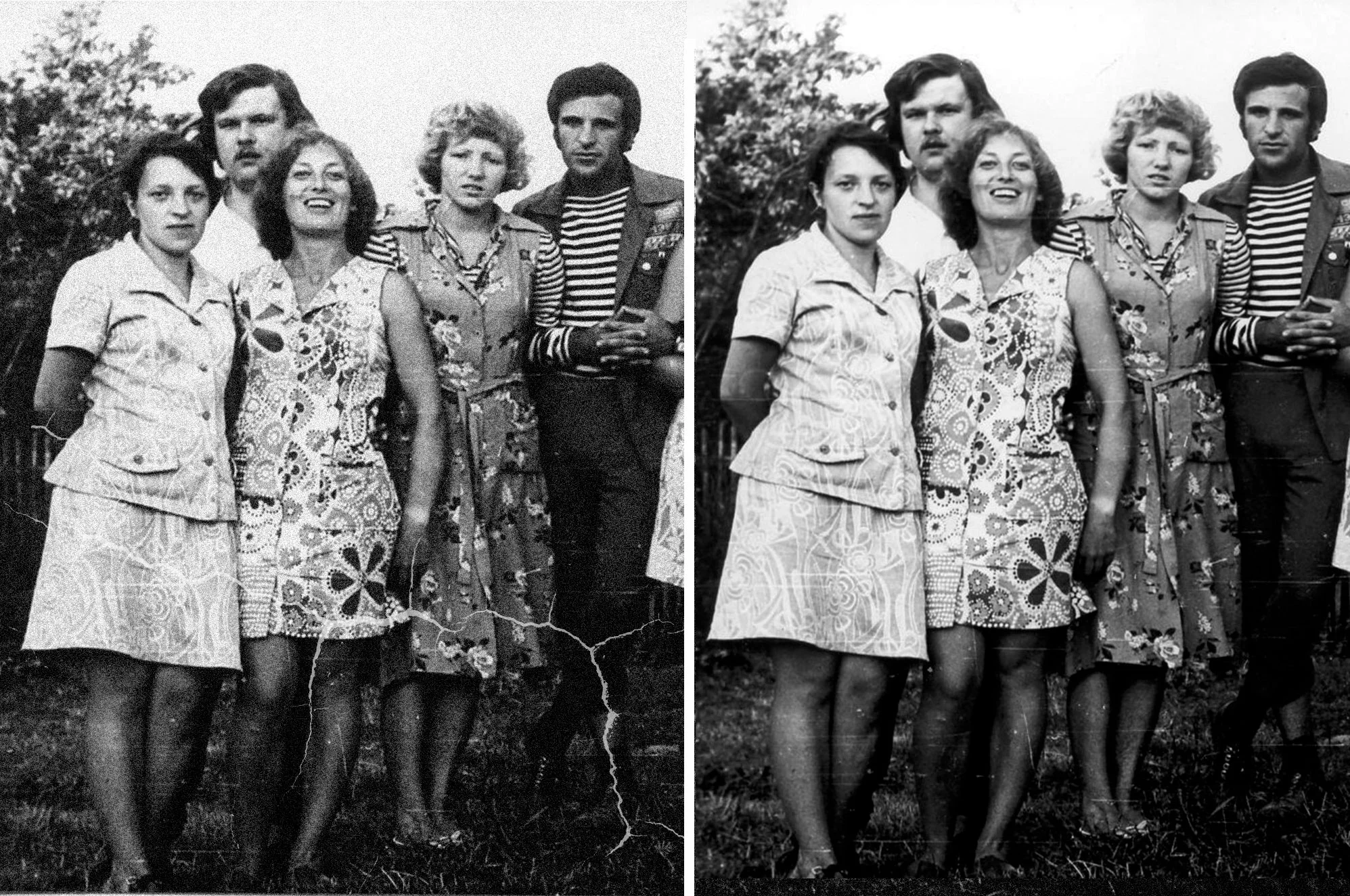
SoftOrbits Photo Retoucher is an advanced photo restoration software designed to remove imperfections, restore old photos, and enhance image quality.

This photo restoration software features – 

  • AI-powered tools for automatic scratch removal
  • Grain reduction
  • Object elimination
  • Black-and-white colorization
  • Preserve and improve vintage or damaged photographs and more.

It has easy-to-use interface and powerful editing tools making it a perfect solution for image restorations without the need for complex photo editing skills.

How To Use Photo Restoration Software?

  1. Upload Your Photo – Open the software and add the old or damaged image.
  2. Select Restoration Features – Choose scratch removal, noise reduction, or colorization.
  3. Apply Enhancements – Use tools like portrait retouching, object removal, and brightness adjustments.
  4. Preview & Edit – Check the restored image and fine-tune details as needed.
  5. Save & Share – Download the final image in high quality and share your restored photo with ease.

Specifications:

  • Windows 11/10/8.1/8/7 (32/64 bit)
  • Intel i3, AMD Ryzen 5 or above
  • 4 GB of RAM or above
  • NVIDIA® GeForce® series 8 and 8M, Intel® HD Graphics 2000, Quadro FX 4800, Quadro FX 5600, AMD Radeonâ„¢ R600, Mobility Radeonâ„¢ HD 4330, Mobility FireProâ„¢ series, Radeonâ„¢ R5 M230 or higher graphics card with up-to-date drivers
  • 1280 × 768 screen resolution, 32-bit color
  • 1 GB of free hard disk space or above

Features Of Photo Retoucher – Photo Restoration Software:

Old Photo Restoration:

  • Repair faded, scratched, and damaged photos using AI-driven restoration tools that automatically enhance image quality.

Scratch & Blemish Removal:

  • Effortlessly remove scratches, dust spots, and imperfections with smart restoration tools.

Grain Reduction & Noise Removal:

  • Reduce graininess and eliminate digital noise to improve photo clarity and sharpness.

Black & White to Color Conversion:

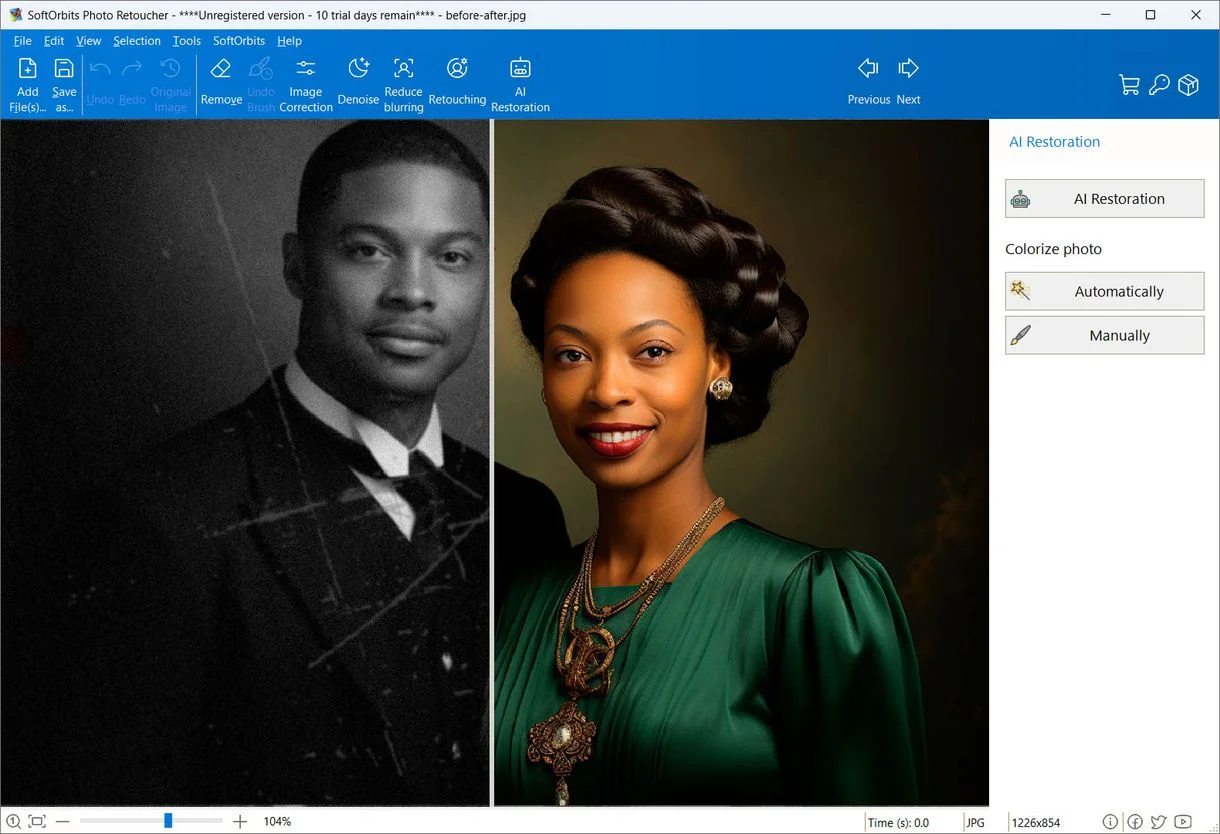
  • Automatically colorize black-and-white photos with AI-powered technology, adding vibrancy and realism.

Object & Background Removal:

  • Erase unwanted elements, such as people, objects, or distracting backgrounds, with a few simple clicks.

Portrait Retouching:

  • Enhance facial features by smoothing skin, whitening teeth, fixing eye colors, and removing wrinkles or blemishes.

Image Enhancement Tools:

  • Adjust brightness, contrast, saturation, and temperature with precision or use the Auto Correction feature for instant improvements.

Smudge, Clone Stamp & Concealer Tools:

  • Manually retouch areas using specialized tools that let you blend, replace, or conceal imperfections seamlessly.

Easy-to-Use Interface:

  • No advanced editing skills required—simply upload, select your desired edits, and restore your photo in minutes.

Sneak Peek Into Photo Retoucher – Photo Restoration Software:

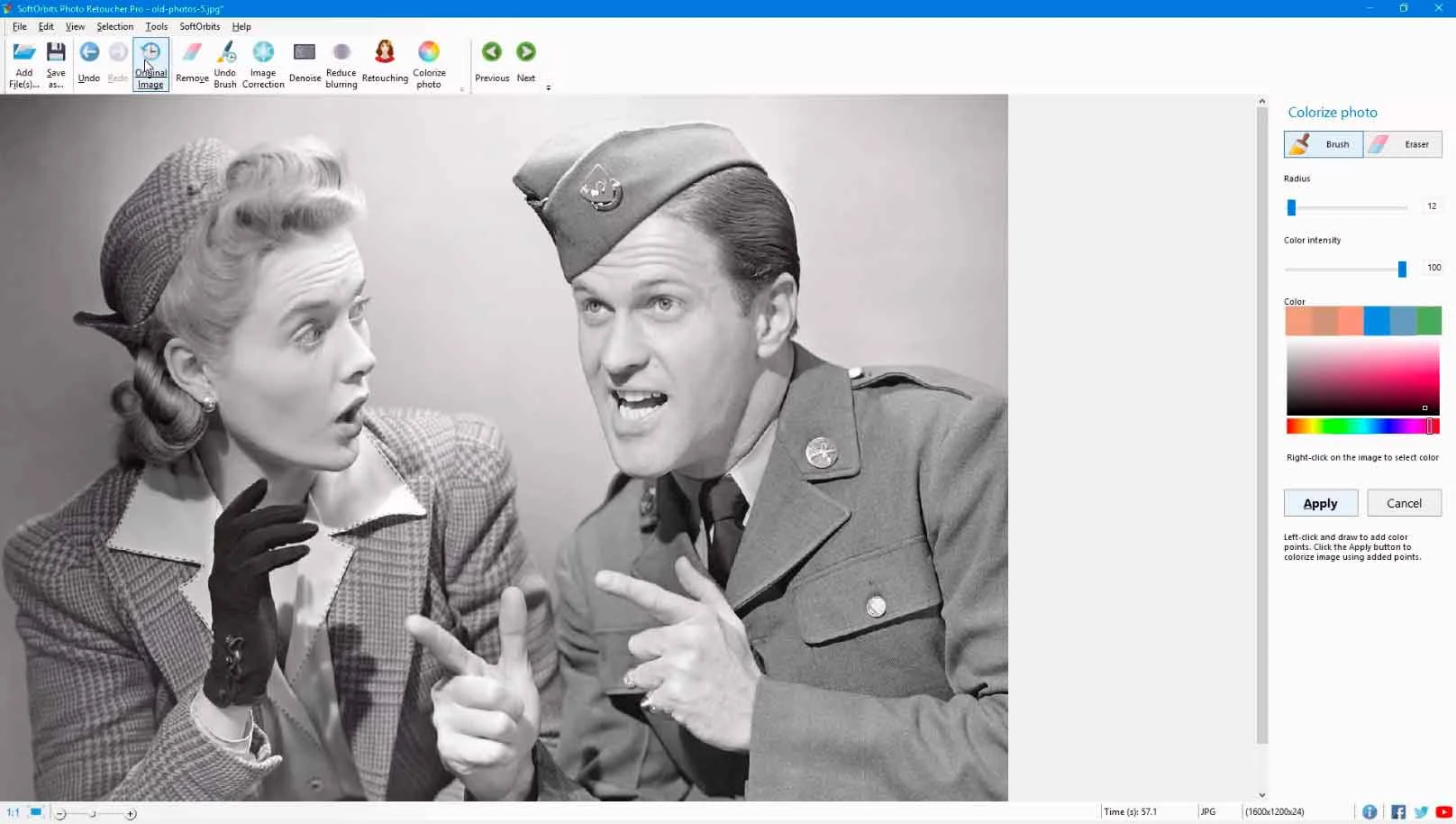
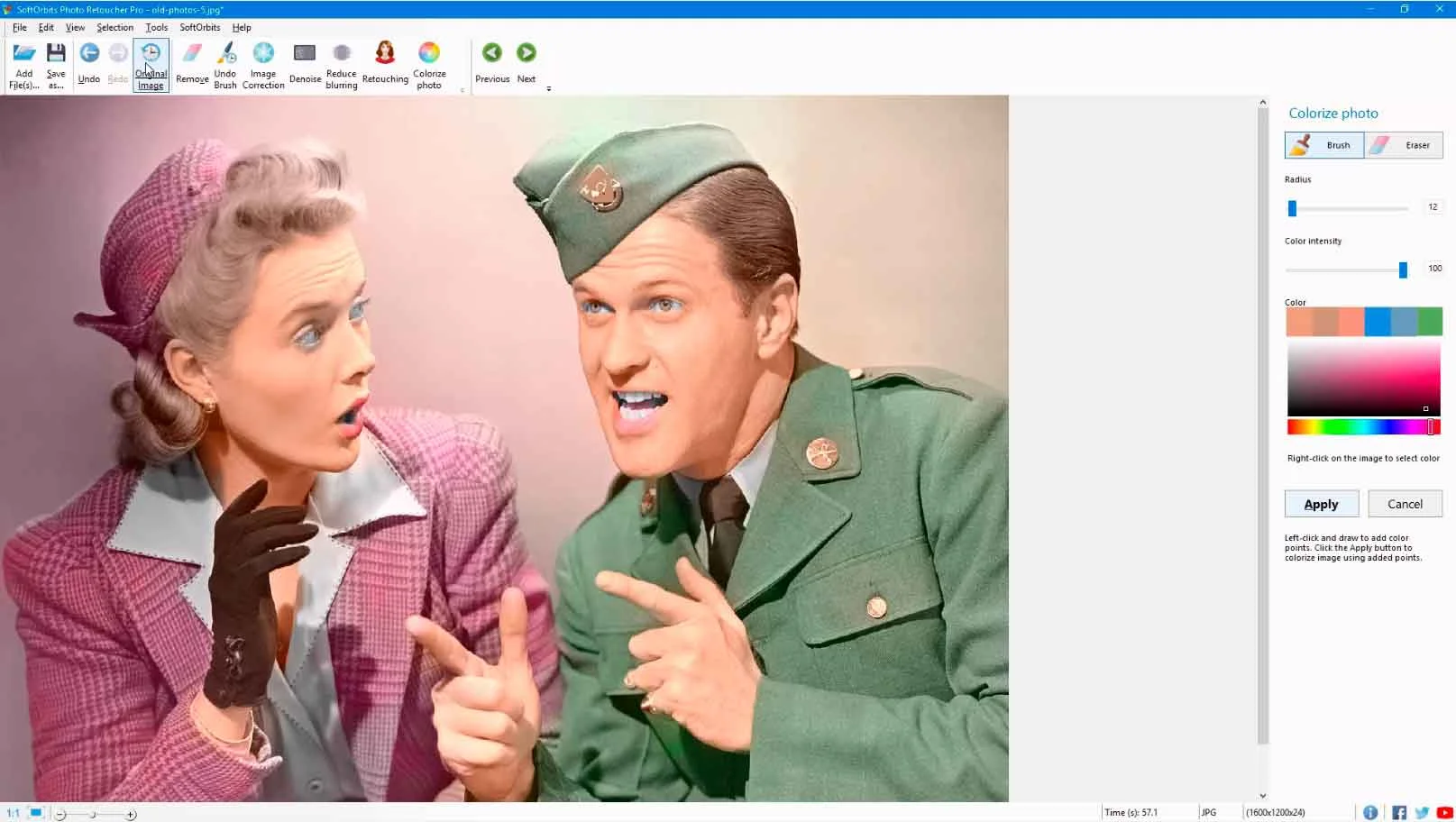
Convert Black and White Photo to Color
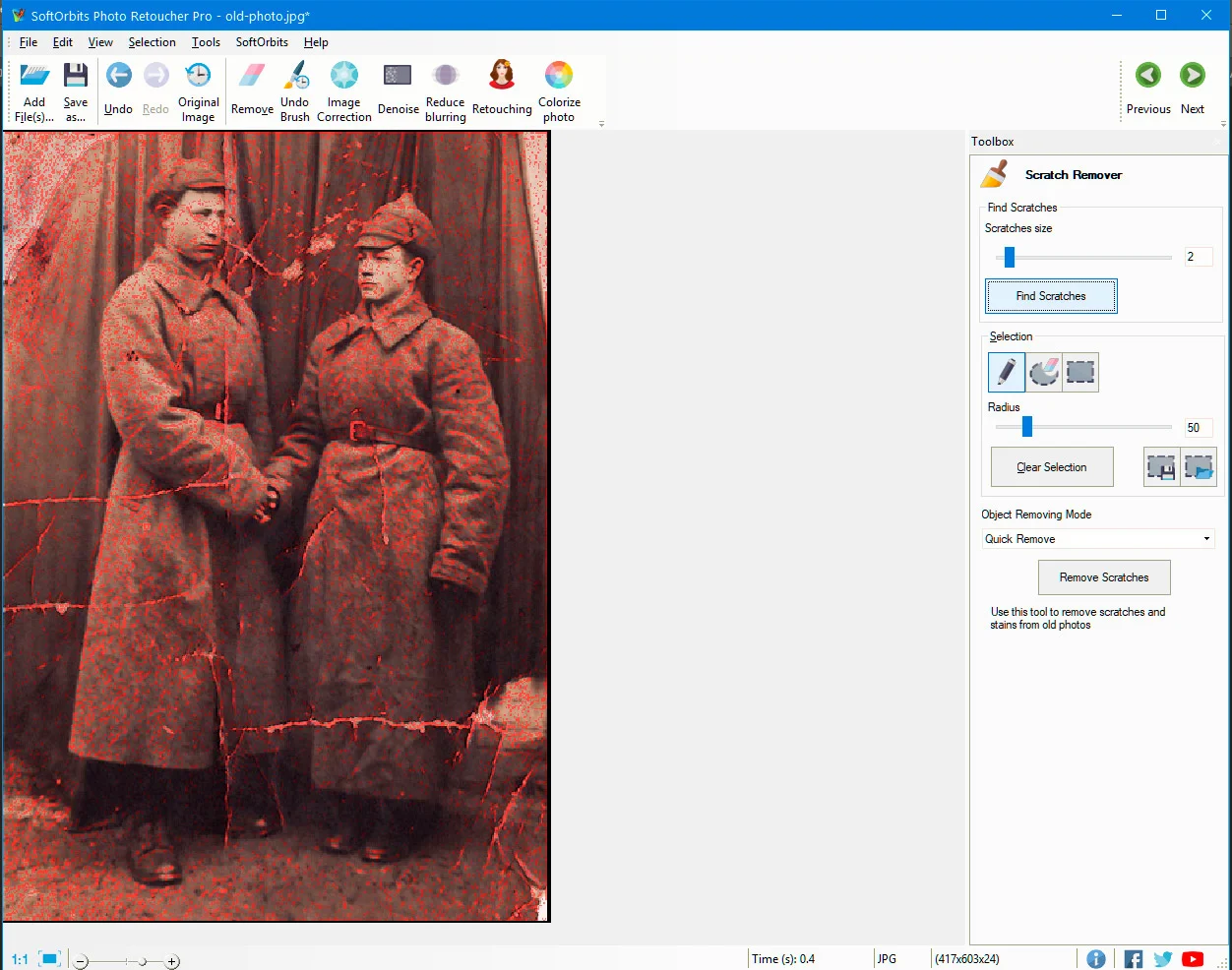
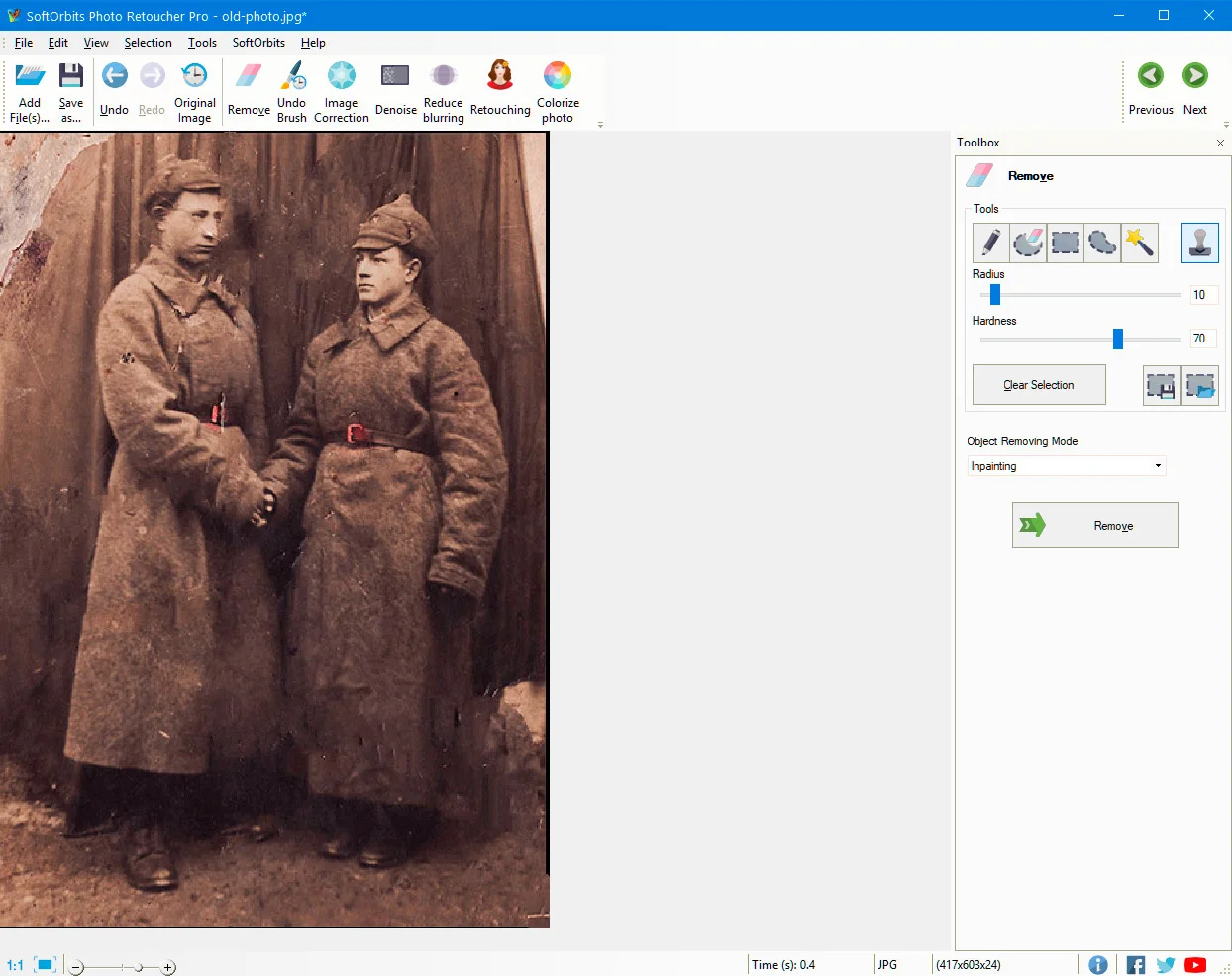
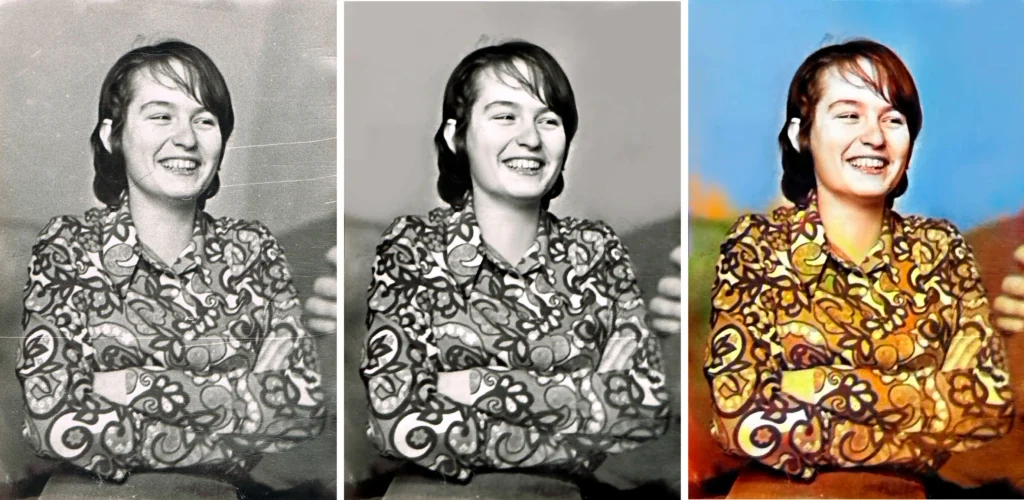
Eliminate Spots and Dust on the Picture Using Photo restoration Software
Eliminate Spots and Dust on the Picture

Customer Testimonials:

Deal Terms:

How to download/activate this product?
After completing your purchase, you will receive an instructions document. Follow the instructions in this document to redeem the coupon code and get access to this product.

What is the validity of the license key/coupon code? (Within how many days the coupon code must be redeemed?)
The coupon code must be redeemed within 30 days from the date of purchase.

Do you get Lifetime Access to this deal?
Yes, this deal gives you lifetime access to Photo Retoucher – Photo Restoration Software.
Lifetime means the lifetime of the product.
We try to get great products with longevity for our customers, but products do get acquired, or sometimes the products go bankrupt. Many of these products are startup companies, giving us a great deal for our customers. But in case of an unfortunate situation where the product does not last long, there is not much DealFuel can do about it.

Are Lifetime Updates available for this product?
Yes, minor updates are available for this product. Major updates are to be paid for. Users will receive a pop-up notification on the software when the update is released.

Is support available for this product?
Yes, support is available for this product.
For support, contact –  [email protected].

Is this deal for new users only?
No, this deal is available for both new and existing users of Photo Retoucher – Photo Restoration Software.

How many users can use the license key/coupon code?
1 coupon code can be used for 1 user/account.

Are the coupon codes stackable?
No, the coupon codes are not stackable.

Can this product be accessed on all devices?
No, this product is accessible only on Windows.

Reviews

There are no reviews yet.

Only logged in customers who have purchased this product may leave a review.

TL;DR

  •  Improve scanned photos by removing blemishes, touching them up, and restoring them.
  • Remove scratches, dust spots, marks, and blemishes in a few simple clicks.

Traditional photo restoration methods can be time-consuming, expensive, and require advanced editing skills. That is why DealFuel brings to you – 

Photo Retoucher – Photo Restoration Software

SoftOrbits Photo Retoucher is an advanced photo restoration software designed to remove imperfections, restore old photos, and enhance image quality.

This photo restoration software features – 

  • AI-powered tools for automatic scratch removal
  • Grain reduction
  • Object elimination
  • Black-and-white colorization
  • Preserve and improve vintage or damaged photographs and more.

It has easy-to-use interface and powerful editing tools making it a perfect solution for image restorations without the need for complex photo editing skills.

How To Use Photo Restoration Software?

  1. Upload Your Photo – Open the software and add the old or damaged image.
  2. Select Restoration Features – Choose scratch removal, noise reduction, or colorization.
  3. Apply Enhancements – Use tools like portrait retouching, object removal, and brightness adjustments.
  4. Preview & Edit – Check the restored image and fine-tune details as needed.
  5. Save & Share – Download the final image in high quality and share your restored photo with ease.

Specifications:

  • Windows 11/10/8.1/8/7 (32/64 bit)
  • Intel i3, AMD Ryzen 5 or above
  • 4 GB of RAM or above
  • NVIDIA® GeForce® series 8 and 8M, Intel® HD Graphics 2000, Quadro FX 4800, Quadro FX 5600, AMD Radeonâ„¢ R600, Mobility Radeonâ„¢ HD 4330, Mobility FireProâ„¢ series, Radeonâ„¢ R5 M230 or higher graphics card with up-to-date drivers
  • 1280 × 768 screen resolution, 32-bit color
  • 1 GB of free hard disk space or above

Features Of Photo Retoucher – Photo Restoration Software:

Old Photo Restoration:

  • Repair faded, scratched, and damaged photos using AI-driven restoration tools that automatically enhance image quality.

Scratch & Blemish Removal:

  • Effortlessly remove scratches, dust spots, and imperfections with smart restoration tools.

Grain Reduction & Noise Removal:

  • Reduce graininess and eliminate digital noise to improve photo clarity and sharpness.

Black & White to Color Conversion:

  • Automatically colorize black-and-white photos with AI-powered technology, adding vibrancy and realism.

Object & Background Removal:

  • Erase unwanted elements, such as people, objects, or distracting backgrounds, with a few simple clicks.

Portrait Retouching:

  • Enhance facial features by smoothing skin, whitening teeth, fixing eye colors, and removing wrinkles or blemishes.

Image Enhancement Tools:

  • Adjust brightness, contrast, saturation, and temperature with precision or use the Auto Correction feature for instant improvements.

Smudge, Clone Stamp & Concealer Tools:

  • Manually retouch areas using specialized tools that let you blend, replace, or conceal imperfections seamlessly.

Easy-to-Use Interface:

  • No advanced editing skills required—simply upload, select your desired edits, and restore your photo in minutes.

Sneak Peek Into Photo Retoucher – Photo Restoration Software:

Convert Black and White Photo to Color
Eliminate Spots and Dust on the Picture Using Photo restoration Software
Eliminate Spots and Dust on the Picture

Customer Testimonials:

Deal Terms:

How to download/activate this product?
After completing your purchase, you will receive an instructions document. Follow the instructions in this document to redeem the coupon code and get access to this product.

What is the validity of the license key/coupon code? (Within how many days the coupon code must be redeemed?)
The coupon code must be redeemed within 30 days from the date of purchase.

Do you get Lifetime Access to this deal?
Yes, this deal gives you lifetime access to Photo Retoucher – Photo Restoration Software.
Lifetime means the lifetime of the product.
We try to get great products with longevity for our customers, but products do get acquired, or sometimes the products go bankrupt. Many of these products are startup companies, giving us a great deal for our customers. But in case of an unfortunate situation where the product does not last long, there is not much DealFuel can do about it.

Are Lifetime Updates available for this product?
Yes, minor updates are available for this product. Major updates are to be paid for. Users will receive a pop-up notification on the software when the update is released.

Is support available for this product?
Yes, support is available for this product.
For support, contact –  [email protected].

Is this deal for new users only?
No, this deal is available for both new and existing users of Photo Retoucher – Photo Restoration Software.

How many users can use the license key/coupon code?
1 coupon code can be used for 1 user/account.

Are the coupon codes stackable?
No, the coupon codes are not stackable.

Can this product be accessed on all devices?
No, this product is accessible only on Windows.

$33.99$79.99
$39.99$79.99
Buy Now
30 Day Refund Policy
For support contact: [email protected] 

Want to save another 25% on this deal?

Join DealClub

Plans & Features

Lifetime Plan
$39.99 $79.99
  • AI-powered face restoration
  • Advanced scratch and blemish removal
  • Precise Retouching tools
  • Fix Scratched Background
  • Reduce the Graininess and Remove the Digital Noise
  • Eliminate Spots and Dust on the Picture
  • Convert Black and White Photo to Color
Buy Now

    No Q&A available yet.

    No Reviews available.

    Only logged in customers who have purchased this product may leave a review.

Scroll to Top