Nero – AI Screen Recorder Pro 2026 (Windows) – Create High-Quality Screen Recordings

TL;DR

  • AI Powered Screen Recorder
  • 4K, 60 FPS recording
  • AI Auto-Subtitles & Translation
  • Smart Auto Zoom features
  • Dual Audio (System + Mic)
  • Built-in Video Trimming

Quick Overview

Alternative to:

  • Bandicam
  • Camtasia
  • Loom
  • OBS Studio
  • Snagit

Best for:

  • Content Creators
  • Educational Trainers
  • Filmmakers
  • Freelancers
  • Gamers
  • Marketers
  • Movie & Video Enthusiasts
  • Online Course Creators
  • Podcasters
  • Small Business Owners
  • Startups
  • Streamers
  • Video Editors

Compatibility:

  • Operating Systems:
    Windows

Creating professional screen recordings doesn’t require complex setups. Create stunning, high-quality videos in minutes with –


Nero Screen Recorder – AI Screen Recorder Pro 


Nero Screen Recorder is an all-in-one AI tool for CAPTURING, EDITING & SHARING stunning visuals.


This AI-powered screen recording tool empowers gamers, educators, & content creators to bring ideas to life with just a click.


It provides customizable recording settings, 4K resolution, and AI-driven subtitle generation.


This AI Screen Recorder:

  • ADDS automatic AI-generated subtitles.
  • OFFERS flexible screen recording modes.
  • GENERATES 4K videos at 60 FPS.
  • INCLUDES dual system and mic audio.
  • CREATES personalized integrated camera feeds.
  • REQUIRES no professional editing skills.
  • LETS you trim and export quickly.

Introduction To Nero Screen Recorder:

Youtube video

Features Of Nero – AI Screen Recorder Pro:

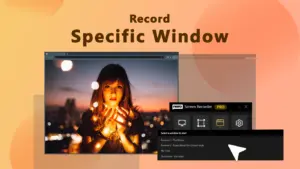
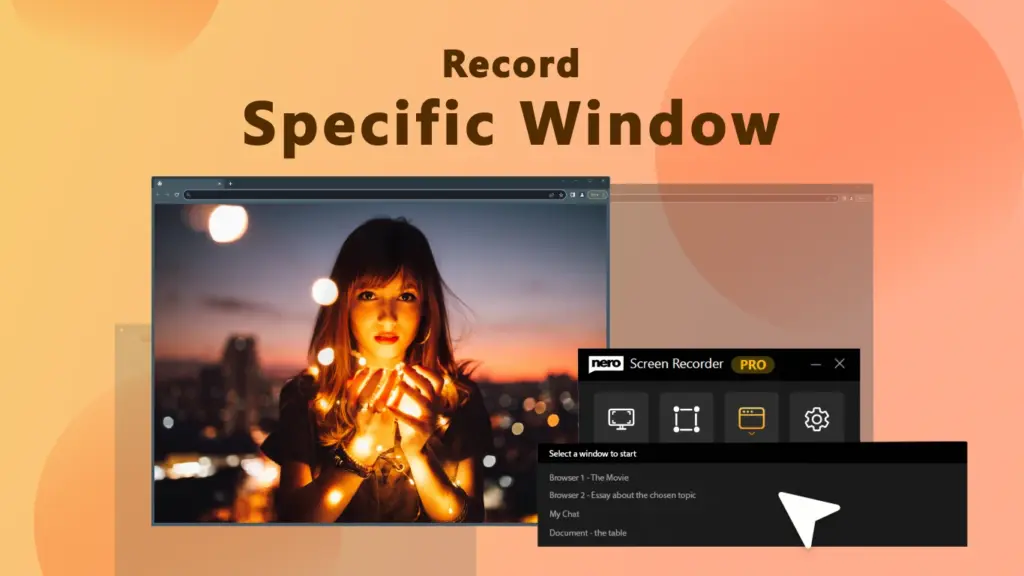
Record Specific Window

Customize Recording:

  • Provides flexible window or area capture
  • Enables tailored settings for every need
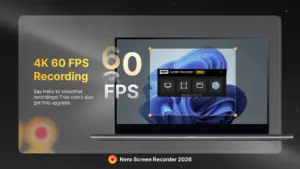
High Quality Screen Capture with Nero

High-Quality Capture:

  • Adds 4K 60FPS for stunning quality
  • Helps maintain crystal-clear visual detail
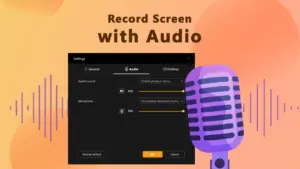
Record Screen with Audio

Audio Flexibility:

  • Enables simultaneous system and mic capture
  • Provides a seamless, professional sound experience
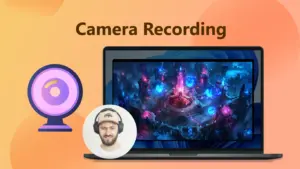
Camera Recording

Record Camera:

  • Adds a personal touch via webcam integration
  • Enables engaging picture-in-picture tutorial layouts
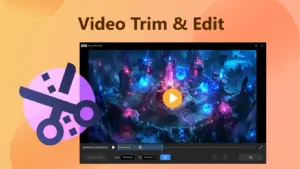
Video Trim and Edit

Trim Video:

  • Helps polish products with built-in trimming
  • Provides easy local editing without software
One Click Subtitles Generation

One-click Auto Subtitle:

  • Enables AI-generated subtitles in multiple languages
  • Helps improve accessibility and viewer engagement

Other Important Features:

  • Record smooth, high-quality gameplay and share your best moments.
  • Create clear, engaging step-by-step tutorials with simple recording tools.
  • Adjust resolution and frame rate to balance video quality and file size.


Why Choose Nero AI Screen Recorder Pro?

  • Record your screen in up to 4K at 60 FPS for sharp, high-quality videos.
  • Create tutorials, demos, courses, and presentations with webcam and microphone recording.
  • Generate AI-powered subtitles automatically to improve accessibility and engagement.
  • Translate subtitles into multiple languages to reach a wider audience.
  • Highlight key moments with AI Auto Zoom for more engaging videos.
  • Capture gameplay, webinars, meetings, and live streams with smooth video and audio.
  • Trim and edit recordings quickly with the built-in video editor.
  • Record system audio and voice narration at the same time.
  • Save time with an intuitive interface designed for fast recording.
  • Produce professional, share-ready videos with AI-powered tools.
 

Specifications:

  • Available on: PC
  • Operating System: Windows 10 version 17763.0 or higher
  • Architecture: x64
  • Processor: 2 GHz AMD or Intel® processor
  • Memory: 4 GB (Minimum)
  • Video Memory: 1 GB (Minimum)
  • DirectX: Version 11 (Minimum)
  • Camera: Integrated Camera (Recommended)

Best For:

  • Content Creators
  • Educational Trainers
  • Filmmakers
  • Freelancers
  • Gamers
  • Marketers
  • Movie & Video Enthusiasts
  • Online Course Creators
  • Podcasters
  • Small Business Owners
  • Startups
  • Streamers
  • Video Editors

Choose Your Plan

With DealClub
$18.62
$29.95
Without DealClub
$21.90
$29.95
Buy Now
Limited Time Deal

Deal Terms

  • Access via redemption of coupon code
  • 30-Day Coupon Code Validity
  • One Coupon Code for one user/account
  • Coupon Codes are not stackable
  • For both - New & Existing Users
  • Free Updates
  • Free Support
  • Accessible on desktops with Windows 10 version 17763.0 or higher

Customer Testimonials

I've tried a few screen recorders, but Nero stands out. It's user-friendly, delivers consistent quality, and the customization options are great.

-Sofia

Starting my gaming channel was made easier with Nero Screen Recorder. It's beginner-friendly, records in high resolution, and the built-in trimming feature makes editing a breeze.

-Ahmed

Nero Screen Recorder has simplified my teaching process. It's easy to use, captures both screen and voice seamlessly, and my students love it.

-Maria

Plans & Features

Choose the perfect plan for your needs.

Plans & Features
Pro Plan
$29.95 $21.90
Buy Now
License

Single PC

Capture

4K 60FPS

AI Auto-Subtitles
AI Subtitle Translation
Smart Auto-Zoom
Manual Zoom Control
Dual Audio Recording
Webcam Integration
Three Recording Modes
Built-in Video Trimmer
High-Quality Export
Local Data Processing
Annual Software Updates

Pro Plan

$29.95 $21.90
Buy Now
30-Day Refund | Annual Access
  • License: Single PC
  • Capture: 4K 60FPS
  • AI Auto-Subtitles
  • AI Subtitle Translation
  • Smart Auto-Zoom
  • Manual Zoom Control
  • Dual Audio Recording
  • Webcam Integration
  • Three Recording Modes
  • Built-in Video Trimmer
  • High-Quality Export
  • Local Data Processing
  • Annual Software Updates

Frequently Asked Questions

Find answers to common questions about Nero – AI Screen Recorder Pro

Can I record gameplay with Nero AI Screen Recorder Pro?

Yes. Record smooth gameplay in up to 4K at 60 FPS.

Can I record my webcam and screen together?

Yes. Add your webcam to screen recordings for more personal videos.

Can I highlight important parts of my recording?

Yes. AI Auto Zoom can emphasize key on-screen actions.

Can I edit recordings after capturing them?

Yes. Use the built-in editing tools to trim and polish your videos.

Can I record system audio and my voice?

Yes. Capture system sounds and microphone audio together.

Is it useful for creating tutorials?

Absolutely. Record step-by-step guides, demos, lessons, and walkthroughs.

Customer Feedback

Customer Reviews (0) Customer Q&A (0)

No Reviews Yet

Be the first to try this deal and share your experience.

You must purchase this product to leave a review.

Be The First To Ask

Get clarity before you buy—your question might help others too.

×

You Might Also Like

piDock - Organize Your Windows Desktop with Smart Docks

piDock - Organize Your Windows Desktop with Smart Docks

, , , , , , ,

Screentell - Screen Recorder And Video Editor | Lifetime Access

Screentell - Screen Recorder And Video Editor | Lifetime Access

, , , , , , , ,

AIWritio - Generate High-Quality Content In WordPress
BabyPNG - Image Compressor & Converter | Lifetime Access

BabyPNG - Image Compressor & Converter | Lifetime Access

, , , , , , ,

Buy with DealClub
$18.62 $29.95
Buy without DealClub
$21.90 $29.95

Deal Terms

  • Access via redemption of coupon code
  • 30-Day Coupon Code Validity
  • One Coupon Code for one user/account
  • Coupon Codes are not stackable
  • For both - New & Existing Users
  • Free Updates
  • Free Support
  • Accessible on desktops with Windows 10 version 17763.0 or higher
Scroll to Top