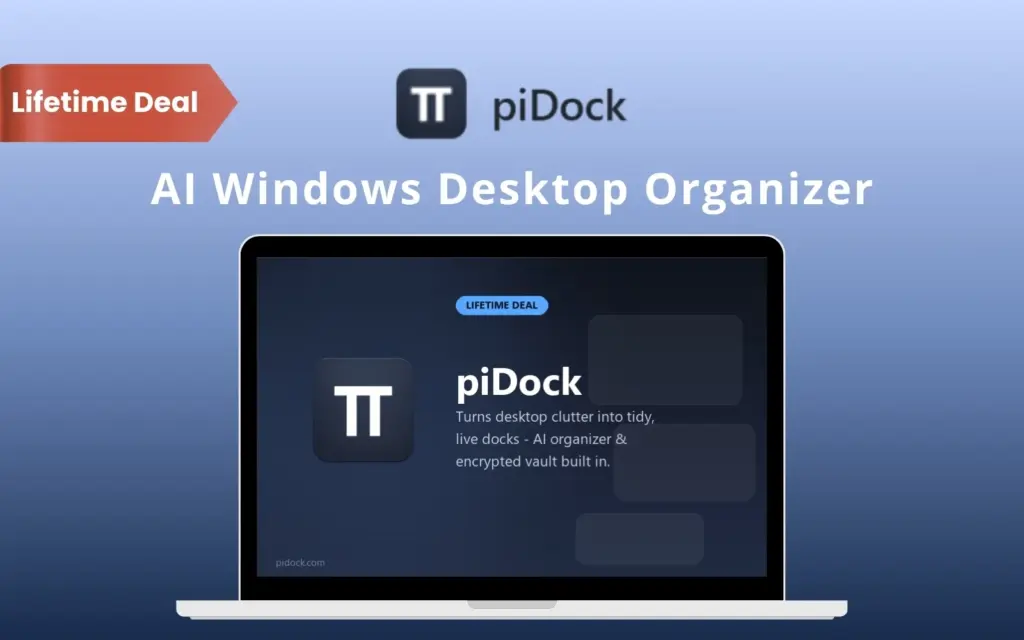
piDock – Organize Your Windows Desktop with Smart Docks

TL;DR

  • Sort messy desktop items into categories with one click.
  • Access folders, disks, files, FTP, Git, links, and tools without repeatedly searching through File Explorer.
  • Run common actions, commands, programs, and API calls directly from your desktop.
  • Use movable, resizable docks that keep your workspace structured.
  • Store sensitive files and notes in an AES-256 encrypted Vault.
  • Get a one-time license with a 30-day refund policy.

Quick Overview

Alternative to:

  • Advanced SystemCare
  • Ashampoo WinOptimizer
  • CCleaner
  • CleanMyPC
  • DisplayFusion
  • Fences
  • Windows 11 Home
  • Windows 11 Pro

Best for:

  • Content Creators
  • Data Analysts
  • Educational Institutions
  • Freelancers
  • Graphic Designers
  • Home Office Users
  • HR Teams
  • IT Teams
  • Recruiters
  • Remote Workers
  • Researchers
  • Small Business Owners
  • Startups
  • System Administrators

Compatibility:

  • Operating Systems:
    Windows
  • Integrations:
    Dropbox, GitHub, Google Docs

Is your Windows desktop buried under files, folders, shortcuts, and tools?

When you constantly jump between File Explorer, folders, scripts, FTP tools, and other utilities, staying organized becomes another task on your list.

Now you can keep your files, folders, tools, and shortcuts organized with piDock.

What Is piDock?

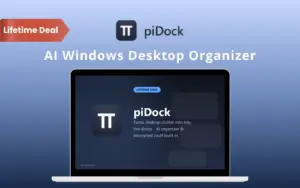
piDock is an AI-powered Windows desktop organizer that keeps your files, folders, disks, tools, and links neatly arranged in customizable docks.

It lets you access folders, disks, FTP servers, Git repositories, notes, links, and automated actions without constantly digging through File Explorer.

With piDock, you can easily turn a messy desktop into an organized workspace. It helps you quickly –

  • Access frequently used locations
  • Automate repetitive actions
  • Protect sensitive files
  • Keep everything within easy reach

without adding another bloated subscription app to your PC.


Here’s How piDock Helps Organize Your Desktop:

  1. Clean Up Your Desktop: piDock’s offline AI Organizer sorts loose items into sensible categories with one click.
  2. Create Custom Docks: Organize your files, folders, disks, tools, links, FTP servers, Git repositories, notes, and more.
  3. Arrange Your Workspace: Move and resize docks with smart alignment guides for a cleaner layout.
  4. Work From One Place: Access files, run commands, launch apps, open links, send emails, and handle everyday tasks from your desktop.

Instead of scattering everything across your desktop, piDock gives you dedicated docks for different tasks.

How To Dock Your Desktop Items With piDock

Youtube video

Features Of piDock:

Sort desktop clutter automatically with the offline AI Organizer.

Organize Desktop Clutter Instantly:

  • AI Organizer: Sort loose desktop files into sensible categories with one click using a local, offline AI model. Your files stay on your machine.
Access files, folders, notes, and tools from dedicated docks.

Keep Your App Lightweight:

  • Super Lightweight: piDock uses around 75MB of RAM during normal use, with no unnecessary background bloat slowing down your PC.
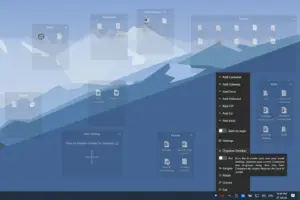
Create, manage, and access docks from a central menu.

Group Files Into Live Docks:

  • Container & Gateway: Group loose items in a Container or create a live, resizable view of any folder with a Gateway dock.
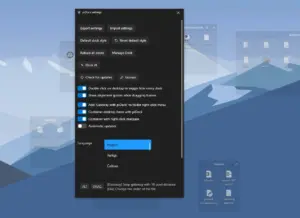
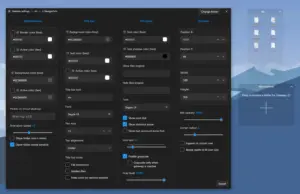
Configure piDock preferences, updates, and advanced options.

Monitor Your Disk Activity:

  • Disk Docks: View free disk space, frequently used files, and recent activity without repeatedly opening File Explorer.
Organize files instantly with a customizable Container dock.

Create Your Own Virtual Drive:

  • Volume Dock: Use a small virtual drive that appears both as a dock and under This PC. You don’t need administrator rights, and the contents are backed up before you remove the dock.
Configure piDock preferences, updates, and advanced options.

Automate Everyday Desktop Tasks:

  • Action Dock: Create one-click actions to send emails, run PowerShell, CMD, or Bash commands, launch programs, open documents or links, call HTTP endpoints, or publish MQTT messages.
Create, manage, and access docks from a central menu.

Pin Notes, Files, And Links:

  • Pinboard: Keep text, local file links, and web links together in a sticky-note-style dock for quick access.

Other Important Features:

  • Smart Alignment Guides: Automatically snap and align docks as you drag or resize for a clean, organized desktop.
  • Multilingual Support: Use piDock in English, Spanish, Italian, Polish, Korean, Turkish, Czech, Greek, Russian, or Chinese.
  • Automatic Updates: Check for new versions in the background and install updates with a single click.
  • Taskbar Strip: Quickly access your open docks and their files through a convenient strip above the taskbar.
  • FTP & Git Docks: Browse FTP content through a read-only explorer with encrypted credentials and monitor your Git repository’s live status.
  • Encrypted Vault: Store files and notes in a password-protected vault secured with AES-256 encryption.
 

Why Choose piDock?

  • Organize clutter with one click using an offline AI Organizer.
  • Keep your desktop organized continuously instead of repeatedly cleaning it.
  • Access folders instantly through live, resizable Gateway docks.
  • Monitor disks without File Explorer using dedicated Disk docks.
  • Automate repetitive tasks by running commands, sending emails, launching apps, or calling APIs from the Action dock.
  • Protect sensitive information with an AES-256 encrypted Vault.
  • Create a personal virtual drive without administrator rights.
  • Keep your PC lightweight with approximately 75MB of RAM usage during normal operation.
  • Avoid recurring subscriptions with a one-time purchase.
  • Keep working offline because the AI Organizer processes your files locally without uploading them.
 

Specifications:

  • Operating System: Windows 10 version 2004 (build 19041) or later, or Windows 11.
  • Architecture: Supports 64-bit (x64) and ARM64 Windows devices.
  • Runtime: Requires .NET 8 Desktop Runtime; setup automatically installs it if missing.
  • Permissions: Per-user installation with no administrator rights required.
  • Download Size: Approximately 24 MB installer.
  • Memory Usage: Approximately 75 MB RAM during normal use.
  • Internet Requirement: Internet is needed for the initial download, .NET runtime installation (if required), updates, and license activation; the AI Organizer runs fully offline.
  • .NET 8 Runtime: Requires the matching .NET 8 Desktop Runtime, available for both x64 and ARM64 systems.

Best For:

  • Content Creators
  • Data Analysts
  • Educational Institutions
  • Freelancers
  • Graphic Designers
  • Home Office Users
  • HR Teams
  • IT Teams
  • Recruiters
  • Remote Workers
  • Researchers
  • Small Business Owners
  • Startups
  • System Administrators

Choose Your Plan

With DealClub
$8.50
$15.00
Without DealClub
$10.00
$15.00
Buy Now
Limited Time Deal

Deal Terms

  • Access via redemption of coupon code
  • 14 Day Coupon Code Validity
  • One Coupon Code for one user/account
  • Coupon Codes are NOT stackable
  • For New Users Only
  • Free Updates
  • Free Support
  • Accessible only on Windows devices

Customer Testimonials

My desktop used to be a mess of 40+ icons I couldn't find anything in. piDock's AI Organizer sorted it into folders in one click, and now the Action dock runs my daily backup script without me lifting a finger. Wish I'd found this years ago.

-Sam, Human Resources Manager

Plans & Features

Choose the perfect plan for your needs.

Plans & Features
LICENSE
$15 $10
Buy Now
Device activation

1

All dock types included

Container, Gateway, Disk, Volume, Pinboard, FTP, Git, Vault, Action

All current and future dock types
Offline AI organizer
Encrypted vault

LICENSE

$15.00 $10.00
Buy Now
14-Day Refund | Lifetime Access | One-time Payment
  • Device activation: 1
  • All dock types included: Container, Gateway, Disk, Volume, Pinboard, FTP, Git, Vault, Action
  • All current and future dock types
  • Offline AI organizer
  • Encrypted vault

Frequently Asked Questions

Find answers to common questions about piDock

Is piDock a subscription?

No. piDock uses a one-time license with no recurring fees. The license is activated for one device.

Are all dock types included?

Yes. All current dock types are included with the license, with no separate premium tier.

What are the system requirements?

piDock requires Windows 10 version 2004 or later, or Windows 11, on a 64-bit system. It also requires the .NET 8 Desktop Runtime, which can be installed if needed.

Does the AI Organizer upload my files?

No. The AI Organizer processes files locally using an on-device model, so files are not uploaded to the cloud.

Can a piDock license be moved to another PC?

Yes. The license can be transferred to a new PC by contacting support to unbind the previous device.

Customer Feedback

Customer Reviews (0) Customer Q&A (0)

No Reviews Yet

Be the first to try this deal and share your experience.

You must purchase this product to leave a review.

Be The First To Ask

Get clarity before you buy—your question might help others too.

×

You Might Also Like

BLAZE Quantum - File Sharing Software | Annual Subscription

BLAZE Quantum - File Sharing Software | Annual Subscription

, , , , , , ,

Logii Pro - A Powerful Multi Login Browser | Lifetime Access

Logii Pro - A Powerful Multi Login Browser | Lifetime Access

, , , , , , , ,

OnzAuth - Passwordless Authentication Platform

OnzAuth - Passwordless Authentication Platform

, , , , , , ,

5.0 (1)
NotJustVPN - Cyber Security Software | Annual Subscription

NotJustVPN - Cyber Security Software | Annual Subscription

, , , , , , ,

Buy with DealClub
$8.50 $15.00
Buy without DealClub
$10.00 $15.00

Deal Terms

  • Access via redemption of coupon code
  • 14 Day Coupon Code Validity
  • One Coupon Code for one user/account
  • Coupon Codes are NOT stackable
  • For New Users Only
  • Free Updates
  • Free Support
  • Accessible only on Windows devices
Scroll to Top