



Graphic design looks easy from the outside. In reality, it’s a mix of pressure, deadlines, and tabs that never stop multiplying. For designers who need to stay efficient without selling a kidney for another Adobe subscription, there’s a smarter way to get things done.
Tools That Don’t Eat Your Wallet
Working solo is one thing. Working with clients who keep changing their minds about “the vibe” is another. Collaboration tools make this chaos survivable. Consider Notion or Trello. They can help you keep track of design assets and deadlines in one place.
And when it’s time to present finished designs, show some effort. Displaying prints on an LED light box adds a clean, professional glow that makes every layout pop. It’s an affordable way to make client presentations look high-end. That is, without renting gallery lights.
Templates Aren’t Cheating
People think using templates is just lazy. Maybe it feels that way at first to some. But when there’s a client email screaming “URGENT,” templates turn into heroes. The beauty of templates is that they don’t replace creativity. They simply speed it up.
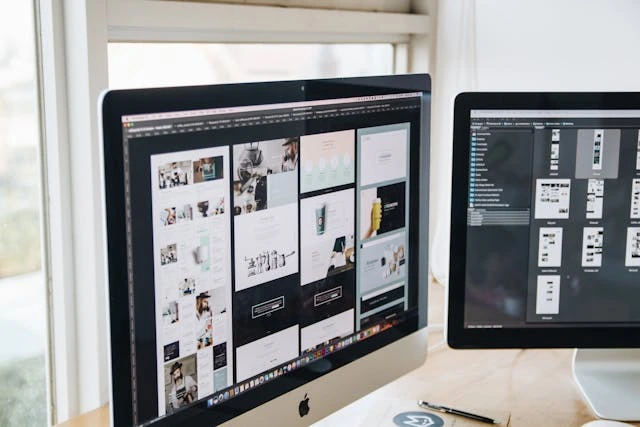
If you’re a smart designer, you’ll start building your library over time, too. You could have templates for proposals, mockups, or presentations. So, build a template for essentially anything you create regularly.
Adjust colours, typography, and layout structure. Then, save it, and you’ll never start from scratch again. And there’s a strange peace in knowing that next week’s panic project already has a structure waiting.
Stock Images Are Not the Enemy
Let’s talk about stock photos. They’ve been mocked, criticised, and memed into oblivion. But let’s not forget that Shutterstock made $180 million in 2021 alone from paid image downloads.
Yes, here they are, still saving deadlines. Free platforms like Freepik now offer high-resolution images. Some platforms even include 3D renders. Others offer videos and icons that can make a layout look premium.
The trick is not to pick the first result. Do yourself a favour and scroll deeper. The 47th photo is often more unique than the top three. The trick here is to combine stock assets creatively.
You can overlay textures, crop unexpectedly, or play with saturation. This is the key to making it look entirely custom.
Automate What You Can’t Stand Doing
Here comes a harsh truth. You probably waste a lot of time on repetitive nonsense. You are resizing images, exporting assets, and renaming files. All that manual work is unnecessary. Why do it manually when the right automation tool could save you hours?
Free Fonts, Paid Looks
There’s a certain thrill in finding a font that feels expensive but costs nothing. Google Fonts is everyone’s first stop. You’ll find some great options there. Still, sites like Fontshare and Velvetyne have typefaces that make a brand look fresh and intentional.
Some are even designed by independent creators. They usually care deeply about the extra nerdy things like kerning.
But don’t collect fonts like Pokémon. Too many choices can kill productivity. Ideally, you’ll pick a few typefaces that can span across multiple projects. A bonus tip here is to just keep a document of font pairings.
It’s practical. It’s time-saving. And it just makes life easier. Even the best designers spend half their time choosing fonts. The other half is pretending they know what they’re doing.
If you want to streamline your creative process, explore the best graphic design tools to help you design smarter and faster.
You could use platforms like TinyPNG. This one compresses images automatically without quality loss. Squoosh does the same, right in the browser. Batch actions in Photoshop or scripts in Figma can turn thirty clicks into one. If there’s a task that makes someone sigh every single day, there’s probably a free extension that fixes it. You could:
- Compress images before uploading.
- Use auto-layout features for responsive designs.
- Batch export assets instead of slicing manually.
- Schedule posts directly from design platforms to social media.
Learn in Short, Sharp Bursts
There’s this myth that designers must take huge online courses to stay relevant. But time is rare. Plus, nobody remembers half of what they learn in week-long courses anyway. Micro-learning is better.
We’re talking ten-minute YouTube tutorials or short TikTok explainers. You could even try design challenges that test one specific skill. These things stick.
Websites like Skillshare and Coursera have free modules. You can fit them between client calls. Some even offer short certifications that boost credibility without draining the budget. And if you really want to gain knowledge fast, make a course. Seriously.
Reusing Your Own Work
This goes beyond making templates to make your life easier. And yes, this one feels illegal, or even immoral, but it isn’t. Designers create stunning elements for one client and never look at them again. Your beautiful patterns, icons, and gradients are probably left to rot in old folders.
But what’s stopping you from taking an old logo draft, tweaking and maybe recolouring it a little? Boom, you have a new concept. That texture you made for a poster long ago could be a background for a social ad. So build your own mini asset vault, organised by theme or project type. The more you reuse, the more time you save.
Keep Your Workspace Less Chaotic
A messy desktop is fine. A messy file system isn’t. Productivity drops when you spend ten minutes looking for one file. It’s challenging at first, yes. But it would be best to use consistent naming conventions, folder structures, and cloud backups. It sounds boring, but it’s the secret sauce.
Create separate folders for clients, resources, exports, and inspirations. It makes switching between projects faster. Tools like Eagle or PureRef help organise visuals, keeping references tidy without killing creativity.
Final Thoughts: It’s All You
Maximising productivity as a graphic designer doesn’t have to be expensive. Sure, it’s fun to get shiny toys every now and then. As it usually goes, people often return to those basic ones for a reason.
At the end of the day, productivity depends entirely on you, not on how much you pay for convenience.


