Analog Projects 4 Pro – Digital To Analog Photo Editing Tool | Lifetime Access

TL;DR

  • Transform digital photos with professional analog-inspired effects and film-style looks.
  • Add vintage tones, creative filters, and distinctive visual styles without complex manual editing.
  • Experiment with different analog photography aesthetics to give your images a unique, artistic feel.
  • Enhance your photo editing workflow with ready-to-use effects that help create polished, stylized results.

Quick Overview

Alternative to:

  • Adobe Lightroom
  • Adobe Photoshop
  • Localo
  • Luminar Neo

Best for:

  • Content Creators
  • Freelancers
  • Graphic Designers
  • Photographers

Compatibility:

  • Operating Systems:
    Windows

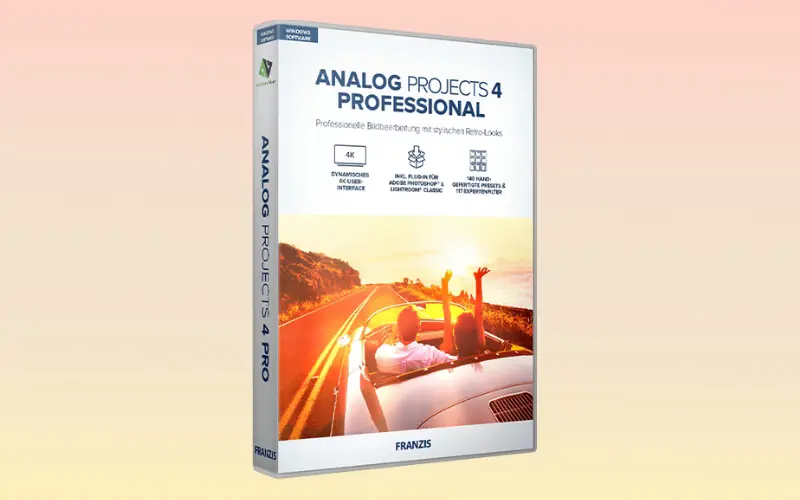
Transport your digital images back to the nostalgic era of analog photography effortlessly with Analog Projects 4 Pro – Analog Photo Editing Tool.

What is Analog Projects 4 Pro?

Analog Projects 4 Pro is a digital-to-analog photo editing tool that combines modern image editing with analog photography.

Give your photos a unique, rustic feel that transports you back to the time of analog photography.

Analog Projects 4 Pro provides you with 140 hand-optimized analog image templates across 12 categories, each designed to give your photos an individualized appearance.

Introduction To Analog Projects 4 Pro – Analog Photo Editing Tool:

Youtube video

Analog Projects 4 Pro Features:

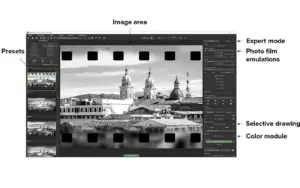
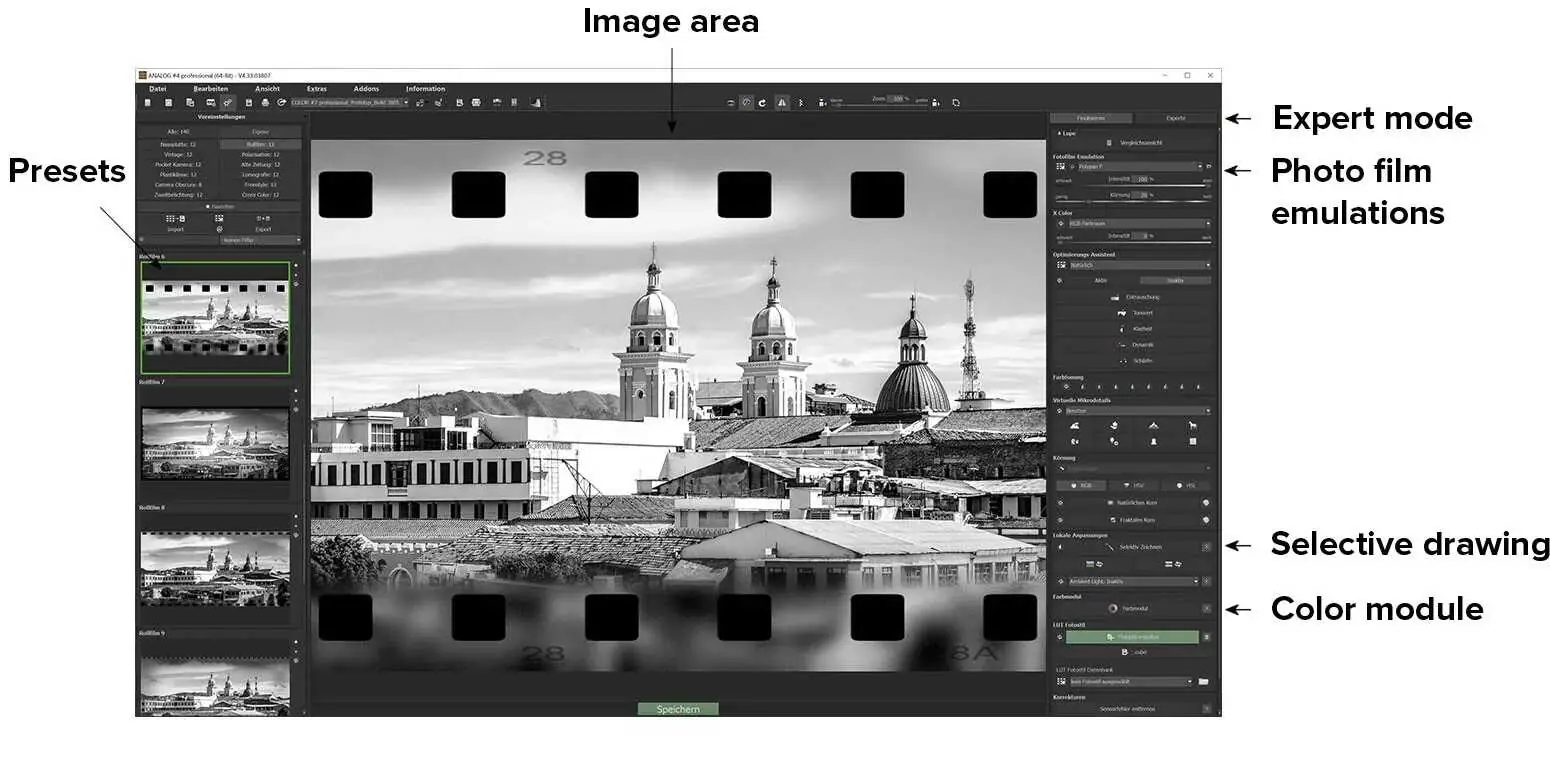
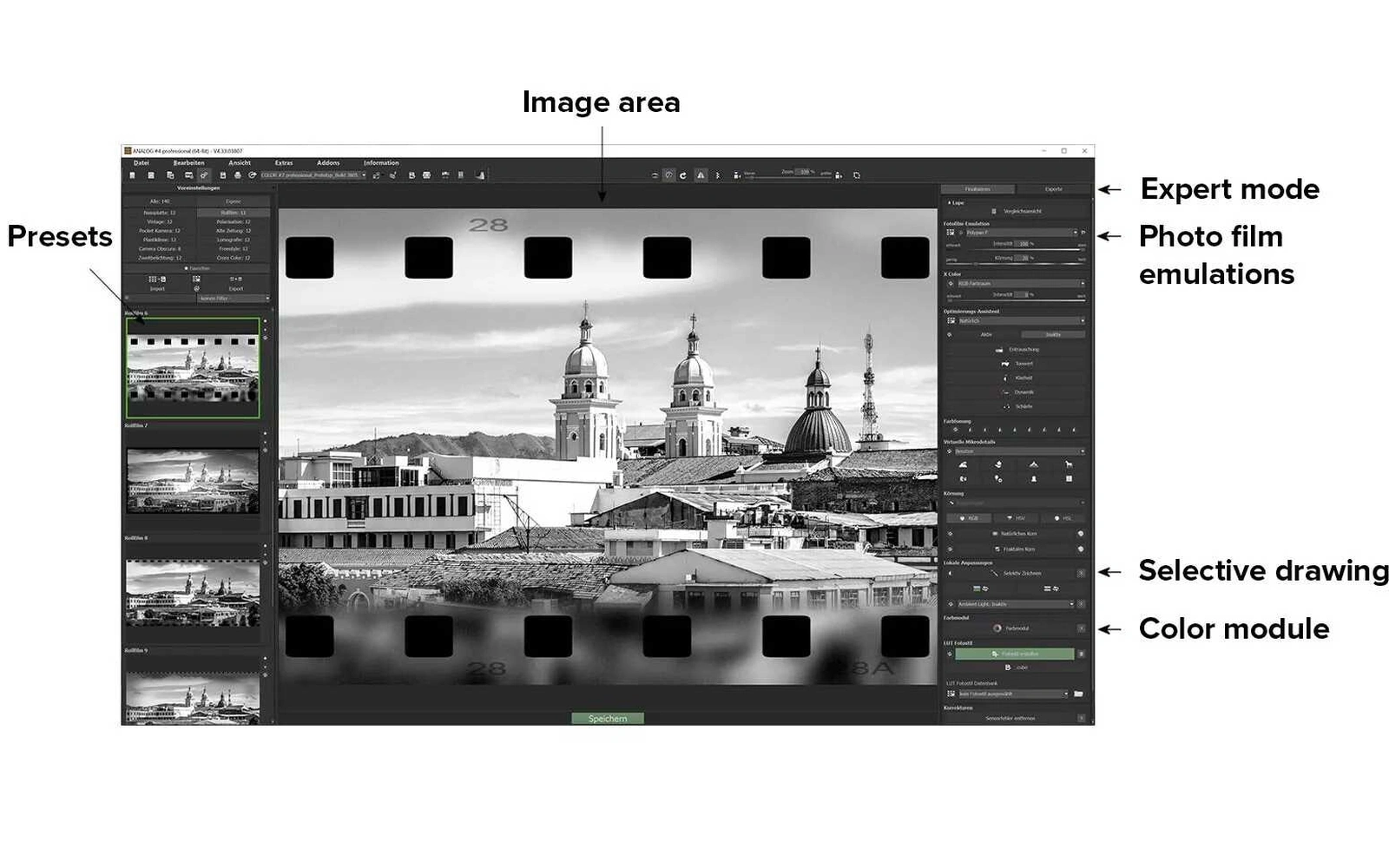
<b>Analog Projects 4 Pro UI</b>
analog4

Create Authentic Analog Looks Your Way:

  • 140 Analog Templates: Give digital photos distinctive analog looks with ready-made styles across 12 categories.
  • 40 Film Emulations: Recreate the character and feel of classic analog film.
  • 117 Professional Effects: Experiment with creative filters and effects to build your own photography style.
  • Selective Photo Editing: Fine-tune specific colors, areas, textures, and details without changing the whole image.
Why Choose Analog Projects 4 Pro?

  • More Creative Control: Access 117 professional image filters across 7 categories.
  • Real-Time Color Editing: Process selected colors across up to 10 layers.
  • Custom LUT Styles: Calculate and manage LUT-based photo styles.
  • Natural Film Texture: Use the Grain Module to add analog-inspired texture.
  • Smarter Corrections: Correct sensor errors with an extended correction range of up to 500.
  • Flexible Layer Editing: Use 38 additional layer calculation methods.
  • Faster Style Exploration: Compare different looks using the graphical variant browser.
  • Easy Adobe Workflow: Transfer images between Analog Projects 4 Pro, Photoshop, Photoshop Elements, and Lightroom Classic.
 

System Requirements:

Recommended:

  • Windows 11/10/8.1 64-bit
  • 8 GB RAM
  • Intel i7 or comparable AMD processor
  • DirectX-compatible graphics card
  • 1920 × 1080 or higher resolution

Minimum:

  • Windows 11/10/8.1 64-bit
  • 4 GB RAM
  • Intel i3 or comparable AMD processor
  • DirectX-compatible graphics card
  • 1600 × 900 or higher resolution

Analog Projects 4 Pro is best for:

  • Content Creators
  • Freelancers
  • Graphic Designers
  • Photographers

Choose Your Plan

With DealClub
$33.15
$99.00
Without DealClub
$39.00
$99.00
Buy Now
Limited Time Deal

Deal Terms

  • Access via redemption of coupon code
  • 30-Day Coupon Code Validity
  • One Coupon Code for one user/account
  • Coupon Codes are not stackable
  • For both - New & Existing Users
  • Free Updates
  • Free Support
  • Accessible only on Windows - Desktop & Laptop

Plans & Features

Choose the perfect plan for your needs.

Plans & Features
Standard
$99 $39
Buy Now
Hand-optimized analog templates

140 (across 12 categories)

Real-time color editing
Smart Ambient Light
Selective color processing

for 10 layers

Dedicated LUT section
Grain module
New filters and "Shooting Data" section
Additional layer calculation methods

38

Extended sensor error correction

Range to 500

New photo film emulations

40

Presets

140

Effects

117

Integration

Photoshop & Lightroom

Standard

$99.00 $39.00
Buy Now
30-Day Refund | Lifetime Access | One-Time Payment
  • Hand-optimized analog templates : 140 (across 12 categories)
  • Real-time color editing
  • Smart Ambient Light
  • Selective color processing: for 10 layers
  • Dedicated LUT section
  • Grain module
  • New filters and "Shooting Data" section
  • Additional layer calculation methods : 38
  • Extended sensor error correction : Range to 500
  • New photo film emulations: 40
  • Presets: 140
  • Effects : 117
  • Integration: Photoshop & Lightroom

Frequently Asked Questions

Find Answers to common questions about Analog Projects 4 Pro

How many analog templates are included?

You get 140 hand-optimized analog image templates across 12 categories.

Does it include film emulations?

Yes. Analog Projects 4 Pro includes 40 photo film emulations for recreating analog film styles.

Can I customize the presets?

Yes. You can go beyond presets using Expert Mode, professional effects, color controls, LUTs, layers, and selective editing tools.

Can I edit only one part of a photo?

Yes. The selective drawing tools let you apply adjustments to specific areas instead of changing the whole image.

Customer Feedback

Customer Reviews (0) Customer Q&A (0)

No Reviews Yet

Be the first to try this deal and share your experience.

You must purchase this product to leave a review.

Be The First To Ask

Get clarity before you buy—your question might help others too.

×

You Might Also Like

Sharpen Projects 4 Pro - Photo Sharpening Software | Lifetime Access

Sharpen Projects 4 Pro - Photo Sharpening Software | Lifetime Access

, , , , , , ,

Voice Summarizer - AI Content Summarizer Plugin | Lifetime Access

Voice Summarizer - AI Content Summarizer Plugin | Lifetime Access

, , , , , , , ,

Enhance Videos With 1000 Royalty-Free Dynamic Tech Video Backgrounds

Enhance Videos With 1000 Royalty-Free Dynamic Tech Video Backgrounds

, , , , , , , , , , ,

Buy with DealClub
$33.15 $99.00
Buy without DealClub
$39.00 $99.00

Deal Terms

  • ✓ Access via redemption of coupon code
  • ✓ 30-Day Coupon Code Validity
  • ✓ One Coupon Code for one user/account
  • ✓ Coupon Codes are not stackable
  • ✓ For both - New & Existing Users
  • ✓ Free Updates
  • ✓ Free Support
  • ✓ Accessible only on Windows - Desktop & Laptop
Scroll to Top