


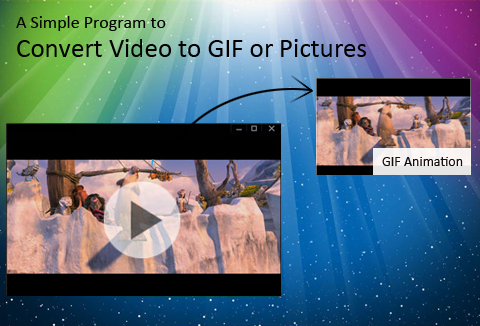
Animated GIFs are a perfect combination of an image and a video which are made by using GIF converter.
They are the perfect way to capture viewer’s attention instantly.
So, why not create you very own animated GIFs?
Today we bring you, Aoao Video to GIF Converter (Windows version) which is capable of converting almost all popular video formats into an animated GIF.
Highlights of this software:
- Convert a video to seriate pictures
- Add special effects during process
- Resize Output GIF
- Control the frame rate
Grab this Aoao Video to GIF Converter Software at just $9 (DealClub $6.75)
The Graphic Interchange Format commonly know as GIF has been around us for more than 25 years now. It has become one of the most popular pictorial formats people have been using for quiet some time now. In fact Tumblr, a popular social media network has been dominated by GIFs sharings. The concept of GIF is going to stay in the coming years too, as suggested by NY Times.
GIFs are increasingly used for:
- Story telling through photojournalism
- Sharing content on social media networks
Let’s check out some sample GIFs created through this software:
The above GI is being created with 1 frame/1 second, delay of 0.1 second and file size of 1.18 MB.
The above GIF is being made with 15 frames/1 second, delay of 0 seconds and file size of 1.42 MB.
Screenshots of the UI of this software by Aoao Features of this video to GIF converter:
- Convert Video to Animated GIF: Aoao Video to GIF Converter is a simple and quick video to GIF software on Windows, capable of converting all popular formats of video to animated GIF, lets you play video as GIF image. It supports import of video formats like AVI, MPEG, MP4, MKV, WMV, MOV, 3GP, etc.
- Convert Video to Seriate Pictures: Easy to convert video files like AVI, MPG, WMV, MKV, MOV, MP4, 3GP, RMVB to picture files like JPG, GIF, BMP, TGA, TIF, PCX, ICO, etc. You can also capture single picture from video. This process just needs 3 steps: Load video > Select the output period > Run.
- Add Special Effects During Process: Varieties of special effects can be added to retouch your GIF during the conversion process. Special effects including: black and white, grayscale, emboss, invert, blue, sharpen, noise, brighten, etc.
- Precise Control of Frame Rate: The Rate Setting function lets you set 24 frames per second or just 1 frame per second to get an animated GIF with small size. It adopts time slider + frame rate control to set part of outputting. On this basis, you can also fine-tune to each frame (usually one minute with 24 frames)
- Custom GIF’s Resolution: Two options – Keep original video’s size or set customized value of gif’s width and height.
What others are saying…
“Very COOL and UNIQUE feature! 3 THUMBS UP from me!” – Rafael Taylor
“Very nice software. Easy on the eyes and intuitive GUI.” – Tim Gonzalez
“I like it so far. Looks like it might be an interesting way to make a regular video into GIF” – Jennifer Hinson
Deal Terms:
- This software is ONLY available for Windows PC.
- You will receive a download file for this software along with registration key & steps for activation.
- Lifetime license with free lifetime updates.
- Support: Free technical support within 24 hours.
Grab this amazing video to GIF converter for just $9 today.


Reviews
There are no reviews yet.