



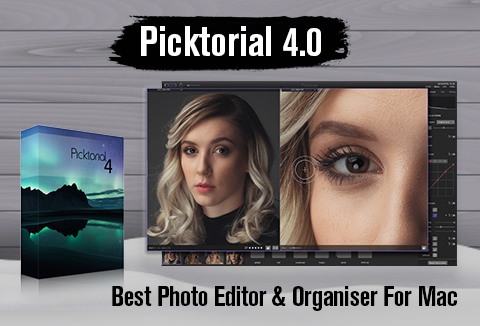
For every Mac user with photo editing troubles, we bring you the best photo editor & organizer – Picktorial 4.0.
Picktorial 4.0 is the ultimate photo editing tool for every photographer to intuitively organize & enhance photos with
- Powerful editing tools
- Digital Asset Management (DAM)
- Smooth workflow
- RAW development
From quick enhancements to detailed retouching work, you will find the tools you need together with organizing & exporting functions. All in an inspiring, intuitive interface.
Buy now for just $69.99 $49.99.
Check Out The Video For Picktorial 4.0: The Best Mac Photo Editor!
See What’s New In Picktorial 4.0:
1. New Thumbnails Layout:
2. Assistant Viewer Split Screen:
3. Advanced Search Options:
Find everything you need, save the search and modify it later.
Four Reasons To Choose Picktorial 4.0:
Picktorial 4.0 is an amazing tool made for perfection!
With its carefully designed workflow & innovative technology Picktorial 4 makes a pro-level photo editing tool available in a minimalist, streamlined workflow.
1. Powerful Tools. Simpler!
From quick enhancements to detailed retouching work, you will find the tools you need together with organizing and exporting functions. All in an inspiring, intuitive interface.
2. Make Every Photo Shine!
Enjoy maximum control over light and color, with a rich palette of precise photo editing tool: from exposure, shadows, and highlights to curves, split tone and more.
[twenty20 img1=”299013″ img2=”299012″ offset=”0.3″ before=”Before” after=”After”]
3. Remove Distracting Objects!
Emphasize what’s interesting by getting rid of what’s not. Seamlessly erase unwanted elements with our state-of-the-art patch tool.
[twenty20 img1=”299011″ img2=”299010″ offset=”0.3″ before=”Before” after=”After”]
4. Retouch On The Spot!
Selectively preserve natural details as you smooth skin, remove blemishes and sharpen features with our smart retouching brushes. No need for external tools.
[twenty20 img1=”299009″ img2=”299008″ offset=”0.3″ before=”Before” after=”After”]
Key Features Of Picktorial 4.0 – The Best Photo Editor & Organizer For Mac!
- Versatile and responsive patch tool, up to 30x faster than Lightroom’s equivalent Spot-Removal tool (tested on a modern 15” MacBook Pro).
- Unique colour and luminosity masks making fine-art results easier…
- Adaptable single-space workflow, from camera-to-edit within a single window without slow switching between the library and develop modules.
- Advanced selective tonal adjustments including HSL, Curves, Split Toning, and more, operating on specific parts of the image defined with advanced masking tools.
- Skin smoothing brush utilizing Frequency Separation in a single brush with the ability to control the separation radius.
- Edge-aware brush to enable more precise selections.
- Smart extension for macOS Photos, the first of its kind to offer non-destructive pro-level editing while recalling positions of sliders and masks, even after closing Photos.
- Catalog-free Image handling that automatically monitors the content of referenced folders, enabling instant editing with no slow import process needed.
- Native browsing of Aperture libraries with no conversion needed.
- The assistant viewer is similar to Lightroom’s new “reference view,” but fully functional with edits and tabs.
- Digital Asset Management (DAM): Easily organize your photos with albums, keywords, ratings, saved searches and metadata edits.
Picktorial packs all the tools you need to effortlessly manage your creations and optimize your workflow.
More Examples Of Fabulous Working Of Picktorial 4.0…
1. Professionally Crafted Presets
2. On The Spot Retouch
3. Easy Fine-Art Photography
4. Customizable Tool Palette
What others are saying?
“I’ve fallen in love with several features that are not available in Lightroom.” – Christian Hoiberg, Fine-Art Landscape Photographer, May 2017
“A superb app, and a great buy” – MacFormat magazine
“I can’t see any kind of artifacts or edge issues that are apparent in other software.” – Thomas Fitzgerald Photography, April 2017
Deal Terms:
- This deal includes a downloadable file.
- You will receive license keys via email once the order is placed.
- It is a one-time purchase deal.
- This deal includes maintenance updates only for a year.
With The Power Of Picktorial Bring Out The Best In Your Photos…
Make your every photo shine with Professional-quality, smooth and intuitive Mac photo editing tool.
Download Picktorial 4.0 For Mac
At A Deal Price Starting From $49.99 Only!
Normally: $69.99 | You Save: 70%
DealClub Member??? Get It For $37.49


Ben –
Best quality for my Fuji X-T2 and has all the features I need.