Calendar0 – AI Calendar App | Lifetime Access

TL;DR

  • Schedule, sync, and join meetings instantly.
  • AI-powered assistant organizes your calendar efficiently.
  • Manage your day using simple chat commands.
  • Smart contact resolution automatically converts names to emails.
  • Calendar at your fingertips - no browser needed.
  • Works on Windows and macOS with full privacy.

Quick Overview

Alternative to:

  • Motion
  • Reclaim AI

Best for:

  • Consultants
  • Entrepreneurs
  • Freelancers

Compatibility:

  • Browser Support:
    Brave, Chrome, Edge, Firefox, Safari
  • Operating Systems:
    Browser Based
  • Integrations:
    Google Calendar, Google Workspace

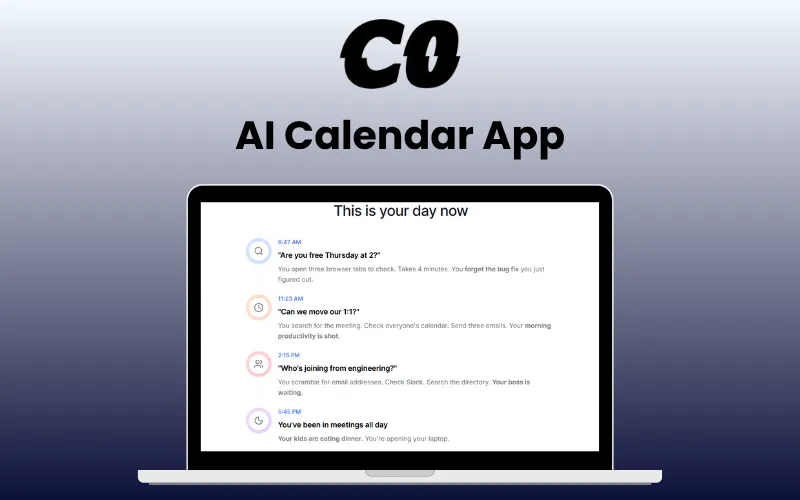
Scheduling your meetings just got easy —just as easy as chatting with a friend—no browser, no clicks—just one quick command, with Calendar0.


What is Calendar0?


Calendar0 is a smart, AI-powered calendar app designed to help you schedule meetings and manage your time faster and easier than ever. It allows you to –

  • SCHEDULE meetings with simple natural-language commands.
  • SYNC with Google Calendar and automatically detect scheduling conflicts.
  • CHECK attendee availability before booking meetings.

  • SAVE up to 20 minutes daily on calendar management.
  • VIEW your calendar instantly from your system tray or menubar.
  • CONVERT names to emails automatically with smart contact resolution.
  • JOIN meetings instantly with one-click notifications.
  • MANAGE your entire day using simple chat commands.


With cross-platform compatibility, a lightweight footprint, and end-to-end encryption, Calendar0 is built for professionals who value speed, simplicity, and data security.

Introduction To CalendarO - AI Calendar App:

Youtube video

Features Of Calendar0 - AI Calendar App:

calendar0-01-ai-scheduling

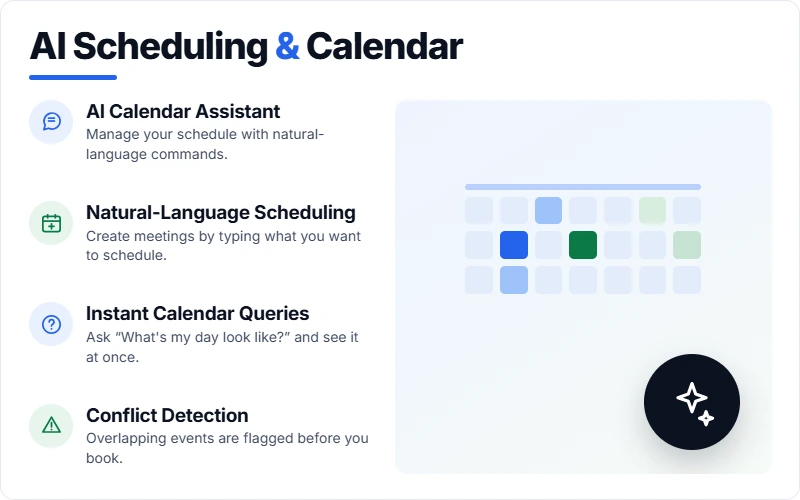
AI Scheduling & Calendar Management

  • AI Calendar Assistant: Manage your schedule using simple natural-language commands.
  • Natural-Language Scheduling: Create meetings by typing what you want to schedule.
  • Calendar Queries: Ask questions such as “What’s my day look like?” to instantly view your schedule.
  • Event Management: Create, edit, delete, and view Google Calendar events.
  • Conflict Detection: Automatically identify scheduling conflicts.
  • Availability Checking: Check attendee availability before booking meetings.
calendar0-02-access-speed

Calendar Access & Productivity

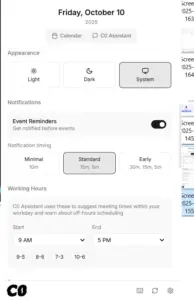
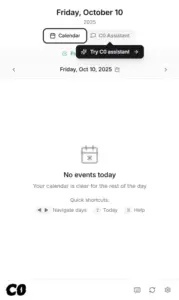
  • Instant Access: View your calendar directly from the system tray or menubar.
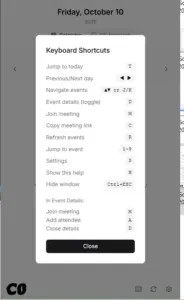
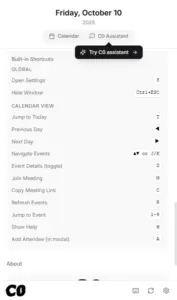
  • Keyboard Shortcuts: Navigate the calendar quickly without relying entirely on the mouse.
  • Day & Week Views: Switch between day and week calendar views.
  • One-Click Meetings: Join upcoming meetings directly through notifications.
  • Fast Launch: Launches in under two seconds.
  • Lightweight Performance: Uses less than 150MB of RAM.
calendar0-03-sync-contacts

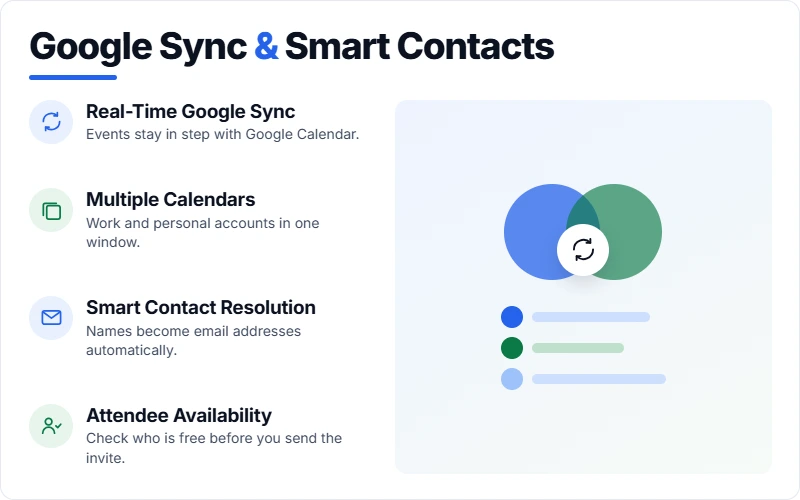
Google Calendar & Smart Contacts

  • Google Calendar Sync: Synchronize your calendar in real time.
  • Multiple Calendars: Manage multiple Google calendars from one application.
  • Google Workspace: Use Calendar0 with work and personal Google accounts.
  • Smart Contact Resolution: Convert names into email addresses automatically.
  • Attendee Availability: Check whether participants are available before scheduling.
calendar0-04-privacy-platforms

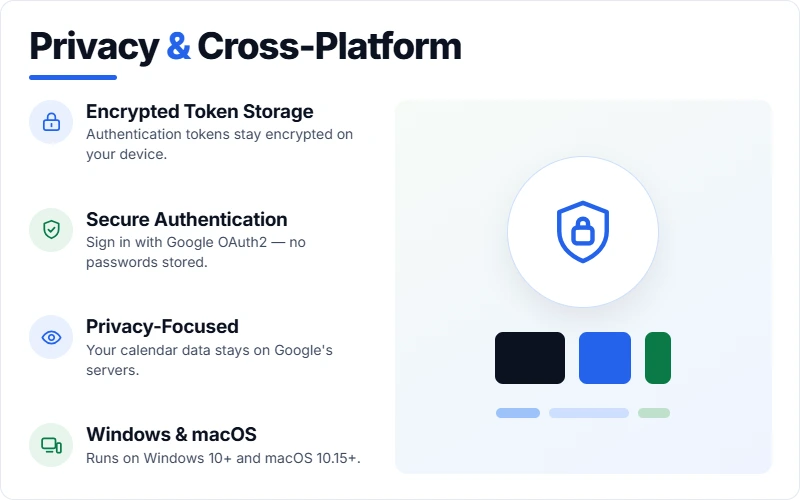
Privacy & Cross-Platform Access

  • Encrypted Token Storage: Store authentication tokens securely on your device.
  • Secure Authentication: Use Google OAuth2 for account authentication.
  • Privacy-Focused: Calendar data remains with Google’s servers while Calendar0 provides a more convenient interface.
  • Windows & macOS: Use Calendar0 on Windows 10+ and macOS 10.15+.

System Requirements:

  • OS: macOS 10.15+, Windows 10+
  • Storage: ~50MB for app + space for code history
  • Memory: 256MB RAM minimum
  • Dependencies: Google Calendar
 

How Does CalendarO Work in 3 Easy Steps:

  1. Install & Launch: Double-click the downloaded file. Calendar0 appears in your menu bar/system tray.
  2. Connect Calendar: Sign in and sync your calendar (your data stays on your device).
  3. Try the Magic: Click the calendar icon, then the chat tab. Type “what’s my day look like?” or “schedule lunch with Sarah tomorrow at noon”

Calendar0 is best for:

  • Consultants
  • Entrepreneurs
  • Freelancers

Choose Your Plan

With DealClub
$16.15
$30.00
Without DealClub
$19.00
$30.00
Buy Now
Limited Time Deal

Deal Terms

  • Access via redemption of coupon code
  • 30-Day Coupon Code Validity
  • One Coupon Code for one user/account
  • Coupon Codes are not stackable
  • For both - New & Existing Users
  • Free Updates
  • Free Support
  • Accessible on all devices - Desktop, Mobile and Tablet

Plans & Features

Choose the perfect plan for your needs.

Plans & Features
Lifetime Access
$30 $19
Buy Now
Full calendar view
Join video meetings instantly
Event notifications
Multiple calendars support
3 free AI chat commands
Unlimited AI chat commands
All future AI improvements
Save 20 minutes daily forever

Lifetime Access

$30.00 $19.00
Buy Now
30-Day Refund | Lifetime Access | One-Time Payment
  • Full calendar view
  • Join video meetings instantly
  • Event notifications
  • Multiple calendars support
  • 3 free AI chat commands
  • Unlimited AI chat commands
  • All future AI improvements
  • Save 20 minutes daily forever

Frequently Asked Questions

Find answers to common questions about Calendar0

Will IT freak out about this?

No. Calendar0 is a desktop app, not a browser extension. It uses standard Google OAuth (the same secure login you use everywhere). Your calendar stays in Google’s servers. Calendar0 just displays it better. IT actually prefers this to sketchy browser plugins

Does this work with my work calendar?

Yes. Calendar0 works with Google Workspace (your company Gmail) and personal Google accounts. See all your calendars in one view without switching accounts.

Will people know I’m using this?

No. When you schedule meetings, they just get a normal Google Calendar invite. Nobody knows you typed ‘lunch with sarah tomorrow’ and let AI do the rest. It looks exactly like you did it the old way.

What exactly can I type?

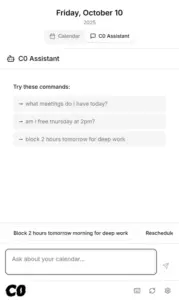
Anything you’d say out loud: ‘Am I free at 2 pm?’ ‘move my 1:1 to next week’ ‘schedule standup with engineering Monday 10 am’ ‘find 2 hours for deep work’. Just type what you’re thinking.

What if it screws up and schedules something wrong?

CalendarO shows you what it’s about to do before sending invites. You confirm or cancel. Plus, it’s just creating normal Google Calendar events you can edit anytime. Same as if you made a mistake yourself.

Is this deal exclusive to new users?

No, this deal is available for both new and existing users of Calendar0.

Is this actually secure?

Yes. We use the same security as Google Calendar itself – OAuth2, encrypted connections, and no password storage. Your tokens are encrypted on your device using your operating system’s secure storage. We can’t see your calendar data even if we wanted to.

Customer Feedback

Customer Reviews (3) Customer Q&A (0)
5

Based on 3 reviews

5 star
3
4 star
0
3 star
0
2 star
0
1 star
0

You must purchase this product to leave a review.

Abdulaziz Verified Buyer
April 10, 2026

The App is Great I used it on multiple events it is time saver. You can chat with your appointments and event. Display all of them once and modify. You can connect to Google Calendar and others. You can upload multiple event and it will add them. After adding multiple event i checked all are correct. I used it in windows 11 working great. Thank to the team

Abdulaziz Verified Buyer
March 25, 2026

The app is great you install it to your computer and connect to your Google Calendar the you can chat directly with AI modify or add or check your appointment very useful.

David seagat Verified Buyer
October 21, 2025

Another great app. Simple, easy to setup private, and ive tested it with my calendars and works perfectly. Very light and easy install A+

Be The First To Ask

Get clarity before you buy—your question might help others too.

×

You Might Also Like

Doctranslate - AI Document Translator | Annual Access
PropSentinel - Real-Time Risk Monitoring Software | Annual Access
VSDECO - Virtual Staging AI | Annual Subscription
LoopCV - Automated Job Search Platform | Lifetime Access

LoopCV - Automated Job Search Platform | Lifetime Access

, , , , , , ,

Buy with DealClub
$16.15 $30.00
Buy without DealClub
$19.00 $30.00

Deal Terms

  • Access via redemption of coupon code
  • 30-Day Coupon Code Validity
  • One Coupon Code for one user/account
  • Coupon Codes are not stackable
  • For both - New & Existing Users
  • Free Updates
  • Free Support
  • Accessible on all devices - Desktop, Mobile and Tablet
Scroll to Top