



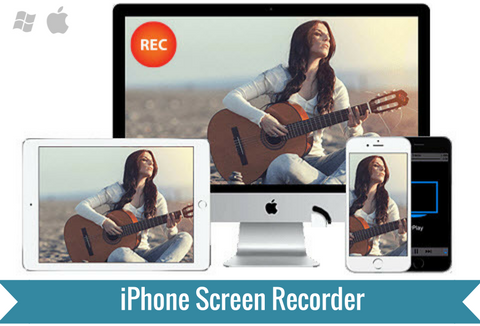
Connect, Mirror and Record Your Mobile on Computer.
This handy tool leverages iOS’s AirPlay mirroring function that works on all iOS gadgets, letting you view your mobile on large screen and record it with ease. No need to jail-break your iOS; enjoy the simplicity of mirroring mobile to computer screen.
Record all of this and more:
- Walkthroughs, reviews and tutorials
- Demonstrations and presentations
- Log processes and progress
- Gameplay for highlight reels
Watch how this iPhone Screen Recorder works:
Product highlights:
- Record iPhone screen (without Jailbreak) on Win & Mac
- Record iPhone screen in large window along with sound
- Support multiple resolutions and quality standards including HD
- Publish recorded video to 9 video formats including animated GIF
- Extra function of snapshot screen and create images
- Supports 21 languages
3-Step guide:
Download & install – First, download and install the iPhone Screen Recorder.
Connect device and mirror screen to computer – Swipe up to bring the Control Center on your device. On this panel, tap to enable AirPlay. When you do that, there will be a list of all the devices that you can connect your iPhone with. From these, select the PC on which AceThinker iPhone Screen Recorder is installed. Ensure that your PCs are connected to the same WiFi network for AirPlay to work. Once AirPlay is connected, your iPhone screen will be mirrored on the PC.
Record screen – Before you begin recording, you can configure the settings to suit your requirements. You can adjust the quality, resolution, output formats, etc. Once done, click on the record button on the top menu to start recording. Click on the same button to end the recording.
Product screenshots:
Capture a screenshot or video of what you see on your computer screen
Mark up your screenshot with a text box, arrow, highlight and more
asily publish your screen capture online, get a shareable link and reference your history
User Reviews:
Deal Terms:
- Upon purchase, we will deliver an email containing download link and license key to you
- The software includes lifetime technical support service and lifetime license
- Once registered, you can access all features of this software without limits
- In case of any query, please contact AceThinker support team via online form or by sending email to [email protected]
Connect | Mirror | Capture
Grab this ultimate tool for just $19 (DealClub $14.25)


Reviews
There are no reviews yet.