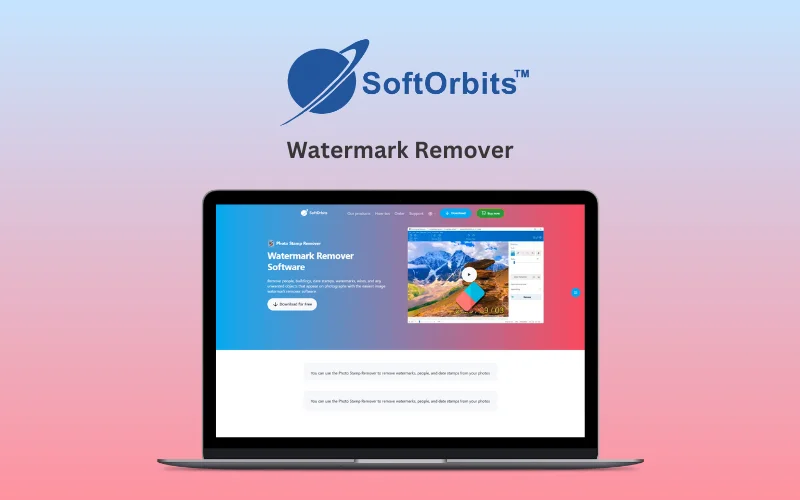
Photo Stamp & Watermark Remover For Windows | Lifetime Access

TL;DR

  • AI-powered software for removing watermarks, date stamps, and unwanted objects.
  • Provides automatic and manual editing tools for seamless results.
  • Allows batch processing for editing multiple photos simultaneously.
  • Provides offline functionality ensuring privacy and security.

Quick Overview

Alternative to:

  • Adobe Photoshop
  • HitPaw Watermark Remover
  • SnapEdit

Best for:

  • Content Creators
  • Freelancers
  • Graphic Designers
  • Photographers

Compatibility:

  • Browser Support:
    Brave, Chrome, Edge, Firefox, Safari
  • Operating Systems:
    Windows

Have you ever taken a perfect shot, only to find an intrusive date stamp, watermark, or unwanted object ruining your image? To not face this frustration again, DealFuel brings to you –


AI Photo Stamp & Watermark Remover.


SoftOrbits Photo Stamp Remover is an AI-powered software that automatically detects and removes watermarks, date stamps, text, and other unwanted objects from photos.


Utilizing AI-powered technology, it seamlessly reconstructs the background, leaving no trace of the removed object.


 This tool saves you time and effort whether you are –

  • Restoring old photos,
  • Eliminating distractions from portraits,
  • Preparing images for professional use


With batch processing, you can edit multiple images simultaneously.

Features of This Watermark Remover:

main-en.1220w

AI-Powered Detection & Removal:

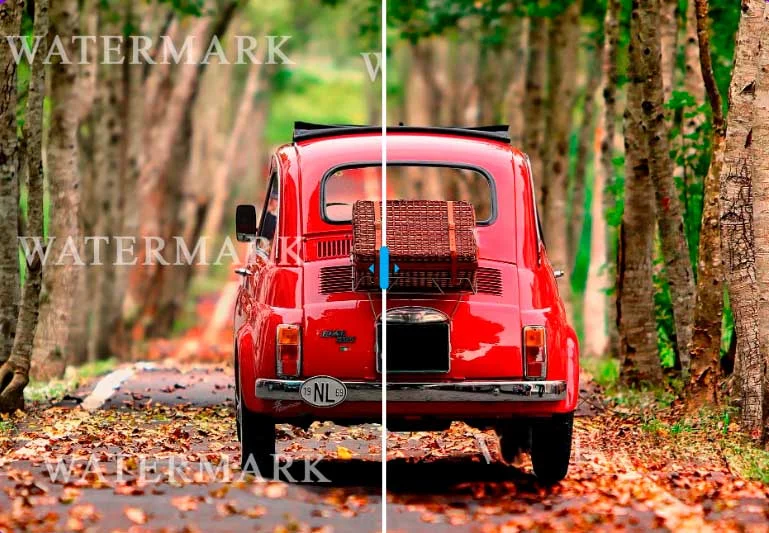
  • Auto-detects watermarks, stamps, text & copyright marks
  • Works even on transparent/complex watermarks
  • No manual selection needed
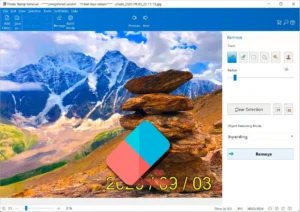
  • Multiple AI removal modes: generative fill, inpainting, texture-gen, quick remove
psr-scr

Batch Processing & Format Support:

  • Edit multiple images at once
  • Supports JPEG, PNG, BMP, TIFF & more
  • 100% offline — private & secure
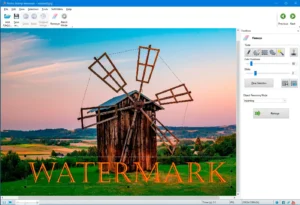
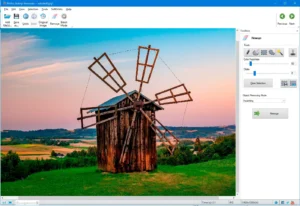
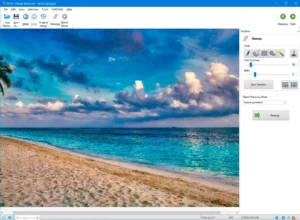
scr-windmill1

Remove Unwanted Objects:

  • Erase people, objects & emojis
  • Keeps photos clean & professional
  • One-click removal, no editing skills needed
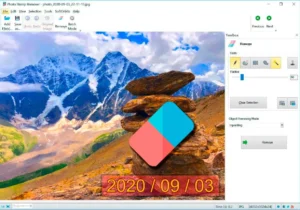
psr-example

Simple Interface + Precision Tools:

  • Upload & click — zero learning curve
  • Precision tools: Marker, Clone Stamp, Concealer, Smudge Brush
  • Save custom masks for reuse
  • Add your own watermark after editing

Why Choose Photo Stamp & Watermark Remover?

  • Remove watermarks, date stamps, text, people, and unwanted objects with AI-powered tools.
  • Edit multiple photos at once with batch processing.
  • Work offline for greater privacy and security.
  • Use manual editing tools for precise, professional results.

Photo Stamp & Watermark Remover For Windows is best for:

  • Content Creators
  • Freelancers
  • Graphic Designers
  • Photographers

Choose Your Plan

With DealClub
$25.49
$59.99
Without DealClub
$29.99
$59.99
Buy Now
Limited Time Deal

Deal Terms

  • Access via redemption of coupon code
  • 30-Day Coupon Code Validity
  • One Coupon Code for one user/account
  • Coupon Codes are not stackable
  • For both - New & Existing Users
  • Free Updates
  • Free Support
  • Accessible only on Windows - Desktop and Laptop

Plans & Features

Choose the perfect plan for your needs.

Plans & Features
Standard
$59.99 $29.99
Buy Now
Remove Date Stamps
Remove Text From the Image
Rejuvenating Old Photos
Retouch Portraits
Remove Unwanted Objects From Photos
Remove People From Your Photos
Remove Emoji From Photos

Standard

$59.99 $29.99
Buy Now
30-Day Refund | Lifetime Access | One-Time Payment
  • Remove Date Stamps
  • Remove Text From the Image
  • Rejuvenating Old Photos
  • Retouch Portraits
  • Remove Unwanted Objects From Photos
  • Remove People From Your Photos
  • Remove Emoji From Photos

Frequently Asked Questions

Find Answers to common questions about SoftOrbits Watermark Remover

What can Photo Stamp & Watermark Remover remove?

It removes watermarks, date stamps, text, people, objects, emojis, and other unwanted elements from photos.

Does Photo Stamp & Watermark Remover work offline?

Yes. It works offline on Windows, helping keep your photos and editing workflow private.

What Windows versions are supported?

It supports Windows 7, 8, 8.1, 10, and 11 on 32-bit and 64-bit systems.

Can I remove watermarks from multiple photos at once?

Yes. Its batch processing feature lets you remove unwanted elements from multiple images simultaneously.

Customer Feedback

Customer Reviews (0) Customer Q&A (0)

No Reviews Yet

Be the first to try this deal and share your experience.

You must purchase this product to leave a review.

Be The First To Ask

Get clarity before you buy—your question might help others too.

×

You Might Also Like

VideoProc Converter AI - Tool To Enhance Media | Lifetime Access

VideoProc Converter AI - Tool To Enhance Media | Lifetime Access

, , , , , , , ,

Animation Desk Pro Lite - 2D Animation Software For Windows | Lifetime Access

Animation Desk Pro Lite - 2D Animation Software For Windows | Lifetime Access

, , , , , , ,

EaseUS - Online Video Downloader For Windows & MacOS | Annual & Lifetime Plans

EaseUS - Online Video Downloader For Windows & MacOS | Annual & Lifetime Plans

, , , , , , , ,

AI Manga Translator | Annual Access
Buy with DealClub
$25.49 $59.99
Buy without DealClub
$29.99 $59.99

Deal Terms

  • Access via redemption of coupon code
  • 30-Day Coupon Code Validity
  • One Coupon Code for one user/account
  • Coupon Codes are not stackable
  • For both - New & Existing Users
  • Free Updates
  • Free Support
  • Accessible only on Windows - Desktop and Laptop
Scroll to Top