Filmage Screen – The Best Screen Recorder & Video Editor For Mac

TL;DR

  • Record crystal-clear 4K screen videos, tutorials, gameplay, and presentations with no time limits.
  • Edit, annotate, add voiceovers, convert formats, and export watermark-free videos without extra software.
  • Mirror and record iPhone/iPad screens on Mac, create GIFs, and turn recordings into polished content faster.

Quick Overview

Alternative to:

  • Camtasia
  • ScreenFlow

Best for:

  • Business Teams
  • Creative Agencies
  • Design agencies
  • Educators
  • Marketers
  • Streamers
  • Trainers
  • YouTubers

Compatibility:

  • Operating Systems:
    iOS, Windows

Nowadays, video is changing the way we communicate and express ourselves. More and more people record vlogs and share them with friends and family to share their knowledge or express themselves.


Efficient video editing software is a must to make the video creation process effortless. Introducing the best professional video editing suite and screen recorder –


Filmage Screen – An All-In-One Screen Recorder For Mac


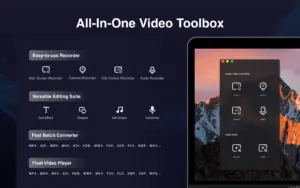
Filmage Screen is an all-in-one video toolbox. You can record HD videos, edit videos, make animated GIFs, convert videos, and do more on your Mac.

Features of Filmage Screen:

02_record

Easy-to-use Screen Recorder:

  • Capture screen with audio (fullscreen, window rec, freely customized area rec, and webcam rec.)
  • Record internal or external audio (mic + sys)
  • Record HD video in 4K/1080P/720P, support frame rate from 15fps to 60fps
  • Support screen mirroring and recording of iPhone/iPad screens
  • Support scheduled recording
  • Support picture-in-picture recording mode
  • No recording time limits
04_editing

User-friendly Editing Suite:

  • Edit video with annotation tools, customize the content/color/size/position of text, and adjust the speed from 0.5x to 2.0x
  • Edit video with trim, split, cut, delete, and more tools
  • Add background music
  • Create a voice-over by audio-recording
  • Export videos without a watermark
05_convert

Any Format Video Converter:

  • Convert videos in batch
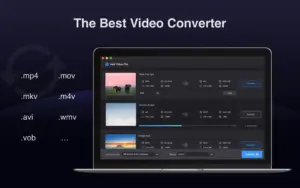
  • Convert videos to MP4, MOV, 3GP, VOB, MKV, M4V, WMV, AVI, MPG, and other video formats
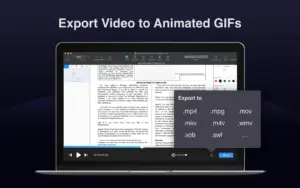
  • Export the video as a GIF
  • 30X faster conversion rates without quality loss
06_play

QuickTime Media Player:

  • Drag your video file to the Filmage Screen to quickly play it up to 4X speed
  • Support playing almost any video format: MP4, MOV, AVI, MKV, F4V, and more
  • Share audio and video via Email, Message, and AirDrop or to social platforms.
Customize the Recording Area
Mirror & Record iOS Screen
Webcam Recording
Export as GIF Demo

Advanced Features Of Filmage Screen:


1. Screen And Audio Recorder:

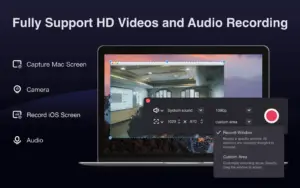
  • Customize the Recording Area: Capture your Mac screen at full screen or at any size, and record your own tutorials easily.
  • Mirror & Record iOS Screen: Record the iOS screen via AirPlay under WiFi conditions or via USB.
  • Webcam Recording: Record any footage in front of the webcam to capture magic moments flashing in your life.
  • Export as GIF Demo: HD screen recording (4K/1080P/720P/360P) and make animated GIFs.
196b800

2. Professional Video Editor:


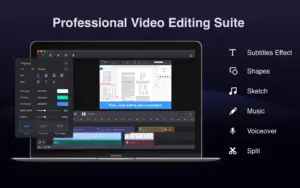
Enhance videos with full-featured editing tools. You can add text, graphics, subtitle effects, music, or voiceover. Make a fantastic movie!

5f0aad6

3. Video Format Converter:


Convert video and audio in all formats(MP4, MOV, MKV, M4V, AVI, GIF, WMV, FLV, etc.), and transform multiple tasks at once without quality loss.

b154e51

4. Media Player For Mac:


An all-purpose player on Mac supports video playback in all formats (MP4, FLV, WMV, VOB, AVI, MOV, GIF, etc.), and plays whatever you want.

Why Choose Filmage Screen?

  • Record your screen, webcam, microphone, and system audio in up to 4K quality for professional-looking videos.
  • Create tutorials, product demos, presentations, online courses, and gameplay recordings with ease.
  • Edit recordings by trimming, merging, annotating, adding effects, and enhancing audio, all in one app.
  • Mirror and record your iPhone or iPad screen directly on your Mac for app demos and mobile tutorials.
  • Convert videos into multiple formats or create animated GIFs for social media, documentation, and support.
  • Capture high-quality content without watermarks or recording time limits.
  • Save time with an all-in-one toolkit that combines recording, editing, conversion, and playback.
  • Produce polished videos faster without switching between multiple software applications.
  • Share professional content confidently for YouTube, online courses, client presentations, or team training.
  • Improve productivity with an intuitive Mac-native interface designed for fast and efficient video creation.
 

System Requirements:

  • MacOS 10.13 or later.
  • MacOS Big Sur
  • Apple M1

Best For:

  • Business Teams
  • Creative Agencies
  • Design agencies
  • Educators
  • Marketers
  • Streamers
  • Trainers
  • YouTubers

Choose Your Plan

With DealClub
$21.24
$29.99
Without DealClub
$24.99
$29.99
Buy Now
Limited Time Deal

Deal Terms

  • Access via redemption of coupon code
  • 14 Day Coupon Code Validity
  • One Coupon Code for one user/account
  • Coupon Codes are not stackable
  • For both - New & Existing Users
  • Free Updates
  • Free Support
  • Accessible only on Mac devices

Customer Testimonials

I can record the contents of my entire life with filmage screen. I can even edit my video directly right here on the App withput downloading so many video editing softwares. What a great surprise!

-Andrea, Vlogger

The best function of this Filmage Screen is that, I can record a movie while I am playing a game.

-Mason, Video Game Streamer

I love this app, easy, simple and my type. Sometimes I have to record my iPhone and iPad screen, I'm gonna use this app for high-quality app demos.

-Anna, Game and app developer

With Filmage Screen, I can engage my students and reach those with a variety of learing styles, also, I can maximaiize my time to stimulate classroom discussion.

-James, Educator

Plans & Features

Choose the perfect plan for your needs.

Plans & Features
Standard
$29.99 $24.99
Buy Now
All basic features
Record iOS screen with Airplay
Record a specific window - even covered
Make animated GIFs
Advanced editing suite

Dynamic subtitle effects, Voiceover

Video converting formats

MP4, MOV, AVI, MKV, and other 30+

No watermark
Free tech support
Free lifetime upgrade

Standard

$29.99 $24.99
Buy Now
14-Day Refund | Lifetime Access | One-time Payment
  • All basic features
  • Record iOS screen with Airplay
  • Record a specific window - even covered
  • Make animated GIFs
  • Advanced editing suite: Dynamic subtitle effects, Voiceover
  • Video converting formats: MP4, MOV, AVI, MKV, and other 30+
  • No watermark
  • Free tech support
  • Free lifetime upgrade

Frequently Asked Questions

Find answers to common questions about Filmage Screen

Can I edit videos after recording?

Yes. Trim, split, annotate, add voiceovers, music, and subtitles without leaving the app.

Can I record my iPhone or iPad screen?

Yes. Mirror and record your iOS device directly on your Mac.

Does Filmage Screen add a watermark?

No. Export your recordings without watermarks.

Is there a recording time limit?

No. Record as long as you need without built-in time restrictions.

Can I schedule recordings?

Yes. Set a recording start time and duration in advance for automatic capture.

Customer Feedback

Customer Reviews (0) Customer Q&A (0)

No Reviews Yet

Be the first to try this deal and share your experience.

You must purchase this product to leave a review.

Be The First To Ask

Get clarity before you buy—your question might help others too.

×

You Might Also Like

CharmShotAI - Screenshot Tool & Editor | Lifetime Access

CharmShotAI - Screenshot Tool & Editor | Lifetime Access

, , , , , , ,

Movmi - AI-Powered Motion Capture Tool | Annual Access
Projects Complete Edition - Photo Editing Tools Suite | Lifetime Access

Projects Complete Edition - Photo Editing Tools Suite | Lifetime Access

, , , , , , , , ,

1.0 (1)
WonderFox HD Video Converter Factory Pro | Lifetime Access

WonderFox HD Video Converter Factory Pro | Lifetime Access

, , , , , , ,

Buy with DealClub
$21.24 $29.99
Buy without DealClub
$24.99 $29.99

Deal Terms

  • Access via redemption of coupon code
  • 14 Day Coupon Code Validity
  • One Coupon Code for one user/account
  • Coupon Codes are not stackable
  • For both - New & Existing Users
  • Free Updates
  • Free Support
  • Accessible only on Mac devices
Scroll to Top