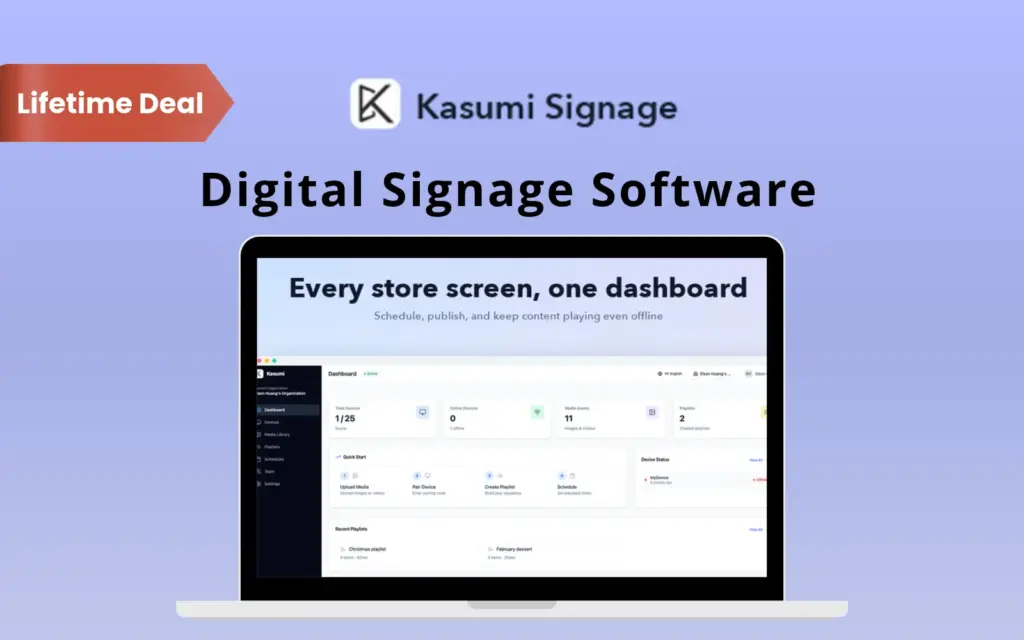
Kasumi Signage – Schedule and Manage Digital Displays With One Click

TL;DR

  • Manage digital displays across one or multiple locations from a web-based dashboard.
  • Keep images and videos playing offline with media stored locally on each screen.
  • Automate seasonal promotions, weekly schedules, and default playlists.
  • Update multiple screens with one click and save time on repetitive tasks.
  • Set up compatible Android TVs in minutes without proprietary hardware or an IT team.

Quick Overview

Alternative to:

  • NoviSign
  • OptiSigns
  • ScreenCloud
  • Xibo
  • Yodeck

Best for:

  • Agencies
  • Branding Agencies
  • Digital Agencies
  • E-commerce Stores
  • Educational Institutions
  • Filmmakers
  • Hospitality Businesses
  • Marketers
  • Restaurants & Cafés
  • Small Businesses

Compatibility:

  • Browser Support:
    Brave, Chrome, Edge, Firefox
  • Operating Systems:
    Android, Browser Based

Managing digital signage across multiple locations can be time-consuming, especially if you don’t have an IT team to handle setup, updates, and maintenance.

But with the software, you can manage content playback and keep your business displays running smoothly.

Therefore, DealFuel brings you Kasumi Signage.

What Is Kasumi Signage?

Kasumi Signage is digital signage software. It helps you manage screens across one or multiple locations without technical expertise.

It allows you to use existing Android TVs to –

  • Display images and videos
  • Schedule content
  • Publish updates remotely


Here’s How It Works:

  1. Simply install the app on your Android TV and pair your screen
  2. Add your images and videos to the dashboard
  3. Arrange your content, set display durations, and organize the order
  4. Pair your devices with a 6-digit code and publish your playlist

Your content downloads to each device, so playback continues even when the internet goes down.

With Kasumi Signage, you can schedule seasonal promotions, automatically switch restaurant menus, and update multiple screens with one click.

Introduction To Kasumi Signage

Youtube video

Features Of Kasumi Signage:

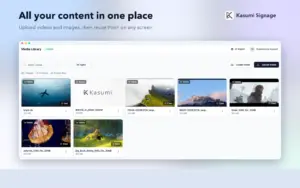
Upload videos and images once, then reuse them on any screen.

Keep Content Playing Without Internet:

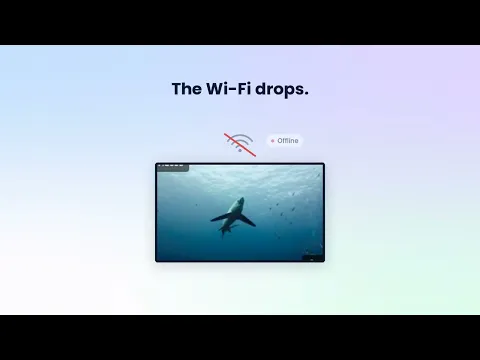
  • Store media locally on each Android TV so your promotions, menus, and brand displays continue playing during Wi-Fi or internet outages.
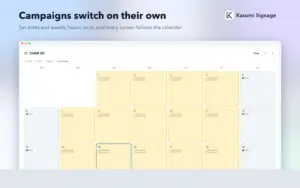
Set dates and weekly hours once, and every screen follows the calendar.

Automate Campaigns and Content Schedules:

  • Schedule seasonal promotions and special announcements ahead of time.
  • Automatically switch between date-based campaigns, weekly playlists, and your default content.
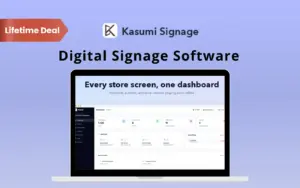
Manage, schedule and publish content to every store screen from a single dashboard.

Manage Multiple Screens With One Click:

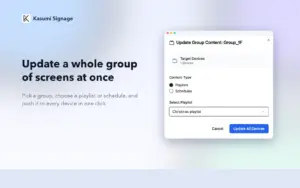
  • Group displays by store, floor, or area and publish playlists or schedules to every screen in a group.
  • Keep content consistent across multiple locations.
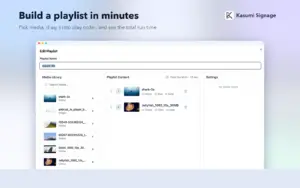
Pick media, drag it into play order and see the total run time.

Create Playlists With Drag-and-Drop Tools:

  • Upload images and videos, arrange them on a timeline, and set display durations.
  • View individual clip lengths and total playlist runtime as you build.
Pick media, drag it into play order and see the total run time.

Restart Displays and Use Existing Hardware:

  • Launch the app automatically when your Android TV starts, and resume playback if it was interrupted.
  • Pair compatible Android TVs running Android 8.0 or later with a 6-digit code; no dedicated media player required.
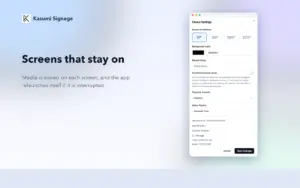
Keep content on screen with media stored on each device and auto-relaunch if interrupted.

Control Team Access and Manage Displays Remotely:

  • Assign Owner, Admin, and Viewer roles to control who can manage content and access billing.
  • Use the web-based dashboard on a desktop, laptop, tablet, or mobile browser to manage playlists and schedules.
Push a playlist or schedule to every device in a group with one click.

Display 4K Media and Get Future Updates:

  • Show images and videos up to 4K resolution to present your products, menus, and promotions clearly.
  • Get updates to included features through the Android TV app on Google Play and service-side dashboard updates.

Why Choose Kasumi Signage?

  • Control your digital displays from a single web-based dashboard; no need to visit every location.
  • Keep downloaded content playing even when your internet connection drops.
  • Schedule promotions, menus, and seasonal campaigns to go live automatically when they should.
  • Publish new content to multiple screens or entire device groups with one click.
  • Set up compatible Android TVs in minutes, no specialized technical knowledge required.
  • Use the Android TVs you already own instead of buying dedicated media players.
  • Assign account roles so staff can manage content without accessing billing.
  • Display consistent campaigns, menus, and brand visuals across all your business locations.
  • Play images and videos up to 4K to showcase your products and brand clearly.
  • Choose a lifetime tier that supports up to 3, 10, 25, 50, or 100 screens as your business grows.
 

Specifications:

  • Player: Native Android TV app
  • Minimum OS: Android 8.0 or later
  • Dashboard: Web-based, accessible through modern browsers
  • Supported Devices: Desktop, laptop, tablet, and mobile browsers for dashboard access; Android TV for playback
  • Supported Media: Images and videos up to 4K resolution
  • Pairing: 6-digit code
  • Offline Playback: Media stored locally on each device
  • Scheduling: Date-based campaigns, weekly schedules, and default playlists
  • Device Management: Group screens by store, floor, or area
  • Account Roles: Owner, Admin, and Viewer
  • Hardware Requirements: Compatible Android TV; no proprietary media player required
  • Internet Requirements: Internet access for initial setup and content updates; downloaded media continues playing offline

Best For:

  • Agencies
  • Branding Agencies
  • Digital Agencies
  • E-commerce Stores
  • Educational Institutions
  • Filmmakers
  • Hospitality Businesses
  • Marketers
  • Restaurants & Cafés
  • Small Businesses

Choose Your Plan

Tier 1
Tier 1
Original price was: $288.00.Current price is: $69.00.
Tier 2
Original price was: $540.00.Current price is: $169.00.
Tier 3
Original price was: $1,200.00.Current price is: $299.00.
Tier 4
Original price was: $2,100.00.Current price is: $499.00.
Tier 5
Original price was: $3,600.00.Current price is: $799.00.
With DealClub
$58.65
$288.00
Without DealClub
$69.00
$288.00
Buy Now
Limited Time Deal

Deal Terms

  • Access via redemption of coupon code
  • 30-Day Coupon Code Validity
  • One Coupon Code for one user/account
  • Coupon Codes are not stackable
  • For both - New & Existing Users
  • Free Updates
  • Free Support
  • Accessible on all devices - Desktop, Mobile and Tablet. Playback runs on Android TV screens

Plans & Features

Choose the perfect plan for your needs.

Plans & Features
Tier 1
Tier 2
Tier 3
Tier 4
Tier 5
$288 $69
Buy Now
$540 $169
Buy Now
$1200 $299
Buy Now
$2100 $499
Buy Now
$3600 $799
Buy Now
Screens

3

10

25

50

100

Offline-first playback
3-tier scheduler

Campaigns, Weekly, Default

Campaigns, Weekly, Default

Campaigns, Weekly, Default

Campaigns, Weekly, Default

Campaigns, Weekly, Default

Device groups with one-click updates
Media library
Playlist builder
Persistent display mode
Team roles

Owner, Admin, Viewer

Owner, Admin, Viewer

Owner, Admin, Viewer

Owner, Admin, Viewer

Owner, Admin, Viewer

All future updates to these features
Plan 1 of 5

Tier 1

$288.00 $69.00
Buy Now
30-Day Refund | Lifetime Access | One-time Payment
  • Screens: 3
  • Offline-first playback
  • 3-tier scheduler: Campaigns, Weekly, Default
  • Device groups with one-click updates
  • Media library
  • Playlist builder
  • Persistent display mode
  • Team roles: Owner, Admin, Viewer
  • All future updates to these features

Frequently Asked Questions

Find answers to common questions about Kasumi Signage

Do I need to buy additional hardware to use Kasumi Signage?

No. You can use your existing compatible Android TV running Android 8.0 or later. You don't need to purchase a proprietary media player.

What types of media does Kasumi Signage support?

Kasumi Signage supports images and videos up to 4K resolution, allowing you to display promotions, product visuals, restaurant menus, and brand content.

Can my team manage the digital displays?

Yes. Kasumi Signage provides Owner, Admin, and Viewer roles. You can assign access based on responsibilities, allowing your team to manage content while keeping billing access restricted to the owner.

What are the system requirements for Kasumi Signage?

You need an Android TV running Android 8.0 or later, a modern web browser to access the dashboard, and an internet connection for initial setup and content updates. No dedicated media player is required.

Customer Feedback

Customer Reviews (0) Customer Q&A (0)

No Reviews Yet

Be the first to try this deal and share your experience.

You must purchase this product to leave a review.

Be The First To Ask

Get clarity before you buy—your question might help others too.
×

You Might Also Like

TranslateMom - Audio Video Translator | Annual Access
SurSort - Find Any Video or Audio File Instantly

SurSort - Find Any Video or Audio File Instantly

, , , , , , , , ,

SnapText - Image To Text Converter | Lifetime Access

SnapText - Image To Text Converter | Lifetime Access

, , , , , , ,

5.0 (1)
SoftOrbits - Video Converter Software - Edit, Convert & Compress Videos

SoftOrbits - Video Converter Software - Edit, Convert & Compress Videos

, , , , , , ,

Choose Plan
Tier 1
Tier 1
Original price was: $288.00.Current price is: $69.00.
Tier 2
Original price was: $540.00.Current price is: $169.00.
Tier 3
Original price was: $1,200.00.Current price is: $299.00.
Tier 4
Original price was: $2,100.00.Current price is: $499.00.
Tier 5
Original price was: $3,600.00.Current price is: $799.00.
Buy with DealClub
$58.65 $288.00
Buy without DealClub
$69.00 $288.00

Deal Terms

  • ✓ Access via redemption of coupon code
  • ✓ 30-Day Coupon Code Validity
  • ✓ One Coupon Code for one user/account
  • ✓ Coupon Codes are not stackable
  • ✓ For both - New & Existing Users
  • ✓ Free Updates
  • ✓ Free Support
  • ✓ Accessible on all devices - Desktop, Mobile and Tablet. Playback runs on Android TV screens
Scroll to Top