

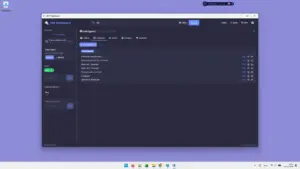


PDF DeepSearch – Extract Valuable Data From Multiple PDFs

TL;DR

  • Search 1000s of PDFs at once without opening them individually.
  • Find information faster with full-text, OCR, fuzzy, Boolean, and semantic AI search.
  • Extract useful data in bulk - emails, phone numbers, URLs, dates, currencies, and percentages.
  • Organize and analyze large collections with filters, tags, clustering, and duplicate detection.

Quick Overview

Alternative to:

  • Adobe Acrobat Pro
  • PDF-XChange Editor

Best for:

  • Analysts
  • Auditors
  • Consultants
  • Finance Professionals
  • HR Teams
  • Marketing Agencies
  • Publishers
  • Researchers
  • Small Business Owners
  • Startups
  • Students
  • Teachers
  • Writers

Compatibility:

  • Operating Systems:
    Windows

Tired of opening hundreds of PDFs just to find one piece of information? Traditional PDF readers usually make you search one document at a time.

But with PDF DeepSearch, you can easily find related information and extract useful data in bulk. All this without uploading your documents.

What Is PDF DeepSearch?

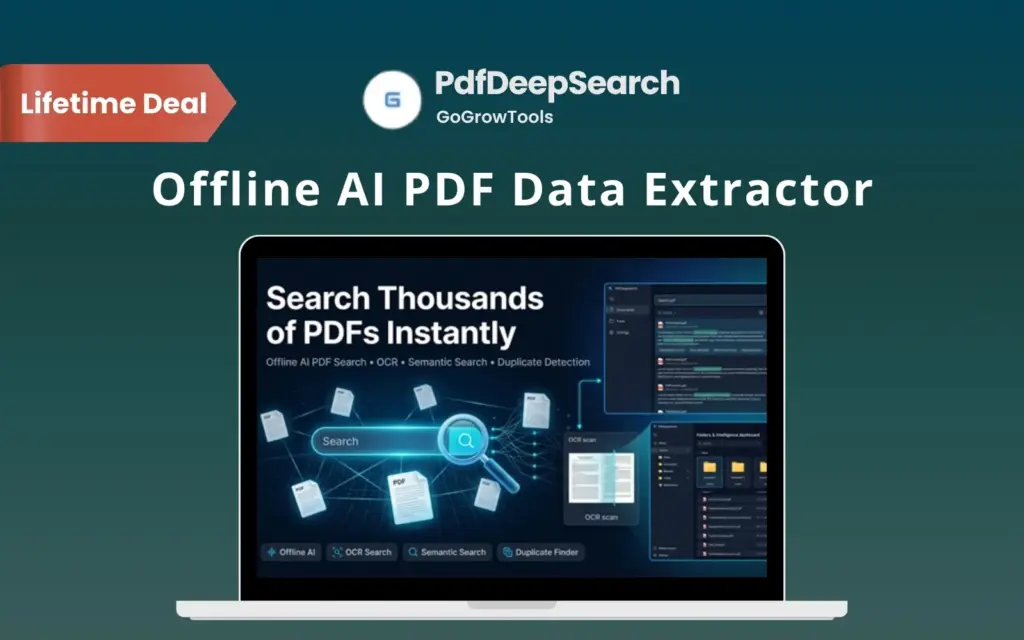
PDF DeepSearch is an offline AI PDF data extractor for Windows. It helps you search, organize, analyze, compare, and extract information from thousands of PDFs.

PDF DeepSearch combines –

  • Full-text search
  • OCR
  • Semantic AI
  • Filtering
  • Bulk extraction
  • Document organization

all in one desktop tool.


Here’s How It Works:

  1. Add your PDF folders: Load the document collections you want to search.
  2. Build your local index: Let PDF DeepSearch index your files for fast searching.
  3. Search and analyze: Use keywords, filters, OCR, or semantic AI to find relevant content.
  4. Extract and export: Pull useful data, compare documents, organize files, and export your results.

Instead of manually reviewing PDFs one by one, PDF DeepSearch helps you search your entire collection from a single interface.

Introduction To PDF DeepSearch

Youtube video

Features Of PDF DeepSearch:

Automatically pull out emails, phone numbers, and dates from every indexed document.

Search Thousands of PDFs Quickly:

  • Index large PDF collections with fast full-text search powered by Lucene.NET.
  • Search entire folders at once instead of opening documents individually.
  • Track results by page with highlighted matches for faster verification.
Search by meaning, not just keywords, to find relevant documents even without exact matches.

Find Relevant Content With AI:

  • Use semantic AI search to find conceptually related information even when exact keywords differ.
  • Run hybrid searches to combine traditional keyword matching with semantic search.
  • Choose Boolean, exact phrase, or fuzzy search based on how precise your results need to be.
Enable OCR for scanned PDFs and fine-tune indexing threads, language, and search limits.

Search Scanned PDFs With OCR:

  • Make scanned PDFs searchable with built-in Tesseract OCR.
  • Process image-based documents locally without sending files to an online service.
  • Find information inside scanned archives just like searchable PDFs.
Pull all dates mentioned in your PDFs into one filterable list.
Filter extracted entities by type to isolate every phone number found across documents.

Filter Results More Precisely:

  • Filter results by folder, date, size, and page count to narrow large result sets.
  • Use custom tags to categorize and locate documents more easily.
  • Save frequently used searches so you can reuse them whenever needed.
Run multiple keyword searches at once and see match counts for each term.

Extract Useful Data in Bulk:

  • Extract emails, phone numbers, URLs, dates, currencies, and percentages from multiple PDFs.
  • Search for multiple keywords at once across large document collections.
  • Export extracted information to CSV, TXT, or JSON for further analysis.
Scan your document library and flag near-duplicate files automatically.

Organize Large PDF Collections:

  • Detect duplicate and near-duplicate documents to reduce clutter.
  • Group documents by topics and themes to uncover patterns across your files.
  • Tag and categorize documents to keep large archives easier to manage.
Compare two documents line by line to see exactly what was added or removed.

Compare PDFs Side by Side:

  • Compare two PDF documents with a text difference engine.
  • Highlight changes between files to identify updates faster.
  • Review specific differences without manually checking both documents line by line.
Automatically pull out emails, phone numbers, and dates from every indexed document.

Keep Your Documents Private:

  • Process files completely offline with local indexing, OCR, and AI.
  • Avoid cloud uploads and external APIs for sensitive documents.
  • Search and analyze your files locally on your Windows computer.
Refine results with sort order, search mode, date range, and max results filters.

Work With Protected PDFs:

  • Open password-protected PDFs with the correct password.
  • Search protected documents without moving them to an online service.
Switch between emails, phones, URLs, dates, currency, and percentages with one click.

Customize Your Workspace:

  • Switch between dark and light modes to work comfortably in the interface you prefer.

Why Choose PDF DeepSearch?

  • Search thousands of PDFs from one interface.
  • Find information without opening documents individually.
  • Use AI to discover related content beyond exact keywords.
  • Make scanned and image-based PDFs searchable with OCR.
  • Extract emails, phone numbers, URLs, dates, and other data in bulk.
  • Detect duplicates and organize documents by topics.
  • Compare PDFs and quickly spot text changes.
  • Filter large search results to find relevant documents faster.
  • Export search results and extracted information to CSV, TXT, or JSON.
  • Keep indexing, OCR, and AI processing completely offline.

Best For:

  • Analysts
  • Auditors
  • Consultants
  • Finance Professionals
  • HR Teams
  • Marketing Agencies
  • Publishers
  • Researchers
  • Small Business Owners
  • Startups
  • Students
  • Teachers
  • Writers

Choose Your Plan

With DealClub
$14.45
$79.00
Without DealClub
$17.00
$79.00
Buy Now
Limited Time Deal

Deal Terms

  • Access via redemption of coupon code
  • 30 Day Coupon Code Validity
  • One Coupon Code for one user/two PCs
  • Coupon Codes are not stackable
  • For Both - New & Existing Users
  • Free Updates
  • Free Support
  • Accessible only on Windows 10/11 devices

Plans & Features

Choose the perfect plan for your needs.

Plans & Features
Standard
$79 $17
Buy Now
License

Personal - 2PCs

Updates

Free

Upgrades

Free

Customer support

Free - Email & chat

Usage rights

Commercial

Access

Instant download

Ready-to-sell setup
Video tutorials
Verified
Malware-free

Standard

$79.00 $17.00
Buy Now
30-Day Refund | Lifetime Access | One-time Payment
  • License: Personal - 2PCs
  • Updates: Free
  • Upgrades: Free
  • Customer support: Free - Email & chat
  • Usage rights: Commercial
  • Access: Instant download
  • Ready-to-sell setup
  • Video tutorials
  • Verified
  • Malware-free

Frequently Asked Questions

Find answers to common questions about PDF DeepSearch

What platforms does it support?

PDF DeepSearch is a Windows desktop application compatible with Windows 10 and 11.

Is the processing done offline?

Yes. Indexing, OCR, and AI processing run locally without cloud uploads or external APIs.

Customer Feedback

Customer Reviews (0) Customer Q&A (0)

No Reviews Yet

Be the first to try this deal and share your experience.

You must purchase this product to leave a review.

Be The First To Ask

Get clarity before you buy—your question might help others too.

×

You Might Also Like

Kernel Windows Data Recovery Software to Recover Lost Data Instantly

Kernel Windows Data Recovery Software to Recover Lost Data Instantly

, , , , , , ,

CtrlHelp - Keyboard Shortcuts Software | Lifetime Deal

CtrlHelp - Keyboard Shortcuts Software | Lifetime Deal

, , , , , , , ,

Domain Monitor - The All-In-One Domain & Website Monitoring Tool

Domain Monitor - The All-In-One Domain & Website Monitoring Tool

, , , , , ,

iProVPN - The Best VPN Service | Annual Plan (+1 Year Free)

iProVPN - The Best VPN Service | Annual Plan (+1 Year Free)

, , , , , ,

Buy with DealClub
$14.45 $79.00
Buy without DealClub
$17.00 $79.00

Deal Terms

  • Access via redemption of coupon code
  • 30 Day Coupon Code Validity
  • One Coupon Code for one user/two PCs
  • Coupon Codes are not stackable
  • For Both - New & Existing Users
  • Free Updates
  • Free Support
  • Accessible only on Windows 10/11 devices
Scroll to Top