RecCloud AI – AI Multimedia Toolkit | Annual Access

TL;DR

  • Expand global reach with 100+ languages
  • Convert speech to text with precision
  • Save hours by summarizing long videos
  • Produce professional videos from simple text
  • Create human-like voiceovers in any language
  • Automate viral clips for social growth

Quick Overview

Alternative to:

  • Canva

Best for:

  • Content Creators
  • Graphic Designers
  • Marketers
  • Video Editors
  • YouTubers

Compatibility:

  • Browser Support:
    Chrome, Firefox, Safari
  • Operating Systems:
    Android, Browser Based, iOS, MacOS, Windows

Transform Hours of Manual Media Processing Into a Seamless, AI-Driven Content Engine in seconds with –

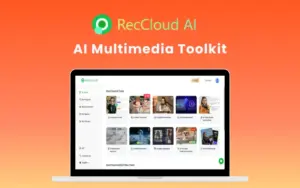
RecCloud AI – AI Multimedia Toolkit


RecCloud AI is an all-in-one AI Multimedia Toolkit that automates translation to intelligent summarisation in over 100 languages.


This smart toolkit includes 7+ powerful AI tools, making it your one-stop solution for fast, professional-quality results.


It supports a wide range of video/audio formats and works across all major platforms, including Windows, Mac, iOS, Android, and web.

Introduction to RecCloud

Youtube video

Features of RecCloud - AI Video Hub

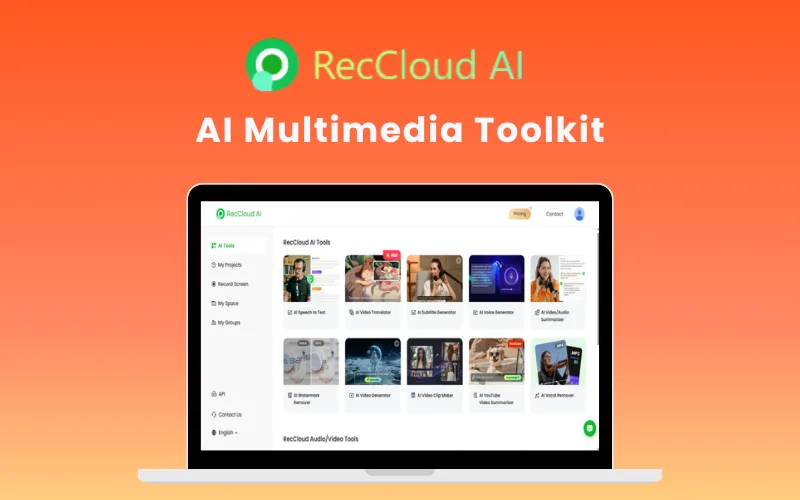
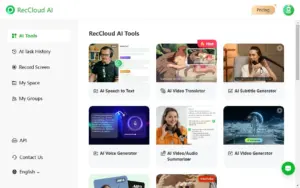
RecCloud AI Dashboard

Create, Translate & Repurpose Content 10x Faster

Turn videos, audio files, and text into engaging content without spending hours editing.

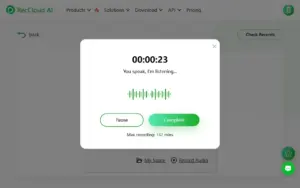
  • Convert speech into highly accurate text across 100+ languages and dialects.
  • Automatically translate videos while preserving the original speaker’s voice and natural delivery.
  • Generate professional subtitles and multilingual voiceovers in minutes.
  • Create videos directly from text prompts without advanced editing skills.

Includes: AI Speech-to-Text, AI Video Translator, AI Subtitle Generator, AI Voice Generator, AI Video Generator.

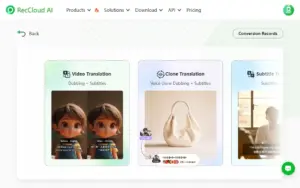
Conversion Records using RecCloud AI

Reach a Global Audience Without Hiring Translators

Expand your content beyond language barriers and connect with viewers worldwide.

  • Translate videos into multiple languages with natural-sounding AI voices.
  • Maintain voice characteristics and lip-sync for a more authentic viewing experience.
  • Deliver localized content for international customers, students, or followers.
Reccloud clip maker

Transform Long Videos Into Bite-Sized Content Automatically

Stop manually searching for highlights and let AI find the best moments for you.

  • Automatically detect and clip viral-worthy segments from long-form videos.
  • Generate social-media-ready content for YouTube Shorts, Instagram Reels, and TikTok.
  • Increase engagement while reducing editing time.

Includes: AI Video Clip Maker.

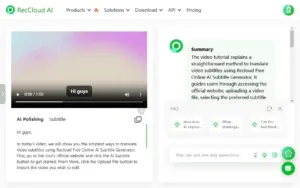
AI Audio Summarisation Using RecCloud AI

Extract Key Insights in Seconds

Get the information you need without watching hours of content.

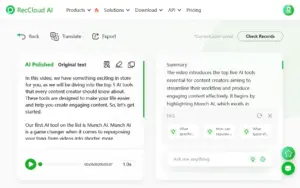
  • Instantly summarize YouTube videos, webinars, meetings, lectures, and podcasts.
  • Create concise highlights, study notes, and executive summaries automatically.
  • Save time while staying informed.

Includes: AI YouTube Video Summarizer, AI Video & Audio Summarizer.

Reccloud voice generator

Produce Studio-Quality Audio Without Expensive Software

Create professional audio assets with just a few clicks.

  • Generate natural-sounding AI voiceovers for videos and presentations.
  • Remove vocals from music tracks to create instrumentals, karaoke tracks, or background music.
  • Improve audio quality without advanced production skills.

Includes: AI Voice Generator, AI Vocal Remover.

Remove Watermark in videos created with RecCloud

Edit Videos Online Without Switching Between Multiple Tools

Handle essential editing tasks from a single dashboard.

  • Trim, crop, merge, and refine videos online.
  • Remove unwanted watermarks and visual distractions.
  • Support major video and audio formats including MP4, MOV, MKV, MP3, and FLAC.

Includes: Online Video Editor, AI Watermark Remover.

RecCloud-Cloud-Storage

Work With Large Media Files Securely in the Cloud

Store and manage projects without consuming local storage.

  • 10GB secure cloud storage included.
  • Supports files up to 5 hours in length.
  • Access and edit content from anywhere.
Key Highlights of RecCloud:
  • Unmatched Efficiency: Reduce hours of manual work to minutes with optimized AI engines.
  • Lightning-Fast Processing: Get rapid results on large files with a cloud-based architecture.
  • Intelligent Accuracy: Achieve professional-grade results with AI that learns and improves.
  • Cross-Platform Access: Use all tools seamlessly on Windows, Mac, iOS, Android, and Web.
  • Intuitive Interface: Reach professional standards immediately, no technical skills required.
  • Enterprise-Grade Security: Protect your content with bank-level encryption and privacy controls.
  • Continuous Innovation: Access the latest AI advancements through regular, free updates.

RecCloud is Best For

  • Content Creators
  • Graphic Designers
  • Marketers
  • Video Editors
  • YouTubers

Choose Your Plan

With DealClub
Without DealClub
Buy Now
Limited Time Deal

Deal Terms

  • Access via redemption of coupon code
  • 7 days coupon code validity
  • One coupon code can be used for 1 user/account
  • Coupon codes are stackable
  • Updates available during the active subscription period
  • Support available during the active subscription period
  • Works with Windows 7/8/8.1/10/11
  • Available for BOTH new & existing users
  • Can be accessed on all devices with an ACTIVE internet subscription

Customer Testimonials

RecCloud's AI Speech to Text tool is a superb for efficient note-taking and transcriptions. It accurately converts lectures into polished, summarized text effortlessly! Highly recommended!

-James Brown - Student

The AI Voice Generator in RecCloud is fantastic! It converts text into natural-sounding speech in multiple languages, perfect for creating multilingual content. A game-changer!

-Michael Watts - TikTok Creator

As an online educator, I rely on RecCloud's AI Subtitle Generator to produce accurate subtitles and translations for my recorded courses, thereby improving audience retention among my global student base.

-Emily Smith - Educator

Plans & Features

Choose the perfect plan for your needs.

Plans & Features
Standard
$129 $59
Buy Now
Credits

8000/Year

Storage

100 GB

File Storage

Unlimited

Recording time

Unlimited

Cross-platform membership
Updates

Free

Tech-support

Yes

Standard Plan

$129.00 $59.00
Buy Now
7-Day Refund | Annual Access | One-time Payment
  • Credits: 8000/Year
  • Storage: 100 GB
  • File Storage: Unlimited
  • Recording time: Unlimited
  • Cross-platform membership
  • Updates: Free
  • Tech-support: Yes

Frequently Asked Questions

Find answers to commonly asked questions about RecCloud

Can I upload large video files to RecCloud?

You can process high-definition videos up to 4GB (or 500MB for audio) with durations reaching 5 hours.

Will the translated videos actually look natural?

Yes! RecCloud AI uses lip-sync and voice cloning technology so the output looks and sounds like the original person is speaking the new language.

What kind of files can I use with these tools?

RecCloud is highly flexible, supporting all major formats including mp4, mov, mkv, and webm for video, plus mp3, wav, and flac for audio.

Customer Feedback

Customer Reviews (0) Customer Q&A (0)

No Reviews Yet

Be the first to try this deal and share your experience.

You must purchase this product to leave a review.

Be The First To Ask

Get clarity before you buy—your question might help others too.

×

You Might Also Like

Streamr - Automatic AI Video Transcription | Lifetime Access

Streamr - Automatic AI Video Transcription | Lifetime Access

, , , , , , ,

5.0 (1)
Filmage Converter - Media Converter & Extractor For Mac  | Lifetime Access

Filmage Converter - Media Converter & Extractor For Mac | Lifetime Access

, , , , , ,

Keeprix - All-In-One Video Downloader | Annual Access
HDR 9 Project Pro - Create High Resolution Images | Lifetime Access

HDR 9 Project Pro - Create High Resolution Images | Lifetime Access

, , , , , ,

Buy with DealClub
Buy without DealClub

Deal Terms

  • ✓ Access via redemption of coupon code
  • ✓ 7 days coupon code validity
  • ✓ One coupon code can be used for 1 user/account
  • ✓ Coupon codes are stackable
  • ✓ Updates available during the active subscription period
  • ✓ Support available during the active subscription period
  • ✓ Works with Windows 7/8/8.1/10/11
  • ✓ Available for BOTH new & existing users
  • ✓ Can be accessed on all devices with an ACTIVE internet subscription
Scroll to Top